
ID Photo application


Skip the expensive photo booth and take control of your image. Create perfectly sized, compliant ID photos for passports or visas with unlimited retakes and save over 90% by printing for pennies at home or your local pharmacy.
Publisher
Category
Photo & VideoDownloads
4M+User Rating
Total Ratings
55K+Locales
16Discover the interface used by 4M+ users.
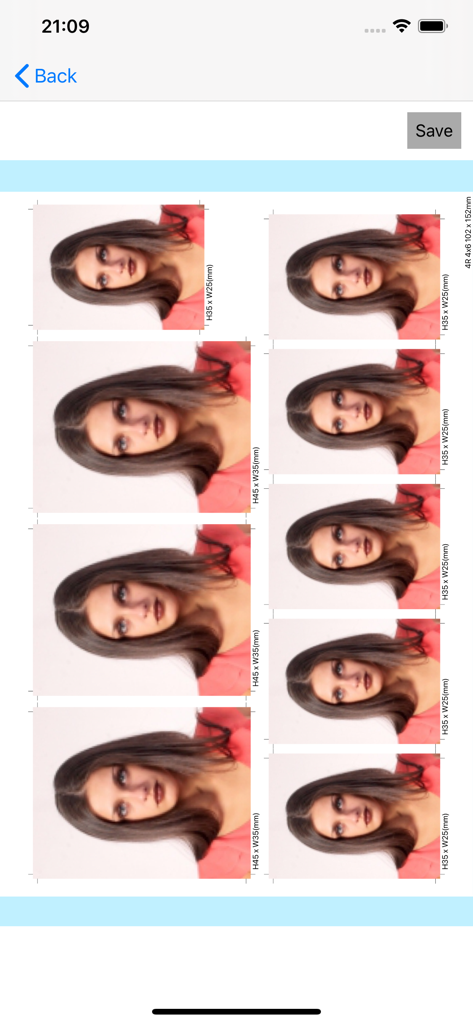
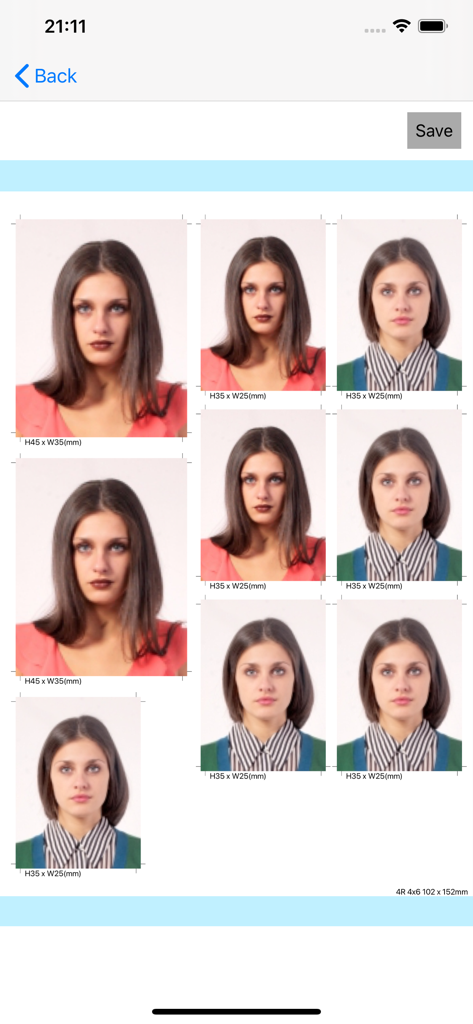
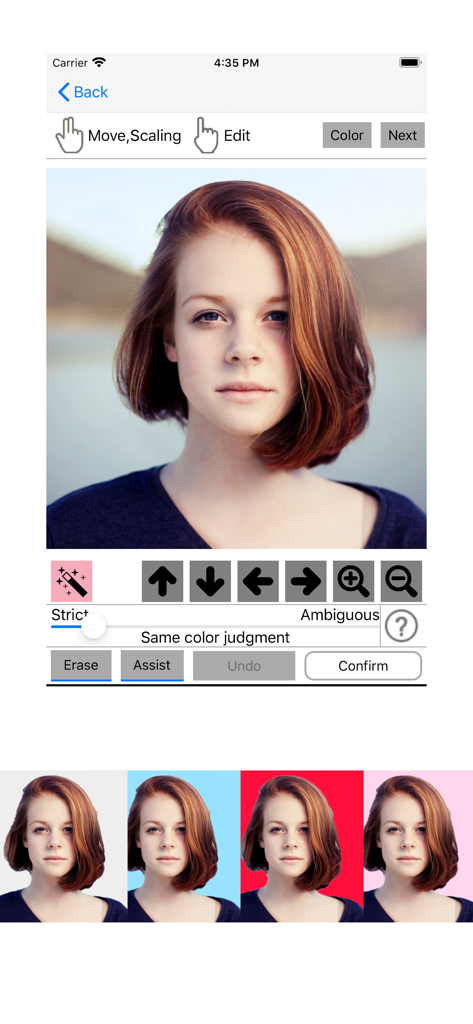
The tools that make this app stand out, trusted by 4M+ users.
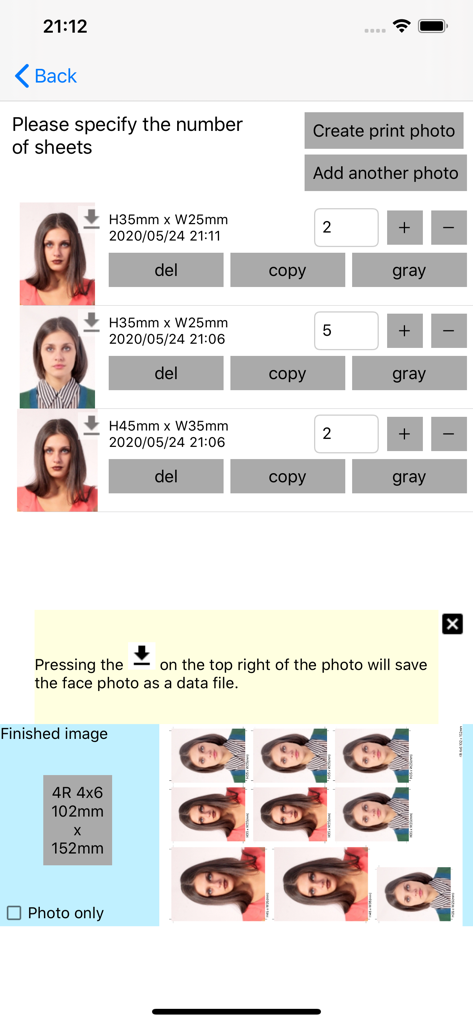
Save over 90% compared to pharmacy photo services. Generate a standard 4x6 layout that you can print for pennies at any local kiosk or home printer.
Avoid the stress of photo booths with wiggly toddlers. Take unlimited retakes in your own living room until everyone looks their best and meets official requirements.
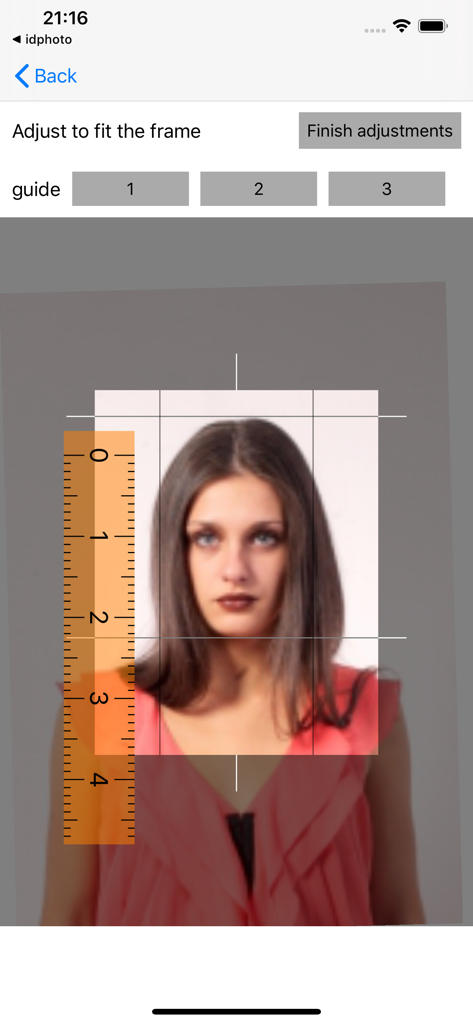
Instant access to standard 2x2 inch US Passport templates and custom international visa sizes. High-resolution JPEGs ensure your application is never rejected.
Trusted by 4M+ people who love this app.
"Getting a passport photo for a toddler is nearly impossible at a pharmacy. This app allowed me to take as many retakes as I needed in the comfort of our living room. It saved me so much stress and the dimensions were perfect for the application!"
"I was tired of paying $16 at the drug store for mediocre ID photos. With this app, I took a professional-looking headshot myself and printed it for pennies as a standard 4x6. It is a must-have for anyone looking to save time and money on official documents."
Everything you need to know about ID Photo application.
Description
Latest Version
1.0.31
Size
82.0 MB
First Released
May 25, 2020
Join over 4 million users saving time and money. Create your perfect, compliant ID photo in seconds and print it for pennies at your local pharmacy.
Everything you need to know about ID Photo application
The ID Photo application allows users to easily create ID photo data directly from photographs taken with a smartphone. It supports saving individual photo data and retaking photos multiple times.
Yes, you can print ID photos at home using the ID Photo application. The app generates photos in JPEG format, compatible with most printers that support smartphone or digital camera photos.
The ID Photo application creates data that matches the general print size of 4x6 inches (101.6mm x 152.4mm). This is the default output size for generated print photos.
The ID Photo application supports various sizes, including 51x51mm (2x2 inches), 25x25mm (1x1 inch), 45x35mm, 50x35mm (2 inches), 48x33mm, 35x25mm (1 inch), 45x45mm, and 40x30mm. Custom sizes are also supported.
Yes, the ID Photo application allows users to include ID photos of different sizes on a single photo print. Users can specify the number of cropped photos for each size.
Yes, the ID Photo application supports creating black and white (grayscale) ID photos. Users can convert color photos to grayscale within the application's interface.
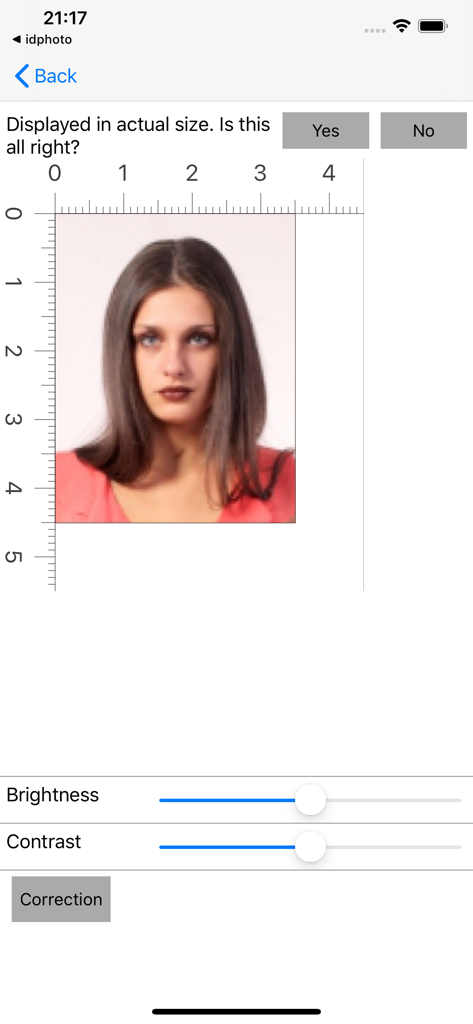
Yes, the ID Photo application provides options to adjust brightness and contrast. It also includes general photo correction features for refining image quality.
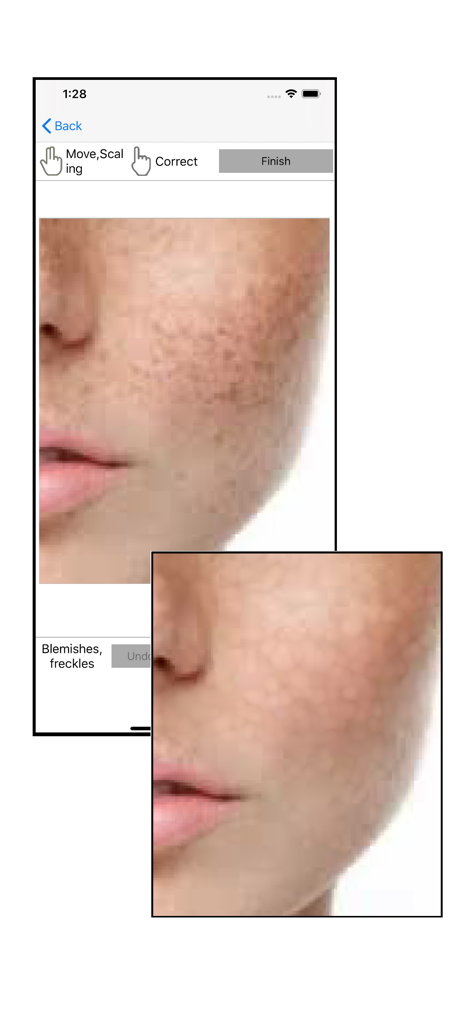
Yes, the ID Photo application includes photo correction features. It specifically offers options to address blemishes and freckles, enhancing the final ID photo quality.
Yes, the ID Photo application allows users to change the background color of their ID photos. It offers various color options, such as blue, red, and pink backgrounds.
Yes, the ID Photo application allows users to save individual photo data. This feature provides flexibility for managing generated ID photos separately from print sheets.
Apps with similar features and user experience

Appable Yazilim Hizmetleri Limited Sirketi

润娟 邹

Hangzhou Jiadi Bozhong Enterprise Management Partnership

Shenzhen Piaopiao Baobei Co., Ltd
Jatin Maniya
Clafou Ltd

泽沛 许

Retouch Photo Editor Technology Limited

书敏 贾