InnoCaption: Call Captioning

InnoCaption: Call Captioning

Download on App Store
Spark by MWM logo
Logo of InnoCaption: Call Captioning

InnoCaption: Real-Time Call Captioning for Clearer Conversations

Experience fast, accurate, and free captions for every phone call. Keep your existing number and regain your independence with FCC-funded technology built for individuals with hearing loss.

Download on App Store

Publisher

Mezmo Corporation

Category

Utilities

Downloads

358K+

User Rating

4.7/5

Total Ratings

9K+

Locales

1

See the Conversation

Discover the interface used by 358K+ users.
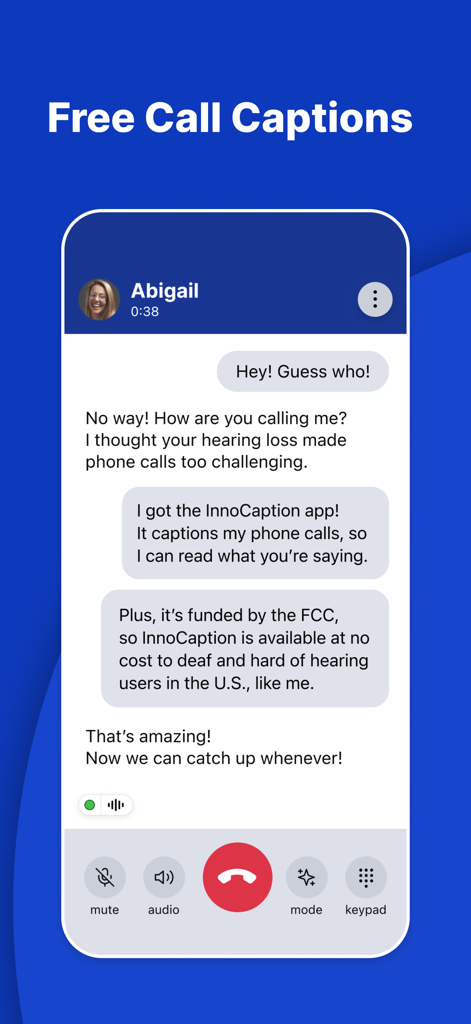
A screenshot of the InnoCaption app showing a phone call with real-time captions on a blue background.

A screenshot of the InnoCaption app showing a phone call with real-time captions on a blue background.

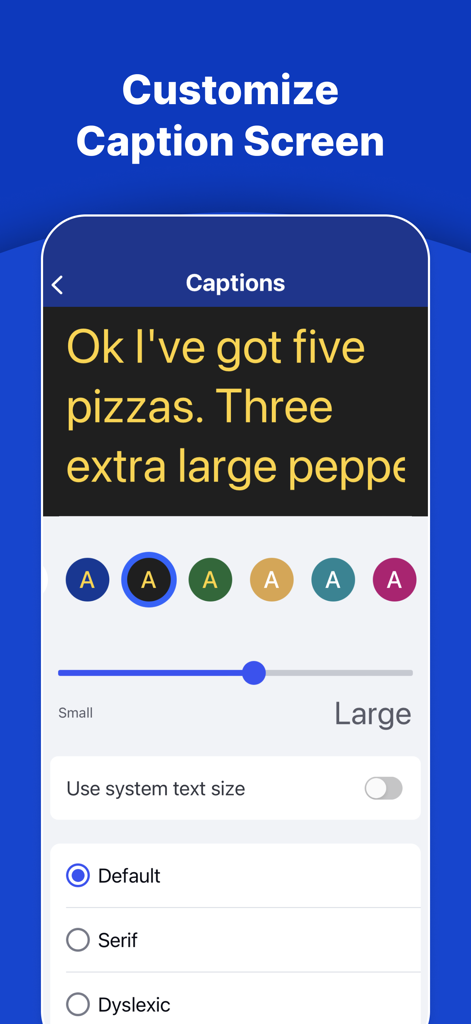
Mobile app screen for customizing call caption text size color and font for better accessibility

Mobile app screen for customizing call caption text size color and font for better accessibility

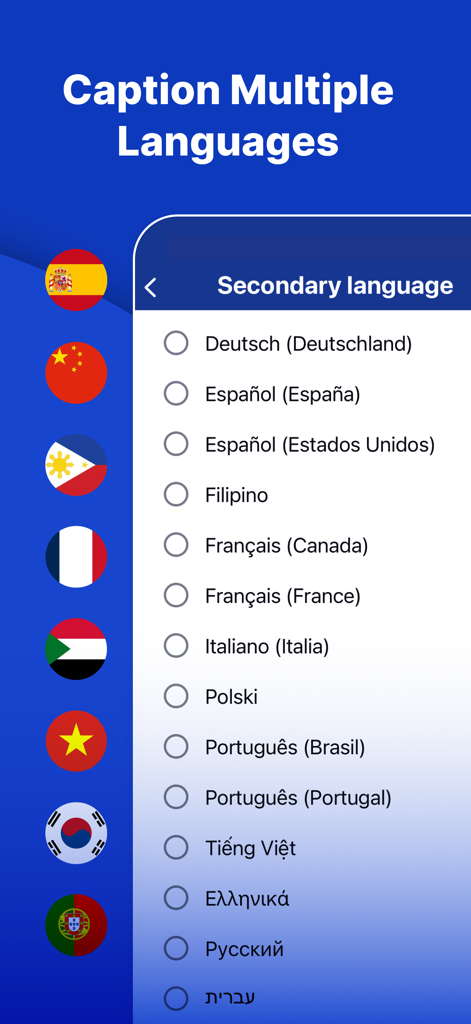
Screen from the InnoCaption app showing a list of secondary language options for call captioning with various international flags.

Screen from the InnoCaption app showing a list of secondary language options for call captioning with various international flags.

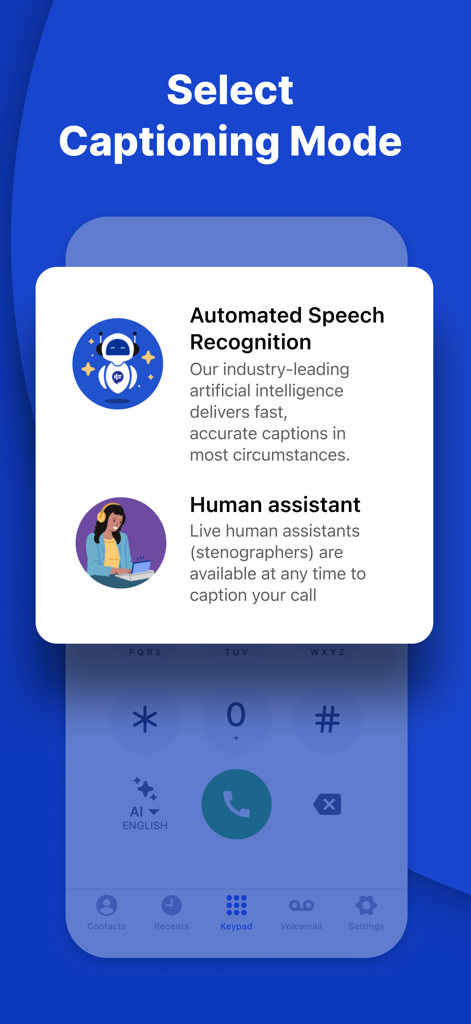
InnoCaption app interface showing the choice between automated speech recognition and live human assistant captions

InnoCaption app interface showing the choice between automated speech recognition and live human assistant captions

Senior woman smiling with text describing InnoCaption call captioning for hearing loss

Senior woman smiling with text describing InnoCaption call captioning for hearing loss

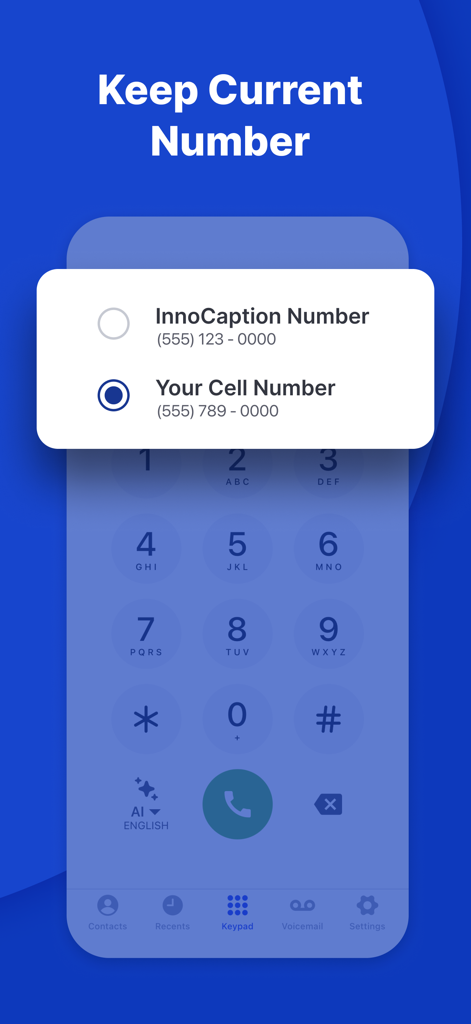
InnoCaption app interface showing the option to keep your existing cell number for captioned calls.

InnoCaption app interface showing the option to keep your existing cell number for captioned calls.

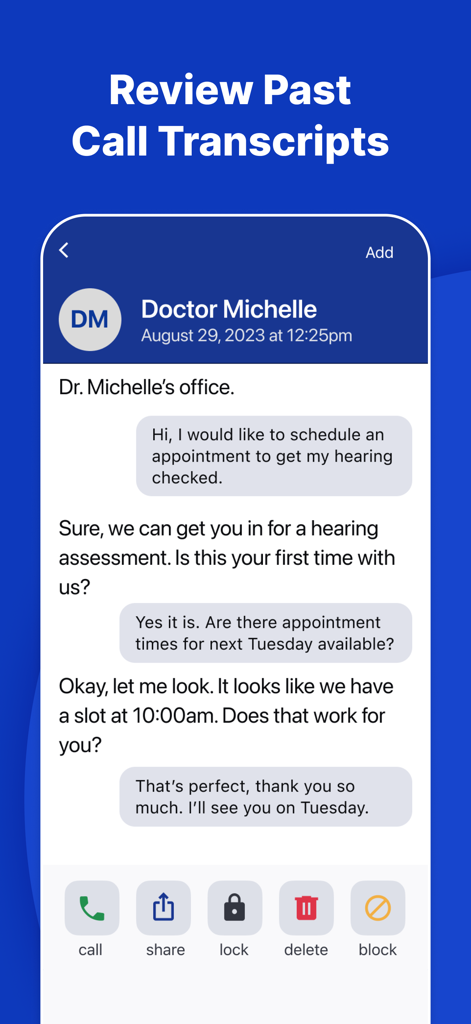
A screenshot of the InnoCaption app displaying a saved call transcript between a user and a doctor.

A screenshot of the InnoCaption app displaying a saved call transcript between a user and a doctor.

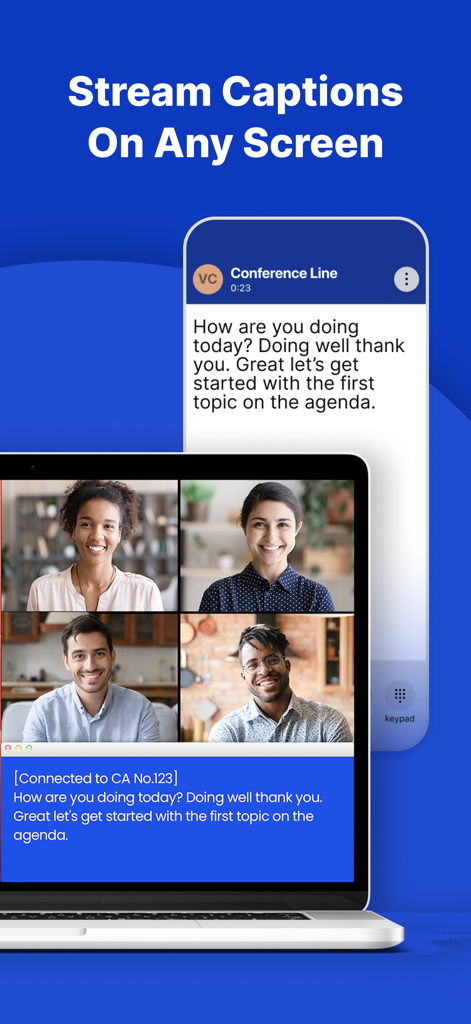
A smartphone and laptop showing synchronized real-time captions for a conference call.

A smartphone and laptop showing synchronized real-time captions for a conference call.

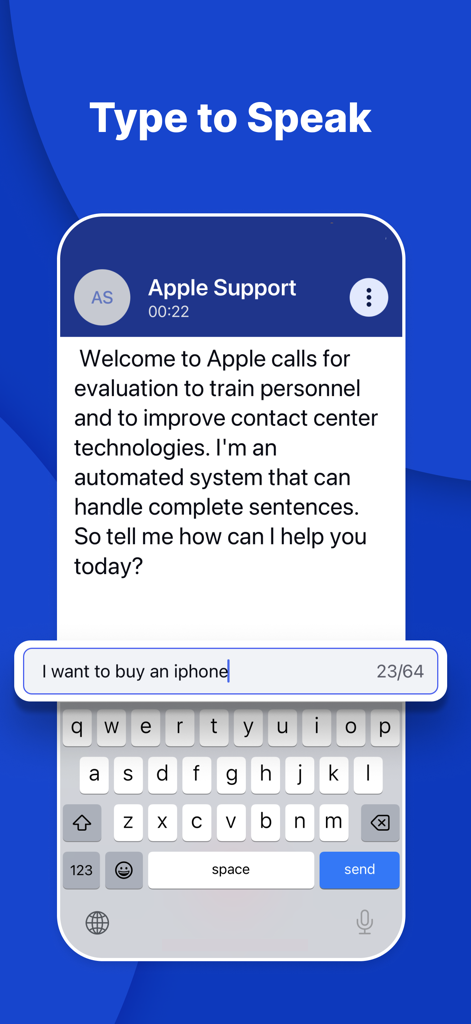
InnoCaption app interface showing the Type to Speak feature during a call with real-time text captions.

InnoCaption app interface showing the Type to Speak feature during a call with real-time text captions.

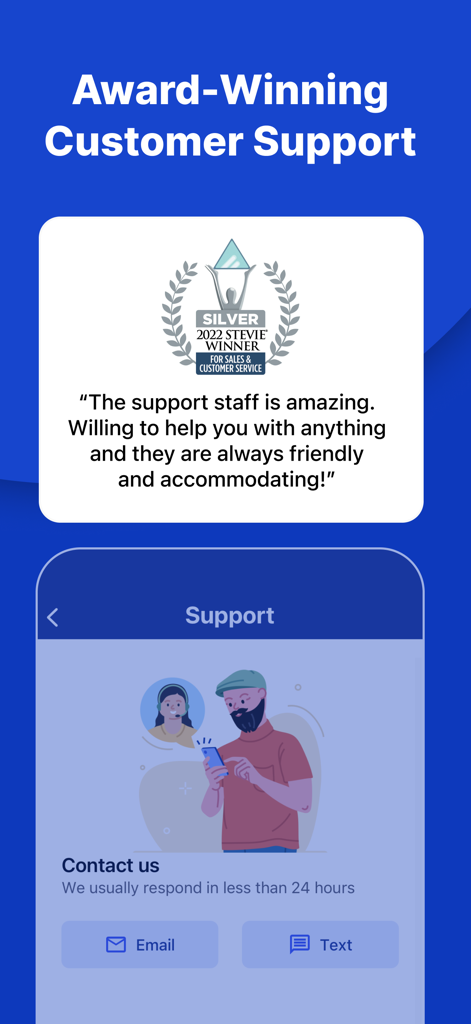
InnoCaption app screenshot highlighting award winning customer support and contact options

InnoCaption app screenshot highlighting award winning customer support and contact options

Rediscover the Joy of Conversation

The tools that make this app stand out, trusted by 358K+ users.

🗨️

Accurate Real-Time Captions

Choose between professional stenographers or high-speed AI to read exactly what is being said during your calls, as it happens.

📱

Keep Your Own Number

No need to change your contact info. Our One Number technology allows you to use your existing cell phone number for all captioned calls.

🏛️

Free for Eligible Users

As an FCC-certified service, InnoCaption is available at no cost to U.S. residents with hearing loss, ensuring accessibility for everyone.

Loved by users worldwide

Trusted by 358K+ people who love this app.

"

"I was starting to avoid phone calls because I couldn't hear my grandkids clearly, but InnoCaption changed everything. Being able to keep my own phone number meant I didn't have to explain anything to my doctor or friends—I just answer and read along! It has given me back my confidence and independence."

Margaret H.
"

"As a professional with hearing loss, this app is a game-changer. The AI summaries help me keep track of meeting notes, and the new TTS Refine feature makes responding so much faster during busy work calls. The choice between a live stenographer and AI captions gives me the flexibility I need for every situation."

David L.

About the app

Everything you need to know about InnoCaption: Call Captioning.

Description

If hearing loss makes understanding phone calls challenging, try the InnoCaption app for free, fast, and accurate real-time call captions. InnoCaption is available at no cost to eligible users in the United States through funding from the FCC’s Telecommunications Relay Services (TRS) Fund. **** New Update **** • TTS AI Refine – Make text-to-speech calls even easier by using AI Refine to turn short responses into complete sentences • TTS Shortcuts – Create custom prewritten phrases to quickly respond when using text-to-speech on a call • Transcript Summary – Review important details from previous calls with concise AI-powered summaries REAL-TIME CAPTIONS FOR EVERY CALL • Switch between live stenographers or Automated Speech Recognition (ASR) captions at any time during your call • Available at no cost to individuals with hearing loss in the United States • Caption your calls in multiple languages, including Spanish, Chinese, Filipino, and more • Make and caption 3-way calls SEAMLESS CALLING & PERSONALIZATION • Get captions for both incoming and outgoing calls • Keep your existing phone number with our patented One Number technology • Use InnoCaption like your regular phone dialer – no need to make calls through a 711 relay • Customize the InnoCaption app to fit your accessibility needs TEXT-TO-SPEECH CALLING FEATURES • Use AI Refine to turn short responses into complete sentences at the touch of a button • Customize prewritten TTS Shortcuts for fast and effortless replies during calls ACCESSIBLE TRANSCRIPTS & VOICEMAIL • Save and view transcripts of previous calls • Access and read fully captioned voicemail messages SMART CONTACT INTEGRATION • Easily sync contacts from your phone to the InnoCaption app • Continue using your personal cell number by combining our caller ID and call-forwarding features EMERGENCY CALLS & SPAM FILTER • Built-in spam call filter blocks high-risk calls and provides notices for potential spam calls • Make 911 emergency calls with captions* *911 service may be limited or unavailable in the event of network disruptions or degradation, service connection or internet failure, or other circumstances. For more information visit: www.innocaption.com/calling-911 Cellular data plan or Wi-Fi is required for usage. FEDERAL LAW PROHIBITS ANYONE BUT REGISTERED USERS WITH HEARING LOSS FROM USING INTERNET PROTOCOL (IP) CAPTIONED TELEPHONES WITH THE CAPTIONS TURNED ON. IP Captioned Telephone Service may use a live operator. The operator generates captions of what the other party to the call says. These captions are then sent to your phone. There is a cost for each minute of captions generated, paid from a federally administered fund. For more information, visit us at https://www.innocaption.com Please reach out to us at support@innocaption.com for any assistance.

Latest Version

4.3.2

Size

58.5 MB

First Released

Jul 24, 2018

Reclaim Your Independence on Every Call

Join thousands of Americans who never miss a word. Download InnoCaption today for free, real-time captions funded by the FCC—and keep your existing phone number.

Download on App Store
FAQ

Frequently Asked Questions

Everything you need to know about InnoCaption: Call Captioning

What is InnoCaption?

Yes, InnoCaption is an app providing free, fast, and accurate real-time call captions for individuals with hearing loss. It allows users to read what others say during phone calls.

How does InnoCaption provide captions during calls?

InnoCaption provides real-time captions using either live stenographers or Automated Speech Recognition (ASR). Users can switch between these modes at any time during a call.

Is the InnoCaption app free to use?

Yes, the InnoCaption app is available at no cost to eligible users with hearing loss in the United States. Funding comes from the FCC’s Telecommunications Relay Services (TRS) Fund.

Who is eligible to use InnoCaption?

InnoCaption is available at no cost to eligible individuals with hearing loss in the United States. Federal law prohibits anyone but registered users with hearing loss from using IP captioned telephones with captions turned on.

What languages does InnoCaption support for call captioning?

InnoCaption supports call captioning in multiple languages, including Spanish, Chinese, and Filipino. Users can select various secondary languages for real-time captions.

Can I use my existing phone number with InnoCaption?

Yes, InnoCaption allows users to keep their existing phone number using its patented One Number technology. This combines caller ID and call-forwarding features with the app.

Does InnoCaption offer text-to-speech features?

Yes, InnoCaption includes text-to-speech features. It offers AI Refine to expand short responses into full sentences and allows creation of custom prewritten TTS Shortcuts for quick replies.

Can InnoCaption save and summarize call transcripts?

Yes, InnoCaption saves and allows viewing of previous call transcripts. It also provides concise AI-powered summaries for reviewing important call details.

Does InnoCaption support 911 emergency calls?

Yes, InnoCaption supports making 911 emergency calls with captions. However, service may be limited or unavailable in events of network disruptions, service connection issues, or internet failure.

How does the InnoCaption app filter spam calls?

The InnoCaption app includes a built-in spam call filter. It blocks high-risk calls and provides notices for potential spam calls to help users avoid unwanted communication.

Can I customize the display of captions in InnoCaption?

Yes, the InnoCaption app allows users to customize the caption screen. Options include adjusting text size and selecting different fonts like Default, Serif, or Dyslexic to fit accessibility needs.

How does InnoCaption manage voicemails?

InnoCaption allows users to access and read fully captioned voicemail messages. This feature ensures that users do not miss any voicemail content due to hearing loss.