Invoice Generator - Zoho

Invoice Generator - Zoho

Download on App StoreDownload on Google Play
Spark by MWM logo
Logo of Invoice Generator - Zoho

Invoice Generator - Zoho: Professional Invoicing for Solo-preneurs and Pros

Create branded invoices in seconds, scan business cards, and track outstanding payments on the go. Look professional and get paid faster with the ultimate mobile billing tool for your business.

Publisher

Zoho Corporation

Category

Business

Downloads

483K+

User Rating

4.9/5

Total Ratings

39K+

Locales

14

Billing Made Simple

Discover the interface used by 483K+ users.

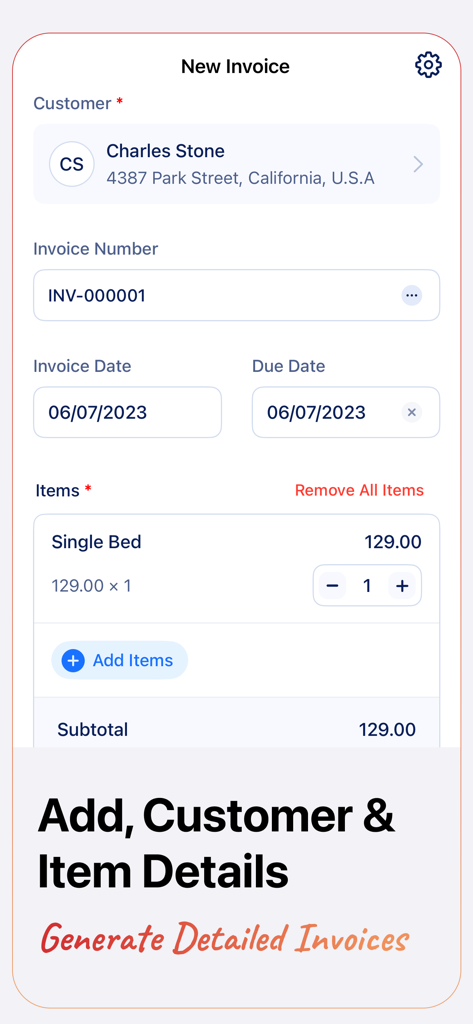
Interface of the Zoho Invoice Generator app showing customer and item details for a new invoice

Interface of the Zoho Invoice Generator app showing customer and item details for a new invoice

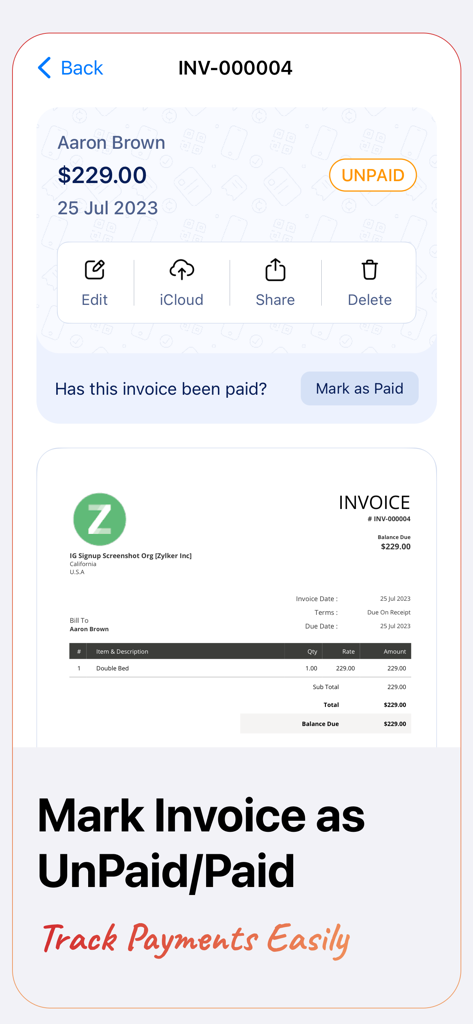
Zoho Invoice Generator interface showing an unpaid invoice summary with the option to mark it as paid and track payments easily

Zoho Invoice Generator interface showing an unpaid invoice summary with the option to mark it as paid and track payments easily

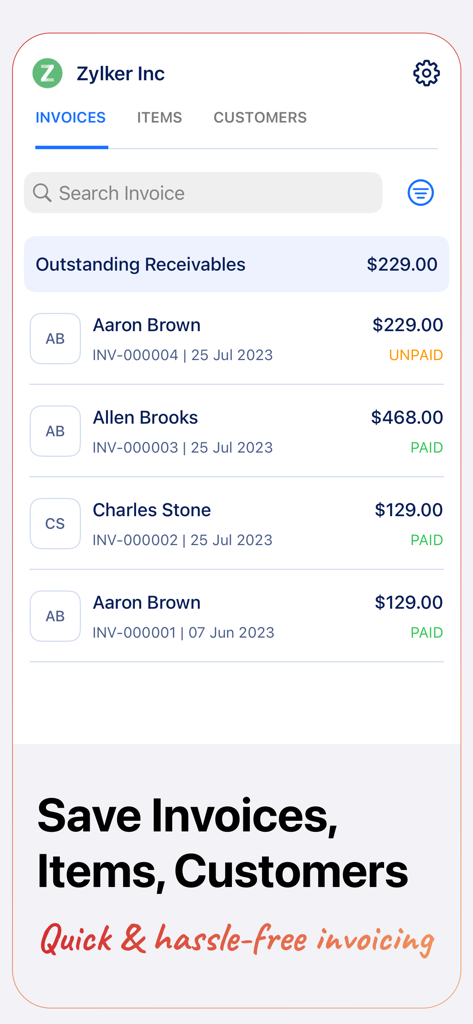
Zoho Invoice Generator mobile dashboard tracking unpaid and paid invoices

Zoho Invoice Generator mobile dashboard tracking unpaid and paid invoices

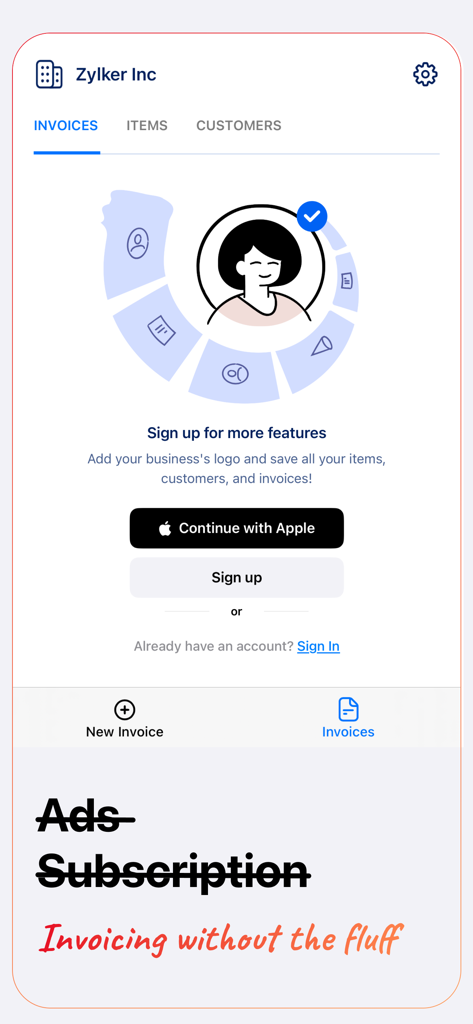
Sign up screen for Zoho Invoice Generator app with options to sign in with Apple and descriptive business icons

Sign up screen for Zoho Invoice Generator app with options to sign in with Apple and descriptive business icons

Everything You Need to Get Paid Faster

The tools that make this app stand out, trusted by 483K+ users.

Professional Invoices in Seconds

Create and send branded PDF invoices directly from your phone as soon as the job is done, no desk required.

🔍

Zero Manual Data Entry

Eliminate tedious typing by scanning business cards or importing client details directly from your contacts.

📈

Master Your Cash Flow

Keep track of outstanding balances and mark payments as paid to ensure you never lose track of your hard-earned money.

Loved by users worldwide

Trusted by 483K+ people who love this app.

"

"As a freelance photographer, I used to dread the administrative side of my business. Zoho Invoice Generator changed everything. I can create and send a professional PDF invoice to my clients before I even leave the studio. The iCloud backup gives me peace of mind, and my clients love how clean the invoices look!"

Sarah Jenkins
"

"I'm always on the move between job sites, and this app is a lifesaver for my electrical business. I just scan a customer's business card, and the app fills in the rest. Being able to track which invoices are unpaid right from my phone ensures I never miss a payment. It's simple, fast, and professional."

Marcus Thorne

About the app

Everything you need to know about Invoice Generator - Zoho.

Description

Create invoices and share them with your customers on the go. You can also save items, customer details, and invoices. Mark invoices as paid or unpaid and filter them based on payment status, add logos to invoices, and view outstanding payments. Here's what you can do with our free invoice generator app: CREATE INVOICES ON THE GO Create invoices in minutes at any time and from anywhere with the Zoho Invoice Generator app. AUTO GENERATE INVOICE NUMBER Zoho Invoice Generator automatically generates and assigns an invoice number to your transactions so you don't have to. ADD CUSTOMERS Add names, email ids, and addresses of customers you regularly service, and quickly invoice them. AUTO-FILL CUSTOMER DETAILS Eliminate tedious data entry by scanning customers' business cards and letting Zoho Invoice Generator auto-fill customer details for you. IMPORT CUSTOMER DETAILS FROM CONTACTS Save time by importing all your customers' details directly from mobile contacts. CREATE ITEMS Create and quickly save items that you regularly sell to your customers with Zoho Invoice Generator. SAVE INVOICES ON YOUR MOBILE With Zoho Invoice Generator, you can save invoices to your mobile phone for easy and quick access. SAVE INVOICES ON iCLOUD Never lose an invoice. Zoho Invoice Generator allows you to save your invoices to iCloud as backup. MARK INVOICES AS PAID/UNPAID Mark your invoices based on their status as paid and unpaid and also filter them based on status. VIEW OUTSTANDINGS View and keep a track of outstanding payments with Zoho Invoice Generator.

Latest Version

4.0.20

Size

23.3 MB

First Released

Dec 22, 2015

Get Paid Faster with Professional Invoices

Join 483K+ freelancers and small business owners. Create, send, and track your invoices in seconds—all for free.

Download on App StoreDownload on Google Play
FAQ

Frequently Asked Questions

Everything you need to know about Invoice Generator - Zoho

How to create an invoice with Invoice Generator - Zoho?

Users create invoices in minutes with Invoice Generator - Zoho. The app allows adding customer details, auto-generated invoice numbers, dates, and items.

Can Invoice Generator - Zoho automatically generate invoice numbers?

Yes, Invoice Generator - Zoho automatically generates and assigns unique invoice numbers for all transactions. This eliminates the need for manual numbering.

How does Invoice Generator - Zoho handle customer details?

Invoice Generator - Zoho lets users add customer names, emails, and addresses. It auto-fills details by scanning business cards or importing from mobile contacts.

Can I save invoices on my device using Invoice Generator - Zoho?

Yes, Invoice Generator - Zoho saves invoices to your mobile phone for quick access. It also offers iCloud saving as a backup solution for invoices.

How can I track payment status for invoices in Invoice Generator - Zoho?

Invoice Generator - Zoho allows marking invoices as paid or unpaid. Users can filter invoices by status and view outstanding payments directly within the app.

Does Invoice Generator - Zoho support adding items to invoices?

Yes, Invoice Generator - Zoho enables users to create and save frequently sold items. These saved items can then be quickly added to new invoices.

Can I add my business logo to invoices with Invoice Generator - Zoho?

Yes, Invoice Generator - Zoho supports adding a business logo to invoices. This customization feature is part of the additional functionalities available through subscription.

What features require a subscription in Invoice Generator - Zoho?

A subscription to Invoice Generator - Zoho unlocks features like adding a business logo and saving all items, customers, and invoices.