Kahoot! Play & Create Quizzes

Kahoot! Play & Create Quizzes

Download on App StoreDownload on Google Play
Spark by MWM logo
Logo of Kahoot! Play & Create Quizzes

Kahoot! Play, Create, and Host Engaging Quizzes Anywhere

Join millions of students, teachers, and professionals using the world’s most popular learning platform to turn study sessions and meetings into high-energy, interactive fun.

Publisher

Kahoot ASA

Category

Education

Downloads

82M+

User Rating

4.5/5

Total Ratings

128K+

Locales

21

The Podium Awaits

Discover the interface used by 82M+ users.

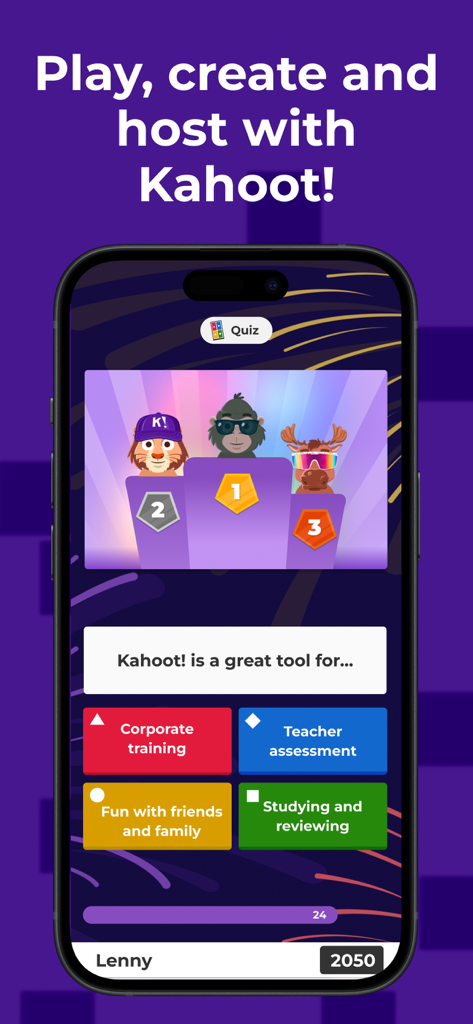
A mobile phone displaying the Kahoot app with a quiz question and a podium of characters

A mobile phone displaying the Kahoot app with a quiz question and a podium of characters

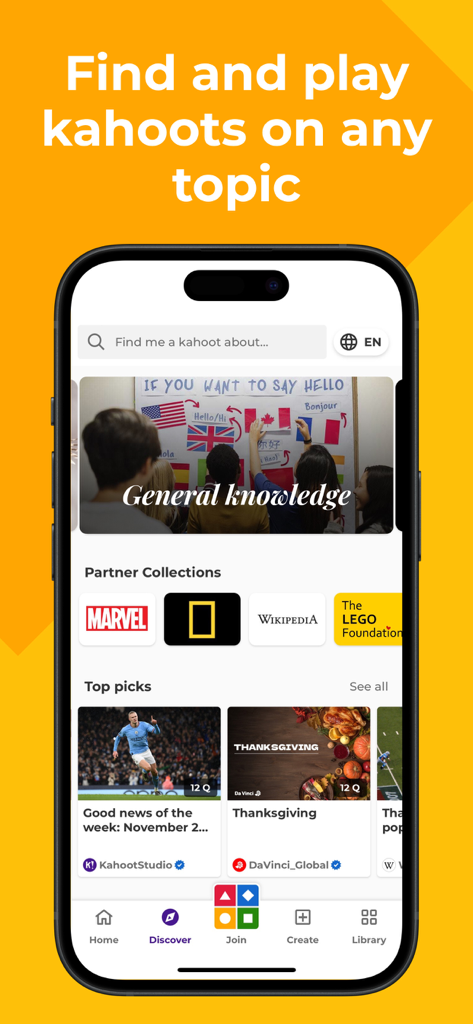
Kahoot mobile app interface showing the Discover screen with various quiz categories and partner collections

Kahoot mobile app interface showing the Discover screen with various quiz categories and partner collections

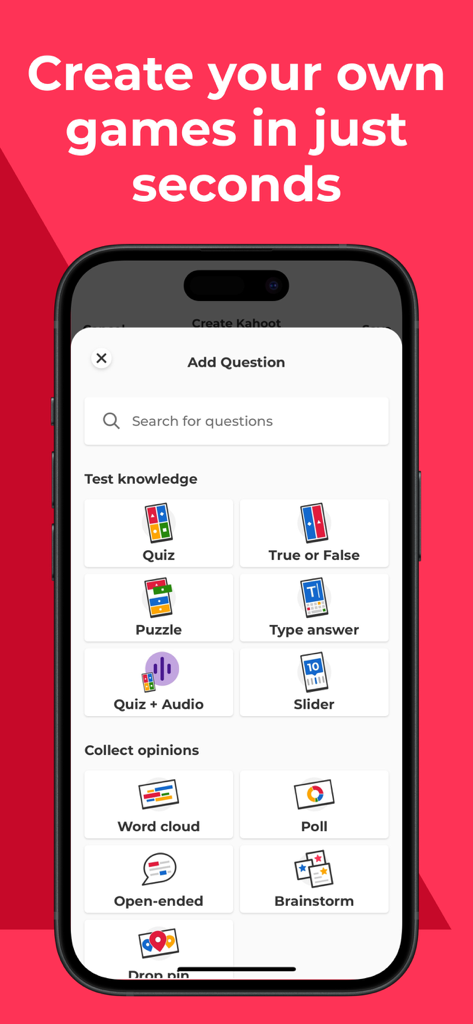
Interface of the Kahoot app showing various interactive question types like Quiz True or False and Word Cloud for game creation

Interface of the Kahoot app showing various interactive question types like Quiz True or False and Word Cloud for game creation

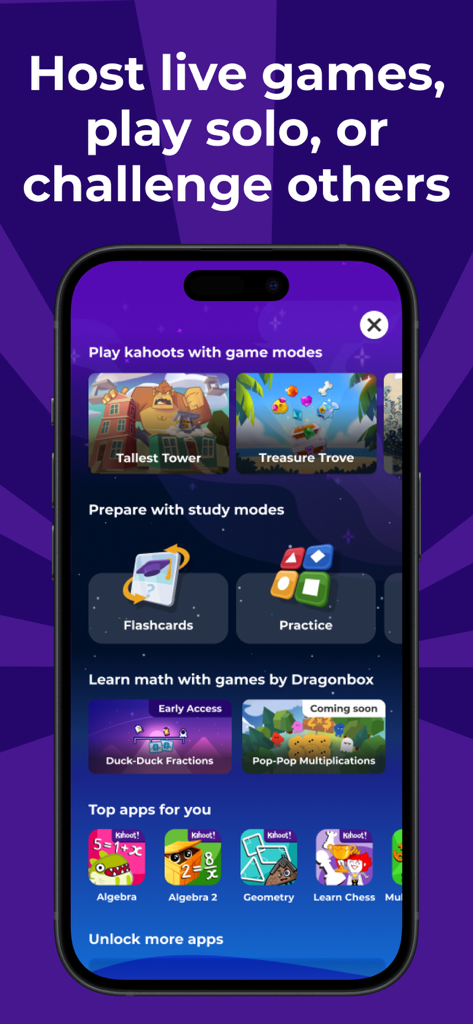
Kahoot app showing game modes flashcards and educational math games

Kahoot app showing game modes flashcards and educational math games

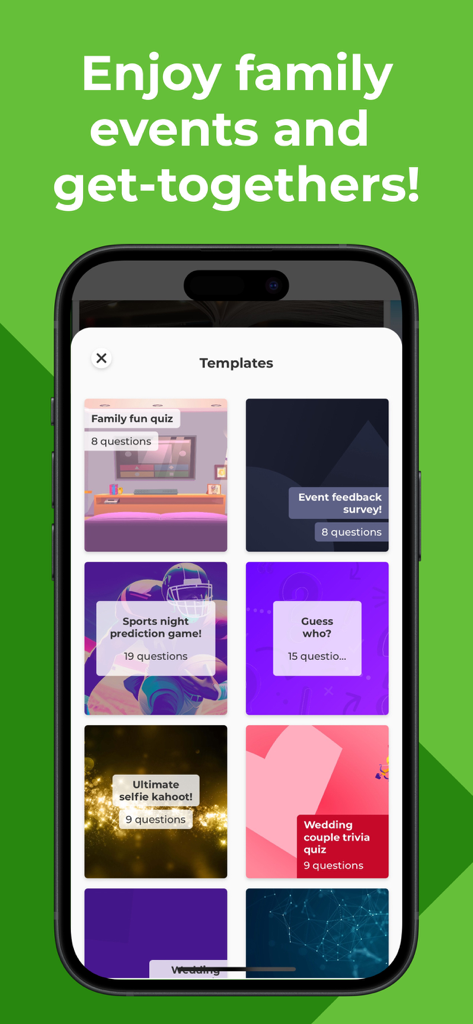
Kahoot app screen displaying quiz templates for family events and social gatherings

Kahoot app screen displaying quiz templates for family events and social gatherings

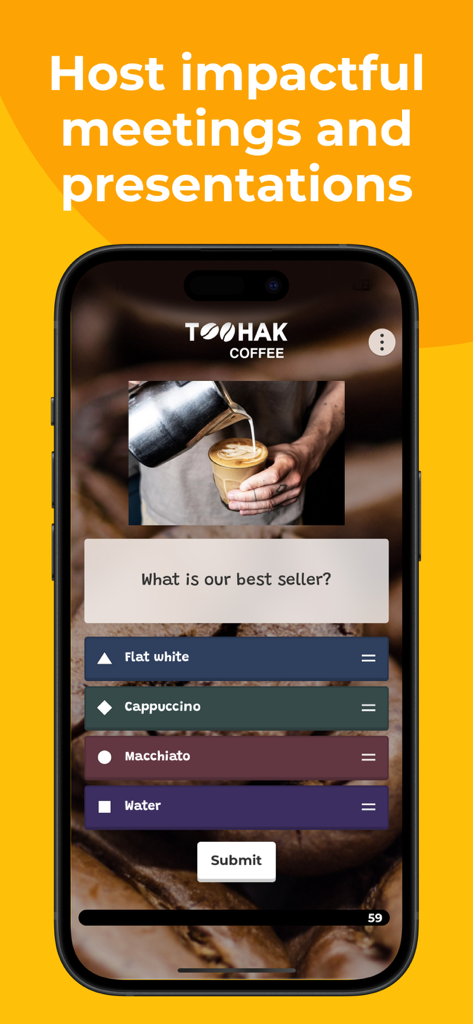
Kahoot app screen displaying a coffee-themed quiz for business meetings and presentations

Kahoot app screen displaying a coffee-themed quiz for business meetings and presentations

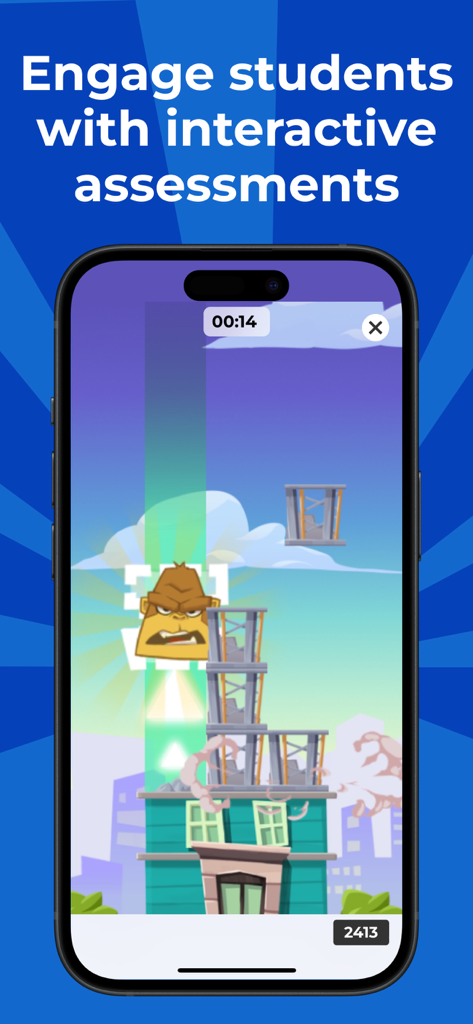
Smartphone screen displaying a Kahoot gamified assessment with a cartoon character

Smartphone screen displaying a Kahoot gamified assessment with a cartoon character

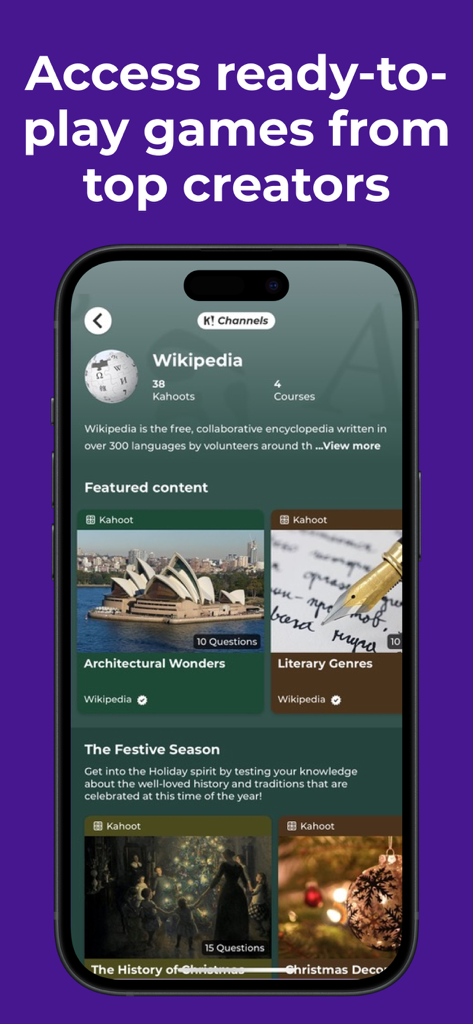
Kahoot app interface showing ready to play quiz games from top creators like Wikipedia

Kahoot app interface showing ready to play quiz games from top creators like Wikipedia

Turn Every Lesson into a Winning Game

The tools that make this app stand out, trusted by 82M+ users.

🏆

Compete Your Way to the Top

Join live games, climb the podium, and use advanced study modes to master any subject while turning rote memorization into a high-energy competition.

Effortless Quiz Creation

Design professional-grade kahoots in minutes using premium templates, millions of integrated images, and interactive question types that capture every audience's attention.

🤝

Connect and Engage Anywhere

Host live sessions via Apple TV or video conferencing. Perfect for family game nights, hybrid classroom review, or boosting morale in remote professional teams.

Loved by users worldwide

Trusted by 82M+ people who love this app.

"

"Kahoot makes studying feel like a game rather than a chore! I love the new characters and the competition for the top of the leaderboard. It is honestly the only way I can get through my history midterms without getting bored."

Jordan M., High School Student
"

"As an educator, keeping students engaged is my top priority. This app has transformed my lessons into interactive experiences. The reports feature helps me identify exactly where my students need help while they are just having fun."

Sarah Jenkins, 5th Grade Teacher

About the app

Everything you need to know about Kahoot! Play & Create Quizzes.

Description

Play engaging quiz-based games (kahoots) at school, at home and at work, create your own kahoots, and learn something new! Kahoot! brings the magic of learning to students, teachers, office superheroes, trivia fans, and lifelong learners. Here’s what you can do with the Kahoot! app, now available in English, Spanish (LATAM), French, German, Italian, Brazilian Portuguese, Japanese, Dutch, Turkish, Polish, Arabic, Simplified Chinese, Traditional Chinese, Norwegian, Swedish, Danish, Ukrainian and Korean: Young students - Make your school projects awesome by building kahoots on any topic using pre-made templates, fun question types, themes, and background music. - Supercharge your games with unique rewards including new characters and accessories. - Enjoy premium game modes, perfect for birthday parties and family game nights! - Ace upcoming exams by setting learning goals and testing yourself with advanced study modes. - Make math fun with interactive games to get ahead in algebra, multiplications, and fractions. Students - Study with unlimited free flashcards and other smart study modes - Join kahoots hosted live - in class or virtually - and use the app to submit answers - Complete self-paced kahoots - Challenge your friends in study groups with kahoots you found or created - Create your own kahoots and add images or videos - Host kahoots live for family and friends directly from your mobile device Families and friends - Find a kahoot on any topic, fit for any age - Host a kahoot live by sharing your screen to Apple TV or via video conferencing apps - Play a live kahoot using SharePlay. Start a FaceTime call and select the kahoot you want to play. No host is required - everyone can participate! - Engage your kids with studying at home - Assign a kahoot to challenge family members and friends - Create your own kahoots and add different question types and image effects Teachers - Search among millions of ready-to-play kahoots on any topic - Create or edit your own kahoots in minutes - Combine different question types to increase engagement - Host kahoots live in class or virtually for distance learning - Assign student-paced kahoots for content review - Assess learning outcomes with reports Professionals - Create kahoots for e-learning, presentations, events and other occasions - Encourage audience participation with polls and word cloud questions - Host Kahoot! live in person or in a virtual meeting - Assign self-paced kahoots, for example, for e-learning - Assess progress and results with reports Premium features: Kahoot! is free for teachers and their students, and it’s our commitment to keep it that way as part of our mission to make learning awesome. We offer optional upgrades that unlock advanced features, such as an image library with millions of images and advanced question types, such as puzzles, polls, open-ended questions and slides. To take advantage of these features, users will need a paid subscription. To create and host kahoots in a work context, as well as get access to additional features, business users will need a paid subscription. Recurring billing, cancel anytime - Payment will be charged to your iTunes account at confirmation of purchase. - Subscription automatically renews unless auto-renew is turned off at least 24 hours before the end of the current period. - Account will be charged for renewal within 24 hours of the end of the current period, and the cost of the renewal will be provided. - Subscriptions may be managed by the user. Auto-renewal may be turned off by going to the user’s Account Settings after purchase. No cancellation of the current subscription is allowed during the active subscription period. - Any unused portion of a free trial period, if offered, will be forfeited when you purchase a subscription. Privacy Policy: https://kahoot.com/privacy Terms and conditions: https://kahoot.com/terms

Latest Version

6.5.7

Size

250.9 MB

First Released

Sep 20, 2016

Ready to Join the Podium?

Whether you're acing your next exam, engaging your classroom, or powering up a team meeting, the magic of Kahoot! is just a tap away. Join millions of users and start making learning awesome today.

Download on App StoreDownload on Google Play
FAQ

Frequently Asked Questions

Everything you need to know about Kahoot! Play & Create Quizzes

What is Kahoot! Play & Create Quizzes?

Kahoot! is an app for playing, creating, and hosting quiz-based games (kahoots) for learning, presentations, or fun. It supports students, teachers, professionals, and families.

Is Kahoot! free for teachers and students?

Yes, Kahoot! is free for teachers and their students. Optional upgrades are available for advanced features, but the core educational offering remains free.

What premium features does Kahoot! offer?

A Kahoot! paid subscription unlocks advanced features like an image library and diverse question types such as puzzles, polls, and open-ended questions. Business users require a subscription for work-context creation.

Can Kahoot! be used by professionals for work and presentations?

Yes, professionals use Kahoot! for e-learning, presentations, and events. They can create custom kahoots, utilize polls and word clouds, host live meetings, and assess progress with reports.

How do I manage my Kahoot! subscription or turn off auto-renewal?

Users manage Kahoot! subscriptions and auto-renewal through their device's Account Settings after purchase. Auto-renewal must be turned off at least 24 hours before the current period ends.

What languages does the Kahoot! app support?

The Kahoot! app supports numerous languages, including English, Spanish, French, German, Italian, Japanese, Dutch, Polish, Arabic, Simplified Chinese, Traditional Chinese, Norwegian, Swedish, Danish, Ukrainian, and Korean.

Can I create my own quizzes with the Kahoot! app?

Yes, Kahoot! allows users to create their own quizzes. You can add images, videos, and choose from various question types like quizzes, polls, open-ended questions, and puzzles.

Does Kahoot! offer study modes like flashcards?

Yes, Kahoot! offers study modes. Students can access unlimited free flashcards and other smart study modes to prepare for exams and enhance their learning experience effectively.

Can families and friends play Kahoot! together using SharePlay?

Yes, families and friends can play live kahoots together using SharePlay. Simply start a FaceTime call and select the kahoot to play, with no dedicated host needed.

Does Kahoot! help with learning math skills?

Yes, Kahoot! helps with math learning through interactive games. It offers activities for young students to improve skills in algebra, multiplications, and fractions.