Knots 3D

Knots 3D

Download on App Store
Spark by MWM logo
Logo of Knots 3D

Knots 3D: Master Every Knot with Precision 3D Animations

The ultimate offline reference for climbers, boaters, and professionals. Study over 220 knots in 360° detail with frame-by-frame control—anywhere, anytime, with zero ads.

Download on App Store

Publisher

David Boren

Category

Reference

Downloads

841K+

User Rating

4.8/5

Total Ratings

28K+

Locales

22

Precision from Every Angle

Discover the interface used by 841K+ users.
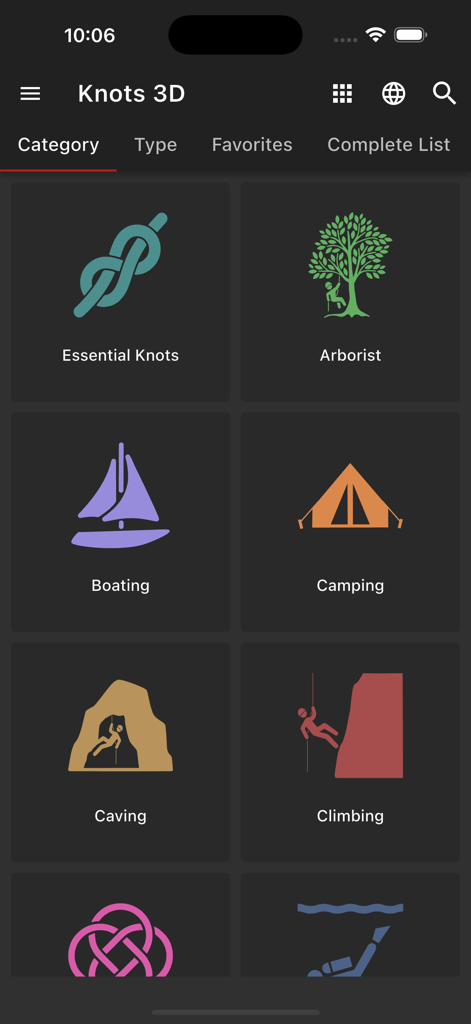
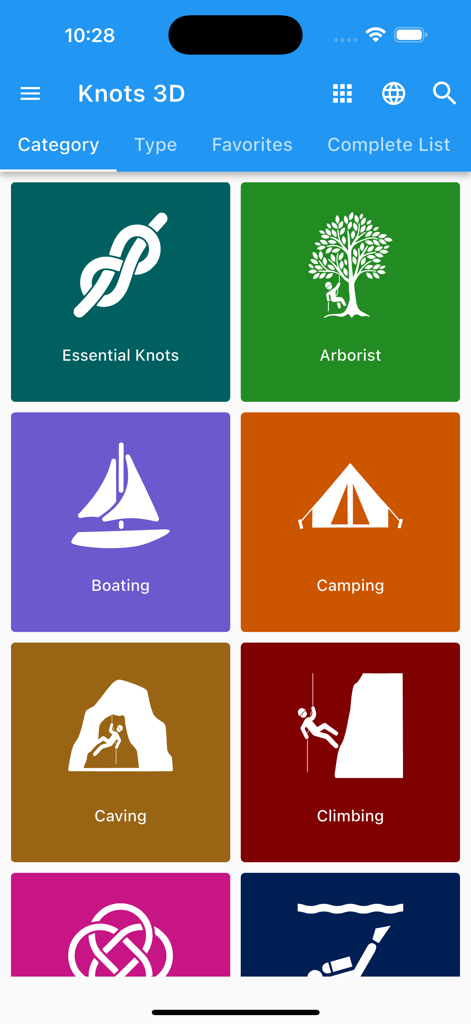
Knots 3D app interface showing knot categories for arborist, boating, camping, caving, and climbing

Knots 3D app interface showing knot categories for arborist, boating, camping, caving, and climbing

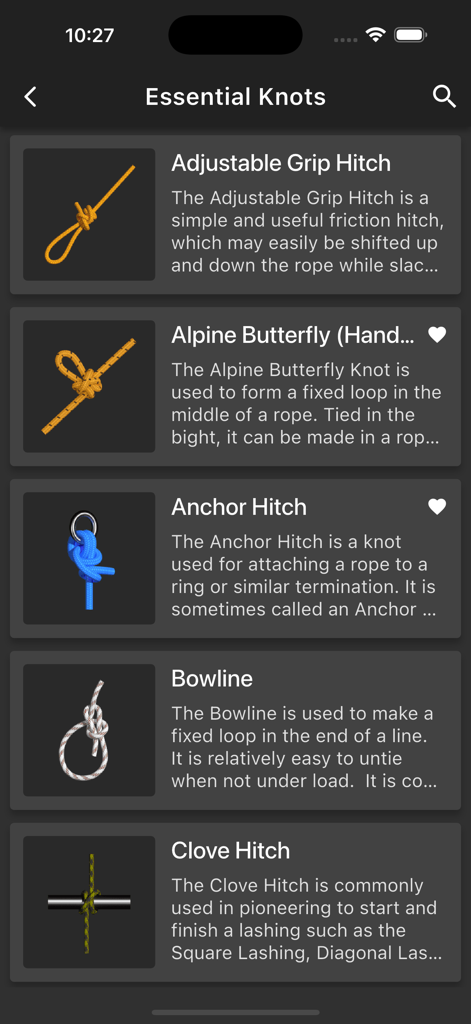
List of essential knots in the Knots 3D app featuring the Bowline and Clove Hitch with descriptions

List of essential knots in the Knots 3D app featuring the Bowline and Clove Hitch with descriptions

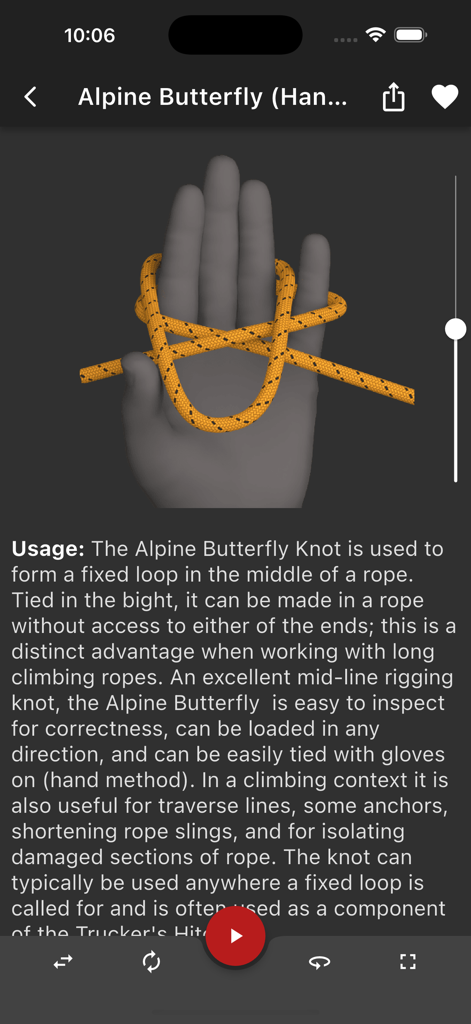
3D visualization of an Alpine Butterfly knot being tied using the hand method

3D visualization of an Alpine Butterfly knot being tied using the hand method

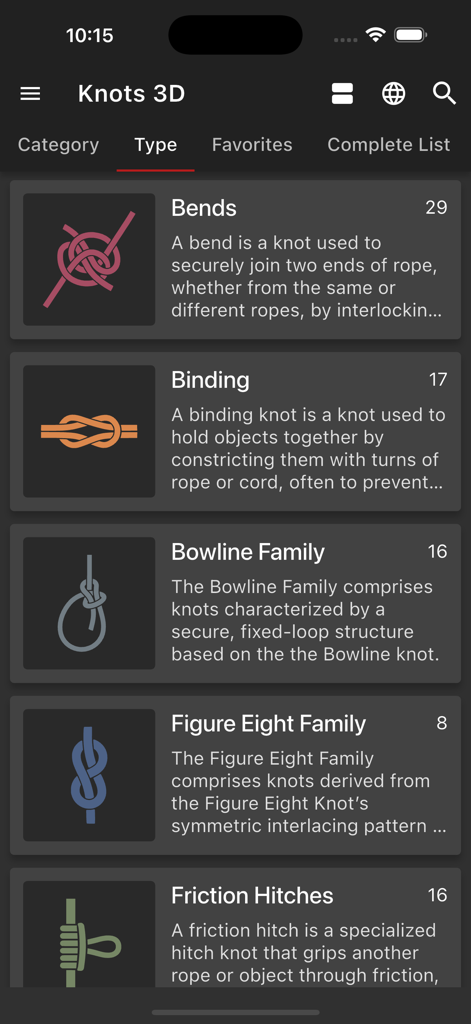
Knots 3D app interface showing a list of knot categories including Bends and Binding

Knots 3D app interface showing a list of knot categories including Bends and Binding

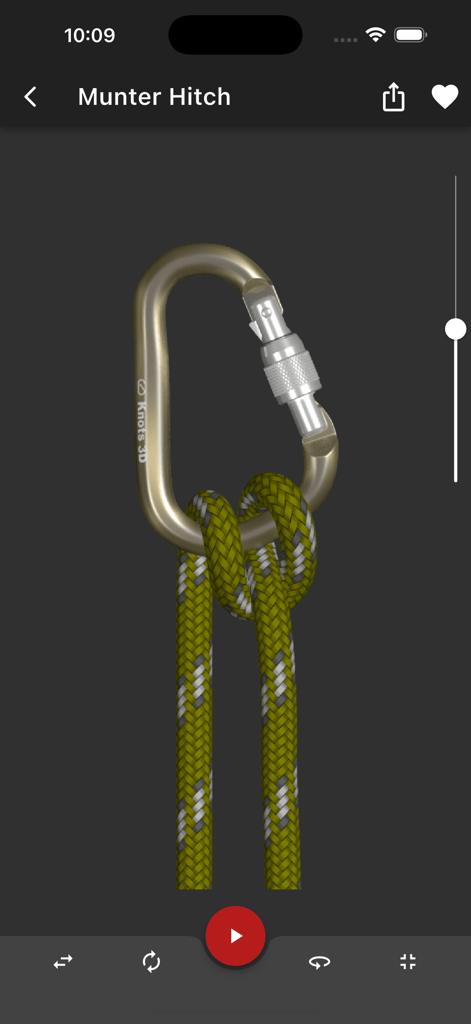
A 3D simulation of a Munter Hitch knot tied around a climbing carabiner in the Knots 3D app.

A 3D simulation of a Munter Hitch knot tied around a climbing carabiner in the Knots 3D app.

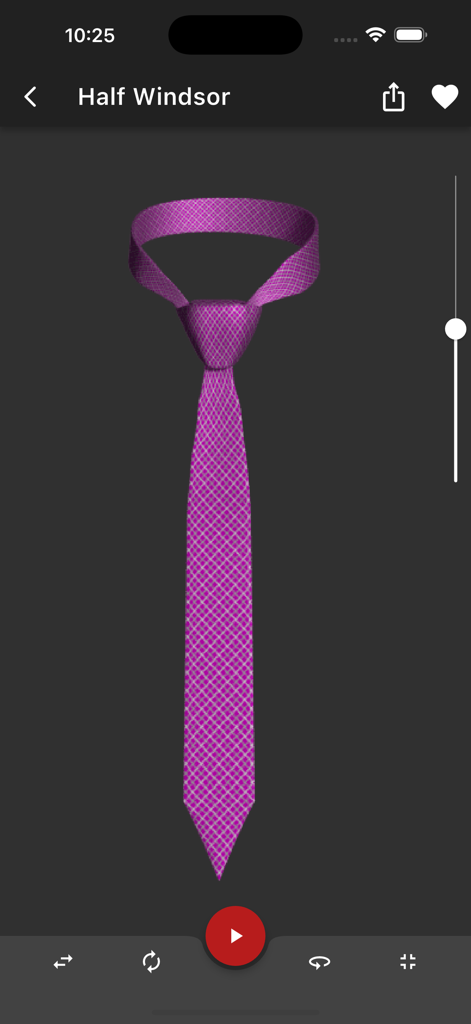
A 3D model of a Half Windsor necktie knot in the Knots 3D mobile app

A 3D model of a Half Windsor necktie knot in the Knots 3D mobile app

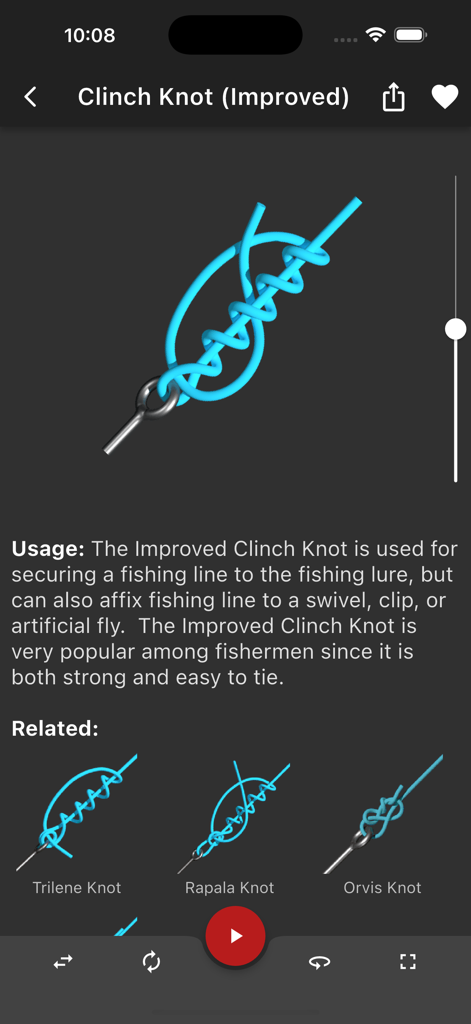
A 3D visualization and usage guide for the Improved Clinch Knot in the Knots 3D mobile app

A 3D visualization and usage guide for the Improved Clinch Knot in the Knots 3D mobile app

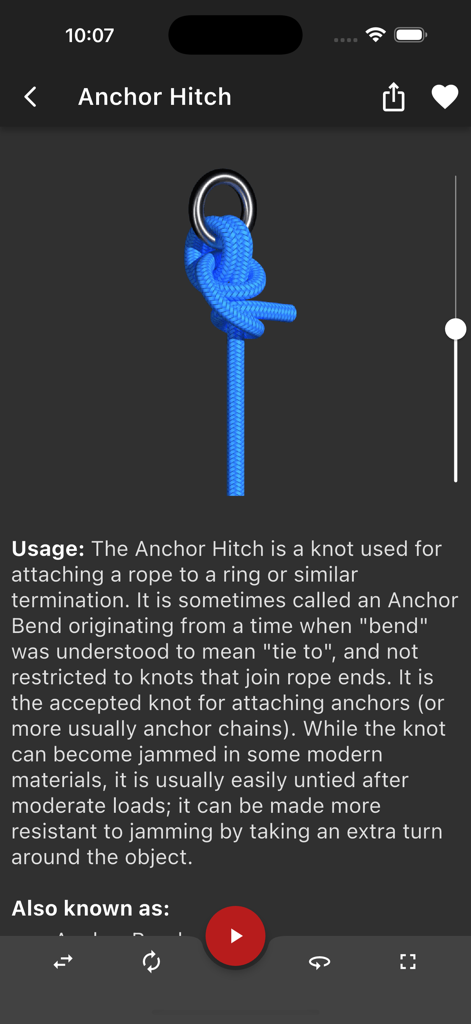
Interface of the Knots 3D app showing a 3D visualization and usage details for an Anchor Hitch knot

Interface of the Knots 3D app showing a 3D visualization and usage details for an Anchor Hitch knot

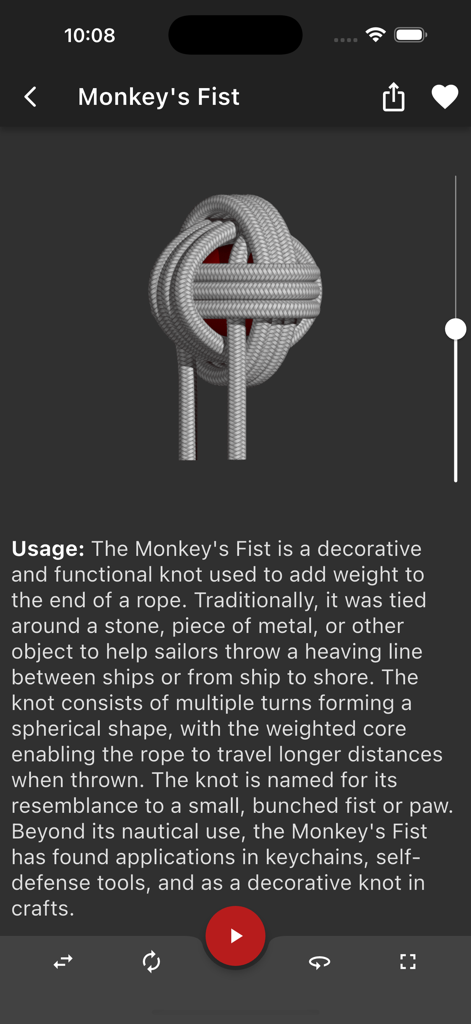
A detailed 3D rendering and usage description of a Monkeys Fist knot in the Knots 3D mobile app

A detailed 3D rendering and usage description of a Monkeys Fist knot in the Knots 3D mobile app

Knots 3D app interface showing a grid of knot categories like Arborist Boating and Climbing

Knots 3D app interface showing a grid of knot categories like Arborist Boating and Climbing

Master Every Knot with Precision

The tools that make this app stand out, trusted by 841K+ users.

🔄

Interactive 3D Visualization

Study knots from any angle with 360-degree rotation. Scrub through animations at your own speed to master complex bends that 2D diagrams can't explain.

🏔️

100% Offline Reliability

Critical knowledge that works where the internet doesn't. Access the entire library deep in the woods, on the mountain side, or miles offshore without ads or data.

Professional Grade Reference

Over 220 knots categorized by application. Includes technical details, structural integrity info, and ABoK references for arborists, sailors, and rescue teams.

Loved by users worldwide

Trusted by 841K+ people who love this app.

"

"As a professional arborist, I need my knots to be perfect for safety. The 360-degree rotation and speed control are game-changers for mastering complex friction hitches. Best of all, it works perfectly offline when I'm deep in the field without any signal."

Marcus Thorne, Certified Arborist
"

"I've carried knot books on my boat for years, but this app is on another level. Being able to scrub through the animation to see exactly where the rope crosses is incredibly helpful. It made learning the Midshipman's Hitch a breeze during our last trip."

Captain Sarah Jenkins, Coastal Sailor

About the app

Everything you need to know about Knots 3D.

Description

Learn over 220 knots for fishing, climbing, boating, scouting and other applications of rope work. Knots 3D is the ultimate knot-tying app for fishermen, climbers, boaters and scouters alike. With over 220 unique knots and new ones added frequently, Knots 3D makes it easy to learn even the most difficult knots in no time. Browse by category or search by name, common synonym or ABoK # and save your favorite knots for quick review. Features: - 222 knots in over a dozen categories. - Completely OFFLINE and self-contained – No additional downloads or internet access required! - No ads! - Watch knots tie themselves and pause or adjust the speed of the animation at any time. - Rotate knots in 360-degree, 3D views to study them from any angle with a swipe of a finger. - Interact with the knot on the screen by "scrubbing" over the knot to advance or rewind the animation. - High-res graphics with photo-realistic rope textures. - Share a knot image and info to social media platforms, SMS text message, email, clipboard and more! - Dark mode / Light Mode - List View, Card View, and Grid View options - Create your own custom categories for grouping knots. Custom Category Ideas: "Mastered" - Track your progress, "Practice" - Select knots you want to learn next, "Top Ten" - Keep go-to knots at your fingertips. - Add personal notes directly on a knot’s detail screen including hyperlinks to external resources (YouTube, websites, tutorials, etc) - Add searchable keywords to help find knots faster - ABOK numbers for cross reference to the Ashley Book of Knots Choose from a wide variety of knots and see how they are tied in incredible detail. Each 3D knot has detailed reference information including tying pointers, strength and reliability, structural info, and Ashley reference numbers (ABoK) and the occasional history behind the knot. Categories: - Essential Knots - Arborist Knots - Boating and Sailing Knots - Camping Knots - Caving Knots - Climbing Knots - Decorative Knots - Diving Knots - Fishing Knots - Military Knots - Pioneering - Rope Care - Scouting Knots - Search and Rescue (SAR) - Theatre and Film Knots Types: - Bends - Binding Knots - Friction Hitches - Hitches - Lashings - Loop Knots - Quick Release - Stopper Knots The complete list of knots: https://knots3d.com/en/complete-list-of-knots Knots 3D is the perfect app for anyone who wants to learn how to tie knots for fishing, climbing, and boating. Whether you're a beginner or an experienced knot-tyer, Knots 3D has everything you need to become an expert. Download it now and start knotting!

Latest Version

10.6.2

Size

257.8 MB

First Released

Sep 10, 2011

Master Every Hitch, Bend, and Loop

Join over 800,000 adventurers and professionals. Get instant, ad-free access to 220+ knots with 3D views that work anywhere—no internet required.

Download on App Store
FAQ

Frequently Asked Questions

Everything you need to know about Knots 3D

What is Knots 3D?

Knots 3D is a knot-tying app featuring over 225 unique knots across various categories. It provides 3D animations, 360-degree rotation, and detailed reference information for each knot.

Does Knots 3D require internet access?

No, Knots 3D is completely OFFLINE and self-contained. It does not require any additional downloads or internet access for its features to function.

How many knots are included in the Knots 3D app?

Knots 3D includes 225 knots across over a dozen categories. New knots are also added frequently to the application.

How does Knots 3D help users learn to tie knots?

Knots 3D helps users learn by showing knots tie themselves with adjustable speed. Users can rotate knots in 360-degree views and interact by scrubbing the animation.

Can users organize knots within the Knots 3D app?

Yes, users can create custom categories for grouping knots. They can also add personal notes, including hyperlinks to external resources, and add searchable keywords to knots.

Does Knots 3D contain advertisements?

No, Knots 3D does not contain any advertisements. The application provides an uninterrupted user experience.

Who is Knots 3D designed for?

Knots 3D is designed for fishermen, climbers, boaters, and scouters. It teaches knots for various applications including fishing, climbing, boating, and scouting.

What type of information does Knots 3D provide about each knot?

Knots 3D provides detailed reference information for each knot, including tying pointers, strength, reliability, structural details, Ashley reference numbers (ABoK), and occasional historical context.

What viewing options are available in Knots 3D?

Knots 3D offers List View, Card View, and Grid View options for displaying knots. Users can choose their preferred layout for browsing the knot library.