コンビニフォト!スマホの写真をかんたん手軽にコンビニプリント

コンビニフォト!スマホの写真をかんたん手軽にコンビニプリント

Download on App Store
Spark by MWM logo
Logo of コンビニフォト!スマホの写真をかんたん手軽にコンビニプリント
コンビニフォト!: Your Instant Studio for Aesthetic Prints and DIY Stickers

Turn your camera roll into Korean-style 4-cuts, custom photocards, and sticker sheets in seconds. Personalize your memories with 3,000+ cute frames and stamps, then print instantly at your nearest local shop.

Publisher

Saltworks.inc.

Category

Photo & Video

Downloads

741K+

User Rating

4.7/5

Total Ratings

9K+

Locales

1

Aesthetic Prints, Instantly

Discover the interface used by 741K+ users.
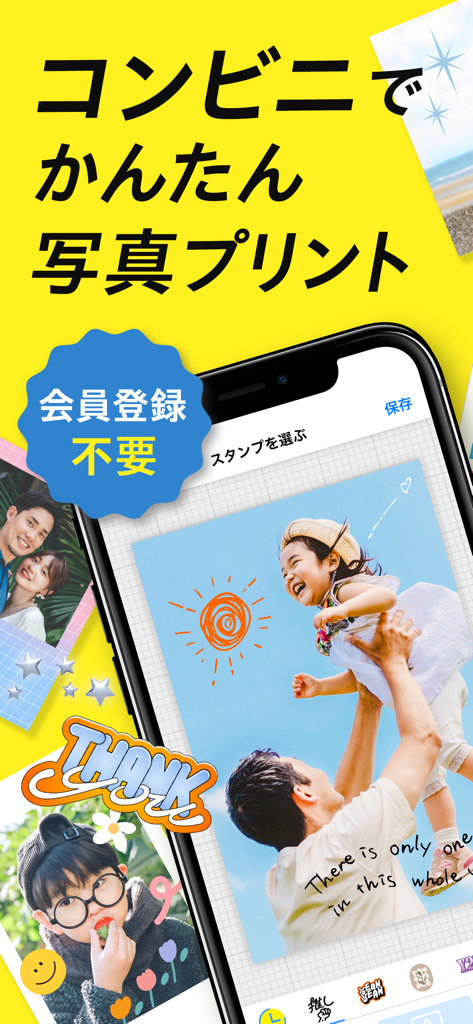
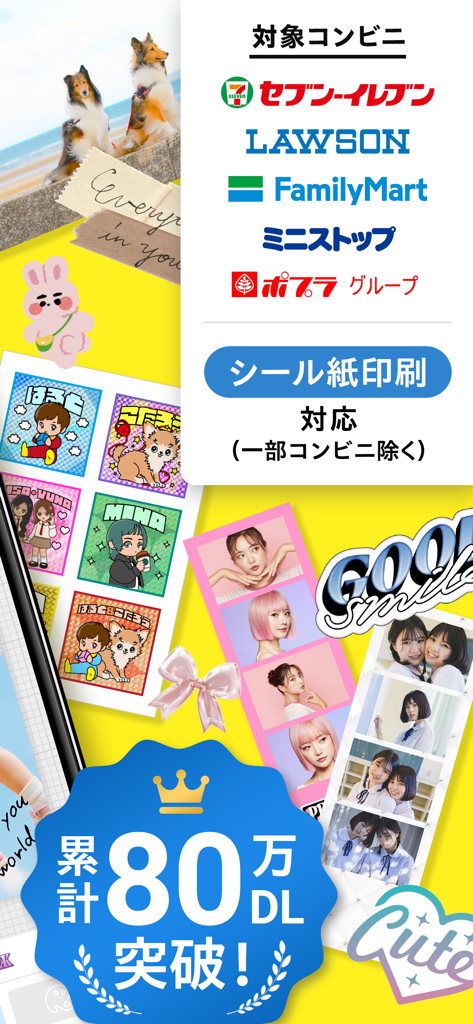
Mobile app interface on a yellow background showing photo editing and printing features for convenience stores

Mobile app interface on a yellow background showing photo editing and printing features for convenience stores

Mobile app showcasing photo sticker layouts and multi-cut strips for printing at convenience stores.

Mobile app showcasing photo sticker layouts and multi-cut strips for printing at convenience stores.

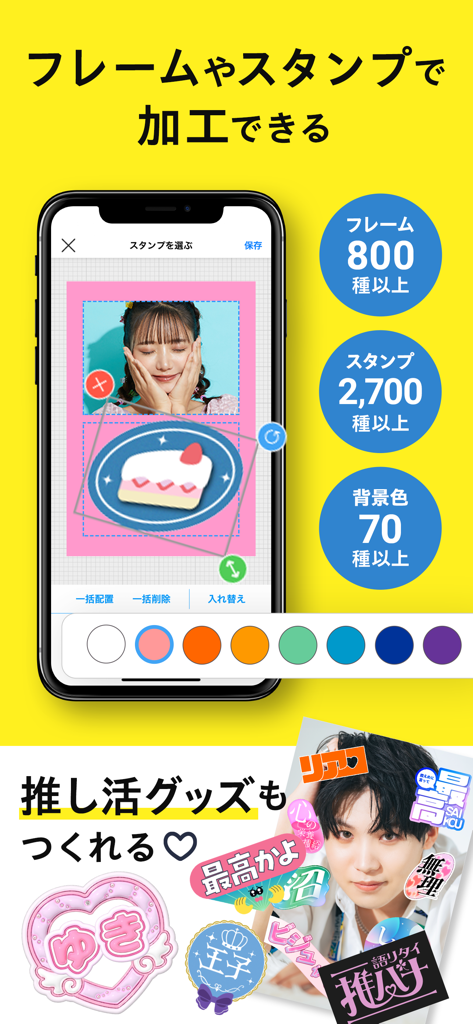
Mobile app interface showing photo decoration features with stamps frames and background options for creating fan merchandise

Mobile app interface showing photo decoration features with stamps frames and background options for creating fan merchandise

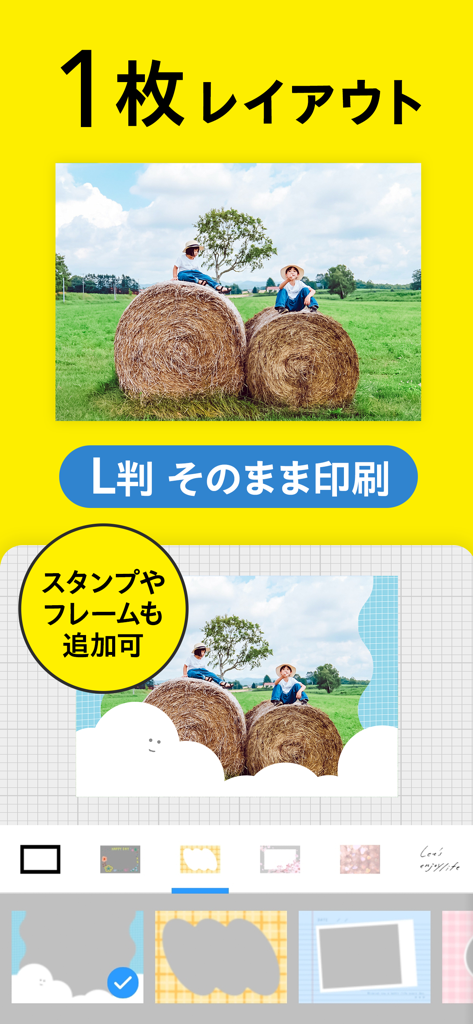
Mobile app interface showing a single photo layout editor with decorative frames and stamps

Mobile app interface showing a single photo layout editor with decorative frames and stamps

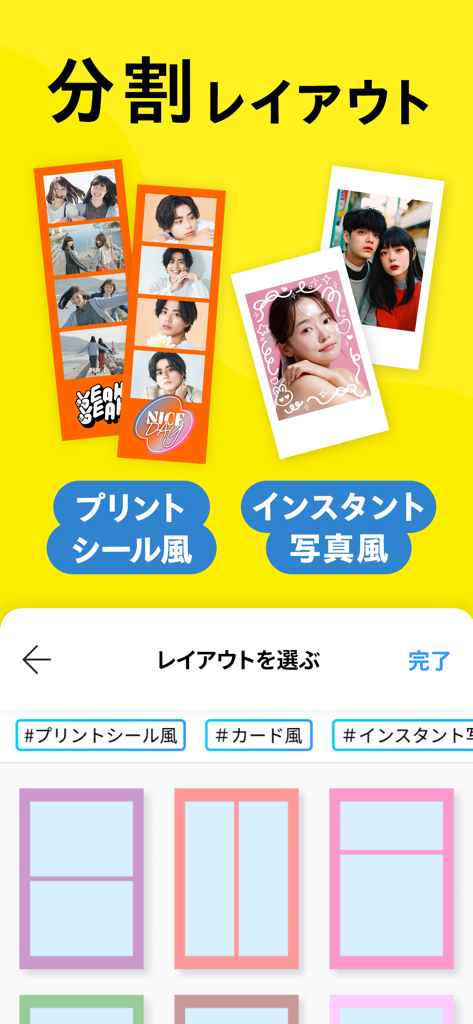
Interface of a mobile app for creating aesthetic photo strips and instant photo prints

Interface of a mobile app for creating aesthetic photo strips and instant photo prints

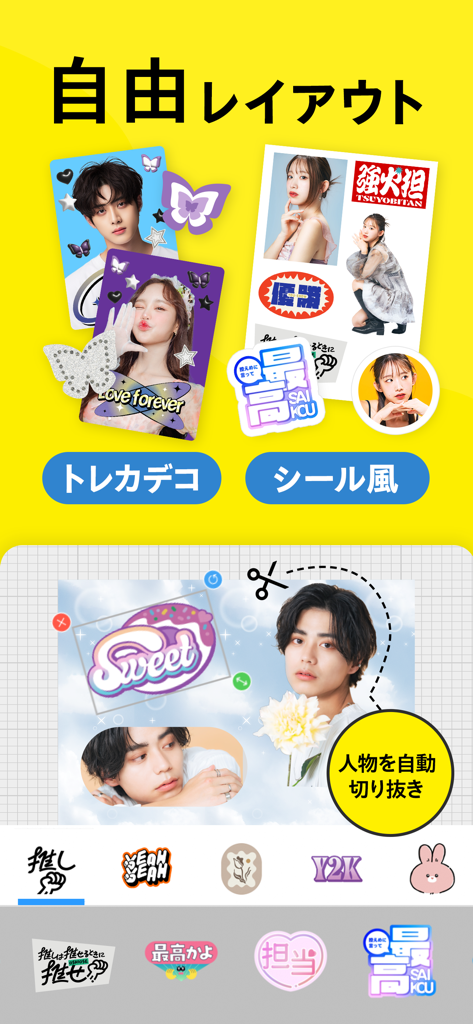
Interface of a mobile app for creating custom stickers and decorated trading cards with automatic photo cutout features

Interface of a mobile app for creating custom stickers and decorated trading cards with automatic photo cutout features

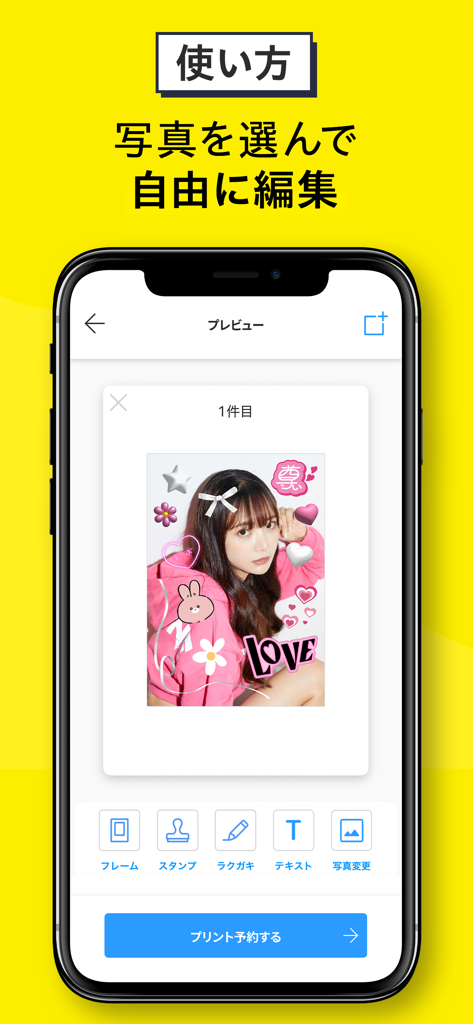
Mobile phone screen displaying a photo decorated with pink heart and star stickers in an editing app interface

Mobile phone screen displaying a photo decorated with pink heart and star stickers in an editing app interface

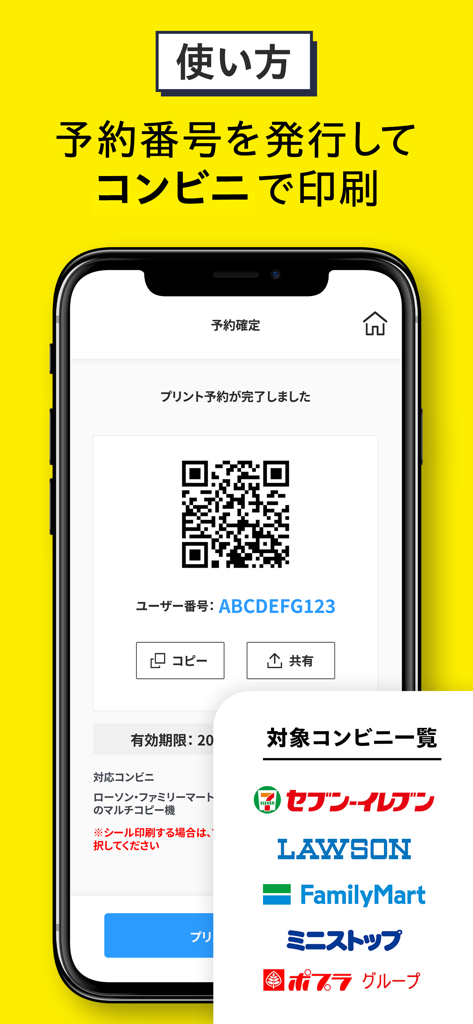
Mobile app interface showing a QR code and reservation number for printing photos at convenience stores

Mobile app interface showing a QR code and reservation number for printing photos at convenience stores

Bring Your Aesthetic to Life

The tools that make this app stand out, trusted by 741K+ users.

DIY Fandom & Photocards

Design custom trading cards and phone case inserts for your favorite icons or besties using pro-level templates.

📸

Viral Photo Booth Layouts

Get the trendy 4-cut Korean photo booth look or classic polaroid vibes instantly from your camera roll.

✂️

One-Tap Custom Stickers

Use the smart cutout tool to turn any photo into a custom sticker for your laptop, water bottle, or journal.

Loved by users worldwide

Trusted by 741K+ people who love this app.

"

"I am obsessed! I use the 'Free Layout' and 'Trading Card' features to make custom photocards for my K-Pop collection. It is so much cheaper than official merch, and I can pick them up at the store in minutes. Perfect for my phone case deco!"

Madison R.
"

"This is the best app for DIY stickers and 4-cut photo strips. My friends and I love the 'Korean photo booth' aesthetic, and this makes it so easy to create. I just edit on the way to the store and print them instantly. My scrapbooks have never looked better!"

Elena G.

About the app

Everything you need to know about コンビニフォト!スマホの写真をかんたん手軽にコンビニプリント.

Description

友だち・カップル・家族の思い出づくりはもちろん、推し活グッズまで簡単につくれちゃう◎ ■対応コンビニ □写真用紙・シール用紙  ローソン/ファミリーマート/ミニストップ/ポプラグループ □写真用紙  セブン - イレブン \ えらべる3つのレイアウト / 【1枚レイアウト】 お気に入りの1枚を選んでプリント! そのままプリントはもちろん、フレームやスタンプで加工もかんたん! 【分割レイアウト】 複数枚の写真を1枚にまとめてプリント! プリントシール風やインスタント写真風がスマホ一つでかんたんに作れちゃう! 【自由レイアウト】 白紙の状態から写真とスタンプを自由に配置してプリント! 写真切り抜き機能も搭載!できあがった作品はシールで印刷するのがおすすめ◎ ■ コンビニフォト!でできること ・スマホの写真をコンビニのマルチコピー機で印刷 ・写真をそのままかんたんプリント ・複数の写真を1枚にまとめてプリント ・最大10枚まで写真を配置可能 ・無料のフレームやスタンプ素材が3,000種類 ・分割フレームは60色のカラーから選べる ・バリエーション豊かな背景柄も ・手書きでスイスイ「ラクガキ」機能搭載 ・好きな文字を入力できる「テキスト」機能も ・Googleフォトにある写真もプリントOK ・自由自在に編集できるレイアウトも ・写真を一瞬で好きな形に!「切り抜き」機能 ・スタンプで加工してシールでプリント ■こんなプリントができちゃいます ・写真を1枚ずつ印刷 ・分割プリント ・インスタント写真風 ・韓国プリントシール風 ・トレーディングカード風 ・チケット風カード ・証明写真 ・お誕生日フォトカード ・フォトメッセージカード ・オリジナルカレンダー ・スマホステッカー ・推し文字シール ・お名前シール ・自作ステッカー ■かんたん!すぐできる!4ステップ使い方 1.つくりたい作品に合わせて選択 1枚をかんたんに印刷するなら【1枚レイアウト】 複数写真を1枚にまとめるなら【分割レイアウト】 自由な配置で編集したいなら【自由レイアウト】 2. スマホから印刷したい写真をカメラロールまたはGoogleフォトから選択 (フレーム、スタンプ、テキスト挿入、手書きでラクガキ!) 3. ご利用したいコンビニを選択し「プリント番号」を確認する 4.選択したコンビニで「プリント番号」をマルチコピー機に入力して印刷 ■コンビニフォトで広がるこんな楽しみ方! + 新定番!「韓国プリントシール風」が手軽に 4カットで遊んじゃおう!写真を入れるだけでかんたんにかわいくつくれちゃう +スマホケースをステッカーでデコれる 手作りしたい方は必見!好きなスタンプをいくつか選ぶだけですぐにセンスの良いデザインが完成! +今流行りの「トレカデコ」で自分好みに 推しの写真を好きなカラーやパーツでデコレーション!手軽にオリジナルのトレカをつくっちゃおう! +トレンドの「証明写真風」もかんたん 流行りのデザインもかんたんにつくれちゃう!背景柄を組み合わせてもっとかわいい!シールプリントならステッカー風にも +特別なバースデーカードでお祝い 誕生日スタンプがたくさん!一年に一度の特別な日には、お気に入りの写真をかわいく加工して楽しくお祝いしよう! +好きな写真でオリジナルのカレンダーを カレンダースタンプを使ってオリジナルカレンダーがつくれる!自分だけの推し活カレンダーにもおすすめ + プレゼントに添えるサプライズカードとして メッセージを書き込めるフレームも収録。プリントした写真にペンで書き込んで、世界にひとつだけのフォトメッセージカードに

Latest Version

6.2.2

Size

96.8 MB

First Released

Jun 11, 2020

Turn Your Aesthetic Dreams Into Reality

Join over 700,000 creators making custom 4-cut strips, DIY stickers, and fandom photocards. Download now and bring your camera roll to life in minutes!

Download on App Store
FAQ

Frequently Asked Questions

Everything you need to know about コンビニフォト!スマホの写真をかんたん手軽にコンビニプリント

What is the コンビニフォト! app?

コンビニフォト! is an app for easily printing smartphone photos at convenience stores. It allows users to create memories, "Oshikatsu" goods, and personalized photo items directly from their mobile device.

Which convenience stores are supported by the コンビニフォト! app for printing?

The コンビニフォト! app supports printing at Lawson, FamilyMart, Ministop, Poplar Group, and Seven-Eleven. Sticker paper printing is available at most, but excludes some specific convenience stores.

Is member registration necessary to use the コンビニフォト! app?

No, member registration is not required to use the コンビニフォト! app. Users can access photo editing and printing services immediately without an account.

What types of photo layouts does コンビニフォト! offer for printing?

コンビニフォト! offers three layouts: "1-sheet layout" for single prints, "Split layout" for combining multiple photos into one, and "Free layout" for custom arrangements with cropping functionality.

How many free frames and stamps are available in the コンビニフォト! app?

The コンビニフォト! app provides over 800 types of frames and over 2,700 types of stamps, offering a total of more than 3,000 free customization materials for users.

Can I print photos directly from Google Photos using コンビニフォト!?

Yes, the コンビニフォト! app integrates with Google Photos. Users can select and print their photos directly from their Google Photos library, in addition to their device's camera roll.

What is the process for printing photos using the コンビニフォト! app at a convenience store?

To print, users select a layout and photos, then edit them. Next, they choose a convenience store to get a print reservation number. Finally, this number is entered at the multi-copy machine in the selected store.

Does コンビニフォト! support creating personalized stickers?

Yes, コンビニフォト! supports creating personalized stickers. Users can design various sticker types, including "Oshi" character stickers, name stickers, and self-made stickers, especially using the free layout and cropping features.