LadderTouch

LadderTouch

Download on App Store
Spark by MWM logo
Logo of LadderTouch

LadderTouch: Master Ladder Logic and PLC Programming

Practice industrial automation anywhere. Build, test, and master ladder logic circuits with an intuitive touch interface designed for engineers and technicians.

Publisher

Motonari Hibi

Category

Developer Tools

Downloads

58K+

User Rating

4.5/5

Total Ratings

300

Locales

2

Logic in Motion

Discover the interface used by 58K+ users.
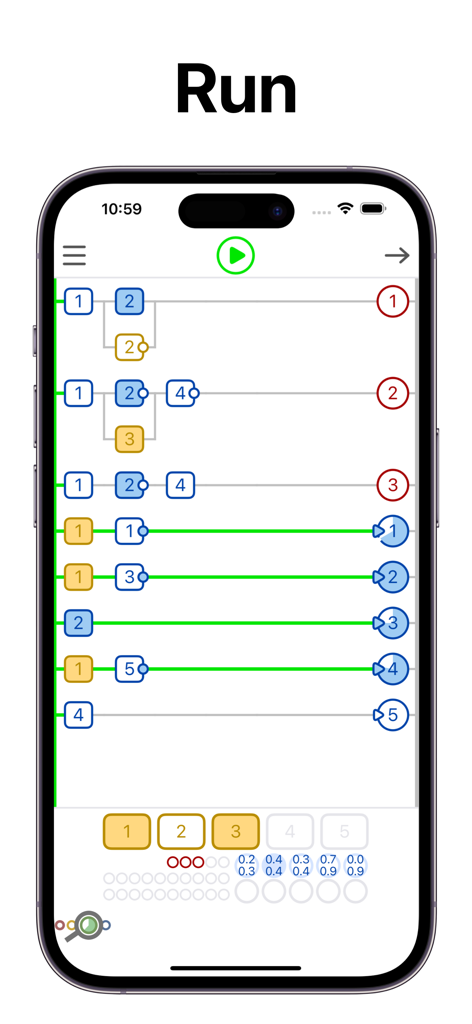
Screenshot of LadderTouch app showing a running PLC ladder logic simulation

Screenshot of LadderTouch app showing a running PLC ladder logic simulation

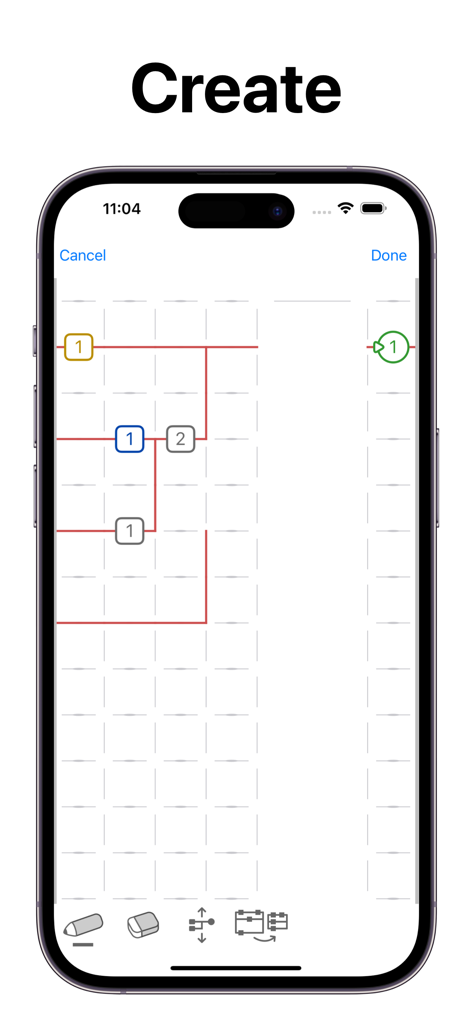
Interface of the LadderTouch app showing a ladder logic diagram being created on a mobile device

Interface of the LadderTouch app showing a ladder logic diagram being created on a mobile device

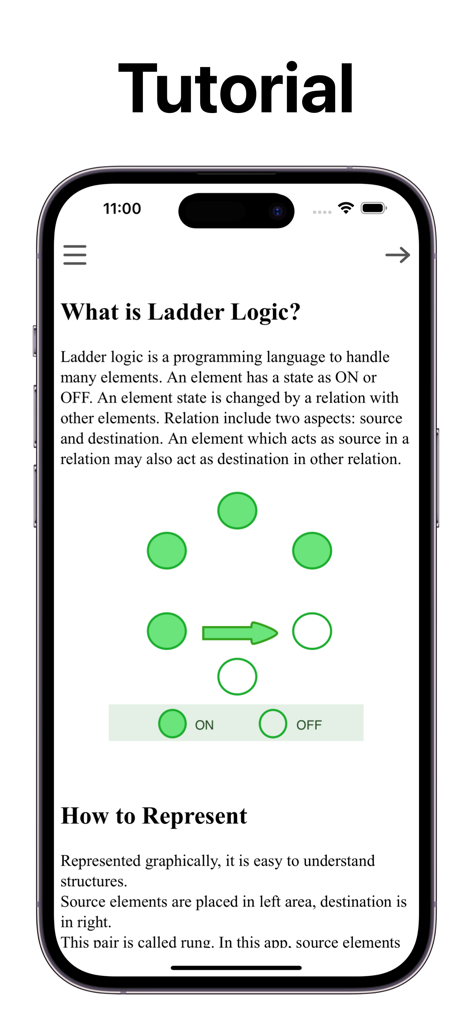
Screenshot of the LadderTouch app tutorial explaining the basics of ladder logic and graphical representation of ON and OFF states

Screenshot of the LadderTouch app tutorial explaining the basics of ladder logic and graphical representation of ON and OFF states

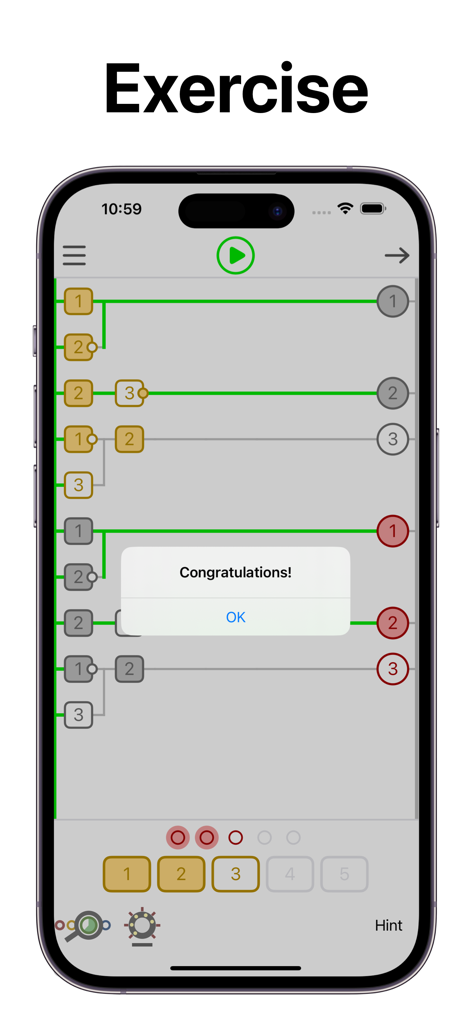
A congratulations message on a successful ladder logic exercise within the LadderTouch app.

A congratulations message on a successful ladder logic exercise within the LadderTouch app.

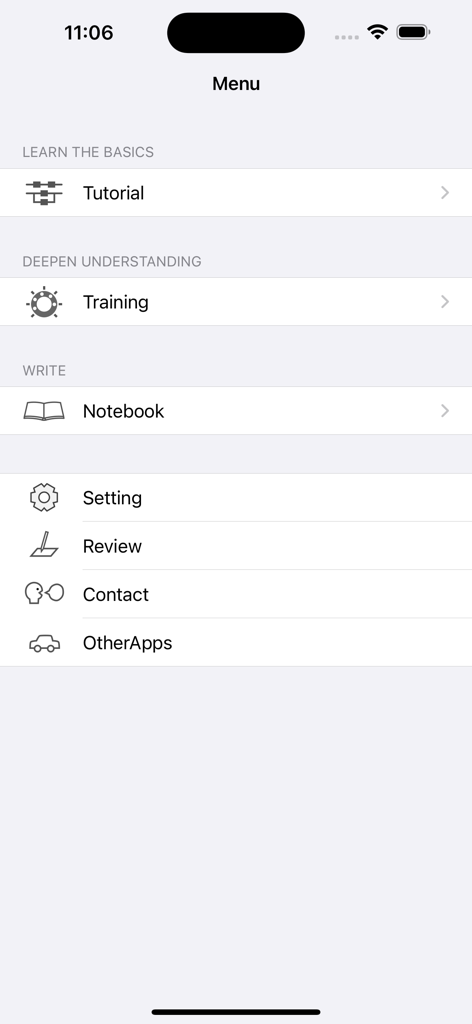
Main menu of the LadderTouch app showing options for tutorial training and notebook for ladder logic learning

Main menu of the LadderTouch app showing options for tutorial training and notebook for ladder logic learning

Settings menu of the LadderTouch PLC logic simulator app showing configuration options for input buttons and element layout.

Settings menu of the LadderTouch PLC logic simulator app showing configuration options for input buttons and element layout.

Master the Language of Automation

The tools that make this app stand out, trusted by 58K+ users.

✍️

Tactile Logic Design

Experience the most intuitive way to build circuits. Trace lines and tap cells to add elements, turning complex industrial programming into a hands-on, gesture-based experience.

Real-Time Visual Feedback

Stop guessing and start learning. Our color-coded system highlights logic paths in green when complete and red when incorrect, allowing you to debug and refine your logic instantly.

🏭

Pro-Grade Simulations

Practice with essential industrial components including On-Delay Timers, Counters, and Internal Memory to simulate real-world manufacturing logic from your iPad or iPhone.

Loved by users worldwide

Trusted by 58K+ people who love this app.

"

"This app is a game-changer for my Mechatronics classes. Being able to practice ladder logic on the go without needing expensive desktop software has helped me ace my certifications. The tactile interface for drawing lines makes the learning process feel incredibly natural."

Ethan Reynolds
"

"As a maintenance electrician, I use LadderTouch to quickly visualize logic chains before implementing them on the factory floor. It’s clean, responsive, and the timer/counter simulations are spot on. It's the perfect pocket tool for any automation professional."

Marcus Thompson

About the app

Everything you need to know about LadderTouch.

Description

LadderTouch is an app to learn the basics of ladder logic, which is a graphical programming language. This app has three functions. You can learn about that mechanism by executing some of the prepared samples. You can check your understanding with questions. In addition, you can create and execute your own ladder. Ladder functions of the timer, counter, and logical inverse are provided. The user interface is designed to be easy to operate. The lines are written by tracing the screen. You can set an element by tapping a cell at which you want to add it. ---------------ELEMENTS--------------- Input(yellow) Up to 5 elements. You can control the input signal by tapping the buttons at the bottom of the display. Virtual output(red) Up to 5 elements. Internal memory(gray) Up to 20 elements. Virtual output(red) and internal memory(gray) are the same for logical behavior. But the difference is in usage. The virtual output is the last element in the ladder logic chain. The Internal memory is for the processing element of the ladder logic chain. These are an imitation of the actual ladder logic with the output devices. Timer(blue) Up to 5 elements. The timer can be set from 0.1 seconds to 10.0 seconds. The setting unit is 0.1 second. The timer works only 'on delay'. This app does not include 'off delay'. On Delay. ---++++++++++ source -------++++++ destination Off Delay. +++---------- source ++++++++----- destination + ON - OFF Time flows from left to right Counter(green) Up to 5 elements. You can set from 1 to 50. There is no counter reset element in this app. Many other ladder logic software has it. The way to reset the counter is to stop running the ladder. All elements can be inverse in the source area. However, timers and counters cannot do it in the destination area. It is difficult to understand the inverse logic of a timer and counter in the destination area. ---------------EDIT--------------- You can edit ladders only with the paid version. How to write elements or lines Select the pencil icon. To add an element: Tap where you want to set the element and select the element. To draw a line: Draw where you want to write a line. How to delete elements or lines Select the eraser icon. Tap where you want to delete the element. How to scroll Select the scroll icon, then you can scroll. How to remove useless spaces Select the order icon. Tap order icon to remove useless spaces. Line color Green with complete ladder logic. Red with something wrong. --------------Other-------------- There is no function that connects to outer devices.

Latest Version

2.1.4

Size

6.2 MB

First Released

Oct 30, 2010

Ready to Master PLC Programming?

Join over 58,000 engineers and students. Turn your device into a portable simulation lab and build your industrial automation skills anytime, anywhere.

Download on App Store