Live Home 3D Pro: House Design

Live Home 3D Pro: House Design

Download on App Store
Spark by MWM logo
Logo of Live Home 3D Pro: House Design
Live Home 3D Pro: House Design — The Professional Way to Visualize Your Dream Home

Master your renovation with LiDAR room scanning, precise 2D floor plans, and immersive AR walkthroughs. Designed for the visionary DIYer and the professional designer, bring your architectural ideas to life with stunning 3D realism.

Publisher

Belight Software, ltd

Category

Lifestyle

Downloads

225K+

User Rating

4.6/5

Total Ratings

2K+

Locales

10

Your Vision in 3D

Discover the interface used by 225K+ users.
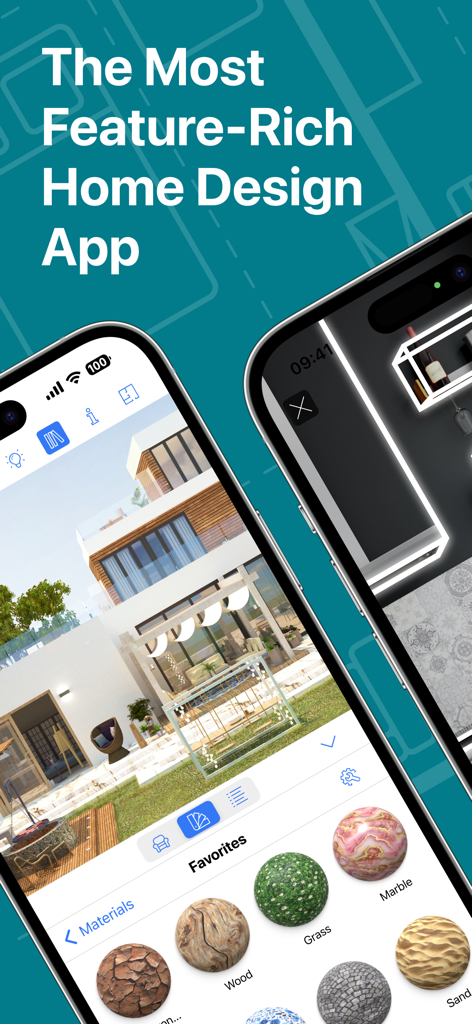
iPhone screen displaying the Live Home 3D Pro app with a modern house rendering and material selection menu

iPhone screen displaying the Live Home 3D Pro app with a modern house rendering and material selection menu

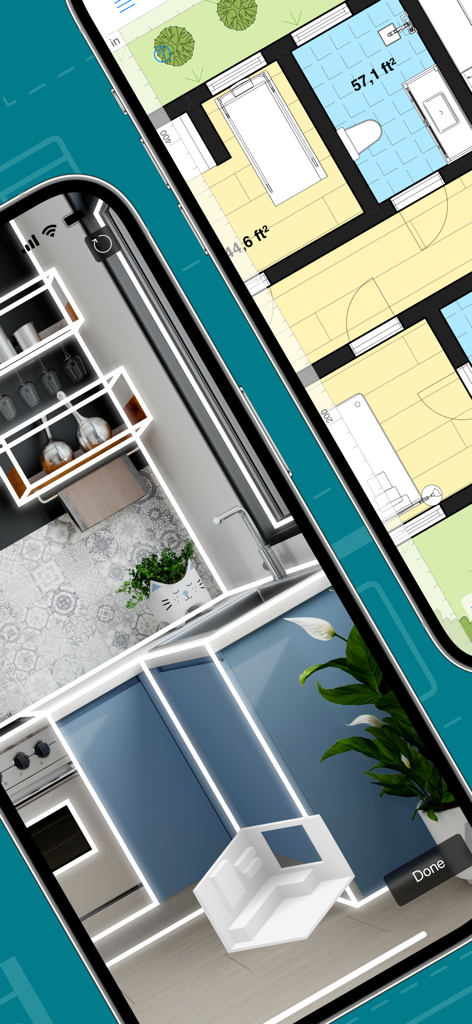
Live Home 3D Pro app displaying a 2D floor plan and a 3D LiDAR room scan on two iPhones

Live Home 3D Pro app displaying a 2D floor plan and a 3D LiDAR room scan on two iPhones

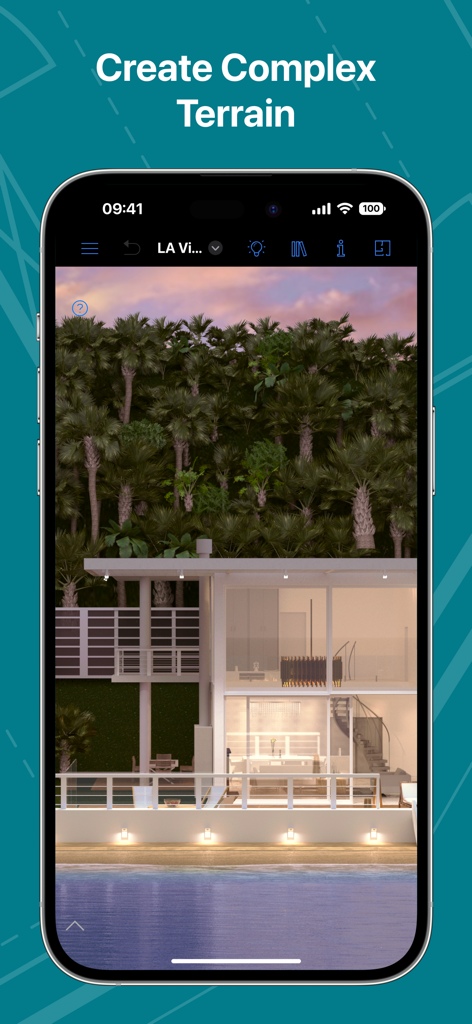
A 3D architectural visualization of a modern glass house with lush palm trees and water features showcasing complex terrain editing.

A 3D architectural visualization of a modern glass house with lush palm trees and water features showcasing complex terrain editing.

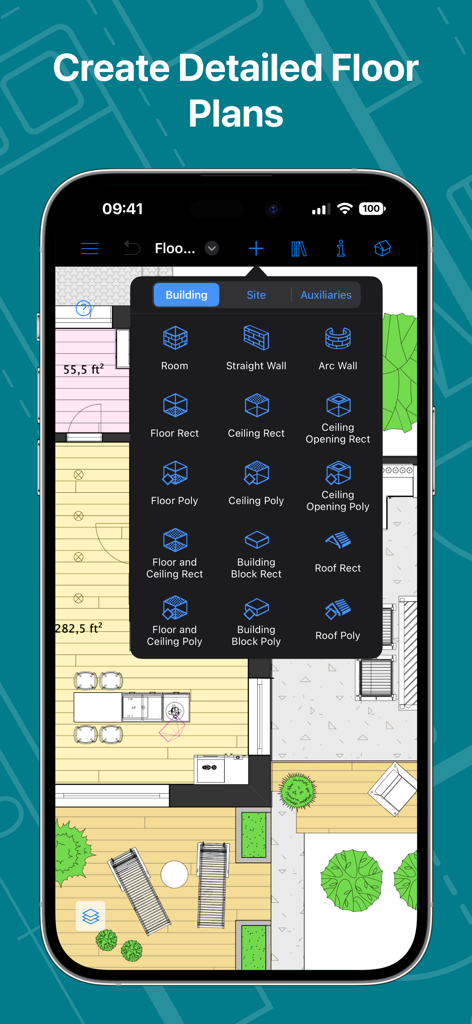
Live Home 3D Pro iPhone app interface for creating detailed 2D floor plans with structural building tools

Live Home 3D Pro iPhone app interface for creating detailed 2D floor plans with structural building tools

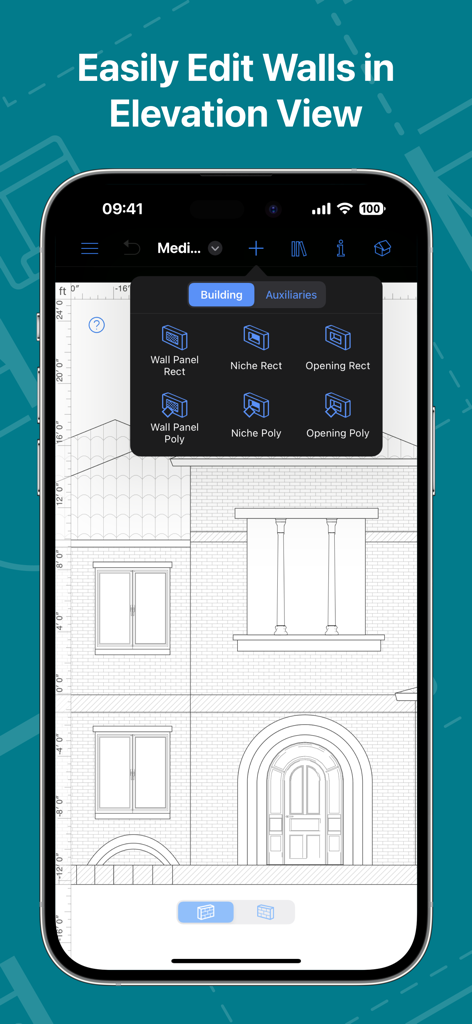
A smartphone screen showing the Live Home 3D Pro app interface for editing house walls and architectural details in a 2D elevation view.

A smartphone screen showing the Live Home 3D Pro app interface for editing house walls and architectural details in a 2D elevation view.

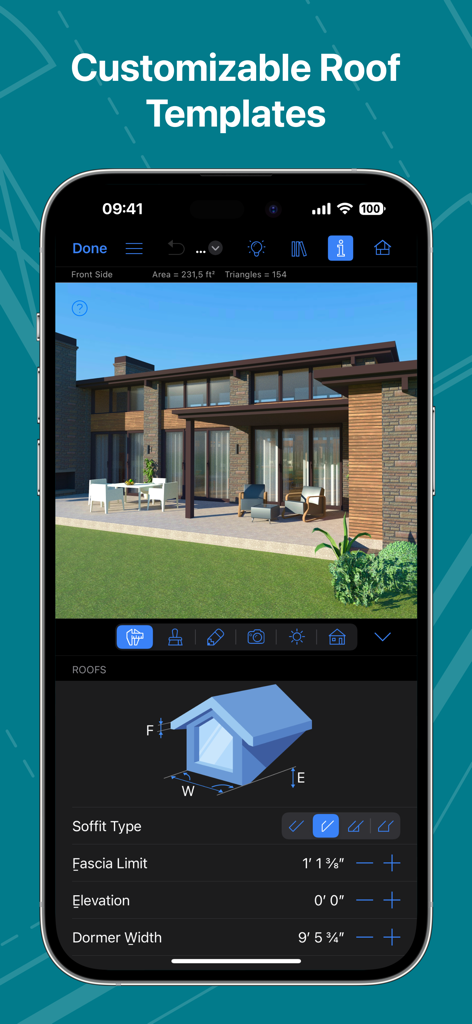
Interface of Live Home 3D Pro showing customizable roof templates and architectural settings on an iPhone.

Interface of Live Home 3D Pro showing customizable roof templates and architectural settings on an iPhone.

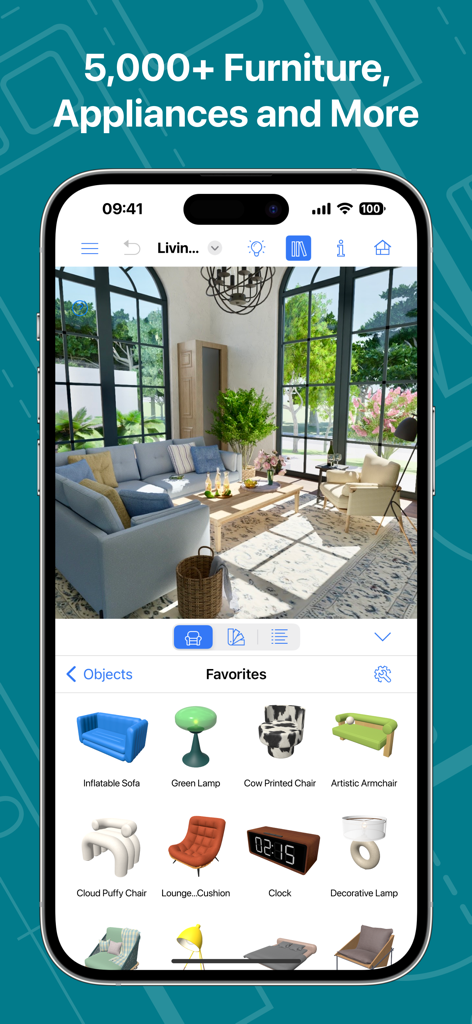
Live Home 3D Pro app interface showing a 3D living room design and an extensive furniture catalog

Live Home 3D Pro app interface showing a 3D living room design and an extensive furniture catalog

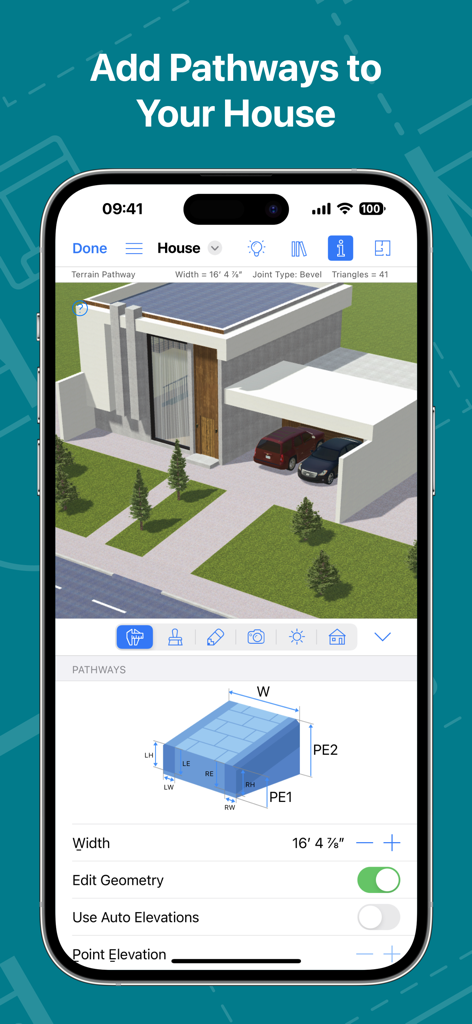
3D house design app interface showing landscape pathway editing tools

3D house design app interface showing landscape pathway editing tools

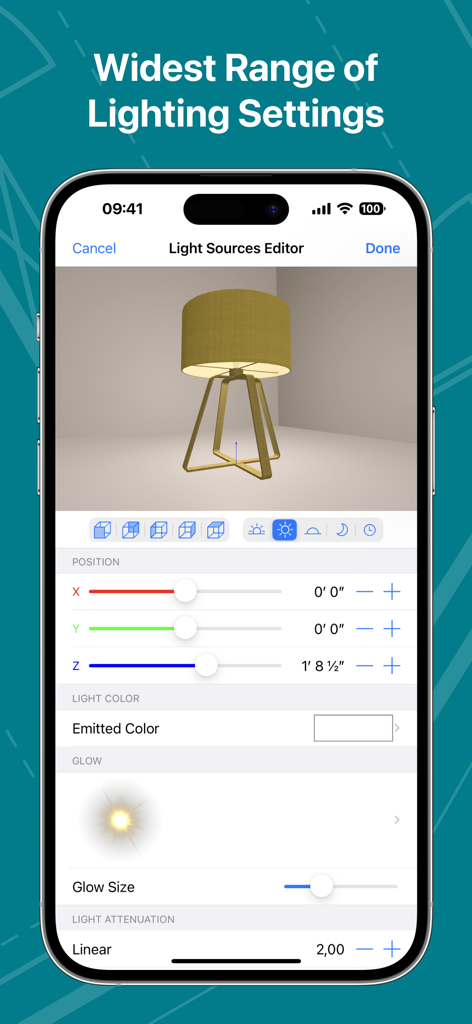
Light Sources Editor interface in the Live Home 3D Pro app

Light Sources Editor interface in the Live Home 3D Pro app

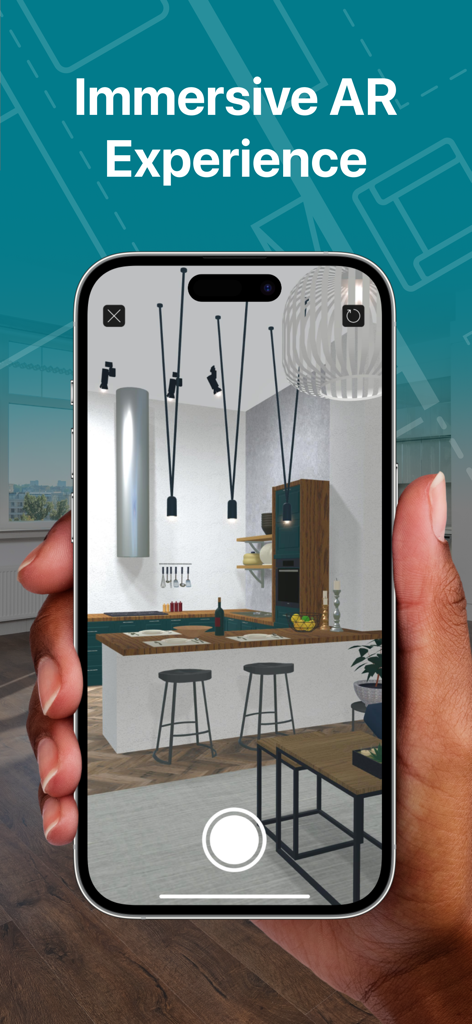
A hand holding a smartphone displaying an immersive 3D kitchen model in augmented reality

A hand holding a smartphone displaying an immersive 3D kitchen model in augmented reality

Design Like a Pro, Visualize Like a Visionary

The tools that make this app stand out, trusted by 225K+ users.

📏

Smart Room Scanning

Leverage LiDAR technology to instantly generate accurate 2D floor plans and 3D models just by walking through your room.

🎨

Endless Design Possibilities

Access over 5,000 objects and 3,000 materials, or import custom 3D models to create a space that reflects your unique style.

🚀

Experience Reality Before Building

Step inside your design using advanced AR and Apple Vision Pro integration to explore every detail at a 1:1 scale.

Loved by users worldwide

Trusted by 225K+ people who love this app.

"

"The Room Scanner feature is a total game-changer. I mapped out my entire ground floor in under ten minutes using LiDAR, and being able to walk through my renovation in AR before the contractors arrived saved us from making a very expensive mistake with our kitchen island placement. It is professional power made incredibly simple."

Sarah Jenkins, Homeowner
"

"As a real estate consultant, the ability to show clients a 1:1 scale walkthrough on Apple Vision Pro is unmatched. The lighting engine and Material Editor allow me to produce high-resolution renders that look like professional photography. It bridges the gap between a quick sketch and high-end CAD software perfectly."

Marcus Thorne, Real Estate Consultant

About the app

Everything you need to know about Live Home 3D Pro: House Design.

Description

An outstanding home design app that can turn anyone into a designer. Create detailed floor plan layouts, 3D home design visualizations, plan a garden and work with the surrounding landscape—everything is possible with Live Home 3D Pro. Floor Plans, Building and Terrain: • Сreate detailed 2D floor plan layouts. • View real-time dimensions for walls, ceilings and floors when drawing in the 2D Plan view. • Get unlimited floor levels: you will be able to create multi-story buildings and even skyscrapers. • Design from scratch or rely on ready-made house and interior design samples (e.g., kitchens, bathrooms, living rooms, etc). • Work with terrain editing tools for landscape design: create elaborate terrain around your house, lay paths and driveways and plan out your garden or backyard. • Choose from the ready-made roof templates (12 roofs and 16 dormers) or customize the roof by editing its segments to create roofs of any form and complexity. • Work in 2D Elevation view that displays the side view on walls and roof, a perfect tool for working with openings, niches and wall panels. • Scan your room or house using the Room Scanner feature based on LiDAR technology to recreate its digital copy (only for devices with LiDAR sensors built-in). • Use a multi-purpose Building Block tool to create porches, custom columns, beams or even furniture. • Bosch laser measure integration: take accurate measurements with a laser measure, and easily transfer and apply them to objects. Objects and Materials: • Add and move furniture and other objects (5,000+ items), and apply physically based materials (3,000+ supplied materials). • Access thousands of free models that can be imported from the Trimble 3D Warehouse. • Import 3D models from other applications in most popular formats (COLLADA, FBX, OBJ, USDZ, 3DS, etc.) • Create sophisticated custom materials, and control their texture and light emissive properties using the Material Editor. Lighting Settings: • Work with natural lighting by setting up true geolocation, time of day and cloudiness. • Adjust light fixtures throughout the house to achieve a realistic lighting scene. • Create custom lamps or achieve the best lighting for your projects with Light Source Editor. Viewing and Sharing Your Project: • Walk through your 3D interior designs. • Project your 3D home into real-world surroundings, and even walk around or inside the house using View in the AR option. • Create flyover videos and 3D renderings of your projects from different angles. • Seamlessly share your projects among iOS, iPadOS, visionOS, macOS or Windows devices. Export: • Export 2D floor plans as PDF and 3D views of your projects as high-resolution images. • Export the entire house design or several objects to USDZ, glTF, SCN, SCNZ, FBX or OBJ format. • Get Ultra HD export quality for movies and 360° Panoramas and Hi-res (16,000 x 16,000) for still shots. • Create Stereo 3D Video, 360° Video, Stereo 3D 360° Video and 360° Panorama JPEG images. Note: In-app purchases made in the app for Phone/iPad/Apple Vision do not apply or transfer to the version for the Mac or other platforms.

Latest Version

4.11.2

Size

436.0 MB

First Released

Oct 23, 2018

Bring Your Dream Home to Life with Professional Precision

Join thousands of designers and homeowners creating stunning 3D visualizations. Download Live Home 3D Pro today and experience the future of home design on your iPhone, iPad, and Apple Vision Pro.

Download on App Store