Logic Art-Nonogram Puzzle Game

Logic Art-Nonogram Puzzle Game

Download on App Store
Logo
Logo of Logic Art-Nonogram Puzzle Game

Logic Art-Nonogram Puzzle Game: Where Logic Meets Creativity

Unwind with thousands of engaging picture-cross puzzles. From quick daily breaks to massive 100x100 masterpieces, sharpen your mind and reveal beautiful pixel art at your own pace.

Download on App Store

Publisher

FURYU Corporation

Category

Games

Downloads

1M+

User Rating

4.5/5

Total Ratings

62K+

Locales

2

A Canvas of Logic

Join over 1M+ musicians using our pro interface.

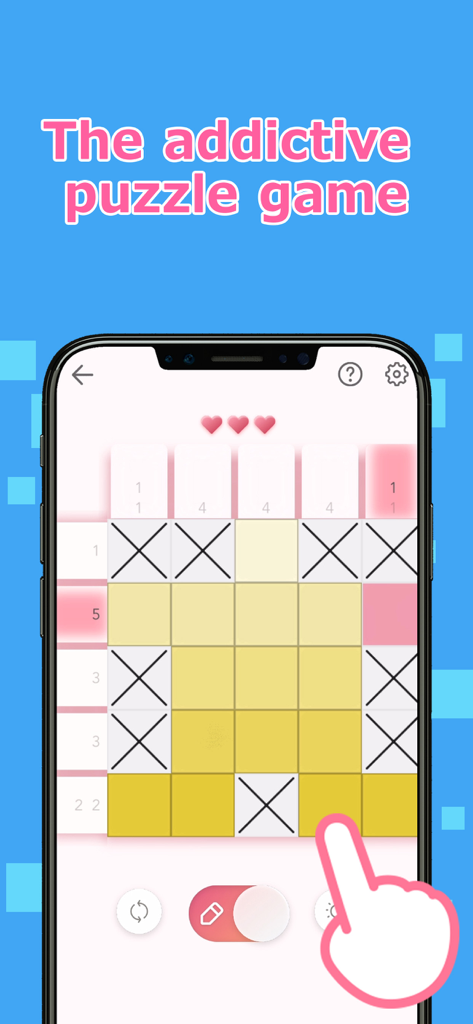
Gameplay of Logic Art nonogram puzzle showing a 5x5 grid with yellow squares and X marks.

Gameplay of Logic Art nonogram puzzle showing a 5x5 grid with yellow squares and X marks.

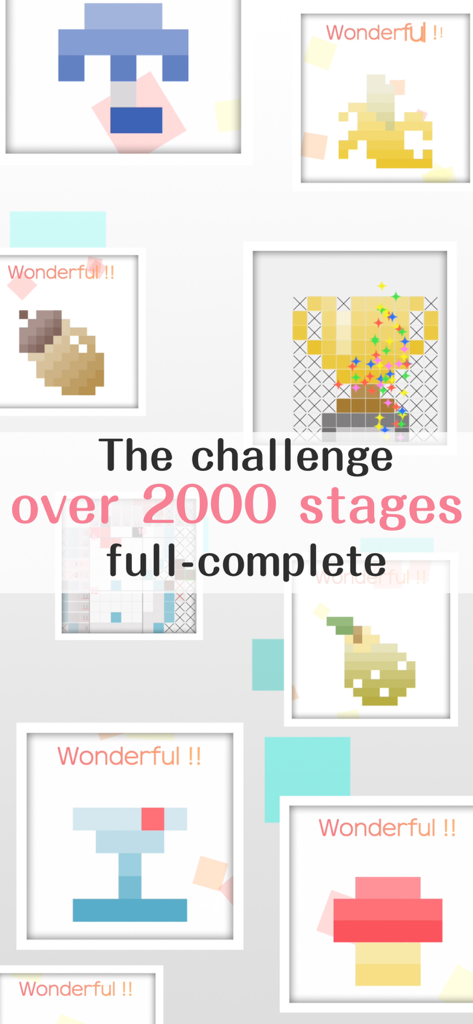
A collage of completed pixel art puzzles from the Logic Art game featuring over 2000 stages.

A collage of completed pixel art puzzles from the Logic Art game featuring over 2000 stages.

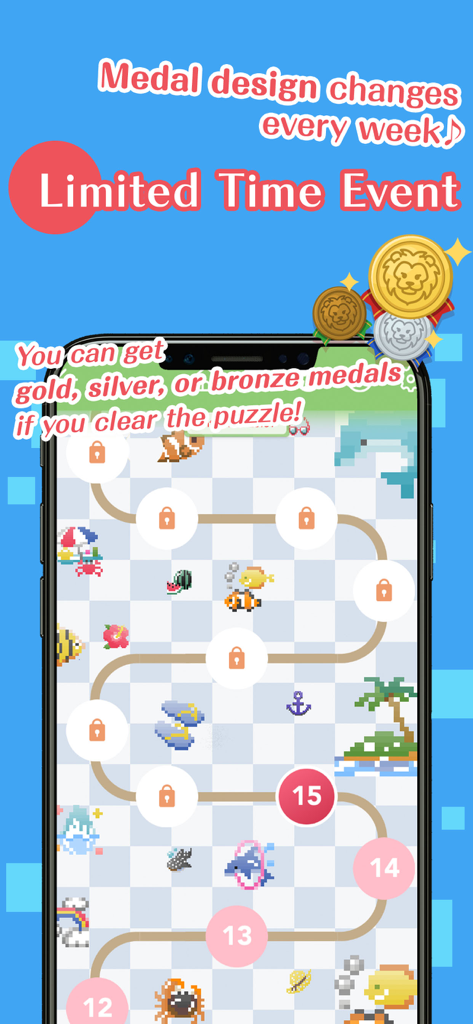
Limited time event screen in Logic Art nonogram puzzle game showing a level map and reward medals

Limited time event screen in Logic Art nonogram puzzle game showing a level map and reward medals

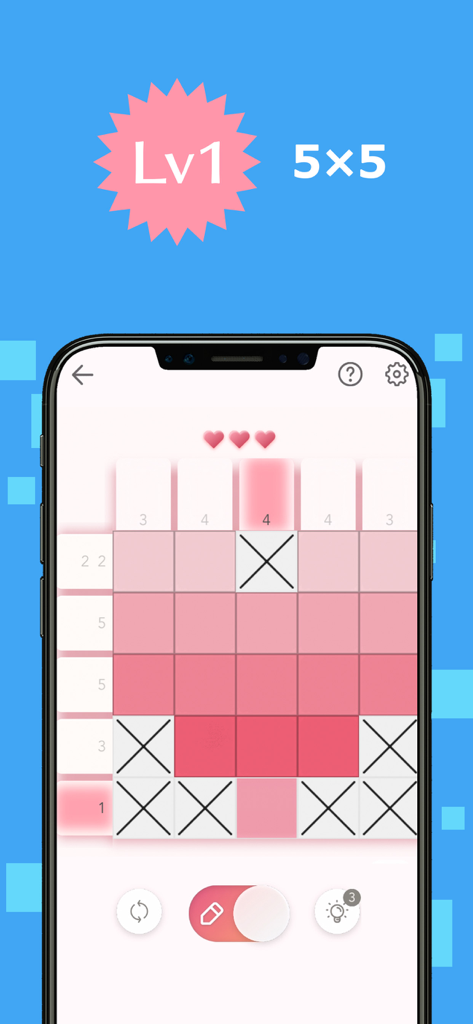
A level 1 5x5 nonogram puzzle in the Logic Art mobile app featuring a pink pixel art grid

A level 1 5x5 nonogram puzzle in the Logic Art mobile app featuring a pink pixel art grid

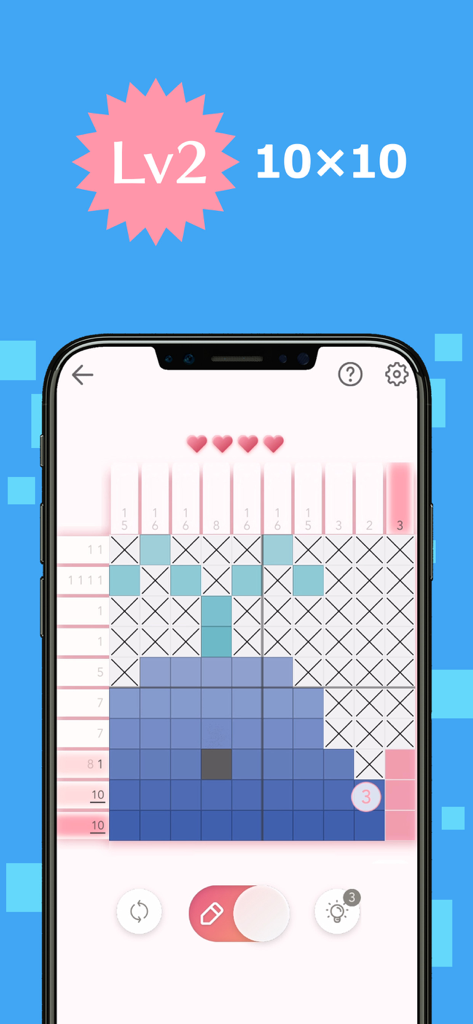
Mobile screen showing a 10x10 nonogram puzzle forming a whale pixel art

Mobile screen showing a 10x10 nonogram puzzle forming a whale pixel art

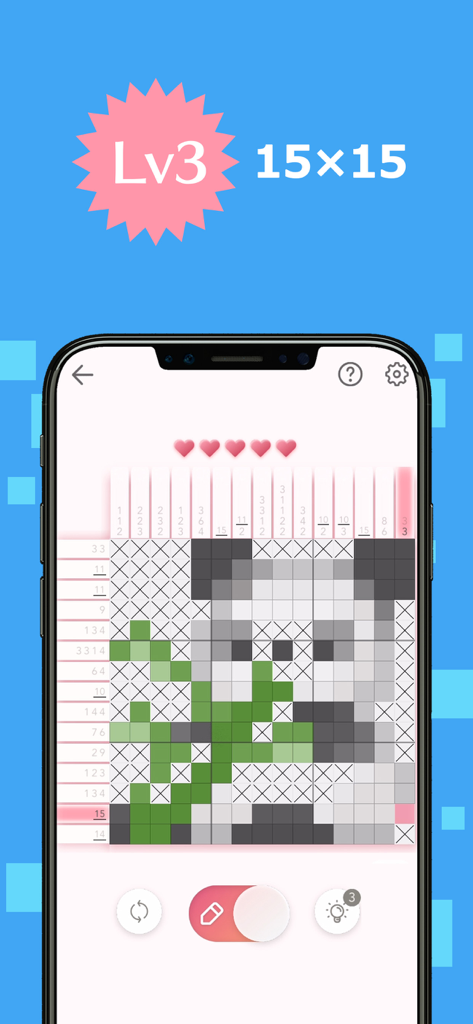
A 15x15 nonogram logic puzzle grid revealing a pixel art panda illustration

A 15x15 nonogram logic puzzle grid revealing a pixel art panda illustration

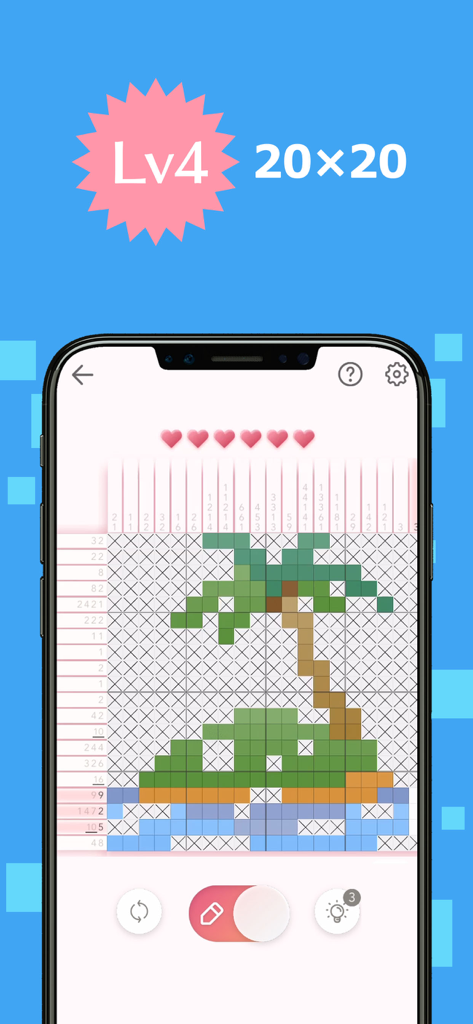
Logic Art nonogram gameplay showing a level 4 puzzle grid forming a pixel art palm tree

Logic Art nonogram gameplay showing a level 4 puzzle grid forming a pixel art palm tree

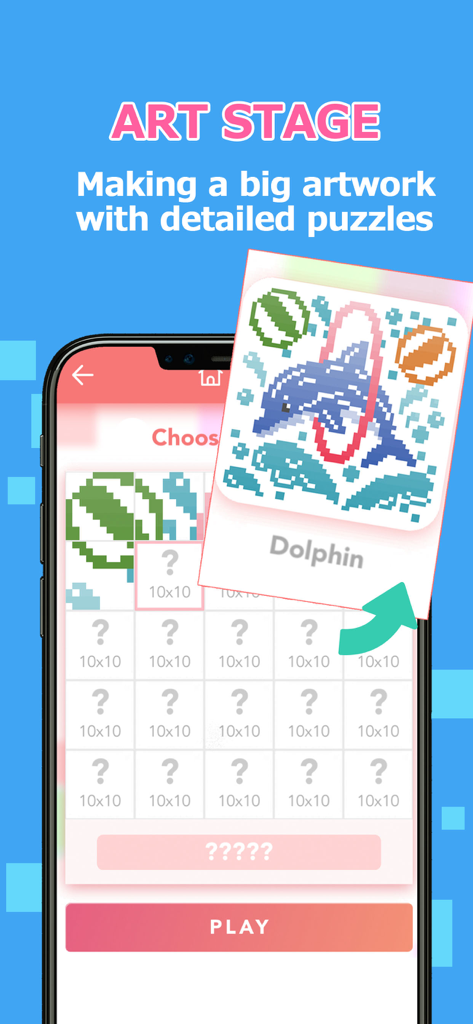
Mobile game screenshot showing the Art Stage feature in Logic Art where players complete multiple puzzles to reveal a large dolphin pixel art.

Mobile game screenshot showing the Art Stage feature in Logic Art where players complete multiple puzzles to reveal a large dolphin pixel art.

Master the Art of Logic

Join 1M+ users who mastered their instrument with these tools.

🧘‍♀️

Stress-Free Solving

Enjoy a calming experience with auto-save and soothing BGM, perfect for short breaks or winding down at night.

🧩

Puzzles for Every Skill

From quick 5x5 grids to massive 100x100 special stages, find the perfect challenge to match your pace and expertise.

🎨

Reveal Your Masterpiece

Watch your logic come to life. Complete grids to unlock vibrant pixel art and earn reward medals for your daily consistency.

Loved by users worldwide

Trusted by 1M+ people who have transformed their experience with this app.

"

"Logic Art has become my go-to morning ritual. I love starting my day with the Daily Stage and a cup of coffee. The interface is so clean and the puzzles are the perfect level of challenge to wake up my brain without feeling stressed. It's incredibly satisfying to see the little pixel art pictures come to life!"

Sarah M.
"

"As someone who enjoys Sudoku and crosswords, this app is exactly what I was looking for. The special stages are massive and provide hours of focused relaxation on my tablet. I really appreciate the auto-save feature—I can pick up right where I left off without any hassle. Truly the best nonogram experience available."

James R.

About the app

Everything you need to know about Logic Art-Nonogram Puzzle Game.

Description

We've never seen anything like the fun puzzle game called Logic Art with free to play! It is the right way of killing time and play a short time. Also, If you need to relax or want to be a refresh, Logic Art would help you to change your mind. Let's play a simple nonogram puzzle, Logic Art. − How to play Logic Art The game's goal is to complete a puzzle with numbers of left and above parts, which are tips for solving it. The numbers show how many squares are filled out, and if the numbers are over two, they must have one blank square between each number. It has four different difficulty levels Level one is the easiest level that everyone can solve all stages without any tips. On the other hand, level four has the most difficult stages. If you are stuck in a stage, no hesitate to use the hint button. Also, you can use the hint repeatedly. Although you don't complete a stage when you have to stop the game, you can directly close the game because it has an automatic save function. Don't worry about the lose your game data. − About Special Stage The special stage is a challenging mode that you have to solve 25 quizzes to complete one artwork. It has different sizes' puzzles such as 25×25 for beginner, 100×100 for master, etc. We are recommending you to start from the 25×25 stage firstly. − About Daily Stage The Daily stage is updating a new stage every day. You could also get a reward medal in the game if you complete it full of a month. You can play any past stages whenever you want. − Logic Art's functions ■Pen button Using for filling out blank squares you can paint multi squares if you keep pushing and moving the button on your display. Also, you don't need to remember how many squares you would fill out already. The left side of the column would show the numbers of served areas. (× button has also the same function) Please careful that if you put your marking in a wrong place, your energy power would be less. ■× button Using for marking as unnecessary squares If you know a square that is obviously blank, you should put X mark on it. ■Reset button Using for delete a stage data If you want to restart and delete the stage data, you should push with the button. Never give up ! ■Bulb button Using for seeing a hint If you tap the bulb button, somewhere's the answer would be appeared soon. You can use the button only three times per day, however, if you watch advertising, you can use hints continuously. ■Heart button If you mark in the wrong place, your energy power would be less. The button would appear in the auto check mode on only. ■Backward, forward button You can move forward and backward. The button would appear in the auto check mode off only. ■About game mode You can choose the mode such as auto-check and map color from the setting. ■Auto-check If you turn the auto-check mode on, you can easily notice where is the wrong choice square. It also is for beginners. However, if you mark in the wrong place, your energy power would be less. In addition, even though your energy power becomes zero, you can keep playing the game by watching advertising. You can change your setting whenever you want from the setting button. ■Coloring If you turn the coloring mode on, you can see all squares by finalized painted color. Usually, it would be all pink in color if you choose the auto-check off mode. You can enjoy guessing what is an artwork's theme If you want to turn it on the mode, you can set it up from the setting button. ■Auto save You can stop the game whenever you want because the game has an auto-save function. However, if you uninstall the app itself, the game's data would be deleted together. ■BGM You can change a back ground music setting from the setting button. ■Free to play ■Smooth effect, and making refresh feeling with the game

Latest Version

1.12.1

Size

188.8 MB

First Released

Sep 26, 2019

Ready to Reveal Your Next Masterpiece?

Join over 1 million puzzle lovers today. Download Logic Art for free and experience the perfect blend of mental clarity and creative relaxation.

Download on App Store