Metronome Beats Pro

Metronome Beats Pro

Download on App StoreDownload on Google Play
Spark by MWM logo
Logo of Metronome Beats Pro

Metronome Beats Pro: Master Your Rhythm with Professional Precision

The all-in-one practice and performance tool for serious musicians. Join 10 million users mastering their timing with our advanced speed trainer, integrated drum machine, and live setlist manager.

Publisher

Stonekick Limited

Category

Music

Downloads

2M+

User Rating

4.7/5

Total Ratings

26K+

Locales

6

Mastery in Motion

Discover the interface used by 2M+ users.
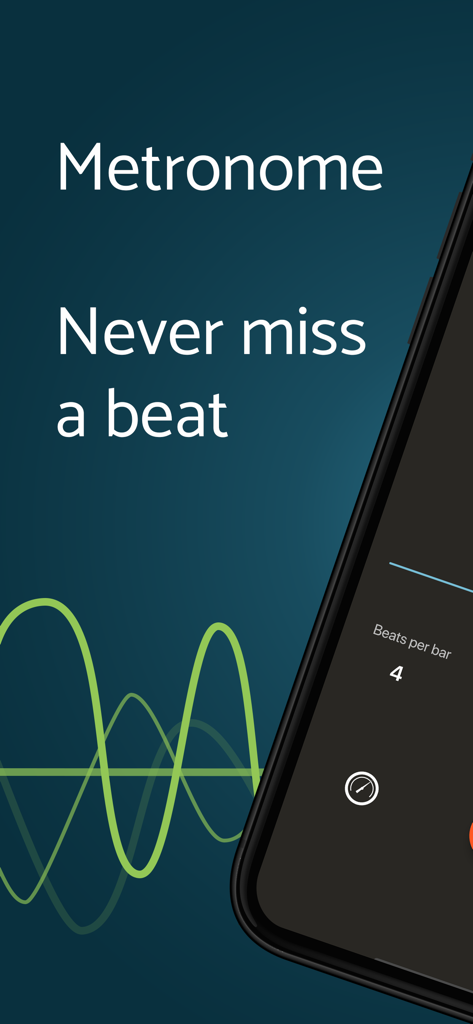
Metronome Beats Pro intro screen with the slogan Never miss a beat and a rhythmic soundwave visualization.

Metronome Beats Pro intro screen with the slogan Never miss a beat and a rhythmic soundwave visualization.

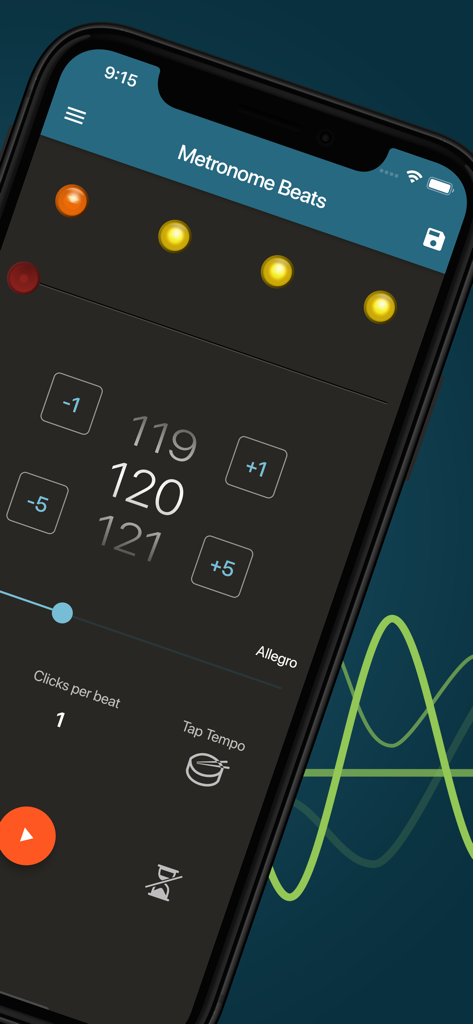
Metronome Beats Pro app interface showing 120 BPM tempo settings and visual beat indicators.

Metronome Beats Pro app interface showing 120 BPM tempo settings and visual beat indicators.

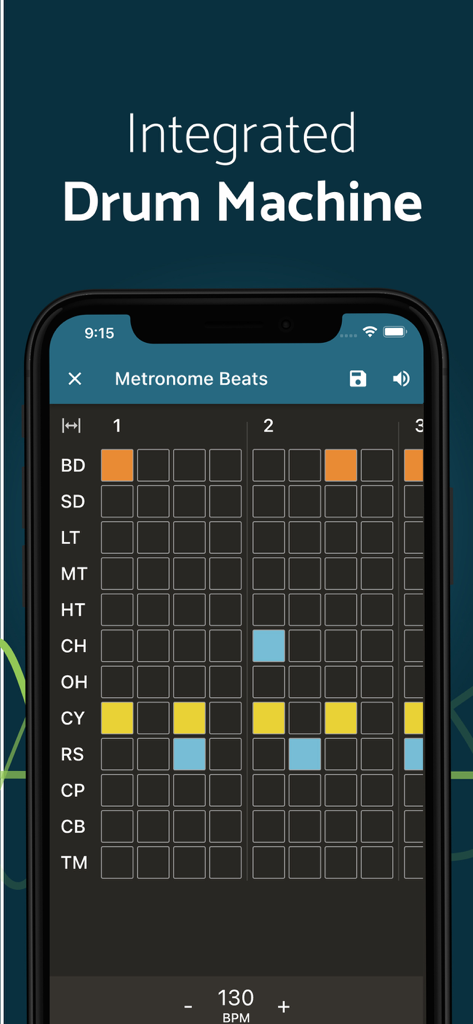
Metronome Beats Pro integrated drum machine interface with rhythm sequencer grid

Metronome Beats Pro integrated drum machine interface with rhythm sequencer grid

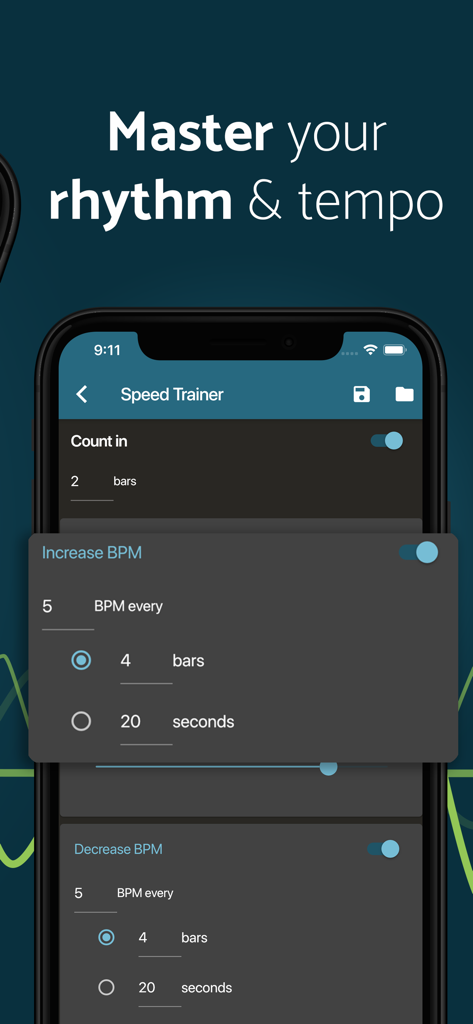
Metronome Beats Pro app interface showing the Speed Trainer settings for rhythm and tempo adjustment

Metronome Beats Pro app interface showing the Speed Trainer settings for rhythm and tempo adjustment

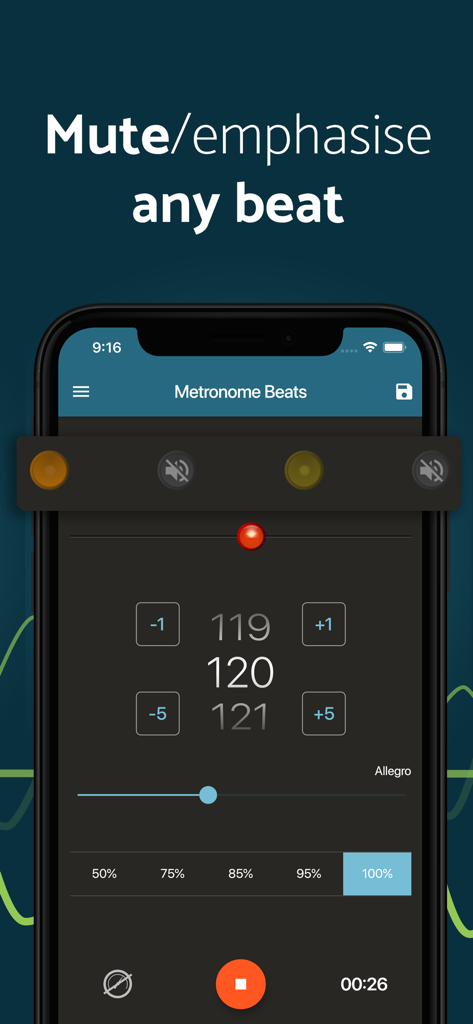
Metronome Beats Pro app screen showing how to mute or emphasize individual beats in a rhythm.

Metronome Beats Pro app screen showing how to mute or emphasize individual beats in a rhythm.

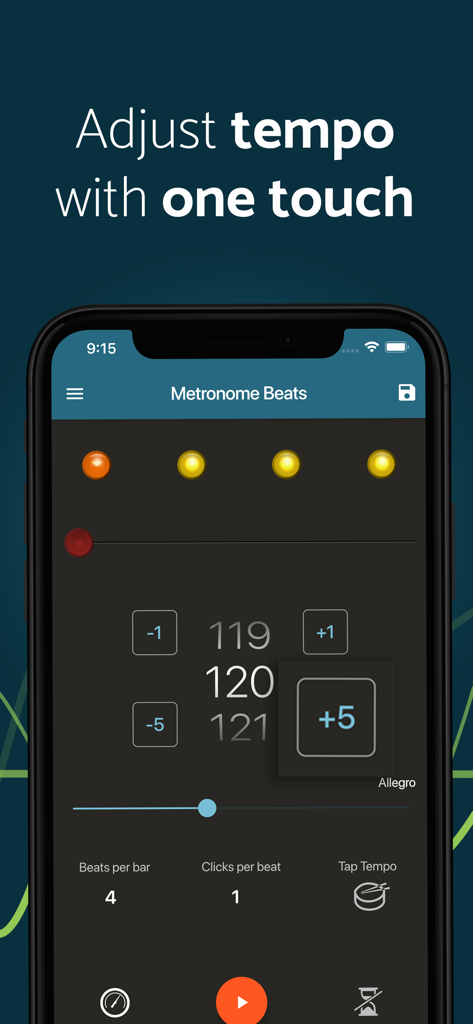
Metronome Beats Pro app interface showing one-touch tempo adjustment buttons and BPM display

Metronome Beats Pro app interface showing one-touch tempo adjustment buttons and BPM display

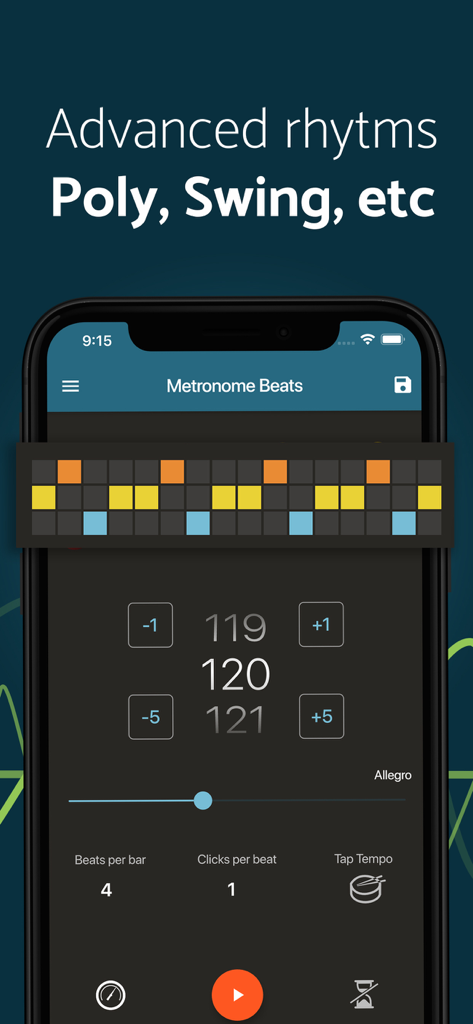
Metronome Beats Pro app interface displaying advanced rhythm settings and polyrhythm visualization

Metronome Beats Pro app interface displaying advanced rhythm settings and polyrhythm visualization

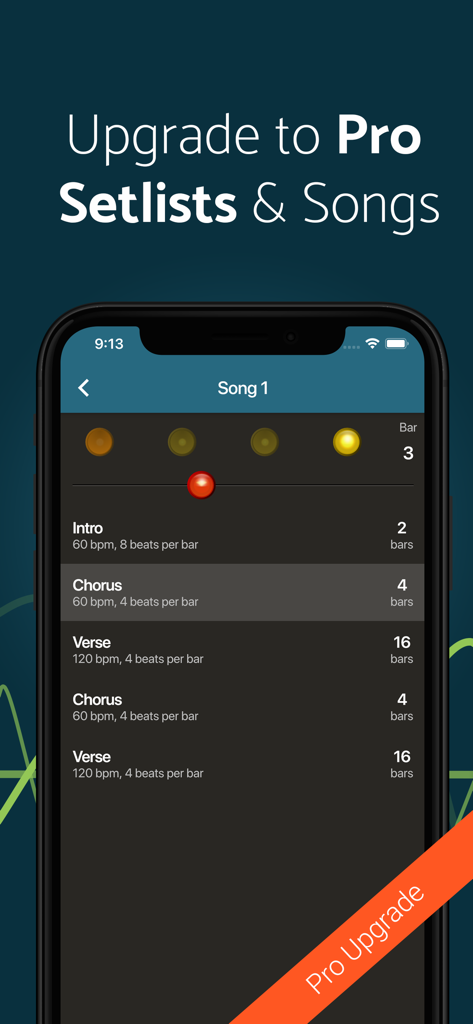
Metronome Beats Pro app screen showing a setlist with song sections like intro, chorus, and verse each with different BPM and bar counts.

Metronome Beats Pro app screen showing a setlist with song sections like intro, chorus, and verse each with different BPM and bar counts.

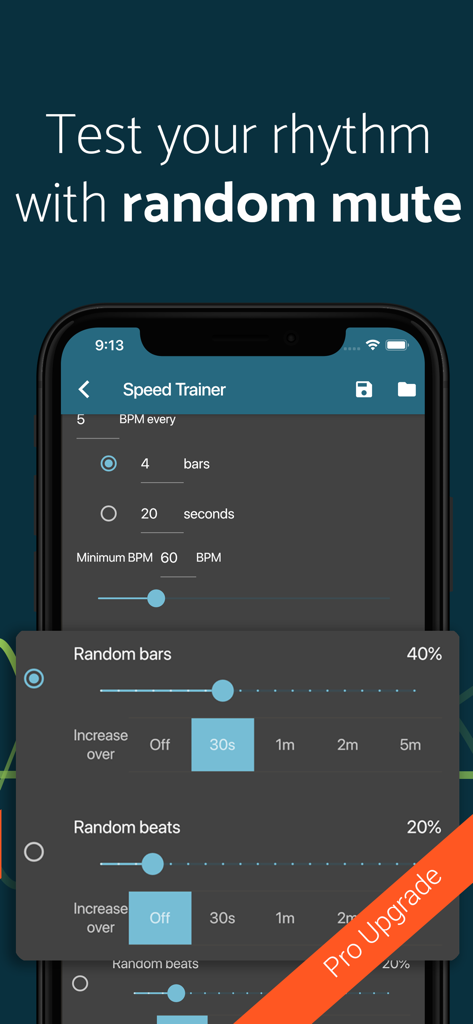
Metronome Beats Pro app showing the Speed Trainer interface with random mute options

Metronome Beats Pro app showing the Speed Trainer interface with random mute options

Precision Tools for Performance and Practice

The tools that make this app stand out, trusted by 2M+ users.

🚀

Automated Speed Trainer

Master difficult passages by setting the BPM to increase automatically, helping you reach your peak performance without stopping to adjust.

🎸

Gig-Ready Setlists

Organize your favorite songs into custom setlists and use Live Mode to transition seamlessly between tempos during your performance.

🥁

Pro-Level Customization

Unlock advanced polyrhythms, swing patterns, and a built-in drum machine to create the perfect rhythmic backdrop for any genre.

Loved by users worldwide

Trusted by 2M+ people who love this app.

"

"The setlist and live mode features are absolute game-changers for my performances. I can program an entire show's worth of tempos and transitions, and the background play works perfectly while I read my charts on the same tablet. It is the most reliable tool in my gig bag."

Marcus Rivera
"

"The Speed Trainer has completely transformed my daily practice. Being able to automatically increase the BPM in small increments helps me push my technique without breaking my focus. Plus, the integrated drum machine makes solo drills feel much more musical and engaging."

Sarah Jenkins

About the app

Everything you need to know about Metronome Beats Pro.

Description

An interactive Metronome App , Speed Trainer, and Drum Machine designed by musicians. Metronome Beats is already used worldwide by over 10 million musicians for solo and group music practice, teaching and live concerts. It is also used to keep a steady tempo during running, golf putting practice, dancing, and many other activities. FEATURES - Select any tempo from 1 to 900 beats per minute. - Subdivide the beat with up to 16 clicks per beat – so you can practice the timing of your triplets. - Don’t know how many beats per minute you need? Then use the tap tempo button to select a tempo. - Master your rhythm with the Tempo Trainer - Option to keep the metronome playing when you exit allowing you to use it with other apps - Set a timer to stop the metronome after a certain number of bars - Displays Italian tempo markings – handy if you’re not sure how fast Vivace should be. - Choose whether to accent the first beat of the bar. - Visual beat indication - mute the sound and use the visualisations to follow the beat. - Change the pitch of the sound to make the metronome easier to hear over your instrument. - Save your settings as Presets - Create songs with different tempo settings - Organise your favourite songs in to setlists and play through these in “Live” mode - Advanced rhythms including Polyrhythms and Swing - Integrated Drum Machine ADJUST THE TEMPO WITH ONE TOUCH Designed with ease of use in mind, Metronome Beats has controls for easily increasing and decreasing the tempo in small increments by one touch of the screen. The visual beat indicators help you to keep track of where you are in the bar and enable you to mute the metronome whilst still monitoring the tempo visually. You can also create your own custom sound settings or simply change the pitch to make Metronome Beats easier to hear over your instrument. RHYTHM AND TEMPO TRAINING Metronome Beats has a tempo trainer to help you master your rhythm. Set the metronome to speed up over time or mute every few bars to test your playing. Only need a few bars lead in? Use the timer function to stop Metronome Beats when you want. You can also use Metronome Beats at the same time as other apps, allowing you to read sheet music off your Tablet whilst playing the metronome to check your tempo. ADVANCED RHYTHMS AND INTEGRATED DRUM MACHINE The advanced rhythms section allows you to program in more complex rhythms including polyrhythms and swing. There is also an integrated drum machine. Use this to generate a backing track to practice against, or simply have fun generating different rhythms. SAVE YOUR SETTINGS AND CREATE SETLISTS AND SONGS In the pro version of Metronome Beats you can save your Settings as Presets to access later. You can use these to create song of varying tempos or generate setlists of songs and play through these one by one – useful for solo and group practice as well as playing live on stage. CONTACT US If you need any help or have any questions about Metronome Beats you can always contact us at support@stonekick.com.

Latest Version

6.9.2

Size

59.9 MB

First Released

Nov 22, 2019

Master Your Rhythm with Professional Precision

Join over 10 million musicians and athletes worldwide. Elevate your practice, streamline your live performances, and unlock the ultimate rhythm toolkit today.

Download on App StoreDownload on Google Play
FAQ

Frequently Asked Questions

Everything you need to know about Metronome Beats Pro

How do you adjust the tempo in Metronome Beats Pro?

Yes, Metronome Beats Pro allows tempo adjustment with one touch. Users can increase or decrease the tempo in small increments using dedicated on-screen controls. The app also features a tap tempo button.

Does Metronome Beats Pro include a drum machine feature?

Yes, Metronome Beats Pro features an integrated drum machine. This allows users to generate backing tracks for practice or create different rhythms within the application.

Can Metronome Beats Pro save custom metronome settings?

Yes, Metronome Beats Pro allows users to save their custom settings as Presets. This enables quick access to preferred configurations and supports the creation of songs with varying tempos.

What is the Tempo Trainer feature in Metronome Beats Pro?

The Tempo Trainer in Metronome Beats Pro helps users master rhythm. It can speed up the metronome over time or mute beats periodically to test playing accuracy, also known as the Speed Trainer.

What is the available tempo range for Metronome Beats Pro?

Metronome Beats Pro allows users to select any tempo within a broad range. The adjustable tempo range is from 1 to 900 beats per minute (BPM), providing extensive flexibility.

Can Metronome Beats Pro be used concurrently with other apps?

Yes, Metronome Beats Pro functions alongside other applications. The metronome continues playing when the app is exited, enabling users to read sheet music or utilize other tools simultaneously.

Does Metronome Beats Pro support advanced rhythms like polyrhythms and swing?

Yes, Metronome Beats Pro supports advanced rhythms. The app allows users to program complex patterns, including polyrhythms and swing, enhancing practice for diverse musical styles.

How does Metronome Beats Pro provide visual beat indication?

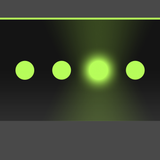
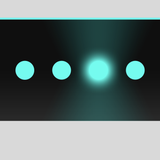
Metronome Beats Pro provides visual beat indication through changing colored circles at the top of the screen. These indicators allow users to follow the beat visually, even when the sound is muted.

Can users create and manage setlists in Metronome Beats Pro?

Yes, Metronome Beats Pro enables users to create and organize setlists. This feature allows playing through multiple songs with different tempo settings consecutively, suitable for practice or live performances.