
Microsoft Translator




Break through barriers with real-time speech, text, and image translation. Designed for global professionals who value accuracy, reliability, and seamless connection.
Publisher
Category
ProductivityDownloads
14M+User Rating
Total Ratings
581K+Locales
24Discover the interface used by 14M+ users.
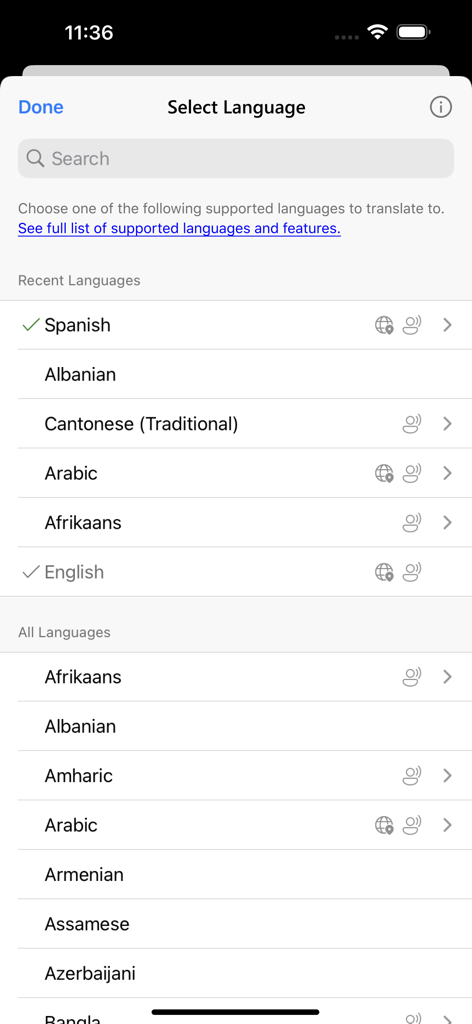
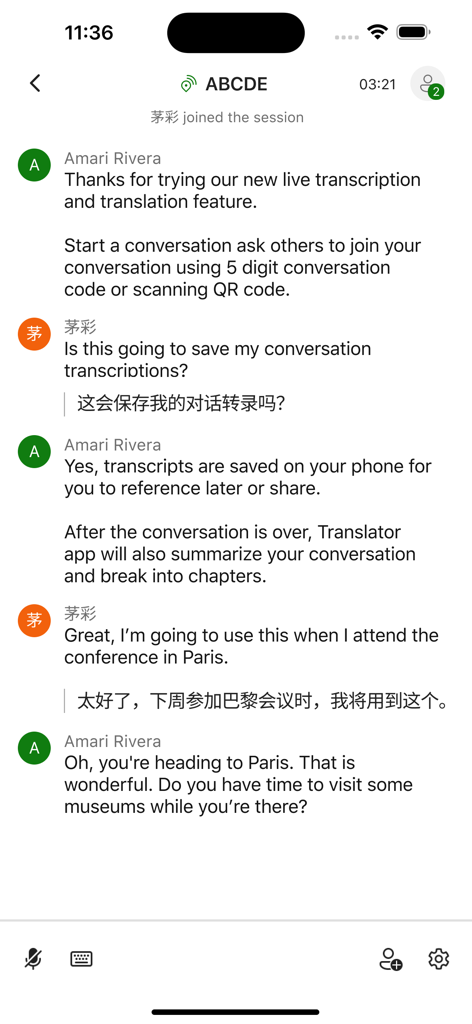
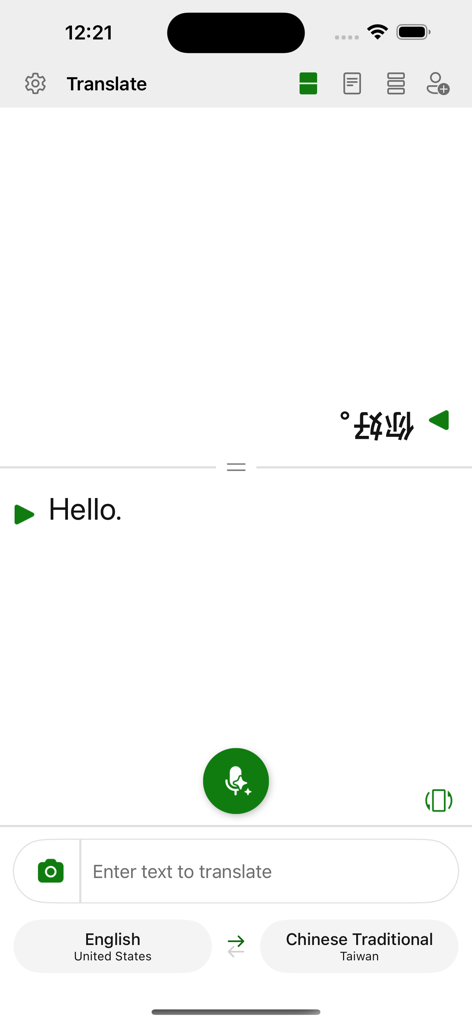
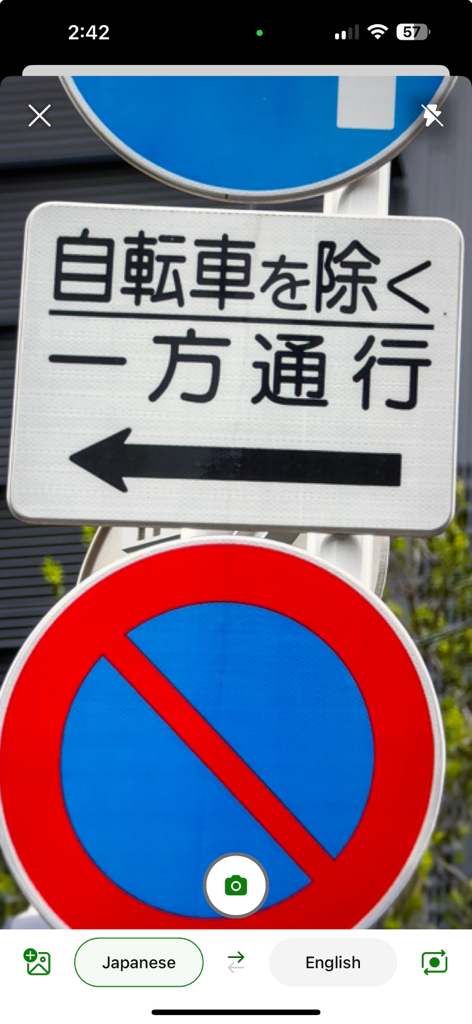
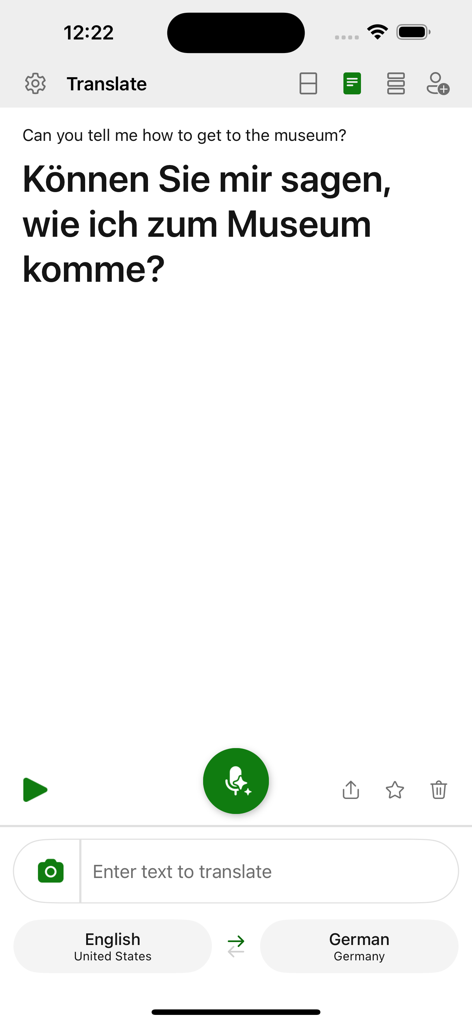
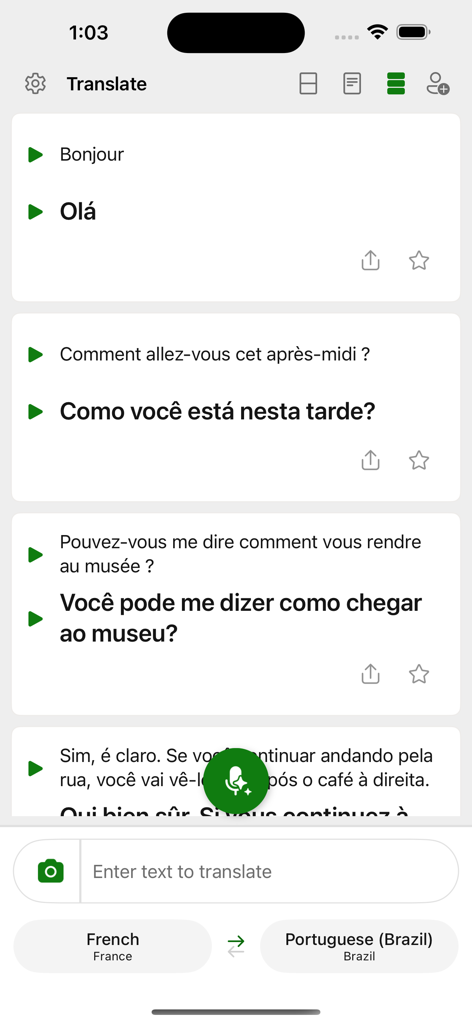
The tools that make this app stand out, trusted by 14M+ users.
Stay in sync during international meetings with real-time transcripts and searchable chapters designed for professional collaboration.
Travel without limits by downloading language packs to translate signs, menus, and speech even when you're off the grid.
Trust in the security of the Microsoft ecosystem for your most sensitive business translations and private communications.
Trusted by 14M+ people who love this app.
"As a project manager working with teams in Tokyo and Berlin, the group conversation feature is indispensable. The ability to follow real-time transcripts with chapter markers allows me to stay focused on the strategy while the app handles the language barrier seamlessly. It is truly an enterprise-grade tool for the modern professional."
"I used Microsoft Translator during my solo trip across South America, and it was a total game-changer. From translating menus with the camera to having actual conversations with locals via the speech feature, it made me feel confident and connected. The offline packs are a must-have for any traveler."
Insights from user reviews.
Sentiment Score
Summary
This app receives predominantly negative feedback, with many users reporting critical issues that hinder its core functionality. A major point of dissatisfaction is the pervasive "Conversation Mode" which frequently fails, preventing users from starting new conversations or engaging in group translations, often displaying "cannot start new conversation" errors. Many users also encounter persistent network connectivity problems, even with stable internet, leading to the app being unusable for live translation. While some users praise its accuracy and consider it "the best" when working, and appreciate that it's free, recent updates are blamed for breaking features, declining overall usability, and specific bugs like the removal of speech rate control and issues with the camera feature. Users also express frustration over the lack of an offline mode and unresponsive customer support.
Common Themes
Everything you need to know about Microsoft Translator.
Description
Latest Version
25.10.2
Size
28.8 MB
First Released
Aug 6, 2015
Join 14 million+ professionals and global explorers who trust Microsoft Translator for reliable, real-time communication. Download now to translate text, speech, and images in over 100 languages for free.
Everything you need to know about Microsoft Translator
Microsoft Translator is a free application that breaks language barriers by translating text, speech, images, and group conversations in over 100 languages. It connects people globally for travel, work, or school.
Yes, Microsoft Translator is a free application. It offers translation of text, speech, images, and group conversations without charge to help users communicate across language barriers.
Microsoft Translator supports over 100 languages for translation. Users can view the full list of supported languages and features via a provided link within the app.
Yes, Microsoft Translator can translate text from images. The app features a camera icon allowing users to capture and translate text found in images, such as signs or menus.
Yes, Microsoft Translator saves conversation transcripts directly on your phone. The app also summarizes conversations and organizes them into chapters for easy navigation and future reference or sharing.
Yes, Microsoft Translator provides real-time accurate translations for speech. It allows users to communicate verbally with others using different languages by translating spoken words.
Microsoft Translator facilitates group conversations by providing live transcription and translation. It saves transcripts on your phone, summarizes them, and breaks them into chapters for easy navigation and reference.
Apps with similar features and user experience

DeepL SE

Tencent Technology (Shenzhen) Company Limited

Beijing Qicai Muzhi Technology Co.,Ltd.

TINY BOLT (HK) CO., LIMITED

INNOVAPP LLC

Shanghai Baowu Network Technology Co., Ltd.

Hebei jiudao network technology co., ltd

Son Hoang

AmazinPro Technology Solutions And Training Company Limited
