Midiflow Motion (Audiobus)

Midiflow Motion (Audiobus)

Download on App Store
Logo
Logo of Midiflow Motion (Audiobus)

Midiflow Motion (Audiobus): Transform Movement into Pure Expression

Turn your iPad into a professional motion controller. Map device rotation to any MIDI parameter—from filters to pitch-bend—and bring organic, physical dynamics to your Audiobus 3 sessions.

Download on App Store

Publisher

Johannes Doerr

Category

Music

Downloads

1K+

User Rating

4.4/5

Total Ratings

0

Locales

1

Performance in Motion

Join over 1K+ musicians using our pro interface.

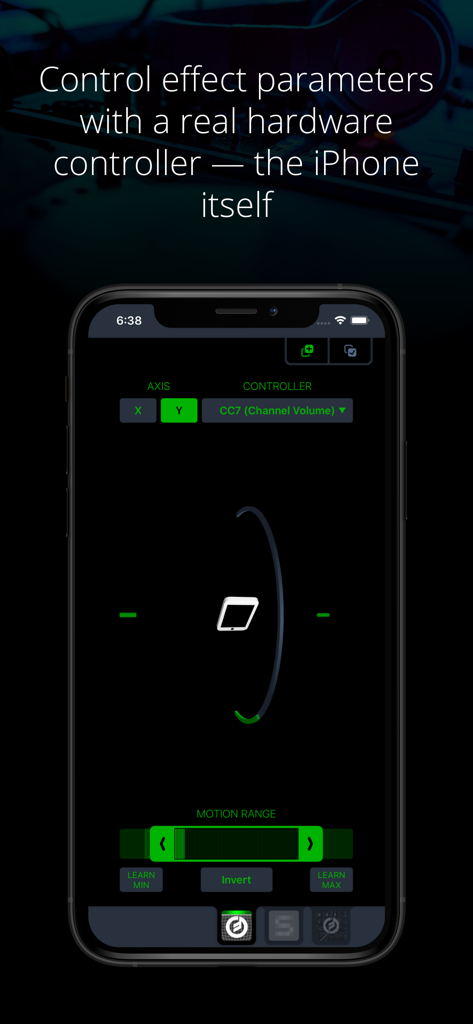
Midiflow Motion interface on iPhone showing motion-based MIDI control settings

Midiflow Motion interface on iPhone showing motion-based MIDI control settings

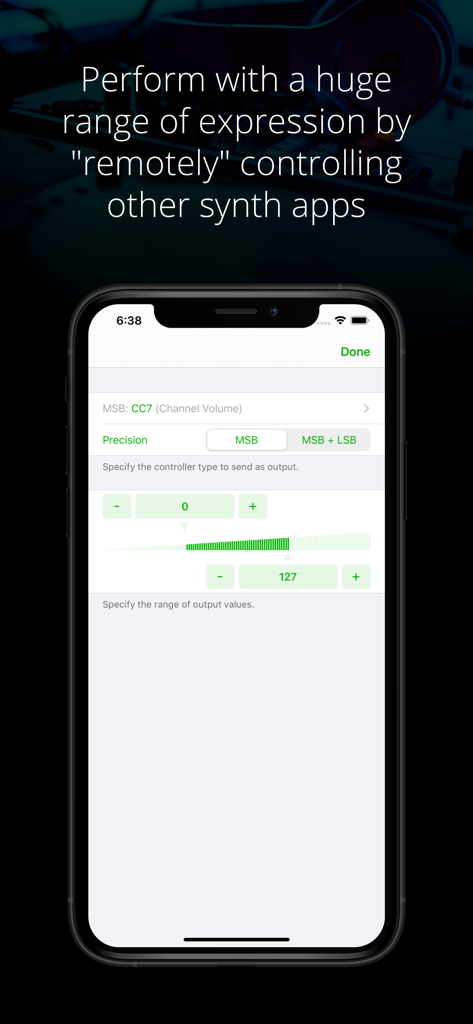
Midiflow Motion app interface for configuring MIDI control parameters like channel volume and precision.

Midiflow Motion app interface for configuring MIDI control parameters like channel volume and precision.

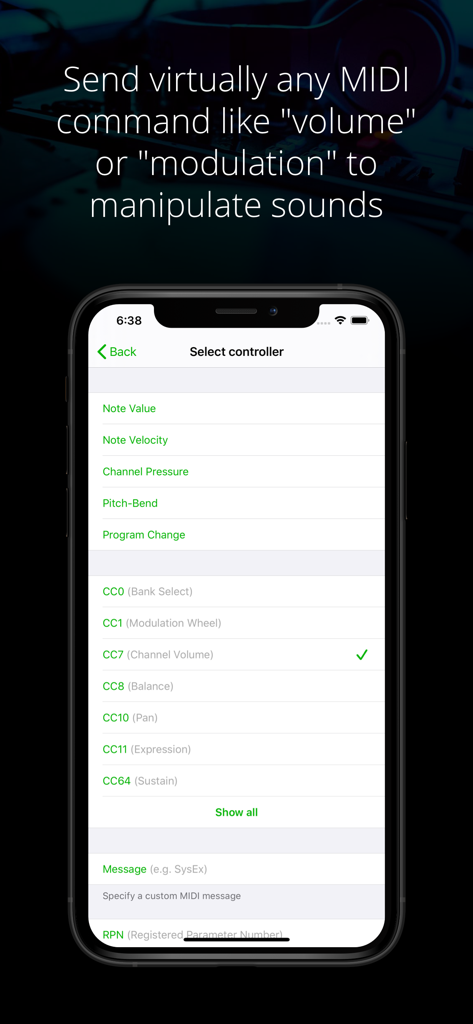
Midiflow Motion app screen showing a menu to select MIDI controllers and control change parameters like volume and modulation

Midiflow Motion app screen showing a menu to select MIDI controllers and control change parameters like volume and modulation

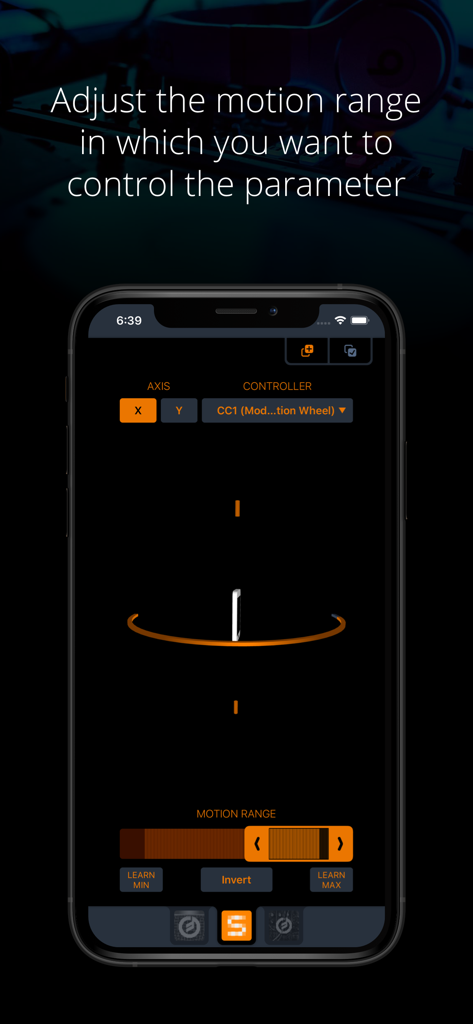
Midiflow Motion app interface on an iPhone showing the settings for adjusting the motion range of a MIDI controller parameter

Midiflow Motion app interface on an iPhone showing the settings for adjusting the motion range of a MIDI controller parameter

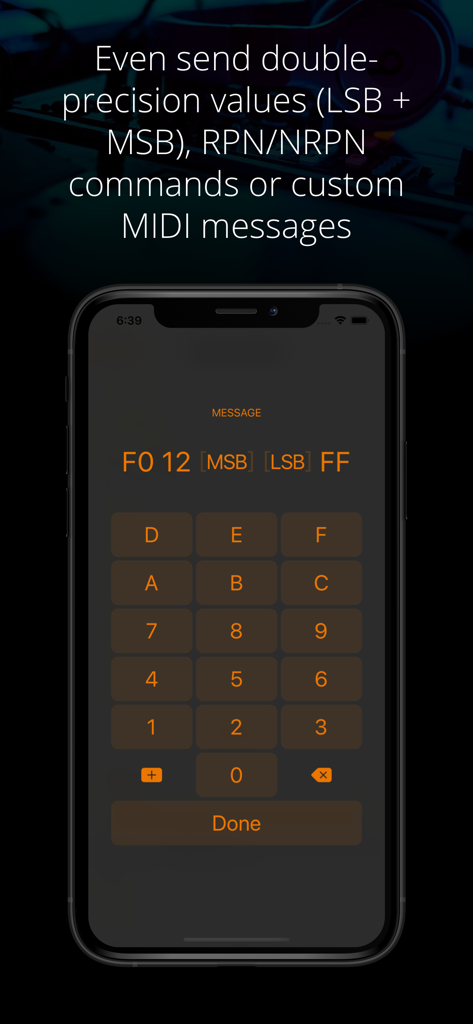
Midiflow Motion app interface for entering custom MIDI messages and double precision values using a hex keypad

Midiflow Motion app interface for entering custom MIDI messages and double precision values using a hex keypad

Turn Motion into Musical Expression

Join 1K+ users who mastered their instrument with these tools.

📱

Gesture-Driven Control

Use device rotation to manipulate filters, pitch, or volume. It's an organic way to perform that touchscreens simply cannot replicate.

🎯

Surgical MIDI Precision

Send 14-bit high-resolution commands, NRPN, or custom MIDI messages with adjustable motion ranges and smart learn buttons.

⛓️

Integrated Signal Chains

Built for Audiobus 3. Insert multiple instances to control different apps and parameters simultaneously for a complex, evolving soundscape.

Loved by users worldwide

Trusted by 1K+ people who have transformed their experience with this app.

"

"Midiflow Motion has completely transformed my live sets. Instead of staring at a screen and sliding my fingers, I’m moving the entire iPad to shape the sound. It makes the performance feel organic and visually engaging for the audience—like I'm actually playing an instrument rather than just triggering samples."

Eli S., Experimental Producer
"

"As a power user, I love the technical depth here. Being able to map X and Y axis rotation to multiple MIDI CC parameters simultaneously—with surgical precision over the motion range—is incredible. It’s the most stable and expressive MIDI utility I’ve added to my Audiobus signal chain in years."

Sarah J., Sound Designer

About the app

Everything you need to know about Midiflow Motion (Audiobus).

Description

This MIDI sender app for Audiobus 3 lets you control effect parameters of other apps – in a way that no touch screen can replace – by moving the device. Set any kind of MIDI command like volume or modulation as output and fine-tune it to the exact motion range you want to perform with. You can even control multiple effects simultaneously. + Use device rotation around the X or Y axis + Adjust the range of motion for controlling a parameter + Adjust the range of output values + Send virtually any MIDI command (e.g. pitch-bend, any Control Change like modulation or expression, and even custom MIDI messages) + Control multiple parameters and/or multiple apps at the same time by inserting this app multiple times in Audiobus NOTE: This app requires Audiobus 3. Insert it into one or more MIDI sender ports to control the synth apps in the MIDI output ports of the respective pipelines. THE IPAD IS YOUR CONTROLLER Without a doubt, the iPad's touch screen is a revolutionary tool for musicians. However, it also comes with sensors that can track how you move your device around two axes. Using those sensors to control effect parameters allows you to perform with a huge amount of expression. CONTROL ALL KINDS OF PARAMETERS Many synth apps allow you to "remotely" control their parameters via MIDI messages. For that purpose, Midiflow Motion can send virtually any MIDI command to those apps, through Audiobus. Just select from the list of available parameters and the app starts sending messages when you move the device. Not only can you use basic Control Changes for "volume" or "modulation", you can also use double-precision commands (LSB + MSB), RPN/NRPN commands or custom MIDI messages. If you want to play notes, you might want to add Midiflow Scales behind this app in the Audiobus MIDI routing in order to map the notes to a scale. ADJUST MOTION RANGE The range selector at the bottom allows you to narrow down the motion range in which you want to control the parameter. The maximum range goes from -90 to +90 degrees. Use either the slider or the learn buttons to adjust the range according to your needs. CONTROL MULTIPLE PARAMETERS You can insert Midiflow Motion in Audiobus multiple times. That way, you can send multiple MIDI commands simultaneously. Each of them can be configured independently. For example, you can control the cutoff of a synth by rotation around the x-axis, and use the y-axis for the resonance parameter. It is like an x/y-pad, but with the whole iPad as the controller. You can also control parameters of different synths at the same time.

Latest Version

1.0.6

Size

4.7 MB

First Released

Apr 3, 2017

Ready to Perform Without Limits?

Transform your device into a professional-grade motion controller. Download Midiflow Motion and bring expressive physical movement to your Audiobus 3 signal chain.

Download on App Store