
Milanote



Bring your notes, images, and sketches together on a flexible canvas. From mood boards to project plans, organize everything your way and sync it instantly across all your devices.
Publisher
Category
ProductivityDownloads
1M+User Rating
Total Ratings
3K+Locales
1Discover the interface used by 1M+ users.
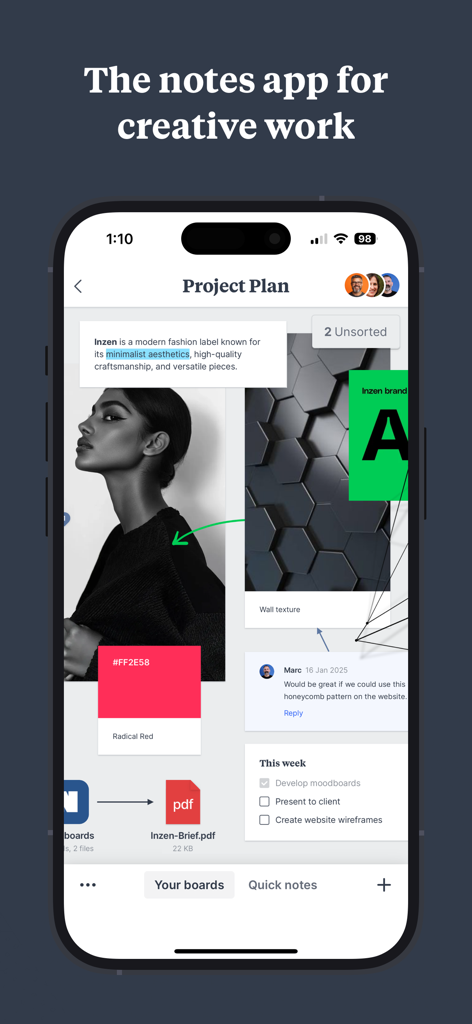
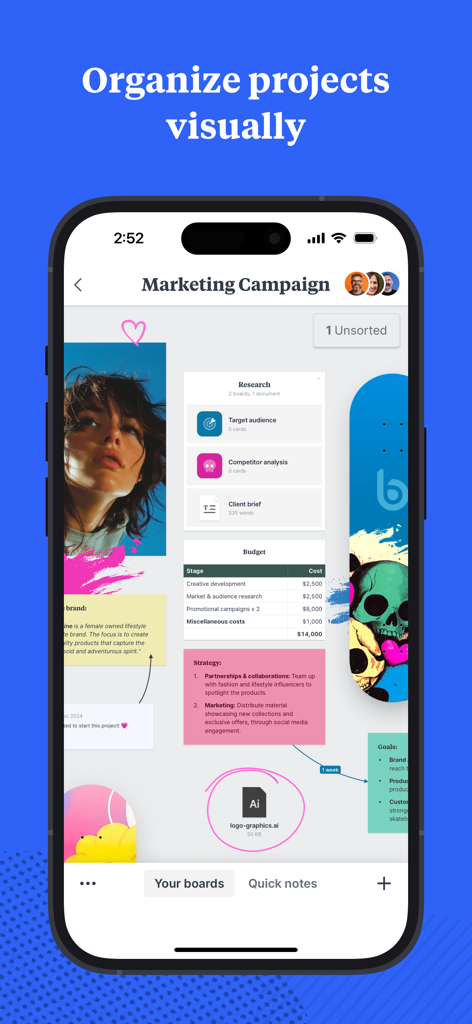
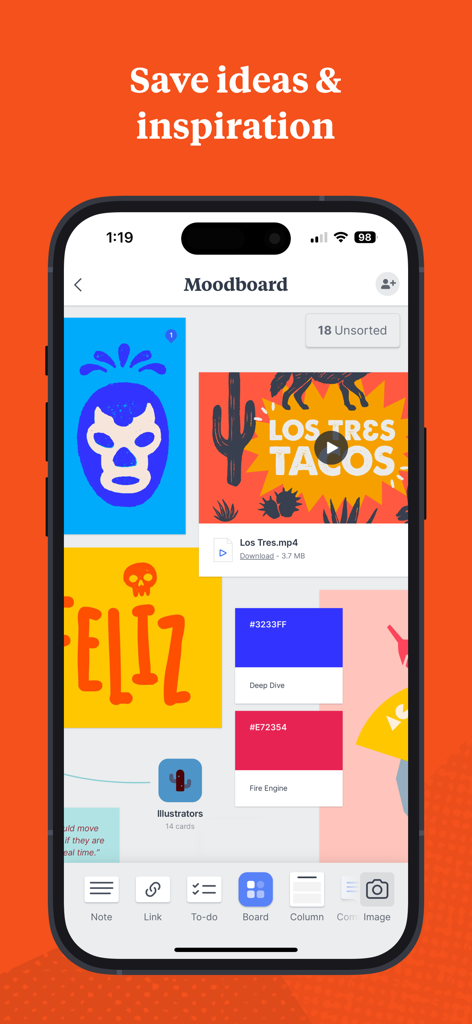
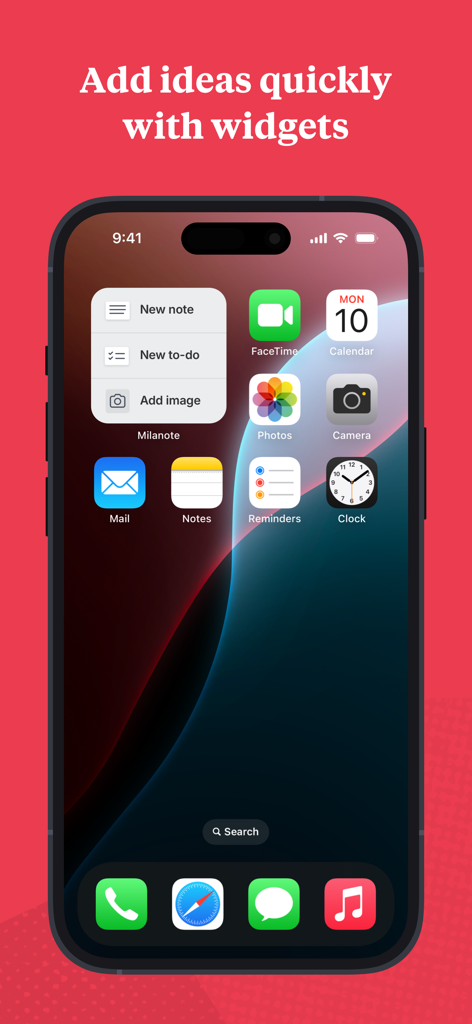
The tools that make this app stand out, trusted by 1M+ users.
Break free from linear notes. Drag and drop images, links, and tasks into a spatial layout that helps you see the big picture and every detail.
Snap a photo of real-world inspiration or clip a web link on your iPhone—it’s instantly synced and waiting on your workspace for deeper work.
Transform your iPad into a digital sketchbook. Draw, sketch, and handwrite notes directly on your boards for a truly tactile and personal workflow.
Trusted by 1M+ people who love this app.
"Milanote is the first app that actually works the way my brain does. I love being able to snap a photo of inspiration on my iPhone and have it instantly ready on my iPad to sketch over with my Apple Pencil. It is the ultimate digital workspace for visual thinkers."
"Moving our team's project planning from rigid spreadsheets to Milanote has been a revelation. It allows us to see the big picture and the tiny details all at once. It is the perfect bridge between a creative mood board and a professional production schedule."
Everything you need to know about Milanote.
Description
Latest Version
3.18.71
Size
93.0 MB
First Released
May 17, 2019
Join over 1 million visual thinkers who use Milanote to organize their creative projects, from initial inspiration to final execution.
Everything you need to know about Milanote
Milanote is a creative workspace app designed for organizing projects. It enables users to combine notes, images, videos, sketches, and more, facilitating the visual organization of ideas and tasks.
Milanote visually organizes creative projects by bringing together ideas, tasks, and references on interactive boards. This functionality allows users to grasp both the overall concept and specific details of their work.
Yes, Milanote supports team collaboration. Its boards function as either private thinking spaces or shared workspaces, allowing users precise control over who views and interacts with their content.
Milanote allows saving diverse content types, including notes, images, videos, sketches, and files. Users can also clip websites and various media directly from other applications into Milanote.
Yes, Milanote offers instant syncing across all devices. Any content saved within the application immediately updates and becomes accessible on all connected platforms.
Yes, Milanote is available for iPhone and iPad. The dedicated apps enable users to create, view, and edit boards, upload media, sketch with Apple Pencil, and receive content update notifications.
Yes, Milanote supports sketching with Apple Pencil on its iPhone and iPad applications. This feature allows users to integrate handwritten notes and drawings directly onto their Milanote boards.
Users can quickly add ideas to Milanote on their iPhone through dedicated widgets. These provide quick actions for creating new notes, new to-dos, or adding images directly from the home screen.
Milanote's privacy policy is accessible online. Users can review the comprehensive policy directly via the provided link: https://milanote.com/legal/privacy-policy.
The terms of service for Milanote are publicly available on their legal section. Users can access and review the complete terms via this link: https://milanote.com/legal/terms-of-service.
Apps with similar features and user experience

Hypelist, Limited Liability Company

Pinterest, Inc.

Veselin Ilianov

Cosmos Entity, INC.
SimpleDev LLC

Sortd:Do the thing Limited

Broceliand

WU FU-HUNG
When It Changed Inc.