Mobile Inventory: Scan & Track

Mobile Inventory: Scan & Track

Download on App Store
Spark by MWM logo
Logo of Mobile Inventory: Scan & Track

Mobile Inventory: Scan & Track – Professional Stock Management in Your Pocket

Ditch expensive hardware and complex systems. Manage unlimited items, scan barcodes, and track multiple locations offline with the ultimate mobile-first tool for entrepreneurs. 80% of features are completely free.

Publisher

NASTASIU HOLDING SRL

Category

Business

Downloads

2K+

User Rating

4.9/5

Total Ratings

0

Locales

14

Your Warehouse, Pocket-Sized

Discover the interface used by 2K+ users.
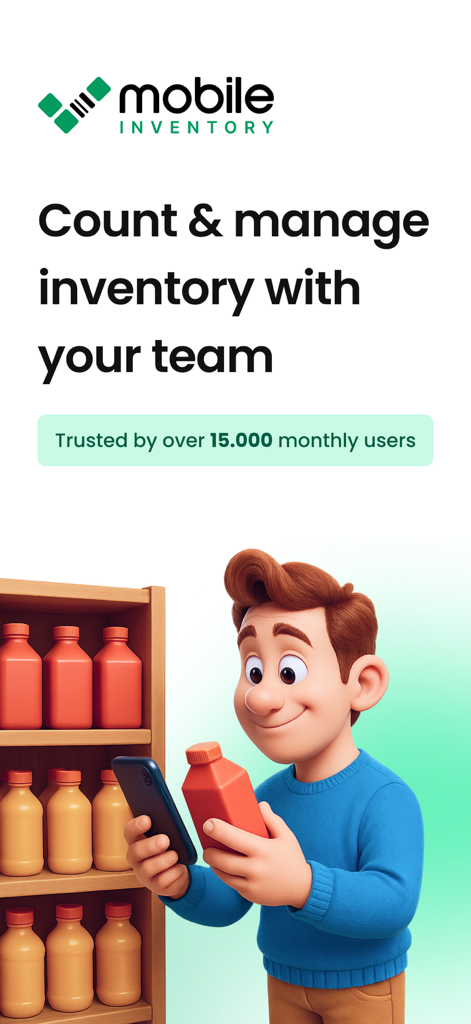
Man using a smartphone to scan products on a shelf for inventory tracking

Man using a smartphone to scan products on a shelf for inventory tracking

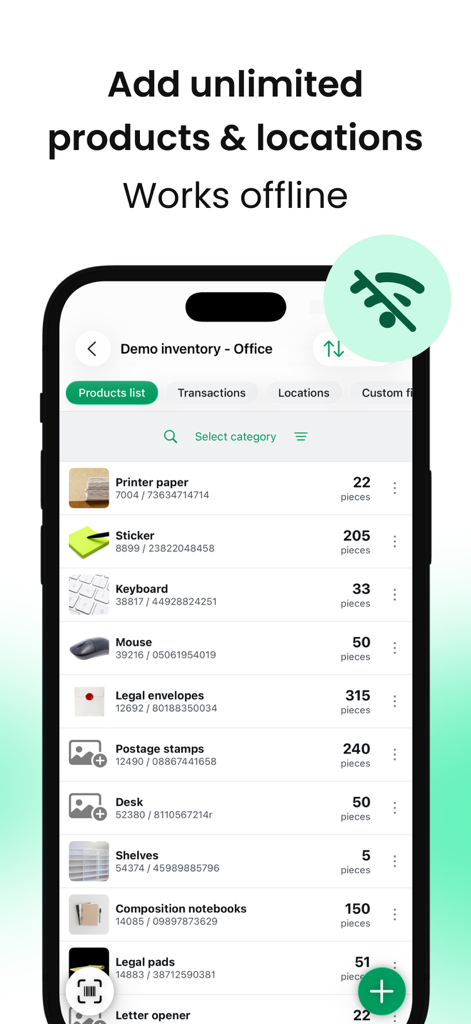
A mobile app screen displaying an inventory list of office items with a badge highlighting its offline functionality.

A mobile app screen displaying an inventory list of office items with a badge highlighting its offline functionality.

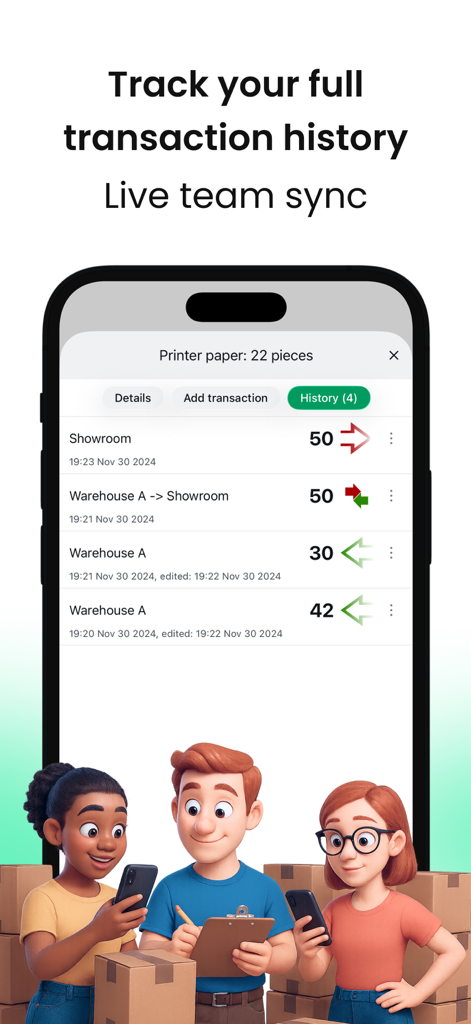
Transaction history and live team sync interface of the Mobile Inventory app

Transaction history and live team sync interface of the Mobile Inventory app

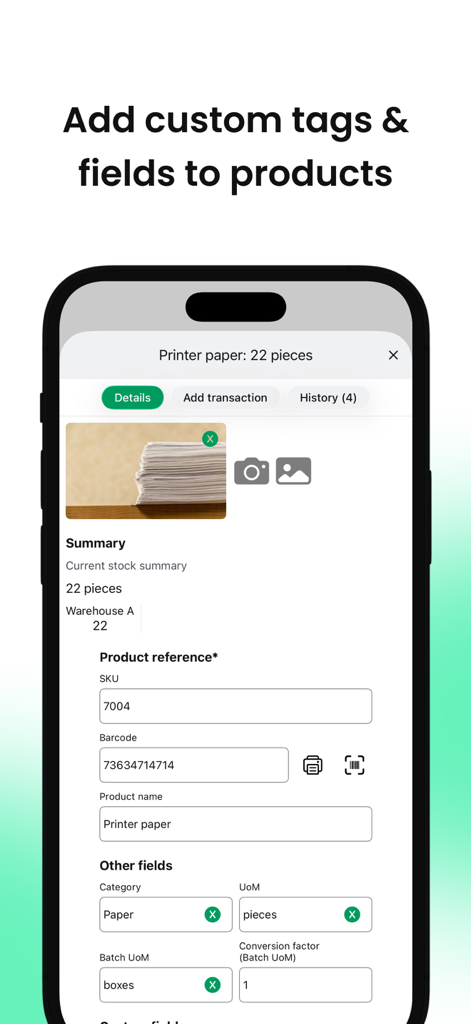
A mobile interface for managing inventory showing options to add custom tags and fields to products like printer paper.

A mobile interface for managing inventory showing options to add custom tags and fields to products like printer paper.

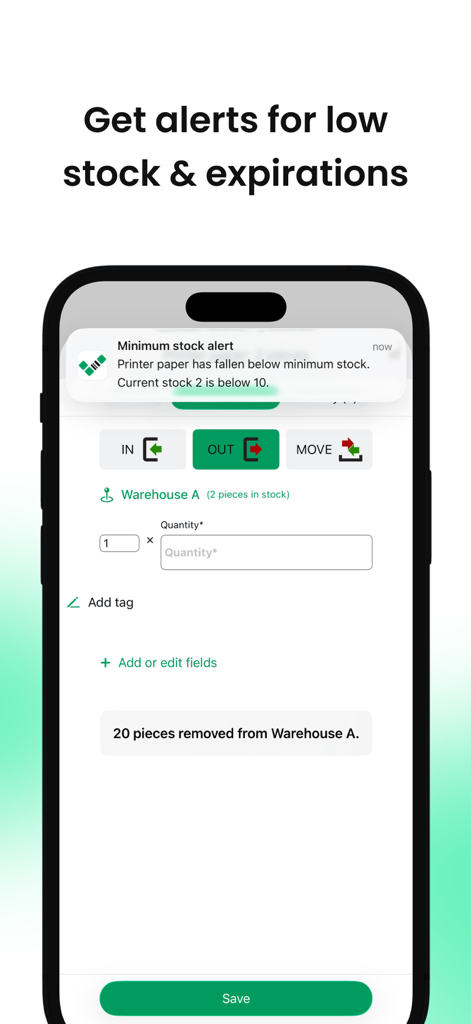
Mobile inventory app displaying a low stock notification on an iPhone screen.

Mobile inventory app displaying a low stock notification on an iPhone screen.

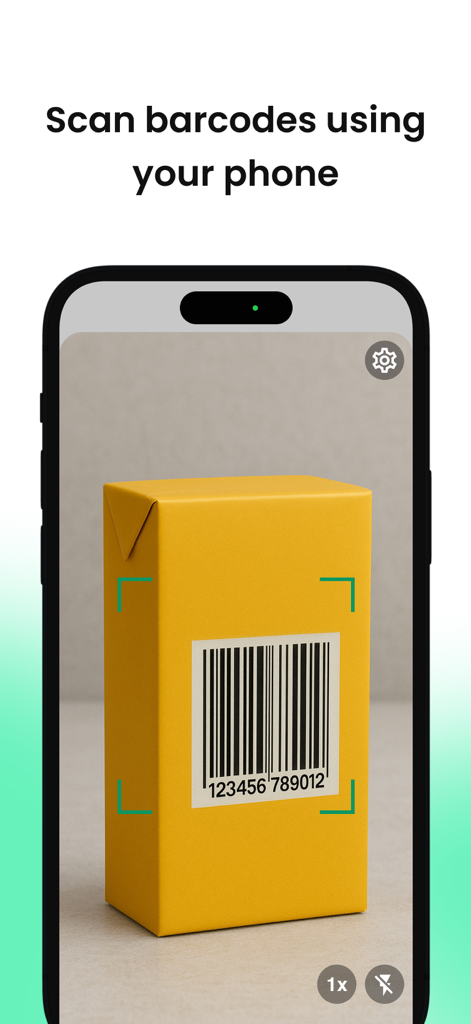
Smartphone screen showing the barcode scanning feature on a yellow package

Smartphone screen showing the barcode scanning feature on a yellow package

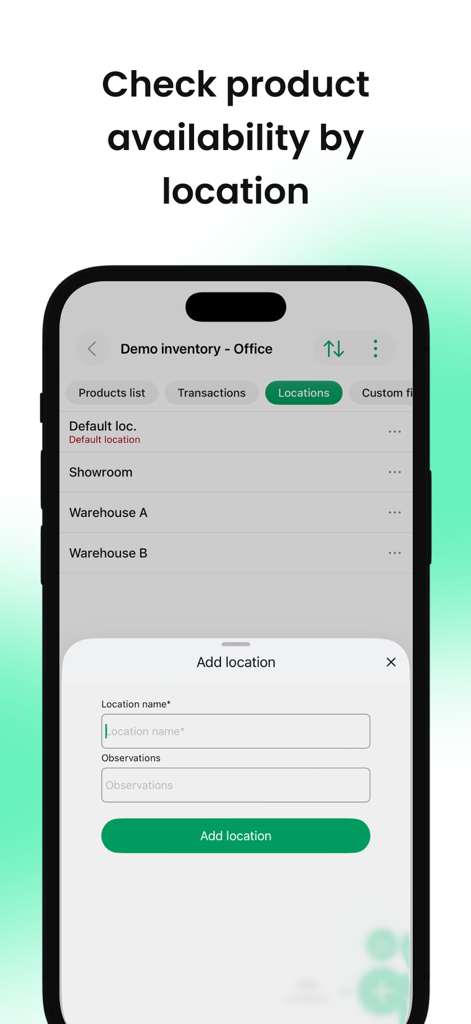
Mobile Inventory app interface showing multi-location management and an add location form.

Mobile Inventory app interface showing multi-location management and an add location form.

Professional Inventory Control at Your Fingertips

The tools that make this app stand out, trusted by 2K+ users.

📲

Turn Your iPhone into a Scanner

Ditch expensive hardware. Use your device's camera to scan barcodes and QR codes instantly, even in low-light warehouses or remote job sites.

⚙️

Fully Tailored to Your Niche

From vintage e-commerce to field repairs, use custom fields and tags to track exactly what matters—be it photos, SKUs, or expiration dates.

📶

Reliable Offline Performance

Stay productive in basements or rural areas with full offline support. Your data syncs automatically the moment you are back online.

Loved by users worldwide

Trusted by 2K+ people who love this app.

"

"Transitioning our HVAC service business from paper logs to Mobile Inventory was a total game-changer. I can track every part in my van even when I'm working in a basement with zero signal thanks to the offline mode. The ability to add custom fields for specific unit model numbers keeps us incredibly organized during the peak summer season. It's like having a professional-grade scanner right on my iPhone without the extra hardware cost."

Marcus J., Field Operations Manager
"

"As a growing e-commerce seller, out-of-stock items used to be my biggest headache and cost me search rankings. Since I started using this app, the low stock alerts have saved my shop multiple times. I love how easy it was to bulk import my existing inventory from Excel, and the real-time team sync allows my assistant to update stock levels as orders ship out. It is the most intuitive tool in my business toolkit."

Sarah L., Founder of Vintage Vault

About the app

Everything you need to know about Mobile Inventory: Scan & Track.

Description

Mobile Inventory – Simplify Your Stock Management! Mobile Inventory is a user-friendly all-in-one inventory management app that helps you manage your stock across multiple locations and perform quick stock counts and barcode scans – even offline. Ideal for warehouses, manufacturing, pharmaceuticals, distribution, or any business that keeps a stock of physical items, Mobile Inventory makes it easy to track and organize your inventory. Over 80% of features are free, and we offer a 1-month free trial for the paid features. Free Features: - Stock management & stock taking: Manage inventory levels and record stock counts with ease. - Works offline: Use the app without an internet connection. - Unlimited items & locations: Add unlimited products, locations (warehouses), transactions, and inventory sessions. - Multi-location support: Track stock across multiple locations or warehouses. - Bulk import or single add: Import products and entries in batch or add items one by one. - Barcode/QR code scanner: Use your device’s camera to scan barcodes and QR codes. - Smart search: Quickly find products by name or SKU. - Flexible filtering: Filter items by category, tags, location, and custom fields - Sorting options: Sort products by name, SKU, or custom fields for easy viewing. - Custom tags & fields: Create your own tags and custom fields (text, number, date, barcode, yes/no, image, dropdown) to capture additional info. - History log: View all transaction history (including edited or deleted entries). - Add your own custom fields (Numeric, Text, Date, Barcode, YesOrNo, Image, Dropdown list) - No ads: Enjoy an uninterrupted experience with no advertisements. - Auto backups (local): Automatic daily backups of your inventory data stored on your device. - Multiple languages support: English, Arabic, Dutch, French, German, Hebrew, Hindi, Italian, Japanese, Portuguese, Romanian, Russian, Spanish and Turkish. Paid Features (Monthly/Yearly Subscription): - Real-time team sync: Share your inventory with multiple users and sync all changes in real time. - Low stock alerts: Get push notifications when an item’s quantity falls below a critical level. - Expiration alerts: Set expiration dates and receive warnings X days before a product expires. - Data export: Export your data to Excel or CSV files. - Cloud backups: Automatic daily backups saved to the cloud. - User roles & permissions: Assign roles like Admin, Team Leader, or Team Member to control access. For a detailed comparison of Free vs. Paid, visit our support article: https://mobileinventory.net/free-vs-paid Visit our website: https://mobileinventory.net or check our support portal: https://support.mobileinventory.net for more information. We continuously maintain and improve Mobile Inventory with new features and updates every month. Subscriptions will automatically renew unless canceled within 24-hours before the end of the current period. You can cancel anytime with your iTunes account settings. Terms of Use (EULA): https://support.mobileinventory.net/articles/terms-and-conditions/ If you have additional questions about the application, improvement suggestions, or any feedback, please get in touch with our support team at support@mobileinventory.net

Latest Version

1.19.0

Size

66.4 MB

First Released

Apr 8, 2025

Ready to Simplify Your Stock Management?

Join thousands of agile entrepreneurs and field operators. Download now to turn your iPhone into a professional barcode scanner and manage unlimited items and locations for free.

Download on App Store
FAQ

Frequently Asked Questions

Everything you need to know about Mobile Inventory: Scan & Track

Can Mobile Inventory be used without an internet connection?

Yes, Mobile Inventory works offline, allowing users to manage stock, perform counts, and scan barcodes without an internet connection.

Is the Mobile Inventory app free to use?

Mobile Inventory offers over 80% of its features for free. Paid features, such as real-time team sync and cloud backups, are available via monthly or yearly subscription with a 1-month free trial.

Does Mobile Inventory support team collaboration for inventory management?

Yes, Mobile Inventory supports real-time team sync as a paid feature, enabling multiple users to share inventory and instantly sync all changes. User roles and permissions are also available.

Can I scan barcodes with the Mobile Inventory app?

Yes, Mobile Inventory includes a barcode/QR code scanner that utilizes your device's camera to quickly scan items for efficient stock management.

Does Mobile Inventory provide low stock or expiration alerts?

Yes, Mobile Inventory offers low stock and expiration alerts as paid features. Users receive push notifications when quantities fall below critical levels or before products expire.

How does Mobile Inventory handle data backups?

Mobile Inventory provides free automatic daily local backups to your device. Cloud backups are available as a paid feature for automatic daily backups saved to the cloud.

Can I add custom information to products in the Mobile Inventory app?

Yes, Mobile Inventory allows users to create custom tags and fields for products. These include text, number, date, barcode, yes/no, image, and dropdown types to capture additional details.

Does Mobile Inventory support inventory tracking across multiple locations?

Yes, Mobile Inventory supports multi-location tracking. Users can manage stock, products, and transactions across unlimited locations or warehouses effectively.

Can I export my inventory data from Mobile Inventory?

Yes, Mobile Inventory allows users to export their data to Excel or CSV files. This data export functionality is available as a paid feature.

What languages does the Mobile Inventory app support?

Mobile Inventory supports multiple languages including English, Arabic, Dutch, French, German, Hebrew, Hindi, Italian, Japanese, Portuguese, Romanian, Russian, Spanish, and Turkish.