
must.fm for Spotify Stats




Stop waiting for December. Dive into deep insights, track your lifetime listening habits, and share your music identity with stunning, data-driven stories anytime you want.
Publisher
Category
MusicDownloads
2M+User Rating
Total Ratings
26K+Locales
2Discover the interface used by 2M+ users.

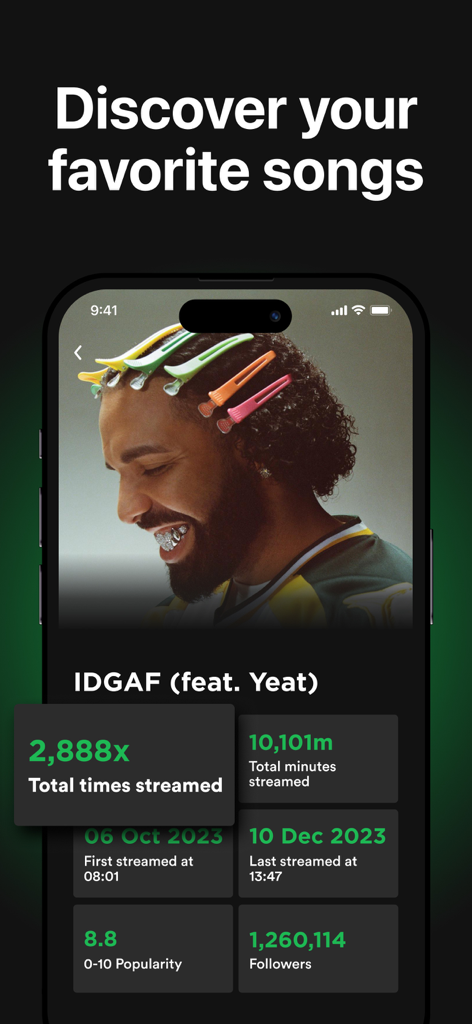
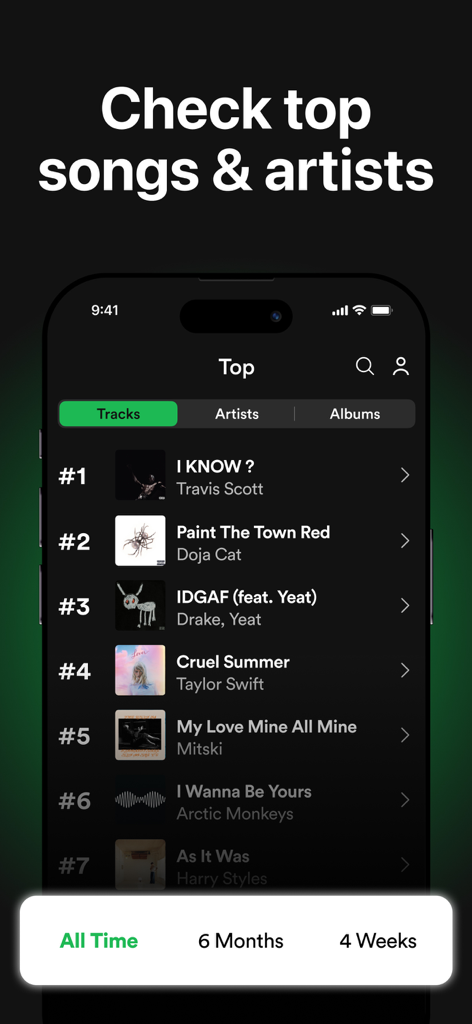
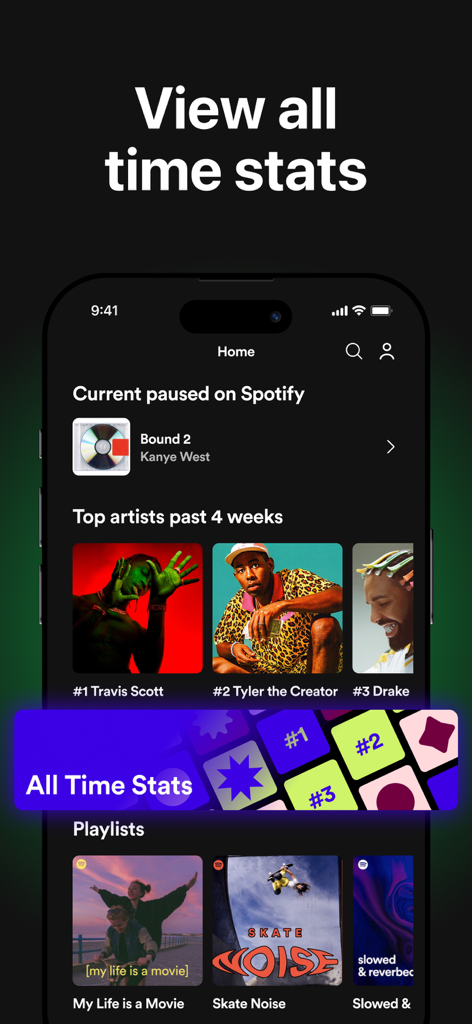

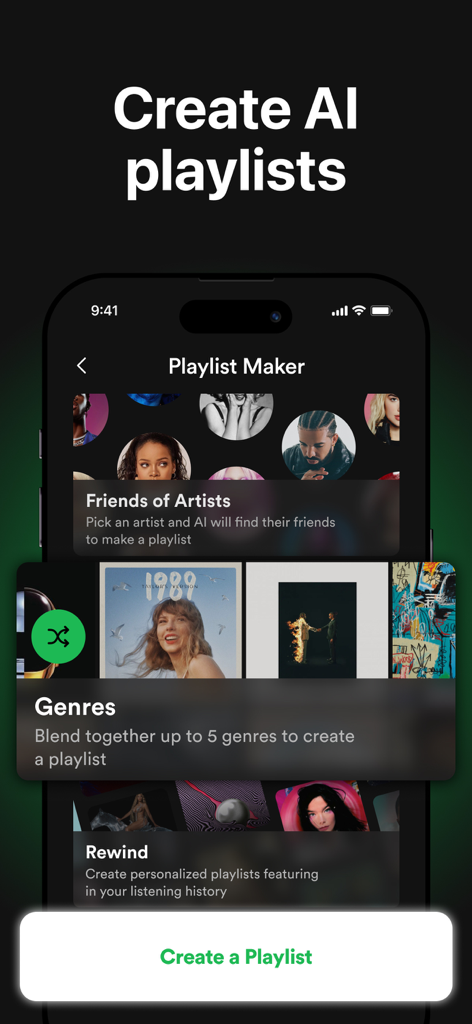

The tools that make this app stand out, trusted by 2M+ users.
Break free from the yearly wait. Track your top tracks, artists, and albums across any timeframe—from the last 4 weeks to your entire lifetime history.
Go beyond the play count. Analyze the popularity, danceability, and energy of your library to understand the unique vibe of your musical taste.
Turn your data into social currency. Generate stunning, aesthetic stats stories perfectly formatted to flex your 'Top 1%' status on Instagram and TikTok.
Trusted by 2M+ people who love this app.
"I am obsessed with this app! I used to wait all year for my Wrapped summary, but now I can check my top artists every single week. The stats stories are so aesthetic and my friends always ask where I get them. It is a must-have for any true music fan."
"The level of detail is incredible. I love seeing the danceability and energy scores for my playlists. Importing my full history was a game changer—it is like a digital diary of my life through music. Highly recommend the Pro version for the lifetime stats!"
Insights from user reviews.
Sentiment Score
Summary
This app receives predominantly negative feedback, with a significant number of users describing it as a scam that impersonates Spotify and demands exorbitant weekly or annual subscription fees upfront. Many reviewers report critical functionality issues, including the app failing to open or requiring immediate payment to access any content. A pervasive "comment to unlock" mechanism is observed, particularly in Chinese reviews, where users rate the app highly or leave filler comments in an attempt to bypass access restrictions, rather than due to genuine satisfaction. Overall, the app is criticized for its misleading nature, high costs, and severe usability problems, with minimal genuine positive sentiment.
Common Themes
Everything you need to know about must.fm for Spotify Stats.
Description
Latest Version
14.6.1
Size
497.4 MB
First Released
Jan 10, 2023
Get your music stats 365 days a year. Join over 2 million fans tracking their listening habits, discovering their vibe, and sharing their top artist flex today.
Everything you need to know about must.fm for Spotify Stats
must.fm for Spotify Stats is an app providing personalized music statistics for Spotify users. It analyzes your Spotify music library, displaying detailed stats on artists, songs, and listening habits.
Yes, must.fm for Spotify Stats displays your lifetime Spotify streaming history for songs, artists, and albums. It also provides personalized statistics for each and imports past listening history with must.fm Pro.
Yes, must.fm for Spotify Stats helps discover new music through suggested songs. The app also shows recently added and recently played music to assist with new music discovery.
must.fm for Spotify Stats provides statistics on top tracks, artists, albums, genres, and listening duration. It also details song features like popularity, danceability, and energy, plus individual popularity scores.
Yes, must.fm Pro unlocks all-time Spotify statistics by importing your listening history. The app features an "All Time" filter for top songs, artists, and albums, making historical data accessible.
Yes, must.fm for Spotify Stats displays your top tracks, top artists, and top albums. With must.fm Pro, users can access their top 100 songs, albums, and artists.
Yes, must.fm for Spotify Stats creates AI playlists using its "Playlist Maker". Options include "Friends of Artists," "Genres," and "Rewind" to generate personalized playlists based on listening habits.
Yes, must.fm for Spotify Stats features a music recognition tool. Users can name any song in seconds through an interface labeled "Listening for music" to identify tracks quickly.
must.fm Pro for Spotify Stats is a premium subscription unlocking advanced features. These include importing listening history, viewing all-time stats, accessing top 100 lists, and sharing stats stories on social media.
Users subscribe to must.fm Pro for Spotify Stats via the App Store. Payment is charged to your App Store account at the time of purchase confirmation.
must.fm Pro subscriptions automatically renew unless auto-renew is disabled at least 24 hours before the current period ends. Your App Store account is charged for renewal within 24 hours prior.
Yes, you can manage must.fm Pro subscriptions and auto-renewal settings directly within your App Store account. Access these options under the Settings menu after purchase.
The privacy policy for must.fm for Spotify Stats is located at http://www.victorylabssl.com/PrivacyPolicy.html. This link is publicly available in the app's official description.
The terms of use for must.fm for Spotify Stats are accessible via http://www.victorylabssl.com/TermsOfUse.html. This official link is provided within the app's detailed description.
Apps with similar features and user experience

Changsha Shenguangyuan Technology Co., Ltd.

StatsFM B.V.

XLABS DIJITAL HIZMETLER ANONIM SIRKETI

MODERNIST YAZILIM HIZMETLERI SANAYI VE TICARET LIMITED SIRKETI

Myapps OU

Bobgoo, S.L.

Nguyen Van Duy

Dominant Studios LLC

Cung Tien Kien
