
Navigraph Charts



Elevate your cockpit immersion with authentic Jeppesen charts, real-time moving maps, and seamless SimBrief integration. Access global VFR and IFR data updated every 28 days to fly exactly like a real-world pilot.
Publisher
Category
NavigationDownloads
637K+User Rating
Total Ratings
4K+Locales
1Discover the interface used by 637K+ users.
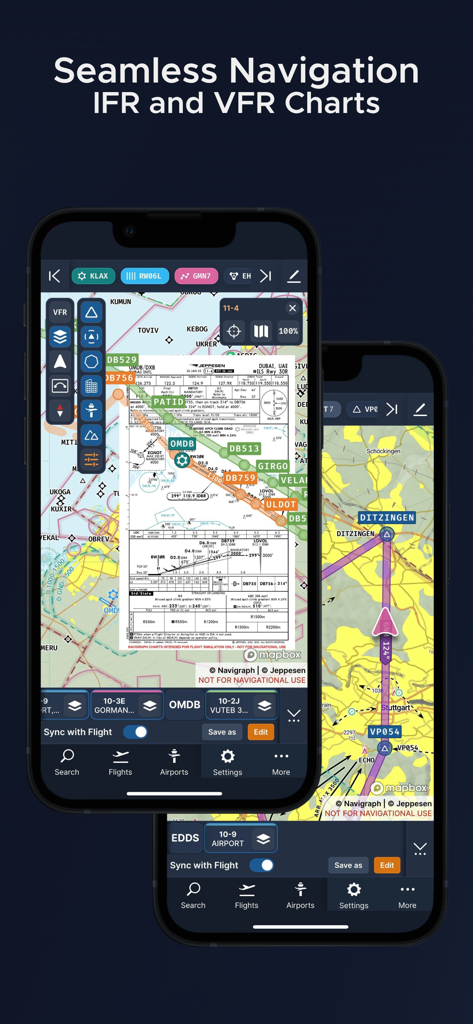
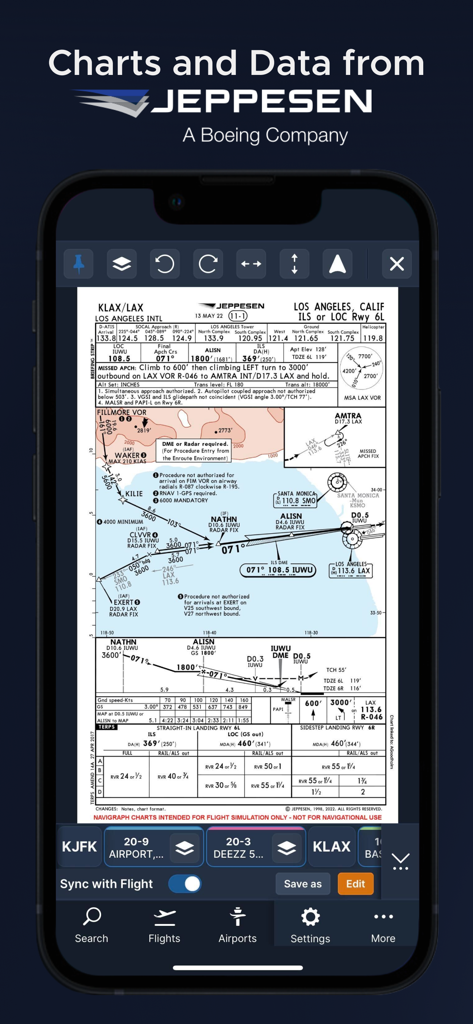
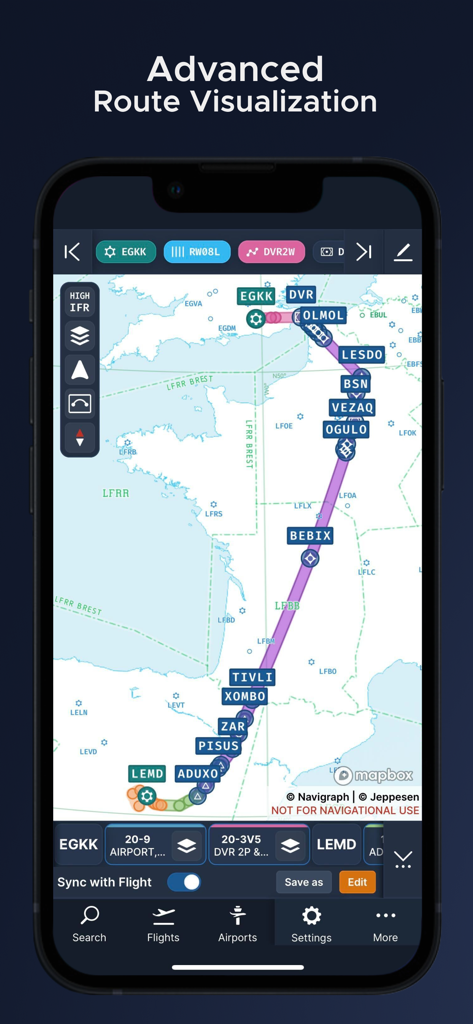
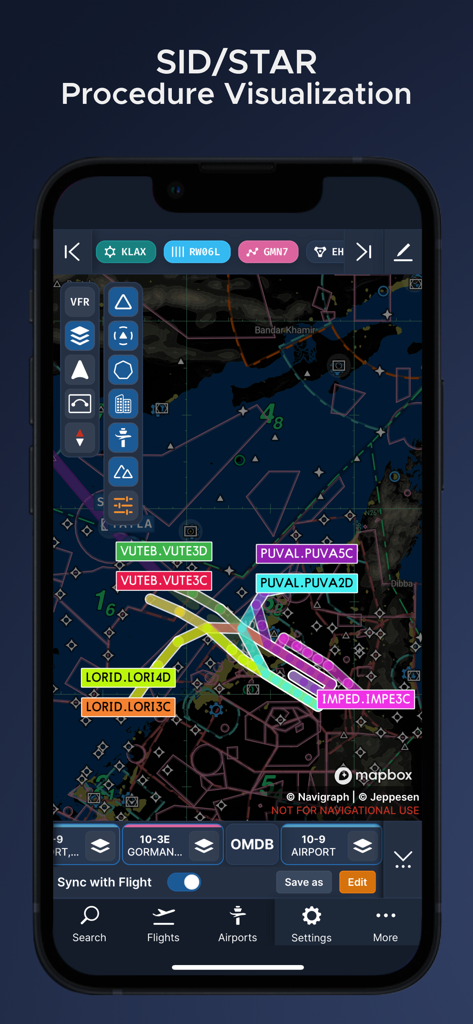
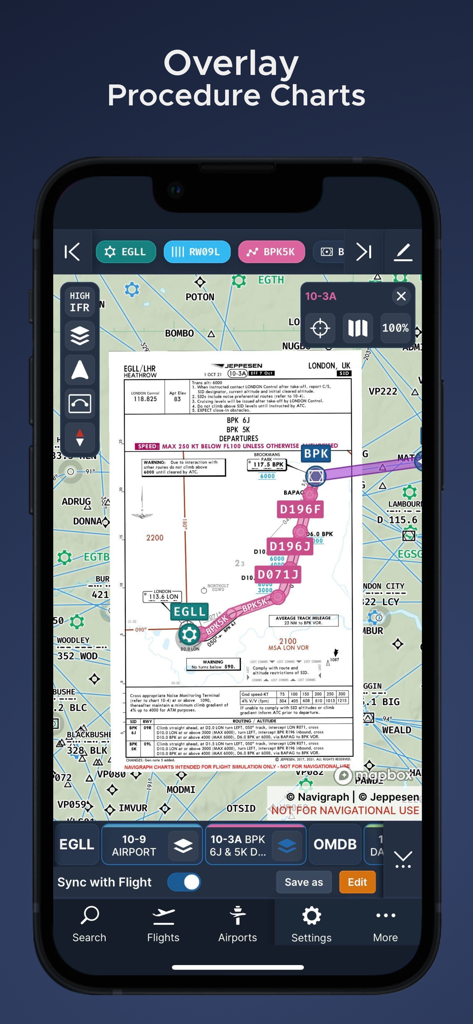
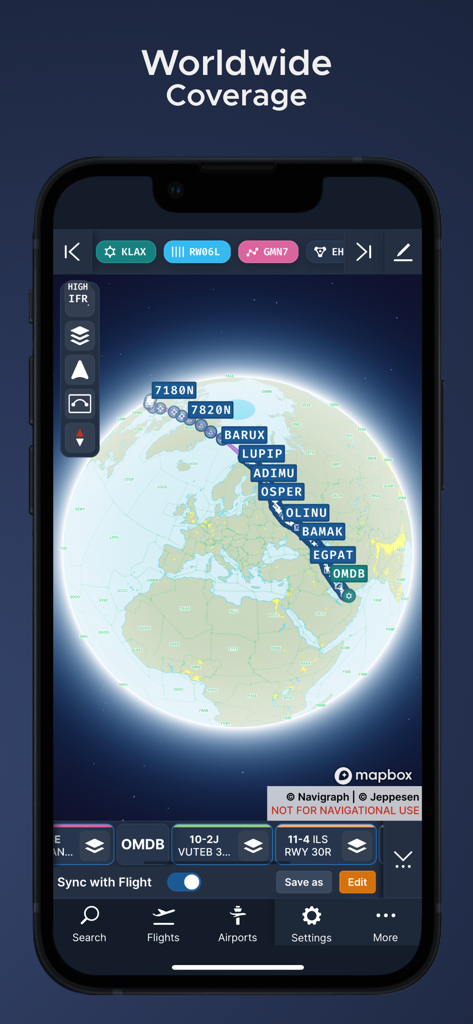
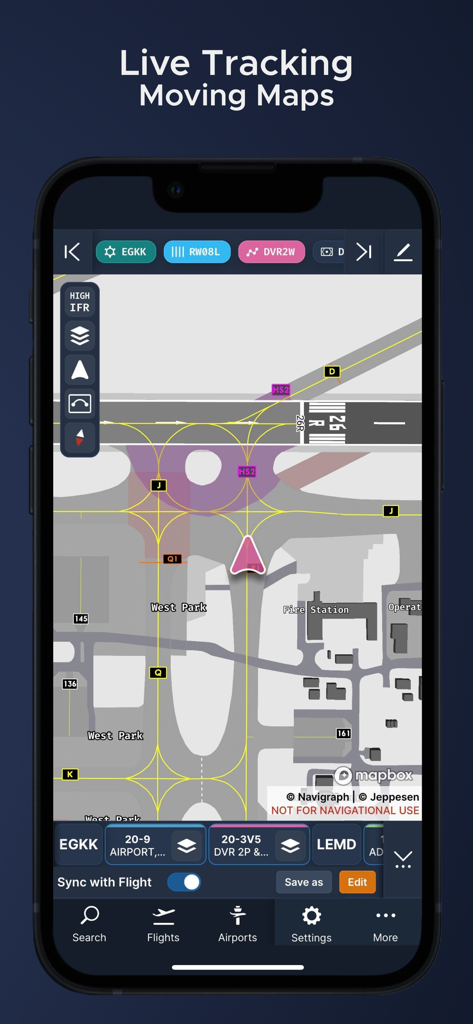
The tools that make this app stand out, trusted by 637K+ users.
Access the exact professional-grade IFR and VFR charts used by real-world airline pilots at over 7,000 airports globally.
Track your aircraft's live position directly on the chart with seamless integration for MSFS, X-Plane, and Prepar3D.
Stay ahead of the flight with live weather overlays, AIRAC cycle sync, and integrated SimBrief operational flight plans.
Trusted by 637K+ people who love this app.
"As a long-time flight simmer who regularly flies on VATSIM, Navigraph is absolutely essential to my setup. Having the exact same Jeppesen charts that professional airline pilots use adds a level of realism and immersion that you just can't find elsewhere. The seamless integration with SimBrief and the ability to use my iPad as a moving map EFB makes managing heavy workloads during arrival procedures a breeze. It is the gold standard for simulation navigation."
"The introduction of worldwide VFR charts has been a game-changer for my cross-country flying in MSFS. I love being able to overlay real-time weather and winds directly onto my route while using the 3D globe projection to visualize my path. The fact that all my navigation data is synced across my desktop and mobile devices every 28 days gives me total confidence that I'm always flying with the most up-to-date information available."
Everything you need to know about Navigraph Charts.
Description
Latest Version
8.40.1
Size
78.3 MB
First Released
Jun 11, 2015
Join over 630,000 flight simmers and fly with the same Jeppesen charts and real-time navigation data used by professional airline pilots worldwide.
Everything you need to know about Navigraph Charts
Navigraph Charts is a comprehensive software solution for flight simulation. It provides Jeppesen charts and navigation data, reducing pilot workload and offering a seamless, intuitive experience for simulated flights.
Yes, Navigraph Charts is the only provider of Jeppesen charts and navigation data for flight simulation. The charts are directly sourced from Jeppesen, a Boeing Company, ensuring authenticity.
Navigraph Charts provides both IFR and VFR charts. It includes IFR coverage for over 7,000 airports worldwide and new worldwide VFR Charts powered by Jeppesen VFR data.
The charts and data in Navigraph Charts are updated every 28 days. This schedule follows the AIRAC calendar, ensuring users always have the most current navigation information for their flight simulations.
Yes, Navigraph Charts includes various weather features. These encompass runway crosswind and airport weather information, weather overlays (radar and winds), and ATIS, providing comprehensive environmental data.
Yes, Navigraph Charts offers Live Tracking Moving Maps as part of its Navigraph Unlimited features. This allows users to track their simulated flight in real-time on detailed navigational maps.
Navigraph Charts' Moving Maps feature is compatible with Microsoft Flight Simulator, X-Plane, and Prepar3d. This ensures broad integration for flight simulation enthusiasts.
Yes, Navigraph Charts allows users to annotate and draw directly on charts. This functionality also extends to SimBrief operational flight plans, enabling personalized markups.
Yes, Navigraph Charts features a 3D Globe Projection. This helps users visualize Great Circle distances and polar routes, enhancing route planning and geographical understanding during simulations.
Apps with similar features and user experience

Divelements Limited

Applicate Ltd

OzRunways Pty. Ltd.

Darren Yeates

Automata Solutions Ltd.

Oliver Puetz

MONIQ TAP COMPANY LIMITED

Myriel Aviation SA

BJA Consulting Pty Ltd