NCalc Scientific Calculator +

NCalc Scientific Calculator +

Download on App Store
Spark by MWM logo
Logo of NCalc Scientific Calculator +

NCalc Scientific Calculator +: The Advanced Math & Graphing Powerhouse

Ditch the bulky TI-84. Experience natural textbook display, symbolic algebra solvers, and professional graphing tools—all in one high-performance app trusted by over 6 million students and engineers.

Publisher

Tran Duy

Category

Education

Downloads

6M+

User Rating

4.7/5

Total Ratings

152K+

Locales

51

Math, Made Visual

Discover the interface used by 6M+ users.
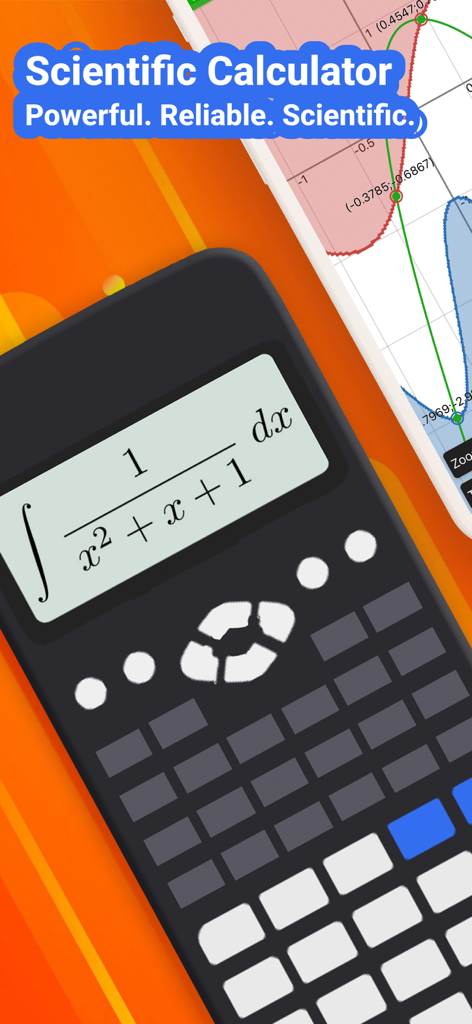
NCalc scientific calculator app displaying an integral formula and a function graph

NCalc scientific calculator app displaying an integral formula and a function graph

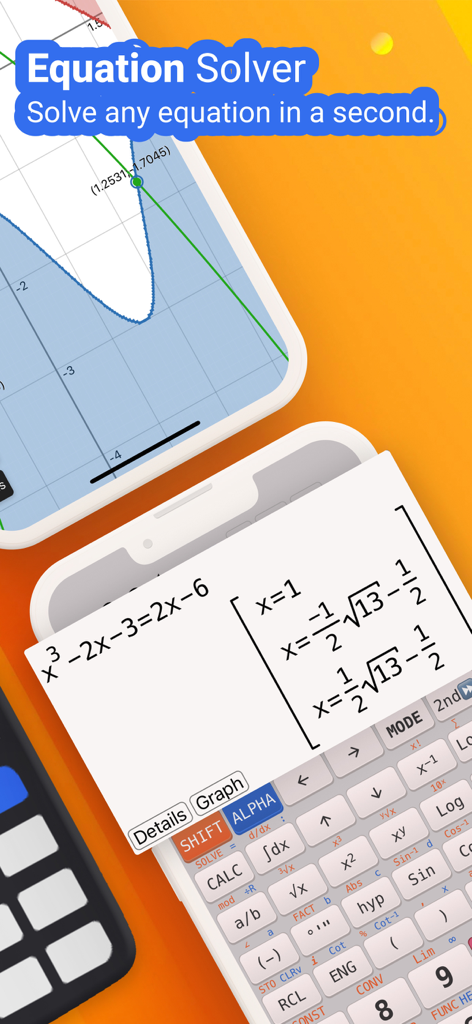
NCalc app interface showing an equation solver with natural display results and a mathematical graph

NCalc app interface showing an equation solver with natural display results and a mathematical graph

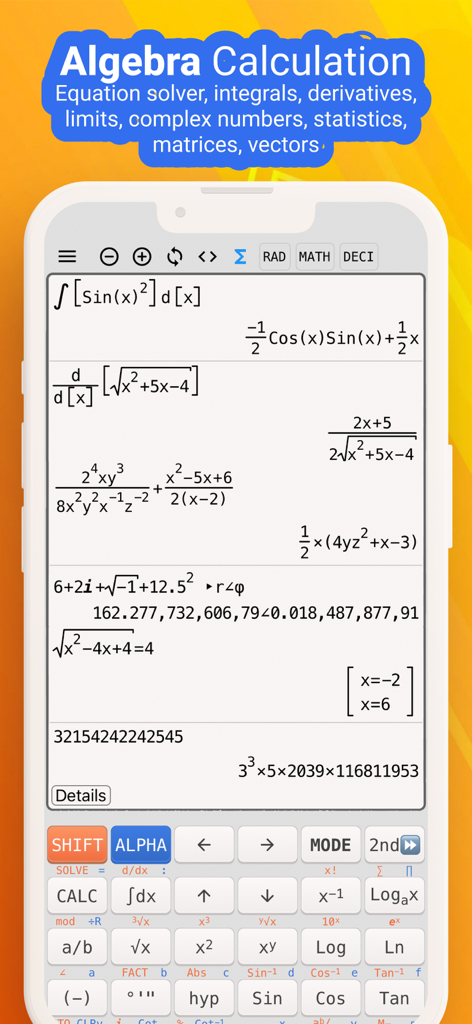
NCalc app interface showing complex algebra and calculus calculations with natural display

NCalc app interface showing complex algebra and calculus calculations with natural display

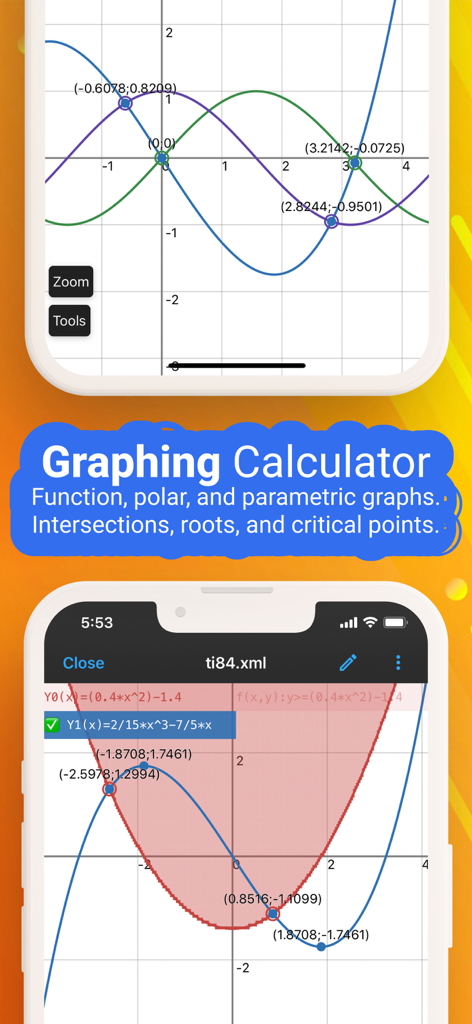
NCalc app interface showing function graphs and intersection points on a coordinate grid

NCalc app interface showing function graphs and intersection points on a coordinate grid

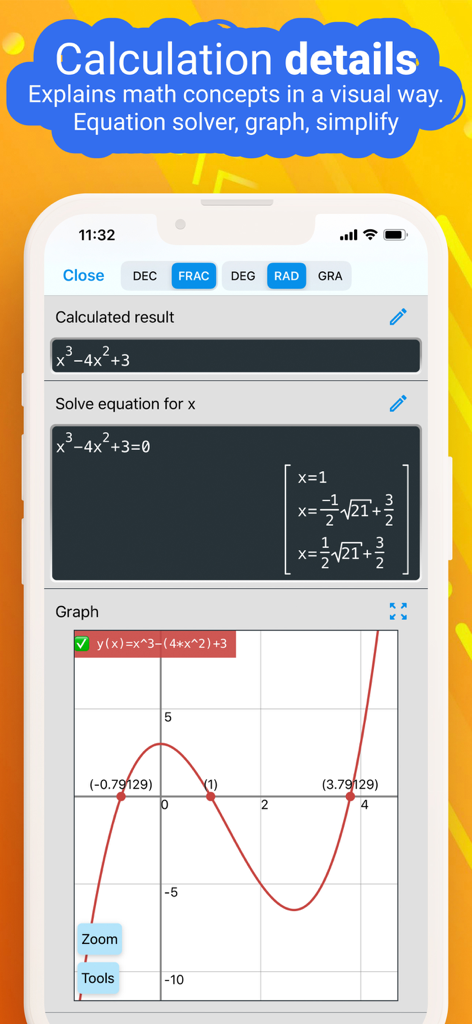
NCalc app screen showing cubic equation solutions and its function graph

NCalc app screen showing cubic equation solutions and its function graph

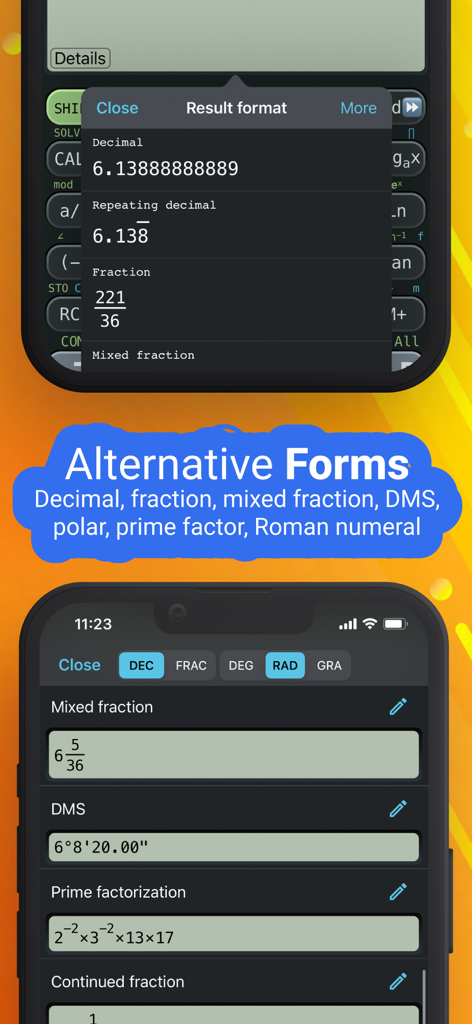
NCalc app interface showing various mathematical result formats like decimal, fraction, and prime factorization

NCalc app interface showing various mathematical result formats like decimal, fraction, and prime factorization

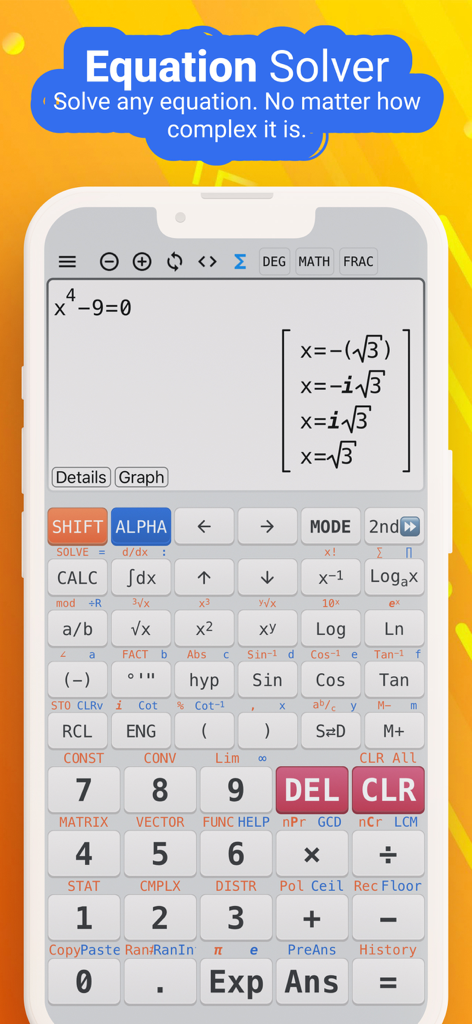
NCalc scientific calculator app interface solving a complex algebraic equation on a smartphone screen

NCalc scientific calculator app interface solving a complex algebraic equation on a smartphone screen

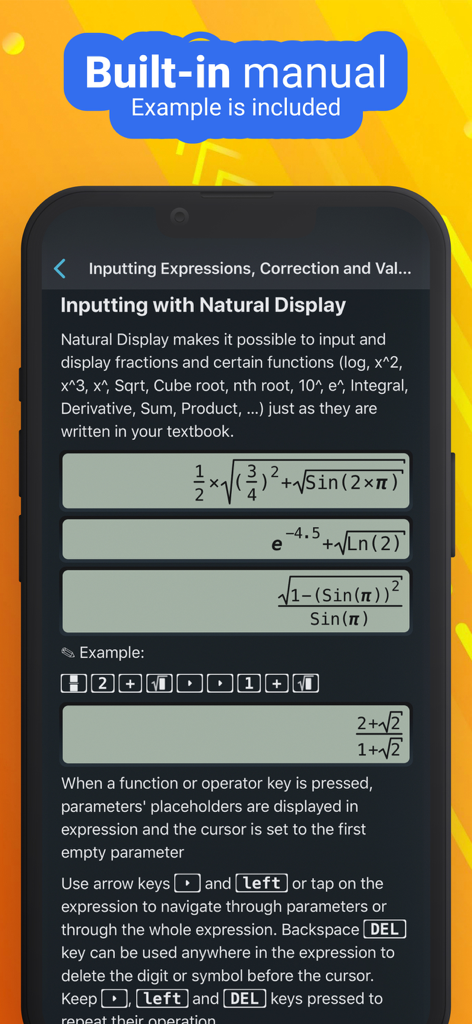
Built in manual showing natural display input for mathematical formulas in the NCalc app

Built in manual showing natural display input for mathematical formulas in the NCalc app

Master Math and Science Like a Pro

The tools that make this app stand out, trusted by 6M+ users.

📖

Real-Textbook Display

Enter and view expressions exactly as they appear in your textbook. No more confusing linear syntax—just pure mathematical clarity.

📈

Pro Graphing & Analysis

Ditch the expensive TI-84. Visualize complex functions, find intersections, and evaluate derivatives directly on your screen.

Advanced Algebra & Calculus

Solve systems of equations, integrals, and matrices instantly. Get symbolic results or numeric precision for your toughest homework.

Loved by users worldwide

Trusted by 6M+ people who love this app.

"

"As an engineering student, I was tired of carrying around a bulky TI-84. NCalc is a total game-changer. The natural display makes entering complex calculus equations so much more intuitive than a physical calculator. It handles everything from matrices to triple integrals with ease, and having the formula library right on my iPad has saved me during late-night study sessions."

Marcus T., University Student
"

"This is hands down the most comprehensive calculator app on the App Store. I use it daily for unit conversions and statistical distributions in my professional work. The symbolic mode is perfect for when I need exact fractions rather than decimal approximations. It’s powerful, fast, and much more affordable than buying high-end hardware. I recommend it to all my colleagues."

Elena G., Research Analyst

About the app

Everything you need to know about NCalc Scientific Calculator +.

Description

NCalc — Powerful Scientific Calculator, Graphing, and Converter NCalc combines a natural-display scientific calculator, advanced math tools, a full graphing module (as 83/84 calculator), a large formula library, and a comprehensive unit and currency converter—designed for students, engineers, and anyone who loves math. ◉ Main Calculator Features - Natural display: Enter expressions exactly as in textbooks—fractions, roots, exponents, and more—see results as written on paper. - Keyboard layout: Matches popular models for familiarity and speed: 115 ES Plus, 991 ES Plus, 300 ES Plus, and 991 EX. - Symbolic and numeric modes: Perform exact fraction calculation or evaluate numerically when needed. - Arbitrary precision integers: Work with very large integers without losing accuracy. - Output types: Choose from fraction, mixed fraction, decimal, repeating decimal, degrees/minutes/seconds, and polar coordinates. - Angle units: Degree, radian, and gradian (grade). - Decimal formatter: Display numbers in normal, engineering, engineering SI, scientific, or fixed formats. - Calculation history: Review and reuse past calculations with ease. - Copy and paste support for fast data entry and sharing. ◉ Algebra, Calculus, and Core Math - Algebra calculation: Expansion, factorization, simplification, and more. - Calculus calculator: Derivatives, integrals, and limits of expressions. - Complex number calculation: Arithmetic, polar/rectangular conversion, exponential, logarithm, powers, roots, and full trigonometric functions. ◉ Equations and Inequalities - Equation solver: Solve general equations, plus dedicated solvers for quadratic, cubic, and quartic equations. - System of equations solver: Solve systems with 2, 3, or 4 variables. - Inequality solvers: Quadratic, cubic, and quartic inequalities with interval-based solutions. ◉ Matrices and Vectors - Operations: Addition, subtraction, multiplication for matrices and vectors. - Advanced tools: Determinant, inverse, transpose, rank, eigenvalues, and eigenvectors. ◉ Statistics and Distributions - Statistical calculation: Descriptive stats and regression calculation (including a regression plotter). - Distribution calculation: Normal distribution, binomial distribution, Poisson distribution, t-distribution, chi-square distribution, and F-distribution. ◉ Number Bases and Formats - Base N calculation: Effortlessly switch between binary, octal, decimal, and hexadecimal, with arithmetic in each base. ◉ Tables, Variables, and Custom Functions - Table Generator: Generate value tables based on any expression and range. - Calculator variables: Store values and reuse them across calculations. - User-defined functions: Create your own functions to streamline repetitive work. - Built-in constants: A rich set of mathematical and physical constants. ◉ Formulas - Extensive formula collection: Math and Physics formulas, clearly categorized—ideal for secondary school, high school, and university students. ◉ Unit Converter - Currency Converter - 1000+ unit conversions ◉ Graphing as 83, 84 calculator - Cartesian functions, implicit plots, polar, and parametric. - Tracing, roots, intersections, extrema, derivative, and integral evaluations on graphs. ◉ Auto-renewing subscription You may purchase an auto-renewing subscription through an In-App Purchase. • Auto-renewable subscription • Your subscription will be charged to your AppStore account at confirmation of purchase and will automatically renew (at the duration selected) unless auto-renew is turned off at least 24 hours before the end of the current period. • Current subscription may not be cancelled during the active subscription period; however, you can manage your subscription and/or turn off auto-renewal by visiting your AppStore Account Settings after purchase • Privacy policy and terms of use: https://ncalc-app.web.app/terms-of-services.html

Latest Version

3.5.1

Size

151.8 MB

First Released

Apr 3, 2019

Ready to Master Your Next Math Challenge?

Join over 6 million students and engineers. Ditch the expensive hardware and turn your iPhone or iPad into the ultimate scientific graphing calculator today.

Download on App Store
FAQ

Frequently Asked Questions

Everything you need to know about NCalc Scientific Calculator +

What is NCalc Scientific Calculator +?

NCalc Scientific Calculator + is a comprehensive app combining a natural-display scientific calculator, advanced math tools, graphing, a large formula library, and a unit/currency converter for students and engineers.

Does NCalc Scientific Calculator + offer a graphing function?

Yes, NCalc Scientific Calculator + includes a full graphing module similar to 83/84 calculators. It supports Cartesian, implicit, polar, and parametric functions, with features like tracing and finding roots.

Can NCalc Scientific Calculator + solve equations?

Yes, NCalc Scientific Calculator + features an Equation Solver. It solves general equations, including quadratic, cubic, and quartic forms, as well as systems of equations with up to four variables.

How does the natural display feature work in NCalc Scientific Calculator +?

The NCalc Scientific Calculator + natural display feature allows users to enter expressions exactly as they appear in textbooks, including fractions, roots, and exponents, presenting results clearly.

Does NCalc Scientific Calculator + include a unit converter?

Yes, NCalc Scientific Calculator + provides a comprehensive unit converter with over 1000 unit conversions and a currency converter, useful for various mathematical and engineering tasks.

What types of algebra calculations can NCalc Scientific Calculator + perform?

NCalc Scientific Calculator + performs algebra calculations such as expansion, factorization, and simplification. It also handles derivatives, integrals, and limits for calculus, and complex number calculations.

Is NCalc Scientific Calculator + a free application?

No, NCalc Scientific Calculator + offers access through an auto-renewing subscription. Users purchase this subscription via an In-App Purchase.

Can I manage my NCalc Scientific Calculator + subscription?

Yes, users manage their NCalc Scientific Calculator + subscription and turn off auto-renewal through their AppStore Account Settings after purchase. Auto-renewal must be off 24 hours prior to the current period's end.

Does NCalc Scientific Calculator + support complex number calculations?

Yes, NCalc Scientific Calculator + supports complex number calculations. It handles arithmetic, polar/rectangular conversion, exponential, logarithm, powers, roots, and full trigonometric functions for complex numbers.

Where can I find the privacy policy for NCalc Scientific Calculator +?

The privacy policy and terms of use for NCalc Scientific Calculator + are available at https://ncalc-app.web.app/terms-of-services.html.