NZBClient for NZBGet

NZBClient for NZBGet

Download on App Store
Spark by MWM logo
Logo of NZBClient for NZBGet

NZBClient for NZBGet: The Ultimate Mobile Command Center

Take full control of your Usenet downloads from your iPhone or iPad. Monitor your queue, manage multiple servers, and receive E2E encrypted notifications in real-time.

Publisher

Digital Tools Ltd

Category

Utilities

Downloads

31K+

User Rating

4.5/5

Total Ratings

300

Locales

1

Precision at a Glance

Discover the interface used by 31K+ users.
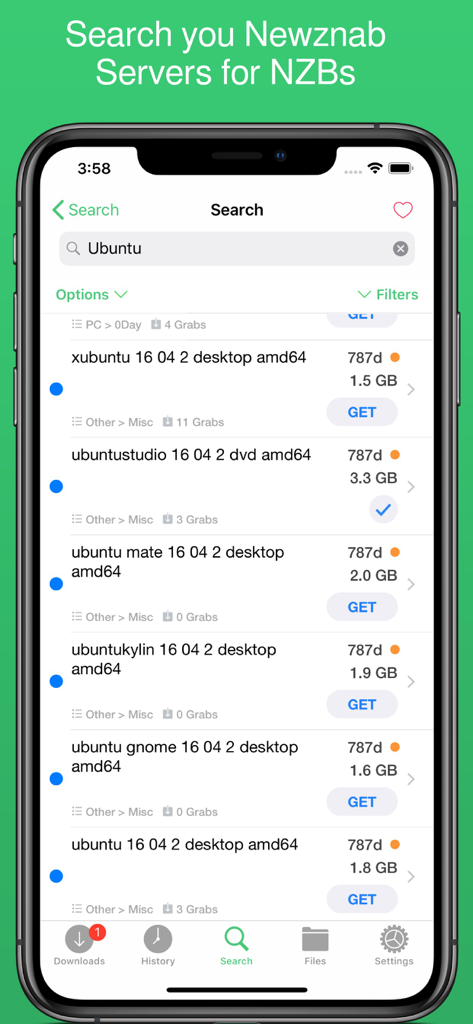
NZBClient app search screen displaying NZB results for Ubuntu from Newznab servers

NZBClient app search screen displaying NZB results for Ubuntu from Newznab servers

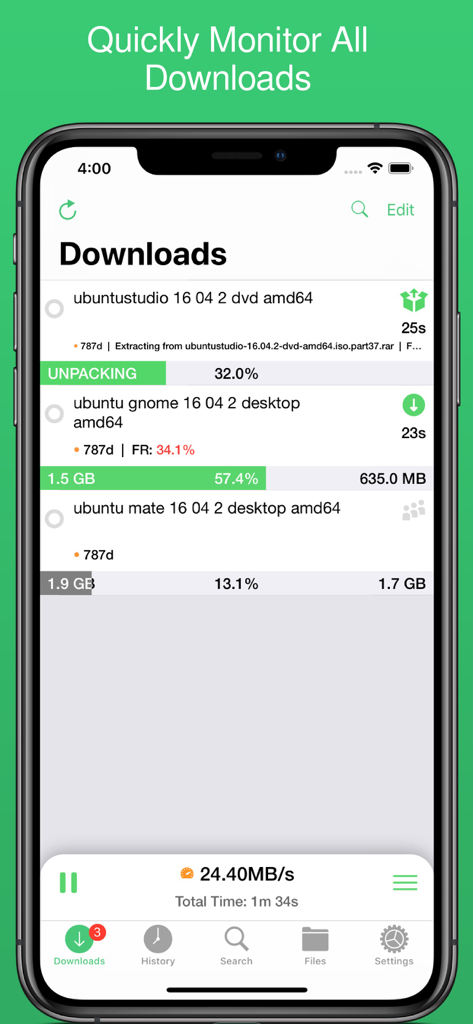
NZBClient interface showing active download progress and server speeds

NZBClient interface showing active download progress and server speeds

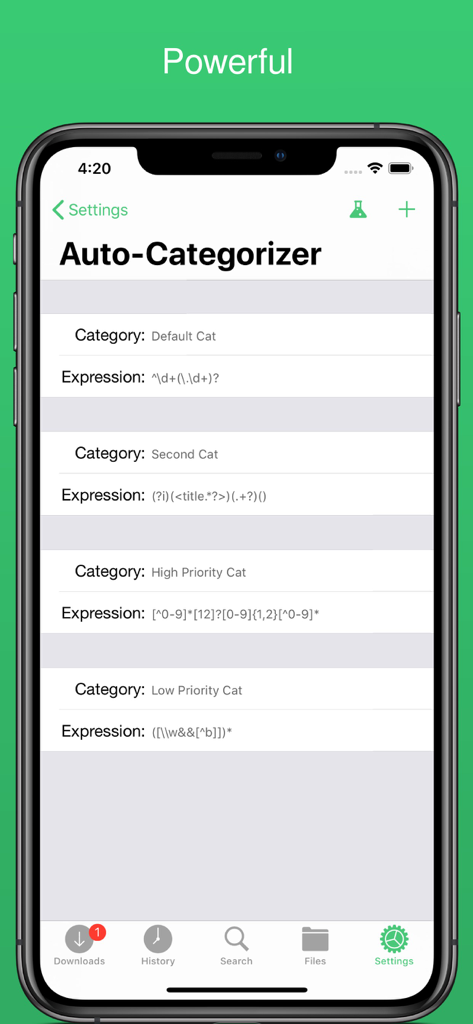
Auto-categorizer settings screen in NZBClient showing custom rules for organizing downloads

Auto-categorizer settings screen in NZBClient showing custom rules for organizing downloads

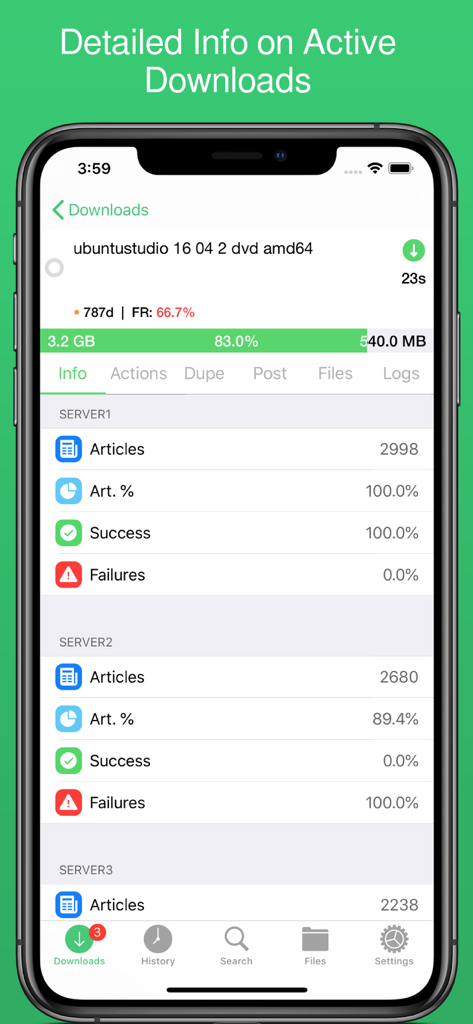
Detailed active download screen in NZBClient showing progress and server success rates

Detailed active download screen in NZBClient showing progress and server success rates

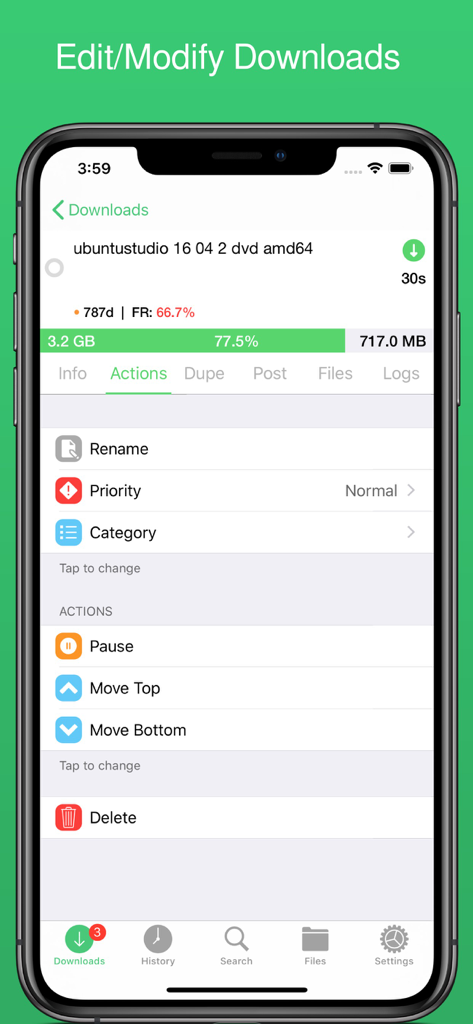
NZBClient mobile app interface showing the actions menu for managing an active NZBGet download including rename and priority options.

NZBClient mobile app interface showing the actions menu for managing an active NZBGet download including rename and priority options.

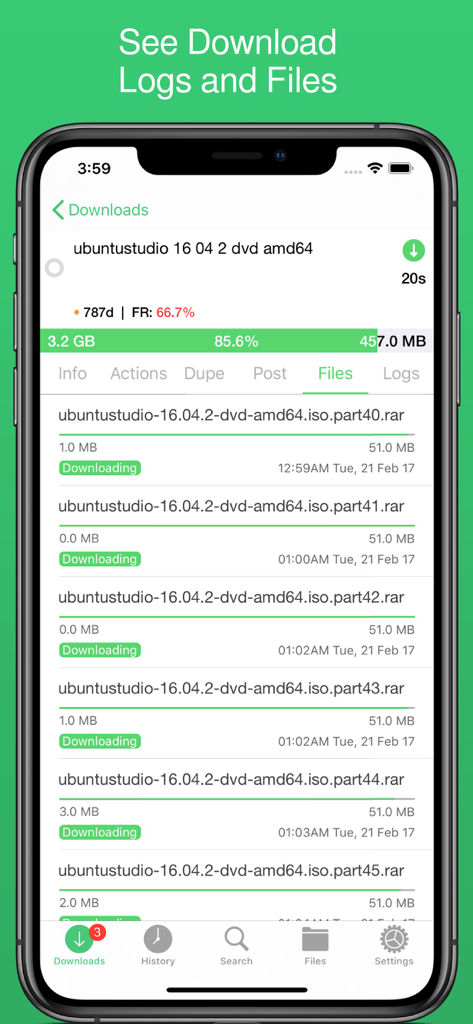
Mobile interface of NZBClient showing individual file parts and progress for a download in progress.

Mobile interface of NZBClient showing individual file parts and progress for a download in progress.

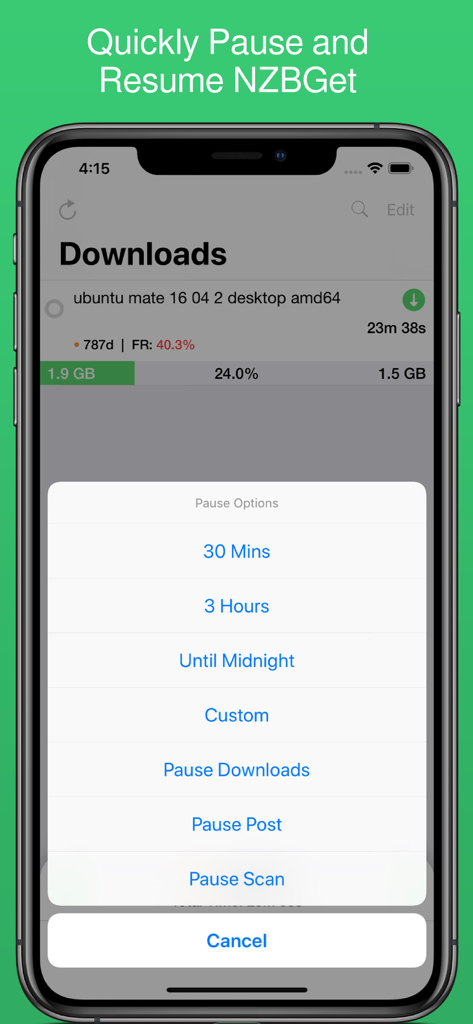
NZBClient mobile app screenshot displaying download progress and a pause options menu with timed intervals for NZBGet.

NZBClient mobile app screenshot displaying download progress and a pause options menu with timed intervals for NZBGet.

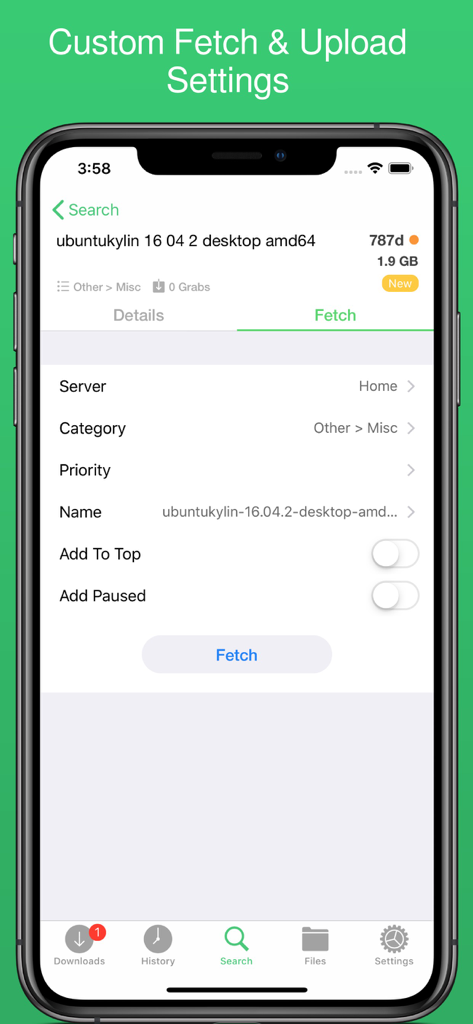
NZBClient app interface for customizing fetch and upload settings for a download file

NZBClient app interface for customizing fetch and upload settings for a download file

Master Your Usenet Queue from Anywhere

The tools that make this app stand out, trusted by 31K+ users.

πŸ› οΈ

Granular Queue Management

Pause, resume, and re-order downloads with precision. Adjust speed limits and categorize files on the fly to keep your homelab running at peak efficiency.

πŸ”’

Secure E2E Notifications

Stay informed with end-to-end encrypted push alerts. Get instant updates when tasks finish or fail, ensuring your server status is always within reach without compromising privacy.

🌐

Unified Remote Access

Manage multiple servers and search Newznab indexers directly. Seamlessly switch between local and remote setups via HTTPS/SSL for secure, high-speed control from any location.

Loved by users worldwide

Trusted by 31K+ people who love this app.

"

"This is hands down the best way to manage NZBGet on iOS. The E2E encrypted notifications are exactly what I was looking for, and the ability to switch between my local and remote servers seamlessly is a massive time-saver for my homelab setup."

Marcus T., Systems Engineer
"

"Finally, a mobile client that doesn't feel like a clunky web wrapper. I love how I can search Newznab servers and manage my queue while commuting. The UI is clean, responsive, and makes managing my media server actually enjoyable."

David L., Homelab Enthusiast

About the app

Everything you need to know about NZBClient for NZBGet.

Description

Use NZBClient to manage your NZBGet Server on your iPhone or iPad. This app works as a client or front-end for your NZBGet server v13+. Monitor, delete and edit current downloads and items in your history. Including support for multiple servers with fast switching, great for local/remote access setups. Search or Browse Newznab based servers for new NZB's, then fetch or save them. Create custom searches then automatically search and fetch results. Get push notifications from NZBGet or any other service, when new NZB's are added to queue, deleted, fail, or downloaded. With custom settings and menus you can fully customisable the app to suit your needs. Features include: - Search, Browse & Fetch from Newznab servers, - Pause, Resume downloads - Push Notifications - E2E Encrypted Push Notifications - Delete history or active downloads - Upload .NZB files - Multiple Servers - HTTPS/SSL - Set Speed limit - Pause queue for set time, - Set Category when uploading - Set Priority when uploading - Add to top when uploading - Add paused when uploading - Change priority of NZB in queue, - Change category of NZB in Queue, - Pause resume single NZB file in queue, - Save NZB files locally on device - Re-upload local NZB files - Set Default server - View History - View Log files - Edit and delete Servers - Set Refresh time - See detailed overview of each active download - Mark History items as good/bad - Re-download and Re-Postprocess history items - View Hidden items in history - View server log - Open and Uncompress .zip files - Group upload NZB files - Set unpack password - RSS fetching - Search and filter Downloads and History - Full App customisation Note: Some features require a one-time in-app purchase or a monthly/yearly subscription to use, this helps support independent development. You need to have a Laptop, NAS or PC running NZBGet v13+ to use this app. NZBClient is a free download and offers a limited feature set for free forever! If you would like to unlock the full potential of the app and support independent development, you can purchase a one-time purchase of Premium to access some extra features, or subscribe (monthly or yearly) to Ultra to access all features. NZBClient has monthly and yearly subscription options available that unlock all features. Subscriptions can be canceled at any time at least 24 hours before the next billing cycle. Privacy policy: https://nzbclient.app/privacy Terms of use: https://nzbclient.app/terms

Latest Version

2025.6

Size

27.8 MB

First Released

Dec 6, 2016

Take Command of Your Homelab

Join thousands of prosumers managing their NZBGet servers with precision. Download NZBClient today for ultimate remote control and encrypted notifications.

Download on App Store