Offline Music Player - Muzika

Offline Music Player - Muzika

Download on App Store
Spark by MWM logo
Logo of Offline Music Player - Muzika

Offline Music Player - Muzika: Own Your Sound, Anywhere

Stop renting your music and start owning it. Import tracks, convert videos to audio, and curate your perfect library with professional EQ and smart organization—all without data or subscriptions.

Publisher

MobSoft Technology Srl

Category

Music

Downloads

733K+

User Rating

4.6/5

Total Ratings

21K+

Locales

30

A Look Inside

Discover the interface used by 733K+ users.
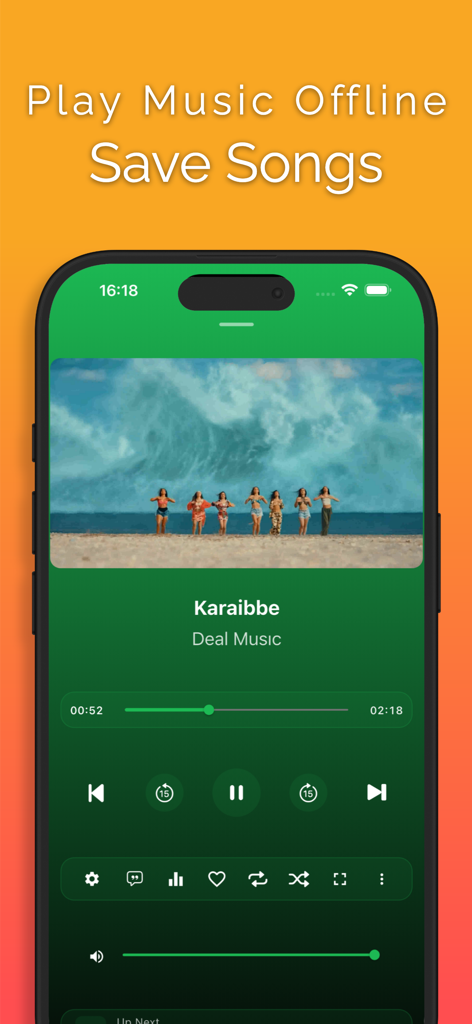
Muzika app interface showing a mobile music player with playback controls and album art

Muzika app interface showing a mobile music player with playback controls and album art

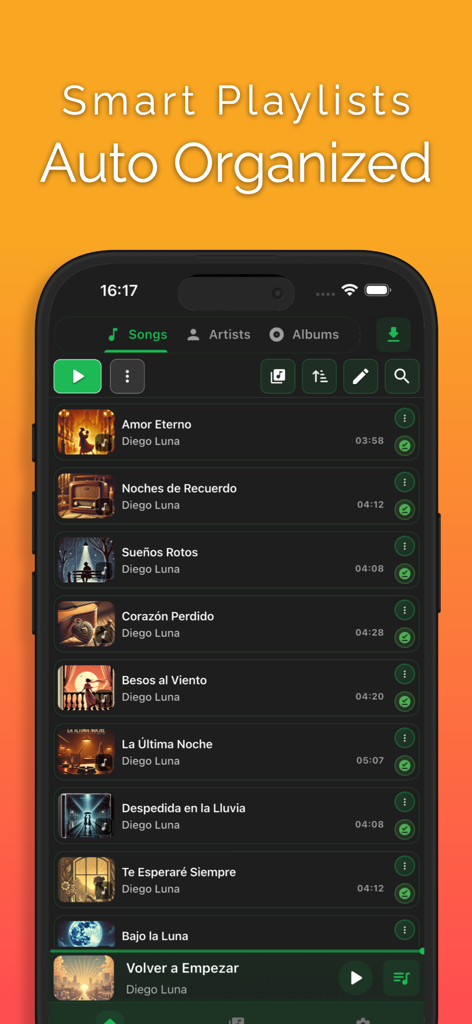
Muzika offline music player app screen displaying a list of organized songs and smart playlists

Muzika offline music player app screen displaying a list of organized songs and smart playlists

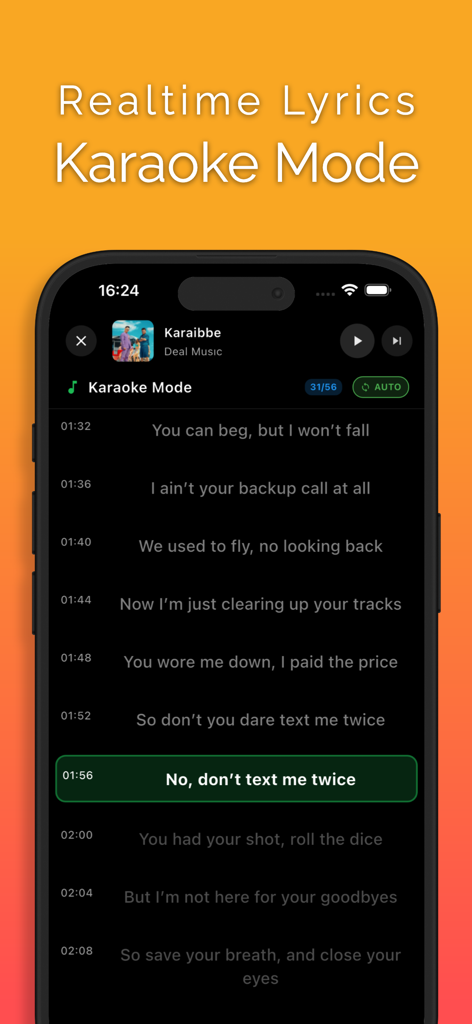
Screenshot of the Muzika app showing synchronized lyrics in karaoke mode

Screenshot of the Muzika app showing synchronized lyrics in karaoke mode

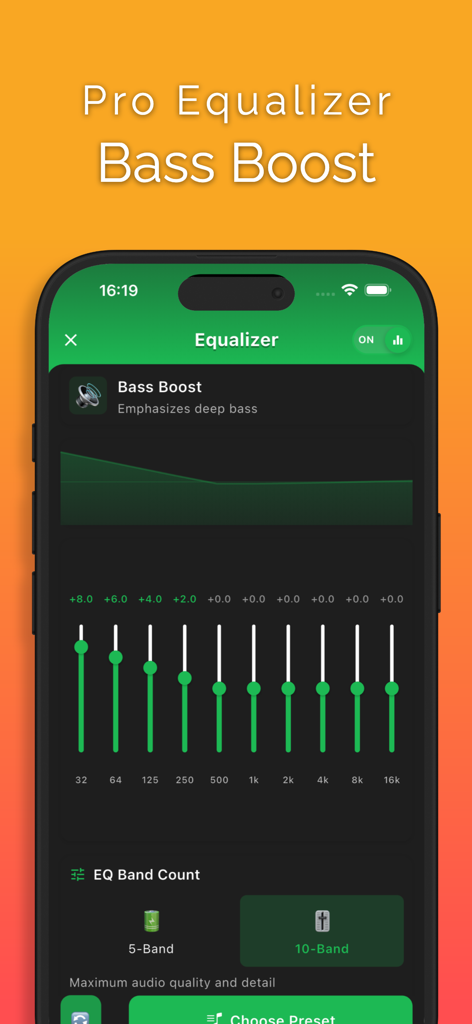
Muzika app pro equalizer and bass boost interface

Muzika app pro equalizer and bass boost interface

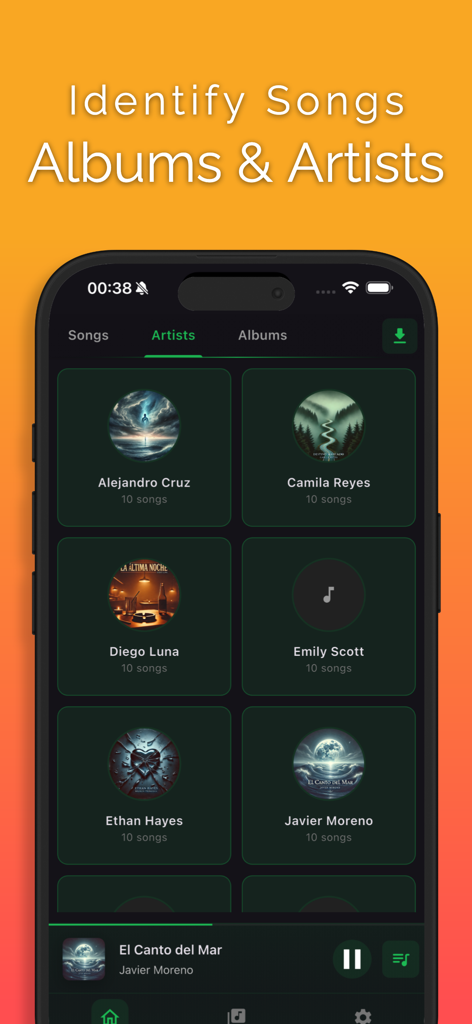
Muzika offline music player app showing the artists library interface with song counts and artist icons

Muzika offline music player app showing the artists library interface with song counts and artist icons

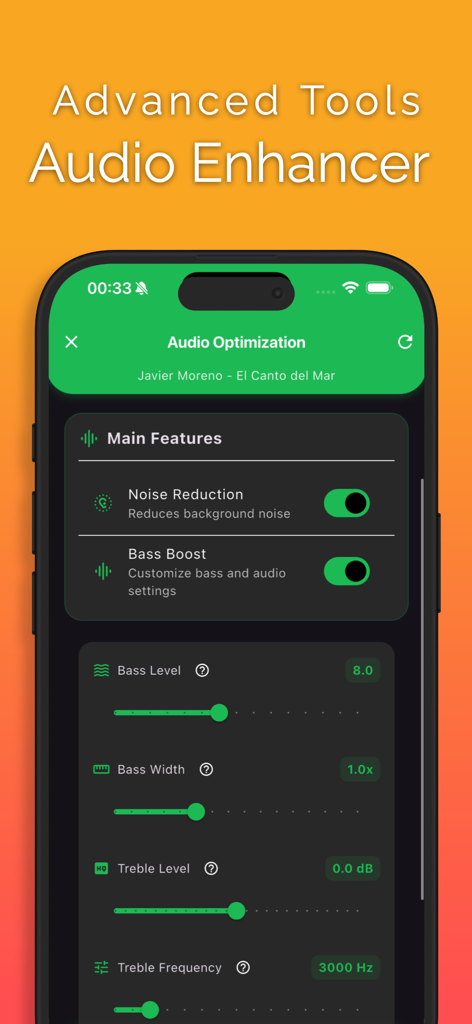
Muzika app interface showing audio enhancer tools with noise reduction and bass boost toggles

Muzika app interface showing audio enhancer tools with noise reduction and bass boost toggles

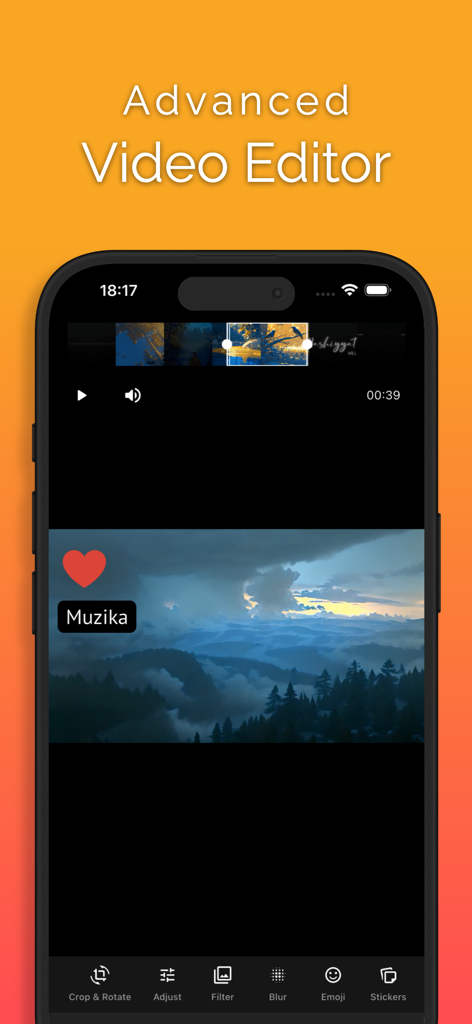
Advanced video editor interface in the Muzika offline music player app

Advanced video editor interface in the Muzika offline music player app

Take Back Control of Your Music

The tools that make this app stand out, trusted by 733K+ users.

🔄

Video-to-Audio Magic

Instantly turn TikTok clips or social media trends into professional audio tracks for your collection. No internet required.

📂

Your Library, Your Rules

Take total control with ID3 tag editing and WiFi transfers. Organize unreleased leaks and niche covers exactly how you want them.

🎚️

Studio-Quality Sound

Boost your bass and fine-tune your vibe with specialized EQ presets. Perfect for the gym, the commute, or late-night focus sessions.

Loved by users worldwide

Trusted by 733K+ people who love this app.

"

"Muzika is a total game changer for my music library. I find so many unreleased tracks and niche remixes on social media that just aren't on streaming platforms. The video-to-audio converter is incredibly fast, and being able to edit the ID3 tags means my collection stays perfectly organized. It is hands down the best app for anyone who wants real control over their music."

Jordan R.
"

"As someone who commutes daily through subway dead zones, Muzika is a lifesaver. Moving my music files from my computer via WiFi is so much easier than dealing with the standard iOS sync tools. The built-in equalizer and bass boost make my headphones sound amazing, and I love that I don't have to worry about data throttling or expensive monthly subscriptions anymore."

Marcus T.

About the app

Everything you need to know about Offline Music Player - Muzika.

Description

Manage Your Music Freely with Muzika! Your modern music player that works entirely offline. Take full control of your music collection with smart playlists, an organized library structure, and ID3 tag editing. Convert video files imported from the Files app, camera, or other applications into high-quality audio files. Manage and listen to your music instantly with a web interface over WiFi. Features: • Built‑in equalizer with presets (Car mode, Bluetooth, Speakers, Headphones, Night mode, Workout, Focus, Relax, Party, Driving, Bass Boost, Treble Boost, Vocal Boost) • Advanced Video Editor: Paint, add text, crop, rotate, blur, stickers, and more • Bass booster for extra low‑end impact • Karaoke mode with synchronized lyrics support • Organized library by song, artist, and album • Smart and easily manageable playlists • ID3 metadata editing • Advanced audio conversion from video files • Professional audio optimization • Files app integration • Direct import from the camera roll • Seamless background playback • Offline mode • Advanced search features • Favorite songs list • Recently played history • Shuffle play mode • Repeat options • Fast forward and rewind • Mini player • WiFi transfer and remote management via web interface • Notification center controls Note: All features can be used without an internet connection. The WiFi feature is only required for file transfer and web interface access. Premium access: With Premium access you get unlimited access to all the features Muzika has in stock. The app contains the following subscription options: • Payment will be charged to iTunes Account at confirmation of purchase • Subscription automatically renews unless auto-renew is turned off at least 24-hours before the end of the current period • Account will be charged for renewal within 24-hours prior to the end of the current period, and identify the cost of the renewal • Subscriptions may be managed by the user and auto-renewal may be turned off by going to the user's Account Settings after purchase • Any unused portion of a free trial period, if offered, will be forfeited when the user purchases a subscription to that publication, where applicable Privacy & Policy https://mob-soft.eu/privacy/ Terms of Use https://mob-soft.eu/terms/

Latest Version

1.6.5

Size

159.0 MB

First Released

Feb 16, 2025

Ready to Listen Without Limits?

Join 733,000+ music lovers who take their library offline. Convert videos to audio, edit your tracks, and own your collection without the subscription burnout. Download Muzika today.

Download on App Store
FAQ

Frequently Asked Questions

Everything you need to know about Offline Music Player - Muzika

Does Muzika work offline without an internet connection?

Yes, Muzika is a modern music player that works entirely offline. All core features can be used without an internet connection, making it suitable for on-the-go listening.

Can Muzika convert video files into audio files?

Yes, Muzika features advanced audio conversion. It can convert video files imported from the Files app, camera roll, or other applications into high-quality audio files.

Does the Muzika app offer a karaoke mode?

Yes, Muzika includes a karaoke mode. This feature provides synchronized lyrics support, allowing users to sing along with their favorite songs.

Does Muzika have an equalizer and bass boost feature?

Yes, Muzika includes a built-in equalizer with various presets and a dedicated bass booster. This allows users to optimize their audio experience with extra low-end impact.

How does Muzika organize a user's music library?

Muzika organizes the music library by song, artist, and album. It also provides smart and easily manageable playlists to keep your collection structured and accessible.

How does premium access work in the Muzika app?

Muzika Premium grants unlimited access to all app features. It is a subscription that charges to the iTunes Account, automatically renewing unless canceled 24-hours before the current period ends.

Does Muzika offer video editing capabilities?

Yes, Muzika includes an Advanced Video Editor. Users can paint, add text, crop, rotate, blur, add stickers, and perform other edits on video files.

Can I transfer music to Muzika using WiFi?

Yes, Muzika supports WiFi transfer. Users can manage and listen to their music instantly using a web interface over WiFi, which is required for file transfer and web access.

Does Muzika allow users to edit ID3 metadata tags?

Yes, Muzika supports ID3 metadata editing. Users can take full control of their music collection by modifying song information directly within the app.

What audio optimization features does Muzika provide?

Muzika offers professional audio optimization, including noise reduction, bass boost customization, and adjustments for bass level, bass width, treble level, and treble frequency.