Online Walkie Talkie Pro

Online Walkie Talkie Pro

Download on App Store
Spark by MWM logo
Logo of Online Walkie Talkie Pro
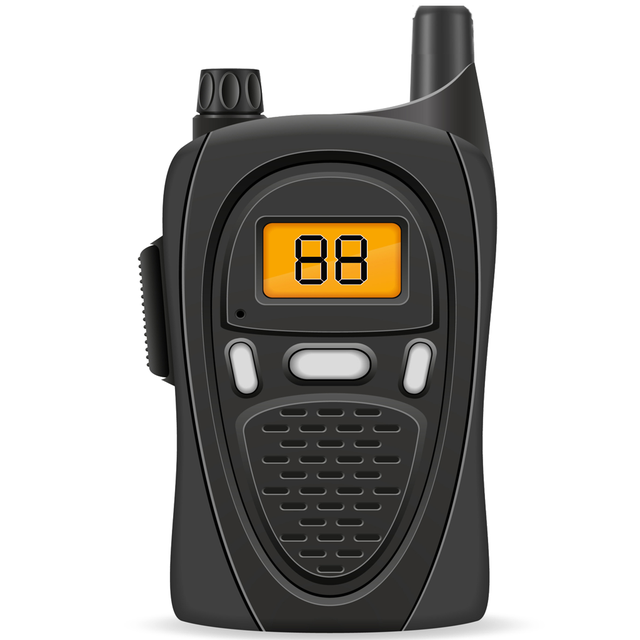
Online Walkie Talkie Pro: Instant Voice, Video, and Global Connection

Ditch the signups and passwords. Experience the raw power of a real Walkie Talkie on your phone—just turn it on, push to talk, and start exploring channels worldwide.

Download on App Store

Publisher

SENIOR ELECTRON LLC

Category

Social Networking

Downloads

1M+

User Rating

4.0/5

Total Ratings

1K+

Locales

1

Pure Radio Vibes

Discover the interface used by 1M+ users.
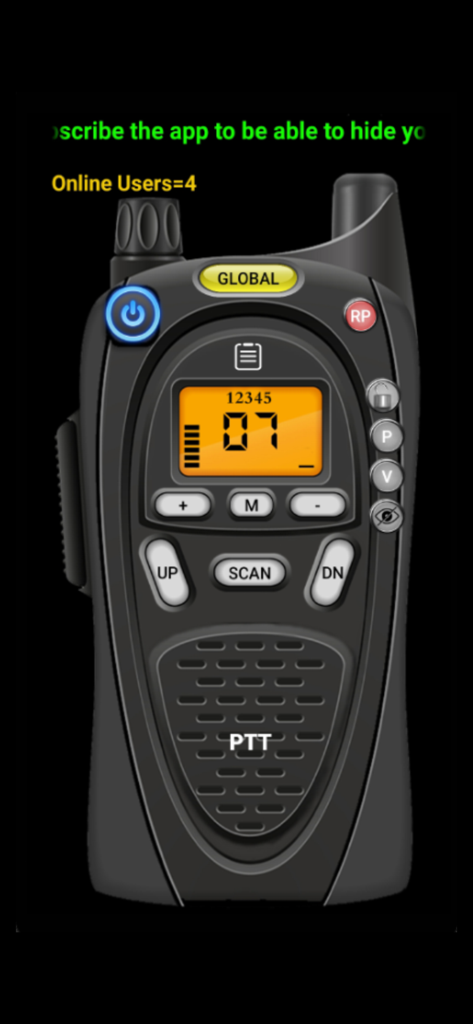
Realistic digital walkie-talkie app interface with a PTT button and channel display

Realistic digital walkie-talkie app interface with a PTT button and channel display

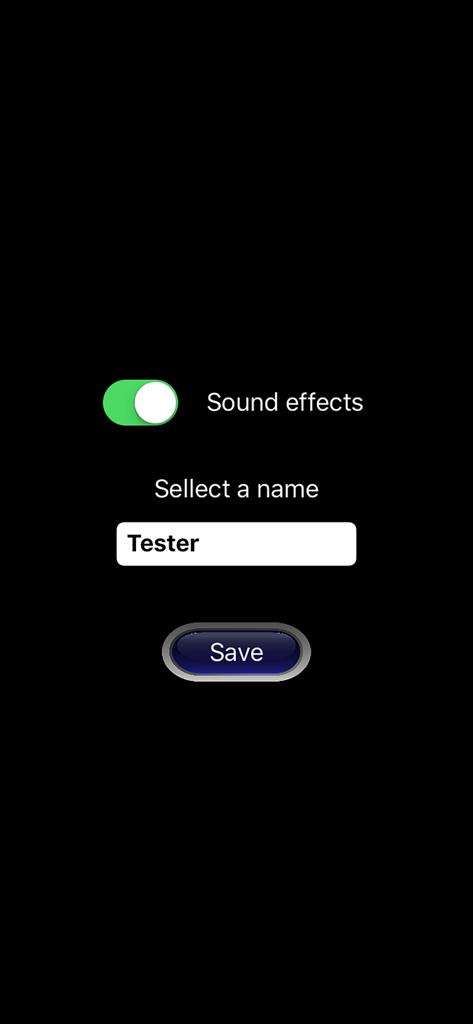
Online Walkie Talkie Pro profile setup screen with sound effects toggle and name entry field

Online Walkie Talkie Pro profile setup screen with sound effects toggle and name entry field

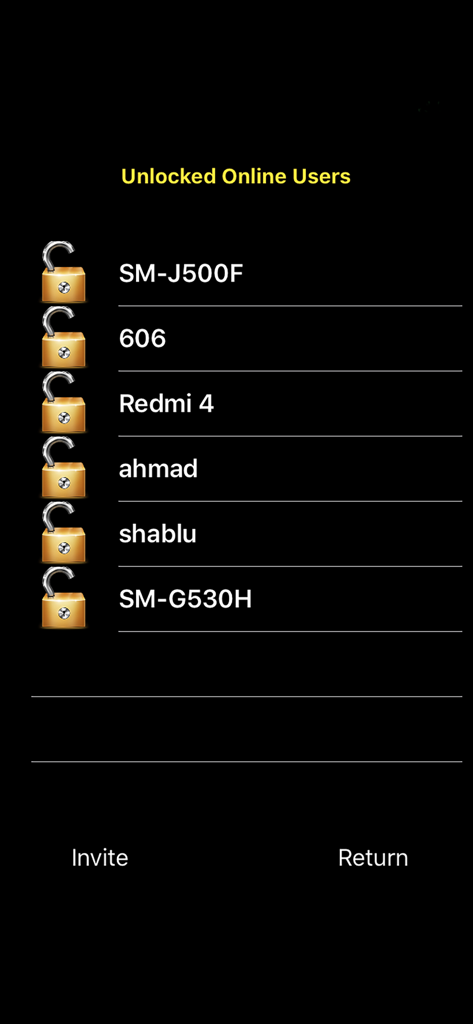
Interface showing a list of active online users with invite and return options

Interface showing a list of active online users with invite and return options

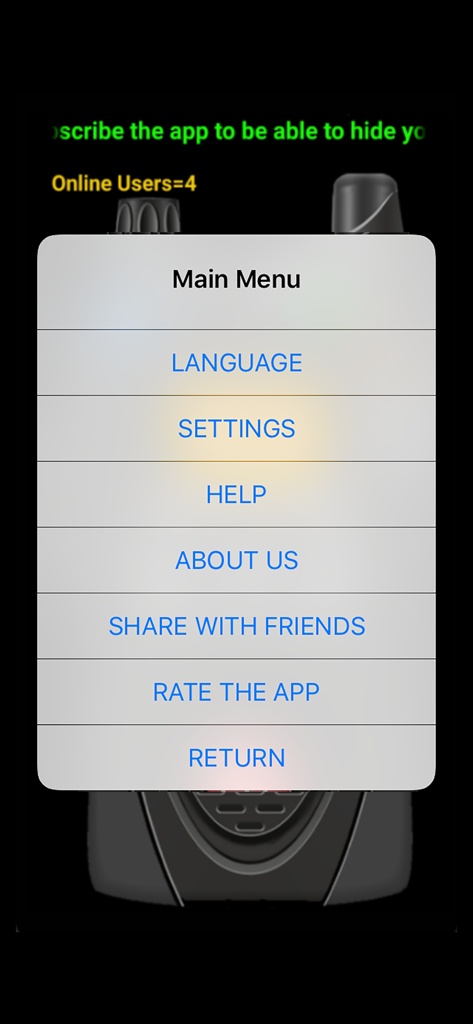
Main menu display for Online Walkie Talkie Pro app

Main menu display for Online Walkie Talkie Pro app

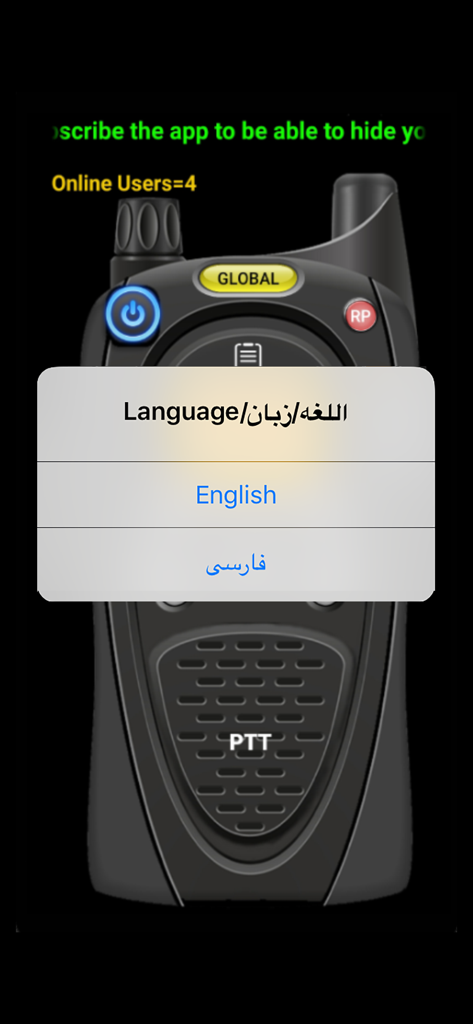
Language selection popup on the Online Walkie Talkie Pro interface with options for English and Farsi.

Language selection popup on the Online Walkie Talkie Pro interface with options for English and Farsi.

Communication Reimagined

The tools that make this app stand out, trusted by 1M+ users.

🚀

Zero Friction, Instant On

Forget passwords and profiles. Open the app and start talking immediately—it is the ultimate solution for account-fatigue.

🌍

Global Social Discovery

Scan through public channels to find live conversations and meet new people from around the world with a tactical radio vibe.

🔐

Secure Private Networks

Generate 20-character keys to create exclusive channels for your squad, keeping your group coordination completely private.

Loved by users worldwide

Trusted by 1M+ people who love this app.

"

"As someone who hates creating accounts for every little thing, this app is a breath of fresh air. I just opened it, set a private code with my hiking group, and we were good to go. The PTT sound effects are spot on and it works perfectly without any lag."

Mark D., Outdoor Enthusiast
"

"The channel scan feature is addictive! I have met people from all over the world without ever having to share my personal info. It is the perfect mix of privacy and social discovery. No passwords, no profiles—just instant conversation whenever I want it."

Chloe R., Digital Nomad

About the app

Everything you need to know about Online Walkie Talkie Pro.

Description

This app acts like a real Walkie Talkie with a very high quality voice and also Video! The app has public channels and users set on a same channel can talk with holding the PTT button. For example , you can ask your friends to set their app to channel 3 and then you will be able to chat with each other like a real Walkie Talkie with all sound effects that a real Walkie Talkie Radio has ! Users are also able to select other users they like and invite them to a private channel. (This feature is available for subscribers) All Users can also define a 20 character key code using PRIVATE button and share with each other and make a private network that only the users who have this code can connect to each other. THE BEST THING ABOUT THIS APP IS , YOU DON'T NEED TO MAKE USER ACCOUNT! NO USER NAME ! NO PASSWORD ! JUST TURN THE WALKIE TALKIE ON AND BOOM !! READY TO USE. There is also a channel scan system that allows user to search all of the available channels and see if there is any body talking on any channels. You can also send text messages to one or a group of users. You can find new friends with this app from all over the world. Downloading and using the App is free, but Free users won't have access to all of the App's features like Hiding ID and etc. Ads also shown on the Free version. If you are a subscriber, you can hide your ID and be in the app like a ghost ! Users can also Buy the subscription to remove the Ads and get access to all of the App's features. Try it. you will love it believe me... Subscription Plans: 1 - Monthly plan: have all the app features for one month. you will be automatically charged every month unless you cancel the subscription at least 24 hours before the next period's start date. 2 - 6 Months plan: you will have all the app's features for 6 month period by paying for 5 months only ! if you subscribe the 6 month's term , your plan will be renewed every 6 month automatically , unless you cancel the service at least 24 hours prior to the next period's start. 3 - Yearly plan: in this plan you pay the price of 9 months only but have all the app's features for 12 months. the plan will be renewed automatically every year unless you cancel the service at least 24 hours prior to the next period's start. • Payment will be charged to iTunes Account at confirmation of purchase • Account will be charged for renewal within 24-hours prior to the end of the current period, and identify the cost of the renewal • Subscriptions may be managed by the user and auto-renewal may be turned off by going to the user's Account Settings after purchase NOTICE: This application is a public chat app. that gives the users the ability to chat with other people. there is no privacy and any body who has this app set to the same channel will be able to hear you and the conversations in this app is not the app developer's responsibility. Our Privacy Policy and Terms of use is available in the link below: http://appsdash.com/walkie-talkie-privacy-policy

Latest Version

140.2

Size

13.5 MB

First Released

Apr 28, 2017

Turn On. Tune In. Start Talking.

Experience instant communication with zero friction. No accounts, no passwords—just download and push to talk to the world.

Download on App Store
FAQ

Frequently Asked Questions

Everything you need to know about Online Walkie Talkie Pro

Does Online Walkie Talkie Pro require an account to use?

No, the Online Walkie Talkie Pro app does not require a user account, username, or password. Users can immediately start using the app upon turning it on.

How can users communicate privately on Online Walkie Talkie Pro?

Users of Online Walkie Talkie Pro can create a private network by defining and sharing a 20-character key code. Only users with this code can connect and communicate privately.

Does the Online Walkie Talkie Pro app offer video communication?

Yes, the Online Walkie Talkie Pro app supports both high-quality voice and video communication. It functions like a real walkie-talkie with added video capability.

What are the subscription options for Online Walkie Talkie Pro?

Online Walkie Talkie Pro offers Monthly, 6 Months (billed for 5), and Yearly (billed for 9) subscription plans. These plans provide access to all app features and remove ads.

Can Online Walkie Talkie Pro users hide their ID?

Yes, subscribed users of Online Walkie Talkie Pro can hide their ID, appearing like a "ghost" within the app. This feature is not available for free users.

Is communication private on Online Walkie Talkie Pro?

No, communication on Online Walkie Talkie Pro is not private in public channels. It is a public chat app, and anyone on the same channel can hear conversations.

How do users cancel a subscription for Online Walkie Talkie Pro?

Users can manage their subscription and turn off auto-renewal by going to their Account Settings on iTunes after purchase. Cancellation must occur at least 24 hours before the next period's start.

Does Online Walkie Talkie Pro have a channel scanning feature?

Yes, Online Walkie Talkie Pro includes a channel scan system. This allows users to search all available channels and detect if anyone is talking on them.

Can users send text messages with Online Walkie Talkie Pro?

Yes, users can send text messages using the Online Walkie Talkie Pro app. This functionality supports sending messages to individual users or to a group of users.

How can I change the language in Online Walkie Talkie Pro?

Users can change the language in Online Walkie Talkie Pro by accessing the Main Menu. There, selecting 'LANGUAGE' presents available language options, such as English or Arabic.