Panels - Comic Reader

Panels - Comic Reader

Download on App Store
Spark by MWM logo
Logo of Panels - Comic Reader
Panels - The Ultimate Reader for Your Digital Comic and Manga Collection

Experience your library like never before with seamless iCloud sync, advanced customization, and native support for all your favorite formats on iPad, iPhone, and Mac.

Publisher

Produkt Software Engineering S.L.

Category

Books

Downloads

1M+

User Rating

4.8/5

Total Ratings

25K+

Locales

12

Art in Every Pixel

Discover the interface used by 1M+ users.
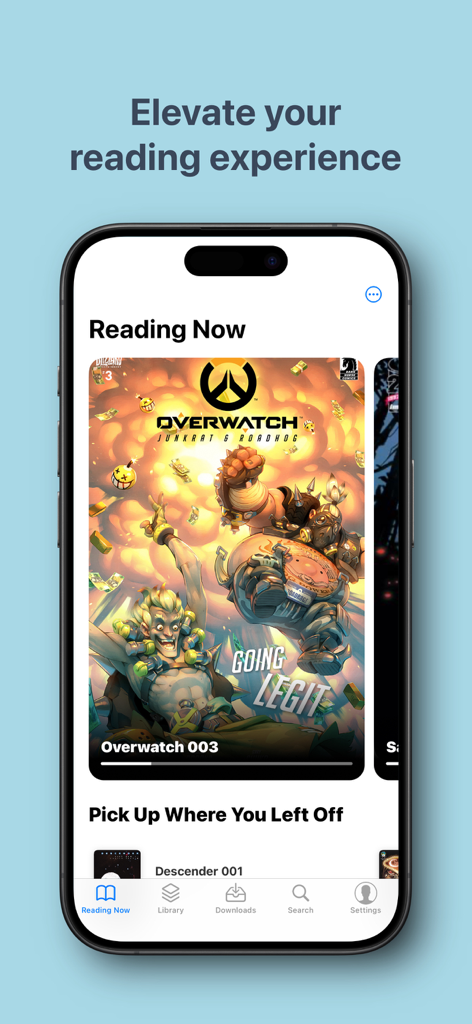
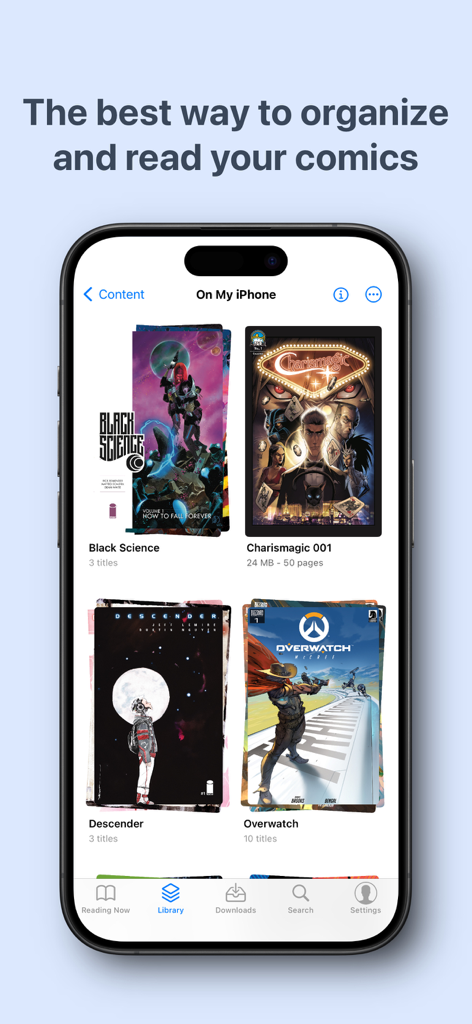
Panels comic reader app interface on iPhone displaying current reading list and comic covers

Panels comic reader app interface on iPhone displaying current reading list and comic covers

Panels app library interface on iPhone showing organized comic book collections

Panels app library interface on iPhone showing organized comic book collections

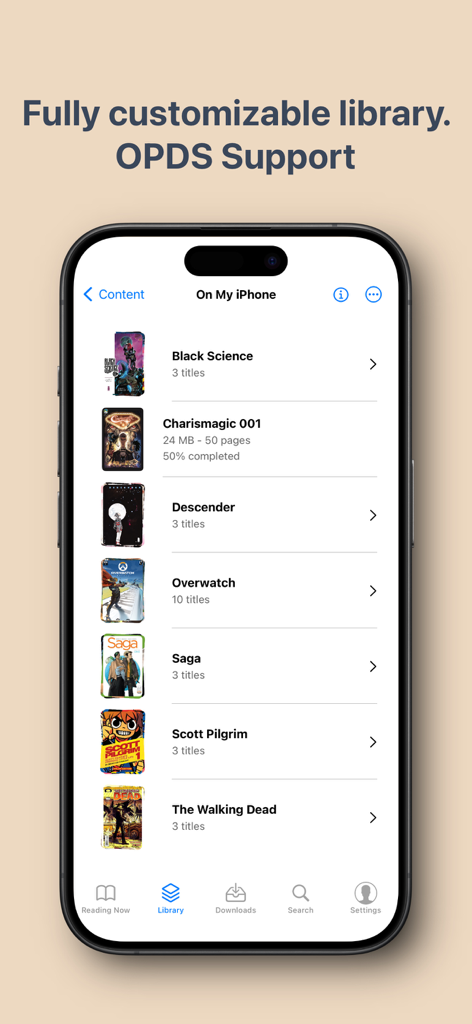
iPhone screen displaying the Panels comic reader library with various comic titles

iPhone screen displaying the Panels comic reader library with various comic titles

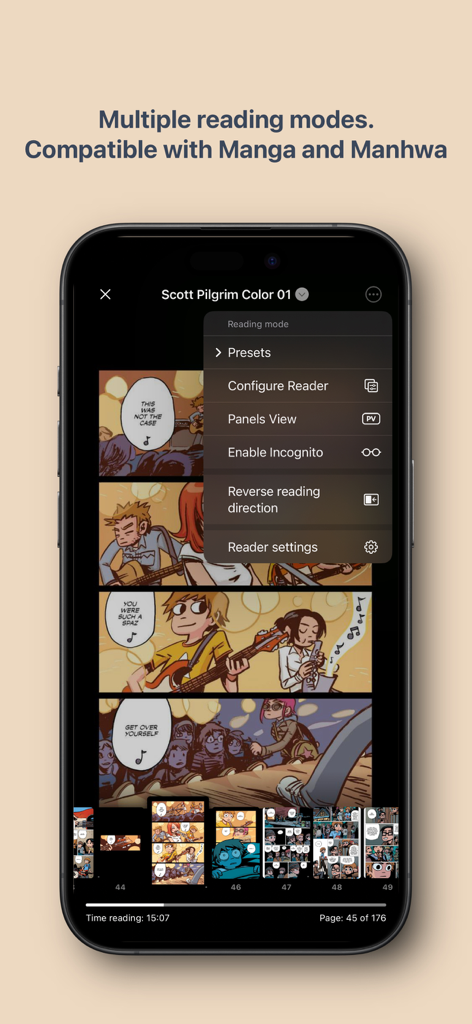
Panels comic reader interface showing multiple reading modes and manga compatibility on an iPhone

Panels comic reader interface showing multiple reading modes and manga compatibility on an iPhone

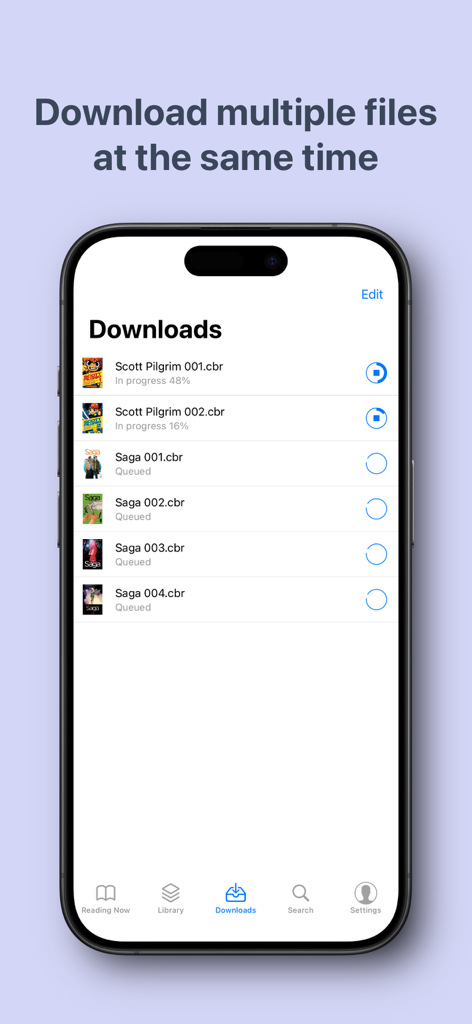
Panels app interface showing multiple comic book files downloading and queued for offline reading

Panels app interface showing multiple comic book files downloading and queued for offline reading

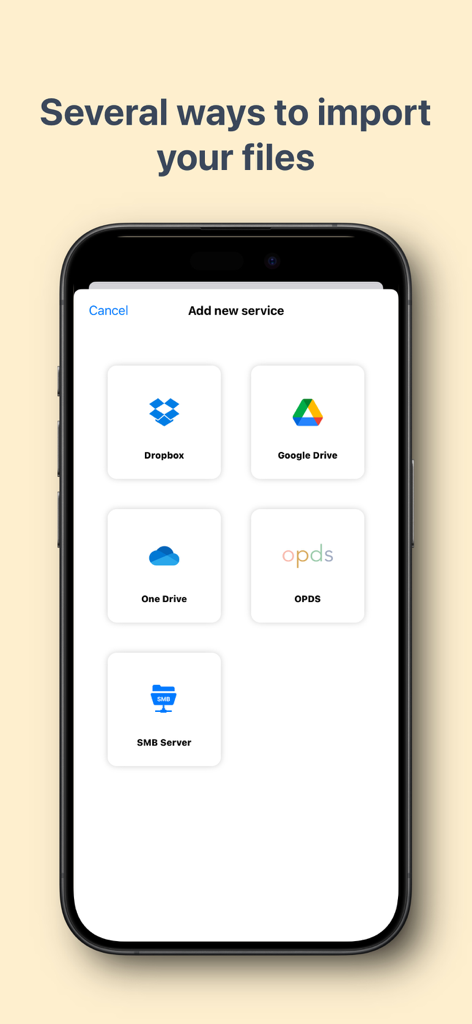
Panels app screen showing options to import comics from Dropbox, Google Drive, OneDrive, OPDS, and SMB servers

Panels app screen showing options to import comics from Dropbox, Google Drive, OneDrive, OPDS, and SMB servers

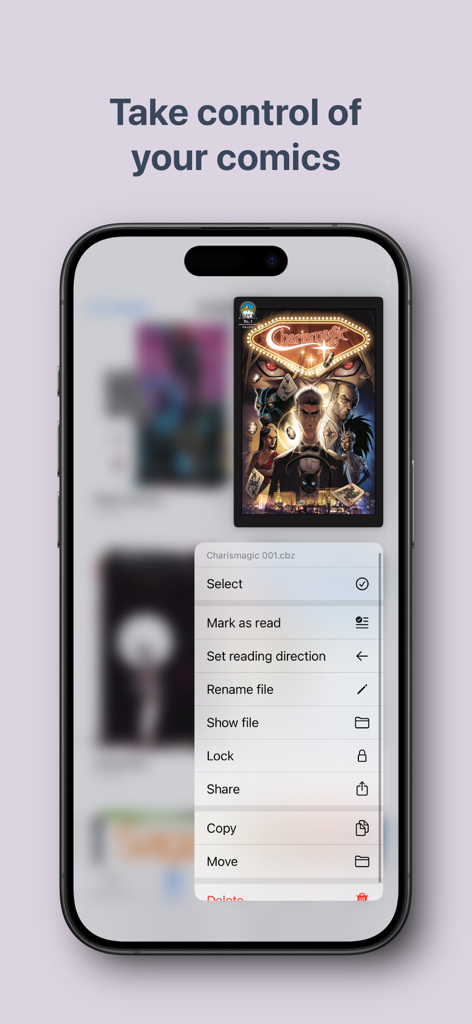
iPhone screen displaying the Panels app with a context menu for organizing comic files including options to lock, share, and change reading direction.

iPhone screen displaying the Panels app with a context menu for organizing comic files including options to lock, share, and change reading direction.

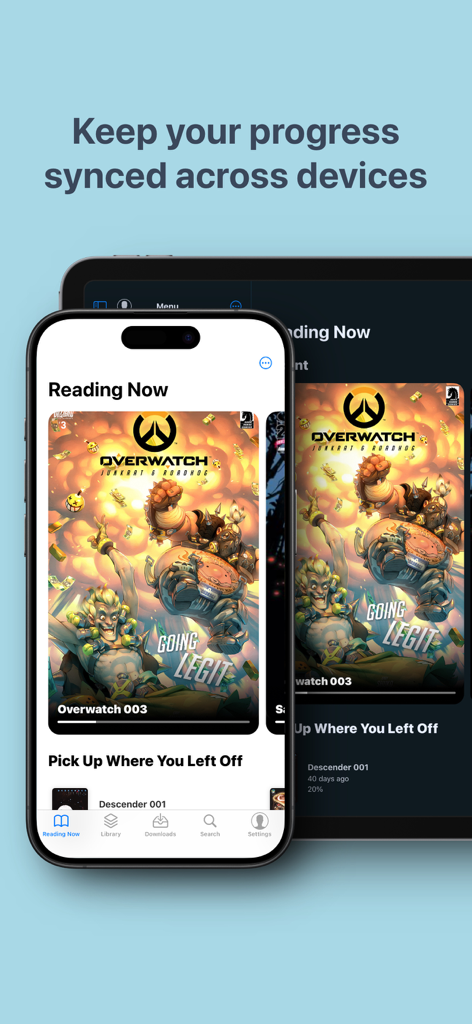
Panels comic reader app showing synchronized reading progress on iPhone and iPad

Panels comic reader app showing synchronized reading progress on iPhone and iPad

The Ultimate Digital Library for Collectors

The tools that make this app stand out, trusted by 1M+ users.

📂

Universal Import & Ownership

Take back control of your media. Support for CBR, CBZ, and PDF files with seamless importing from iCloud, Dropbox, OneDrive, or your own private server via OPDS.

📖

Precision Reading Modes

Whether it is Western comics, right-to-left Manga, or vertical webtoons, our adaptive engine and panel-by-panel navigation provide the perfect view for every story.

Pro-Grade Image Enhancements

Experience your collection in stunning quality. Use AI-powered filters to reduce noise, increase sharpness, and crop borders for a crisp, high-definition reading experience.

Loved by users worldwide

Trusted by 1M+ people who love this app.

"

"As a massive manga fan, Panels is exactly what I was looking for. The Right-to-Left reading mode is seamless, and being able to customize my collections with custom covers makes my digital library feel like a real bookshelf. It is easily the most polished reader on iOS."

Chloe Simmons
"

"The technical depth here is incredible. I host my own Komga server, and Panels connects to it via OPDS without a hitch. The cross-device sync allows me to start a comic on my Mac and finish it on my iPad during my commute. It is the ultimate tool for serious collectors."

David Chen

About the app

Everything you need to know about Panels - Comic Reader.

Description

Improve your comic reading experience with Panels. Enjoy reading your favorite titles in a clean and delightful interface, with plenty of customization and advanced features. Key features: - Universal Compatibility: Support for most common comic types: CBR, CBZ, CB7, PDF and comic ePUB (not text eBook). Support for multiple image formats, including WebP. - Cross-Device Sync: Synchronize your reading progress across all your mac devices and resume reading exactly where you left off. - Full iCloud Drive support: store your entire library on iCloud and access it from different devices. - Library Organization: Effortlessly manage your comic library with intuitive tools for easy navigation. * Themes: support for Light and Dark modes, and many others. * Reading Presets: Choose from a multitude of reading presets or create your own, including horizontal, vertical, or panel-by-panel guided view. - Right to Left reading (manga): read any comic with Panels. * OPDS support: Stream, search and download comics from your OPDS compatible server. * Secure your content: Keep files locked using a password or Face ID for your collections and files. Use Incognito mode to keep your reading sessions hidden. - Customize your library collections: change folder color, logos and use custom images to make it yours. * Live Text and Subject detection. * Experimental Features: Access experimental features like panel-by-panel navigation. Native support for importing files from: * iCloud Drive * Dropbox * Microsoft OneDrive - Substack * OPDS: Komga, Kavita, Codex and others * Local network shared files and folders via SMB and Embedded web server - iTunes - External drives - Airdrop - Drag&Drop from other apps Page Filters: * Reduce Noise * Increase Sharpness * Reduce Moiré * Crop Borders * Require an active subscription or a one-time purchase. • You may purchase an Auto-Renewing Subscription to unlock all the premium features while it\'s active; or a one-off purchase to unlock the current major version features forever. • Your subscription will be charged to your iTunes account at confirmation of purchase and will automatically renew (at the duration selected) unless auto-renew is turned off at least 24 hours before the end of the current period. • Current subscription may not be cancelled during the active subscription period; however, you can manage your subscription and/or turn off auto-renewal by visiting your iTunes Account Settings after purchase • Read our privacy policy and terms of use: https://panels.app/privacy / https://panels.app/terms

Latest Version

3.9.11

Size

160.6 MB

First Released

Oct 23, 2017

Start Building Your Ultimate Digital Library Today

Join over 1 million readers who have elevated their comic experience. Download Panels now for a premium, ad-free reading journey across all your Apple devices.

Download on App Store
FAQ

Frequently Asked Questions

Everything you need to know about Panels - Comic Reader

What comic file formats does Panels support?

Panels supports common comic types including CBR, CBZ, CB7, PDF, and comic ePUB. It also supports multiple image formats like WebP.

Does Panels sync reading progress across multiple devices?

Yes, Panels synchronizes your reading progress across all your Mac devices. Users resume reading exactly where they left off on any synced device.

How can users manage their comic library in Panels?

Panels offers intuitive tools for effortless library management. Users can customize collections by changing folder colors, logos, and using custom images for personalization.

What reading modes are available in the Panels app?

Panels offers multiple reading presets such as horizontal, vertical, and panel-by-panel guided views. It also features right-to-left reading specifically for manga content.

What are the methods for importing comic files into Panels?

Panels supports importing files from iCloud Drive, Dropbox, Microsoft OneDrive, Substack, OPDS, local network shares via SMB, iTunes, external drives, AirDrop, and Drag&Drop.

Can users secure their comic content within the Panels app?

Yes, Panels allows users to secure files and collections using a password or Face ID. An Incognito mode is also available to keep reading sessions hidden.

How does the payment model for Panels work?

Panels offers an auto-renewing subscription or a one-time purchase to unlock premium features. Subscriptions charge to your iTunes account and renew unless auto-renew is off 24 hours prior.

Does the Panels app support OPDS servers?

Yes, Panels includes OPDS support. Users can stream, search, and download comics from compatible OPDS servers like Komga, Kavita, and Codex.

What page filters are available in Panels for enhancing comic display?

Panels provides page filters to enhance comic display. These include options to reduce noise, increase sharpness, reduce moiré, and crop borders.

Does Panels offer an incognito mode for private reading?

Yes, Panels features an Incognito mode. This allows users to keep their reading sessions hidden, ensuring privacy for their comic content.

Can Panels download multiple comic files simultaneously?

Yes, Panels allows users to download multiple comic files at the same time. This feature improves efficiency when building or updating your library.