Pass2U Wallet - Add store card

Pass2U Wallet - Add store card

Download on App Store
Spark by MWM logo
Logo of Pass2U Wallet - Add store card
Pass2U Wallet - Your All-In-One Hub for Every Digital Card and Pass

Declutter your life by digitizing loyalty cards, coupons, and tickets. Experience seamless Apple Wallet integration, custom designs, and smart location-based notifications that ensure your rewards are always ready at checkout.

Publisher

MicroMacro Mobile Inc.

Category

Shopping

Downloads

2M+

User Rating

4.2/5

Total Ratings

7K+

Locales

12

Clutter-Free Convenience

Discover the interface used by 2M+ users.
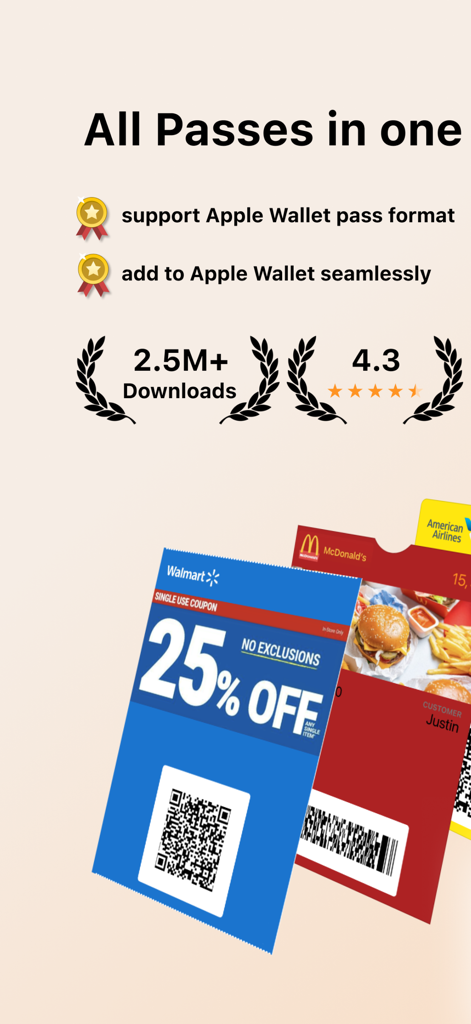
Pass2U Wallet app summary showing digital coupons and store cards with Apple Wallet integration

Pass2U Wallet app summary showing digital coupons and store cards with Apple Wallet integration

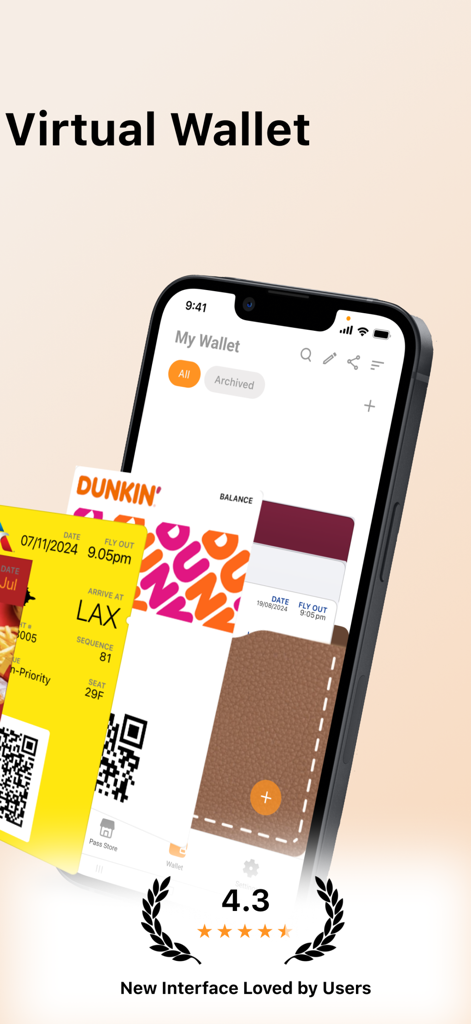
Pass2U Wallet app interface on iPhone displaying digitized Dunkin store cards and airline boarding passes

Pass2U Wallet app interface on iPhone displaying digitized Dunkin store cards and airline boarding passes

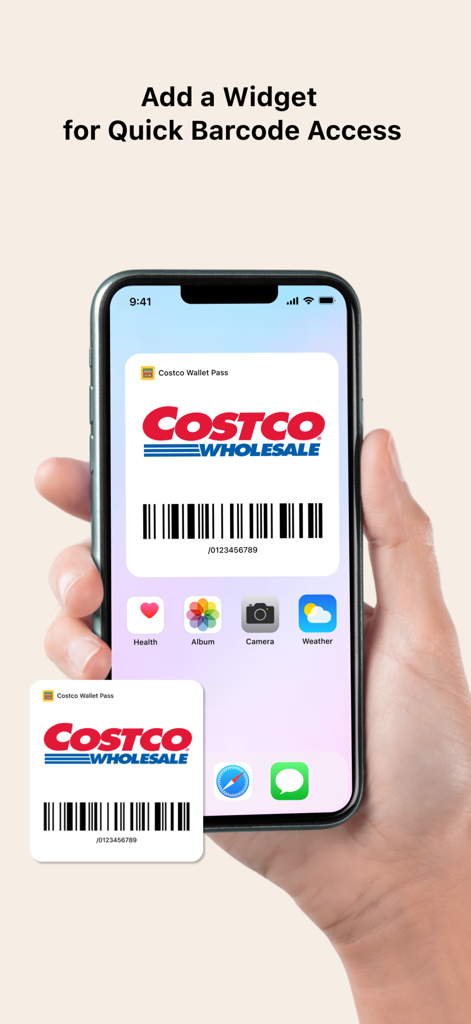
An iPhone home screen showing a Costco store card widget for quick barcode access

An iPhone home screen showing a Costco store card widget for quick barcode access

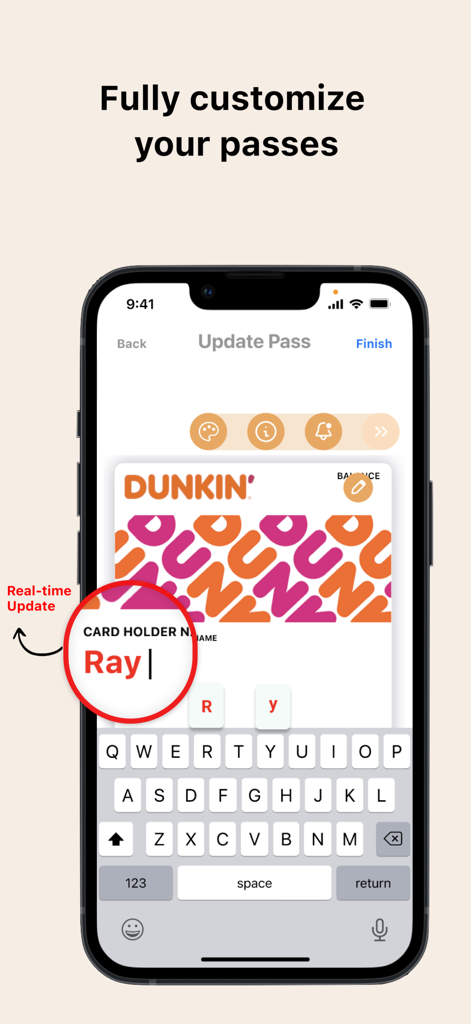
iPhone screen showing real-time customization of a digital Dunkin loyalty card in the Pass2U Wallet app.

iPhone screen showing real-time customization of a digital Dunkin loyalty card in the Pass2U Wallet app.

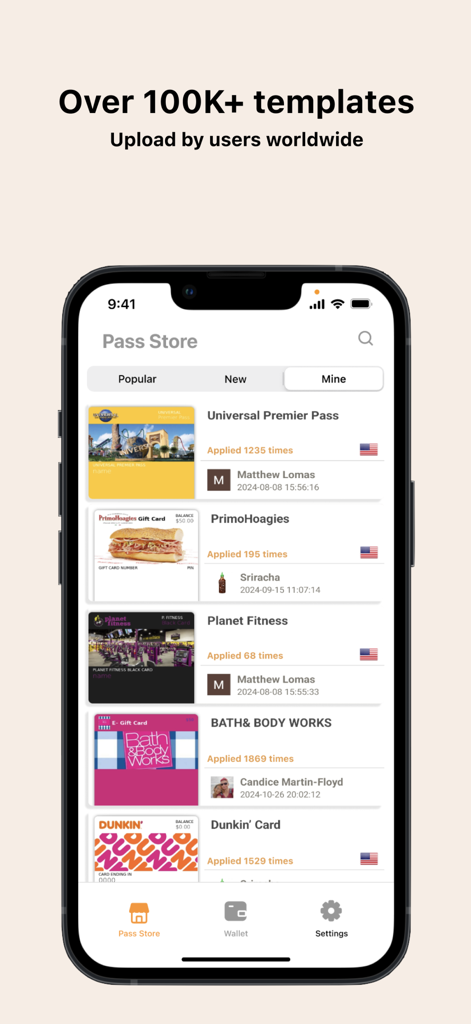
Pass2U Wallet Pass Store featuring over 100,000 user-uploaded templates for loyalty and reward cards.

Pass2U Wallet Pass Store featuring over 100,000 user-uploaded templates for loyalty and reward cards.

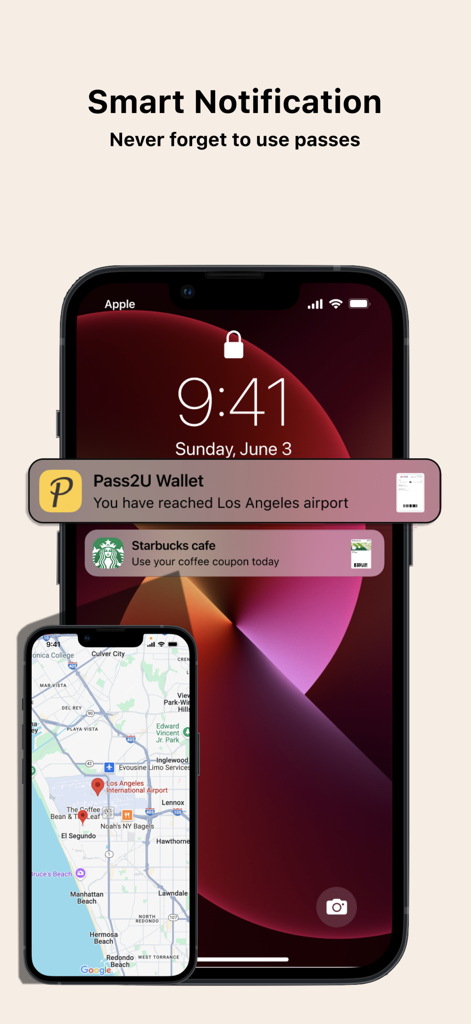
iPhone lock screen showing smart location-based notifications for an airport boarding pass and a Starbucks coffee coupon.

iPhone lock screen showing smart location-based notifications for an airport boarding pass and a Starbucks coffee coupon.

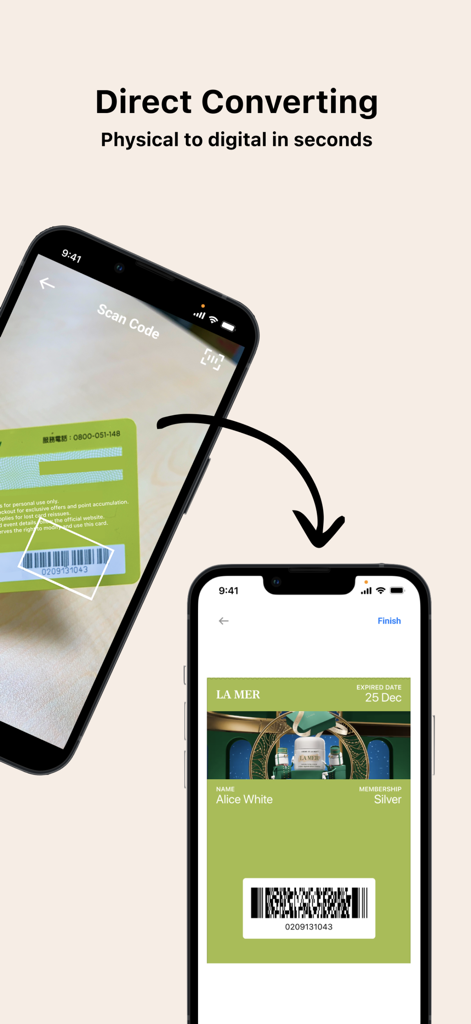
A smartphone scanning a physical loyalty card to convert it into a digital pass using the Pass2U Wallet app

A smartphone scanning a physical loyalty card to convert it into a digital pass using the Pass2U Wallet app

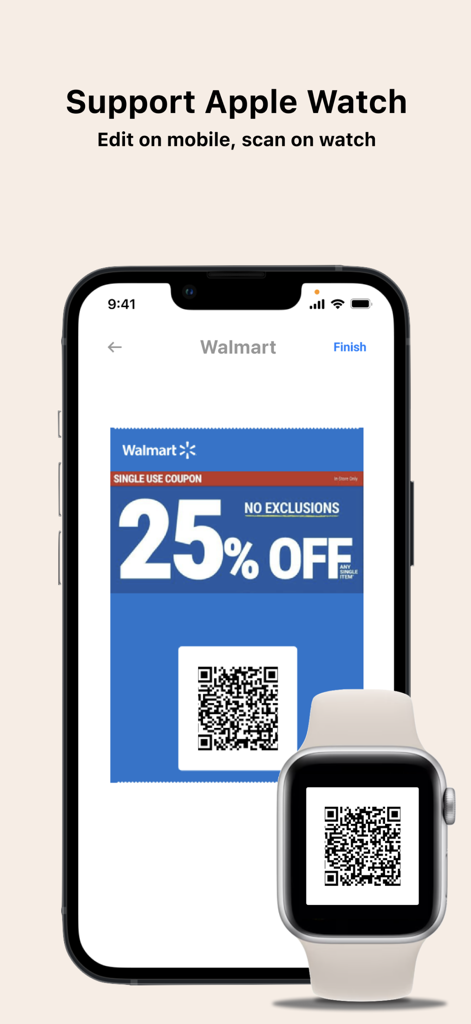
Pass2U Wallet app displaying a digital Walmart coupon QR code on both an iPhone and Apple Watch for easy scanning.

Pass2U Wallet app displaying a digital Walmart coupon QR code on both an iPhone and Apple Watch for easy scanning.

Master Your Digital Life

The tools that make this app stand out, trusted by 2M+ users.

📱

Say Goodbye to Wallet Bulge

Digitize everything from grocery rewards to gym memberships. Carry a slim, digital wallet without leaving any card behind.

📍

Context-Aware Convenience

Get automatic lock-screen notifications as you walk into your favorite stores. Your cards appear exactly when and where you need them.

🎨

Personalized & Universal

Apply stylish templates or design your own cards. Plus, our tech supports legacy barcodes that standard wallets often miss.

Loved by users worldwide

Trusted by 2M+ people who love this app.

"

"I used to carry a bulky wallet filled with dozens of loyalty cards for groceries and drugstores. Pass2U Wallet has completely decluttered my life. I love how my rewards cards automatically pop up on my lock screen as soon as I walk into the store thanks to the location notifications. It makes checkout so much faster and more efficient!"

Emily Rodriguez
"

"As a tech enthusiast, I found the native Apple Wallet too restrictive for my membership cards. Pass2U is the perfect solution. The ability to customize templates and digitize older barcode formats that other apps can't handle is a total game-changer. It syncs perfectly with my Apple Watch, keeping my pockets empty and my digital life organized."

David Chen

About the app

Everything you need to know about Pass2U Wallet - Add store card.

Description

Pass2U Wallet offers an all-in-one digital card solution, bringing together your store cards, coupon, boarding passes, business cards, and more into one platform. With fully customizable designs and seamless integration with Apple Wallet, you can effortlessly manage all your online and offline passes and skip the lines with ease! Main features Create, store and manage a wide variety of passes, including (but not limited to): membership cards, store cards, event tickets, coupons, gift cards, reward cards, boarding passes, transportation tickets, business cards, identity cards, and etc. Easily scan barcodes or import from photos to digitize your cards. Personalize passes with custom templates and see real-time updates while editing. Automatically receive notifications based on event dates or your location. Apply hundreds of pass templates or design your own in the Pass Store. Backup and restore passes via iCloud or Google Drive. Pass2U does not record any personal information nor save any details about passes you create. Some features are included in Pro version. Supported Barcodes Default type: Code 128 (not supported by Apple Watch) QR code Aztec code PDF417 Not supported by Apple Wallet, they will be converted into strip images: Code 39 Code 93 Code-39 Mod 43 EAN-8 EAN-13 UPC-A Frequent Questions How can I backup all of my passes? You can go to the setting of iPhone > Apple ID > iCloud > turn on Wallet. Once you would like to use another iPhone, you can log in with the same Apple ID and turn on Wallet for iCloud. Then you will see the passes issued by Pass2U on Pass2U Wallet. How can I issue a lot of passes? You could go to https://www.pass2u.net/ to design the models and send the passes to your customers. If you have any comment or feedback about Pass2U Wallet, we’d love to hear you at [contact@micromacro.com.tw].

Latest Version

3.5.4

Size

80.0 MB

First Released

Sep 27, 2016

Say Goodbye to Wallet Clutter Forever

Join over 2 million digital pragmatists who have streamlined their pockets. Download Pass2U Wallet now to digitize your loyalty cards and never miss a reward at checkout again.

Download on App Store
FAQ

Frequently Asked Questions

Everything you need to know about Pass2U Wallet - Add store card

What types of passes can Pass2U Wallet manage?

Pass2U Wallet manages various passes, including store cards, coupons, boarding passes, event tickets, gift cards, and business cards, centralizing them in one digital platform.

Does Pass2U Wallet integrate with Apple Wallet?

Yes, Pass2U Wallet offers seamless integration with Apple Wallet. This allows users to add and manage their digital passes within Apple Wallet for convenience.

How do users digitize their physical cards with Pass2U Wallet?

Users digitize physical cards in Pass2U Wallet by easily scanning barcodes or importing card images from photos. This converts physical passes into digital formats quickly.

Does Pass2U Wallet provide smart notifications for passes?

Yes, Pass2U Wallet automatically provides smart notifications for passes based on event dates or the user's current location. This helps users remember to use them.

Does Pass2U Wallet record user personal information or pass details?

No, Pass2U Wallet does not record any personal information. It also does not save any details about the passes users create, ensuring user privacy and security.

Is Pass2U Wallet compatible with Apple Watch?

Yes, Pass2U Wallet supports Apple Watch. Users can edit passes on their iPhone and then conveniently scan them directly from their Apple Watch device.

How do users back up passes in Pass2U Wallet on iPhone?

Users back up Pass2U Wallet passes on iPhone by enabling Wallet in iCloud settings via Apple ID. Passes then sync across devices with the same Apple ID.