Pedometer α - Step Counter

Pedometer α - Step Counter

Download on App Store
Spark by MWM logo
Logo of Pedometer α - Step Counter
Pedometer α - Step Counter: The Simplest Way to Track Your Daily Walks and Health Goals

Join over 9 million users who simplify their fitness. No complicated setup, no battery drain—just automatic step and calorie tracking right from your pocket.

Download on App Store

Publisher

ITO Technologies Inc.

Category

Health & Fitness

Downloads

9M+

User Rating

4.8/5

Total Ratings

930K+

Locales

28

Your Progress at a Glance

Discover the interface used by 9M+ users.

Illustration of a man and woman walking with various health icons and the Pedometer Step Counter app title

Illustration of a man and woman walking with various health icons and the Pedometer Step Counter app title

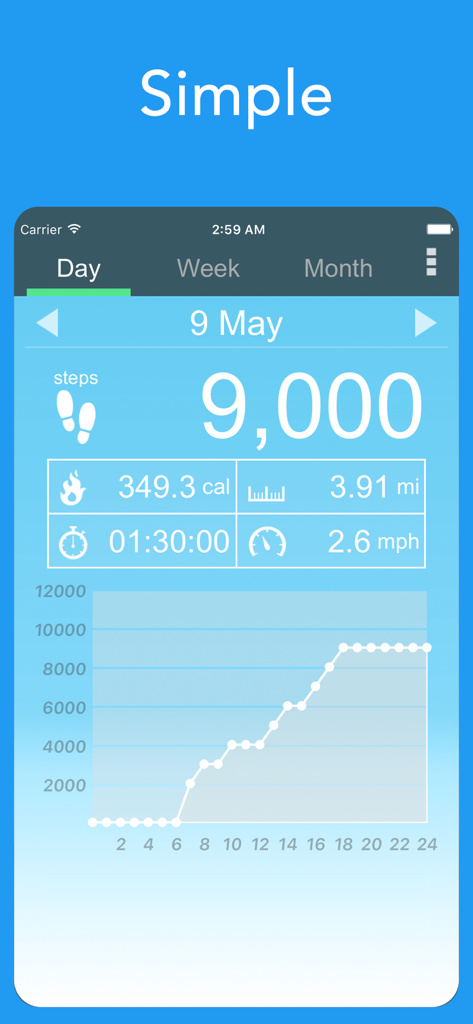
Interface of Pedometer Alpha showing 9000 steps daily calories distance and activity graph

Interface of Pedometer Alpha showing 9000 steps daily calories distance and activity graph

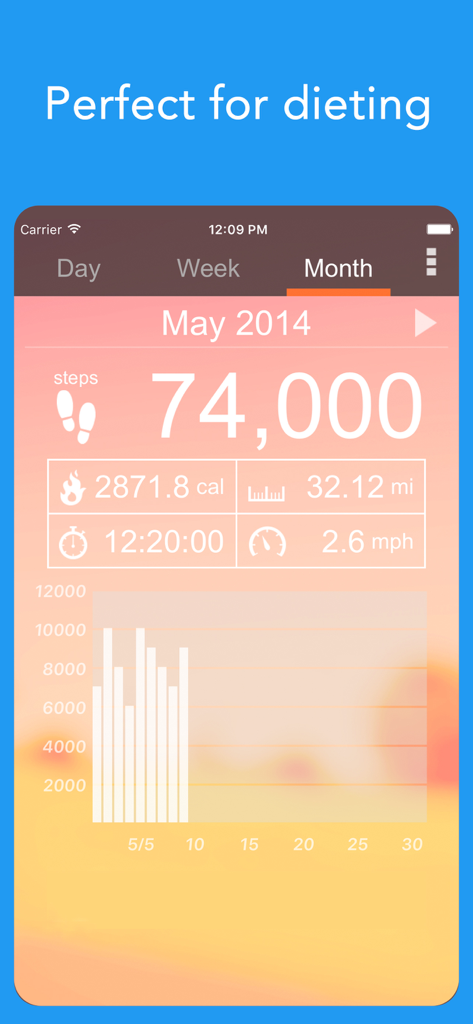
Screenshot of Pedometer app showing monthly total of 74,000 steps with calories and distance metrics on an orange sunset theme.

Screenshot of Pedometer app showing monthly total of 74,000 steps with calories and distance metrics on an orange sunset theme.

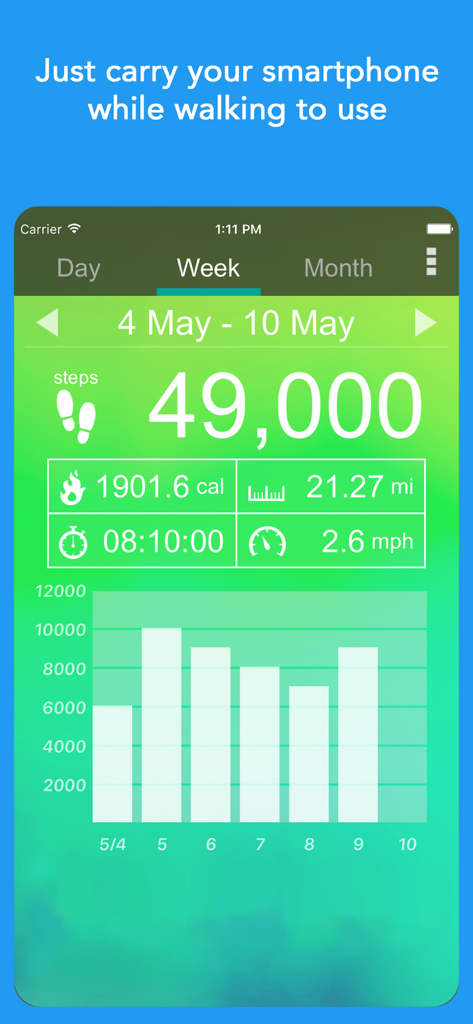
Weekly step count summary and daily progress bar graph in the Pedometer alpha app interface

Weekly step count summary and daily progress bar graph in the Pedometer alpha app interface

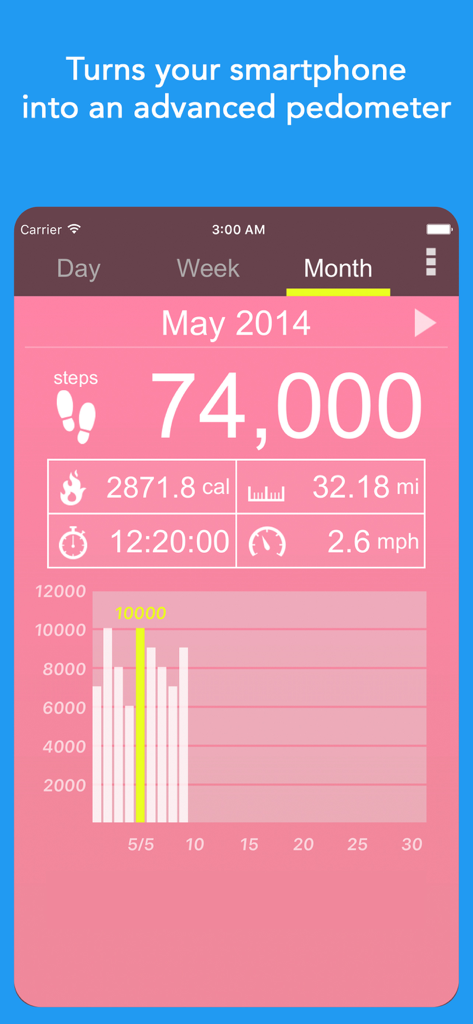
Monthly step counter dashboard in Pedometer alpha showing total steps calories burned and distance tracked

Monthly step counter dashboard in Pedometer alpha showing total steps calories burned and distance tracked

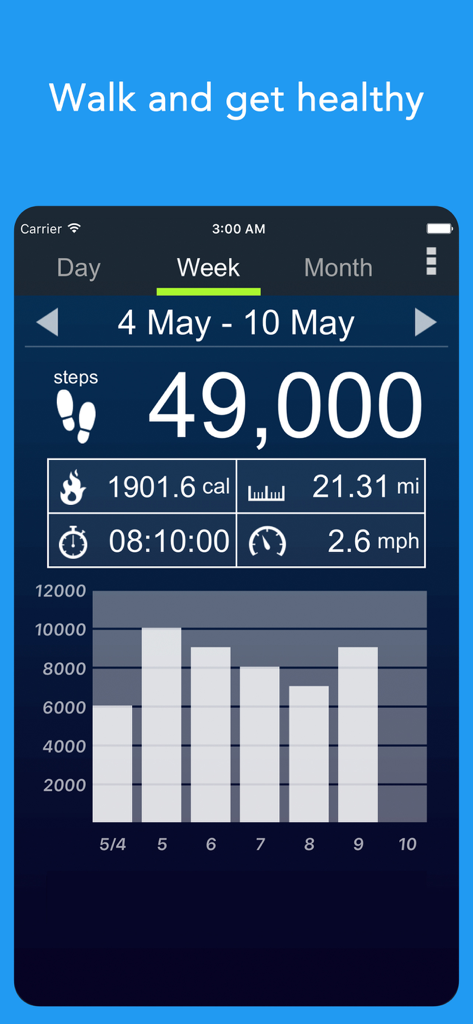
Weekly step count overview in Pedometer alpha app showing 49000 steps and daily activity graph

Weekly step count overview in Pedometer alpha app showing 49000 steps and daily activity graph

Take Control of Your Daily Health

The tools that make this app stand out, trusted by 9M+ users.

📱

Automatic Step Tracking

Keep your phone in your pocket or bag and let the app do the rest. It records every step, distance, and walking time automatically without draining your battery.

🔥

Calorie & Weight Management

Perfect for those on a diet. See exactly how many calories you have burned throughout the day to stay on track with your fitness and health goals.

📊

Clear Progress Visuals

Monitor your health journey through simple, easy-to-read graphs. Swipe to see your activity history and celebrate the daily habits you are building.

Loved by users worldwide

Trusted by 9M+ people who love this app.

"

"I love how simple this app is. I used to carry a separate pedometer on my belt, but now I just keep my phone in my pocket. It tracks everything automatically without draining my battery. It has really helped me stay consistent with my daily walks and share my progress with my family."

Margaret H.
"

"As someone on my feet all day at work, this app is exactly what I needed. It is straightforward, easy to use, and helps me keep track of my fitness goals without any complicated settings or subscriptions. The historical graphs make it so easy to see my progress over the month!"

David R.

About the app

Everything you need to know about Pedometer α - Step Counter.

Description

A free, easy-to-use Pedometer app! Perfect for walking and dieting! "Pedometer" records the number of steps you have walked and displays them again along with the number of calories that you have burned, distance, walking time and speed per hour. It is easy to use. Simply carry around your smartphone as you normally would. Of course, it will continue to automatically record your steps even if you put it in your pocket or bag. You can view a graph with the number of steps you have walked and all other information anytime. Let's enjoy walking with this app! How to use - Touch on the number of steps, burned calories, distance, walking time, or speed to display the graph with that information. - Touch the graph to highlight information data for a specific time or date. - Swipe to the left to see the data recorded until the previous day. - If you want to change the look of the app, change the theme. - In order to display the correct number of burned calories, please enter your age, gender, weight and step length accurately. - In order to display the correct distance and speed, please enter your step length accurately. Pedometer recommended for the following people - If you want to check your step count. - If you want to try using a pedometer. - If you want to go on a diet. - If you go on walks or strolls. - If you go jogging. - If you want to use a popular pedometer. - If you want to post the pedometer screen to social media. - If you walk a lot for your job. - If you want an easy-to-use pedometer. - If you want to walk more. - If you want to form a habit of walking. - If you feel out of shape. - If you want to use a pedometer with a theme that you like. - If you want to use your smartphone instead of carrying around a handheld pedometer.

Latest Version

1.1.44

Size

37.5 MB

First Released

Nov 19, 2015

Ready to Reach Your Daily Step Goal?

Join over 9 million users who trust Pedometer α for simple, automatic health tracking. No expensive wearables required—just your phone and your determination.

Download on App Store
FAQ

Frequently Asked Questions

Everything you need to know about Pedometer α - Step Counter

What is the Pedometer α - Step Counter app?

The Pedometer α - Step Counter app is a free, easy-to-use pedometer that records steps, burned calories, distance, walking time, and speed. It turns your smartphone into an advanced step counter.

How does the Pedometer α - Step Counter app track steps?

The Pedometer α - Step Counter app automatically records steps by simply carrying your smartphone. It continues to record even if the device is in your pocket or bag.

Is the Pedometer α - Step Counter app free to use?

Yes, the Pedometer α - Step Counter app is free to use. It provides all its step-tracking and fitness monitoring features without cost.

What data does the Pedometer α - Step Counter app display?

The Pedometer α - Step Counter app displays the number of steps, burned calories, distance, walking time, and speed per hour. It presents this information with daily, weekly, and monthly graphs.

How can I view my progress over time in Pedometer α - Step Counter?

The Pedometer α - Step Counter app allows you to view graphs of your steps, burned calories, distance, walking time, or speed. You can also swipe left to see data from previous days.

What personal information is needed for accurate tracking in Pedometer α - Step Counter?

For accurate burned calories, distance, and speed, users must accurately enter their age, gender, weight, and step length in the Pedometer α - Step Counter app.

Can I customize the theme of the Pedometer α - Step Counter app?

Yes, the Pedometer α - Step Counter app allows users to change its theme. This personalizes the app's visual interface according to user preference.

Does the Pedometer α - Step Counter app support dieting efforts?

Yes, Pedometer α - Step Counter is perfect for dieting. It records steps and burned calories, helping users monitor their physical activity and progress toward weight loss goals.