Phonto - Text on Photos

Phonto - Text on Photos

Download on App Store
Spark by MWM logo
Logo of Phonto - Text on Photos

Phonto - Text on Photos: Your Brand, Your Fonts, Your Aesthetic

Break free from default styles. Join over 31 million creators using 400+ built-in fonts and custom font installation to design professional-grade social media content in seconds.

Download on App Store

Publisher

Yusuke Horie

Category

Photo & Video

Downloads

31M+

User Rating

4.8/5

Total Ratings

944K+

Locales

4

Design Without Limits

Discover the interface used by 31M+ users.

Bold text overlay on a photo of a woman riding a bicycle

Bold text overlay on a photo of a woman riding a bicycle

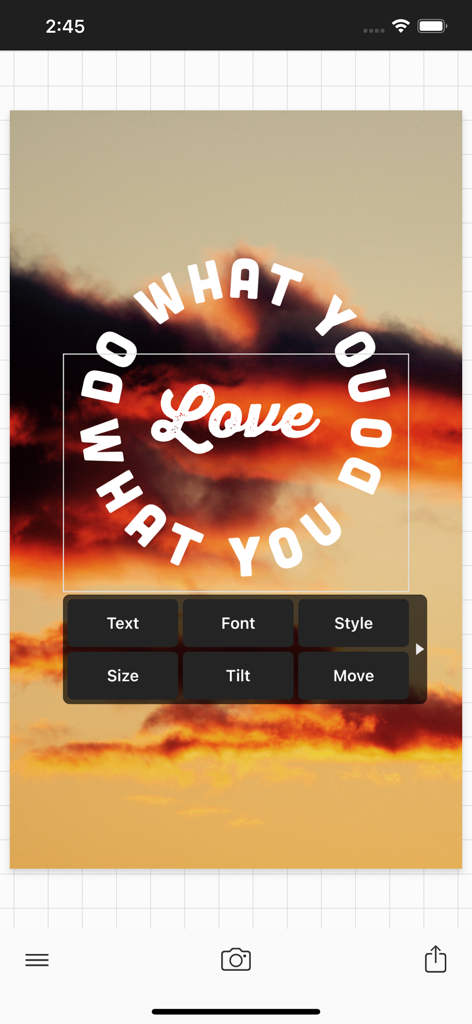
Phonto mobile app showing curved text editing over a sunset image with typography tools

Phonto mobile app showing curved text editing over a sunset image with typography tools

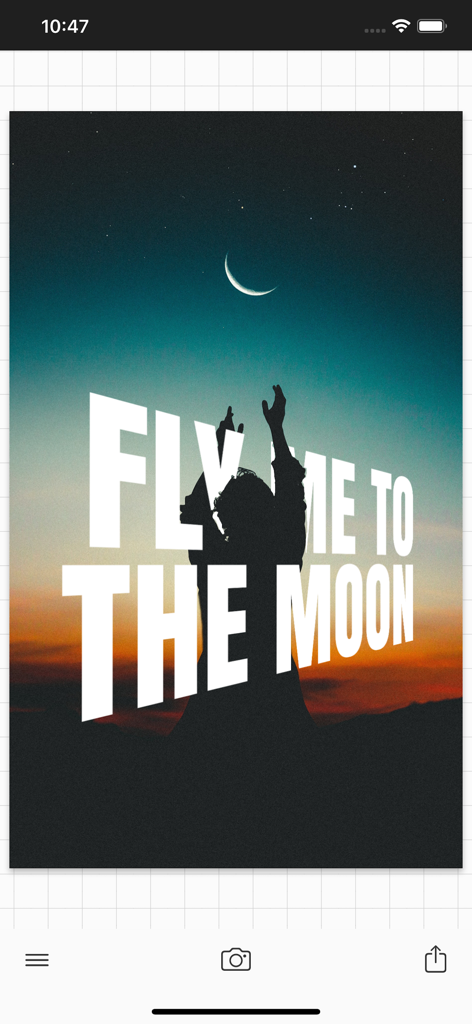
Example of perspective text overlay on a sunset photo created using Phonto app

Example of perspective text overlay on a sunset photo created using Phonto app

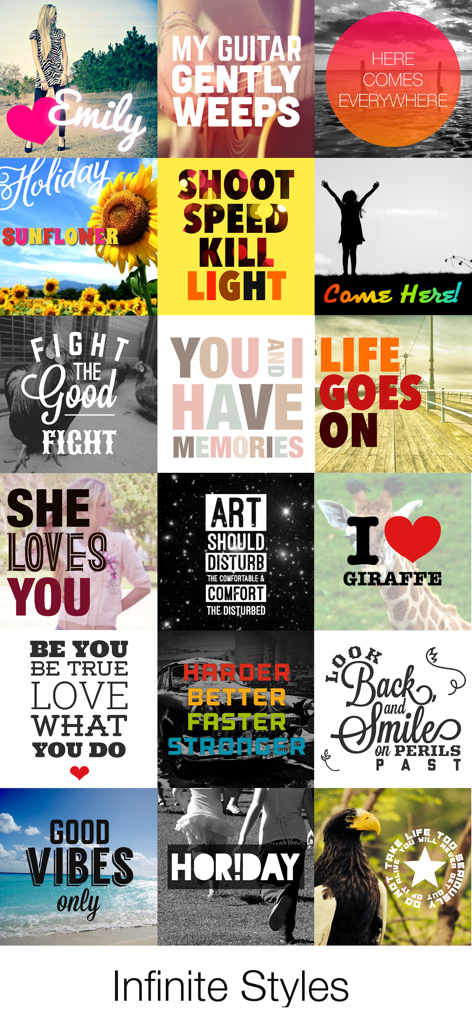
A collage showing a variety of creative text overlays and font styles on different photos

A collage showing a variety of creative text overlays and font styles on different photos

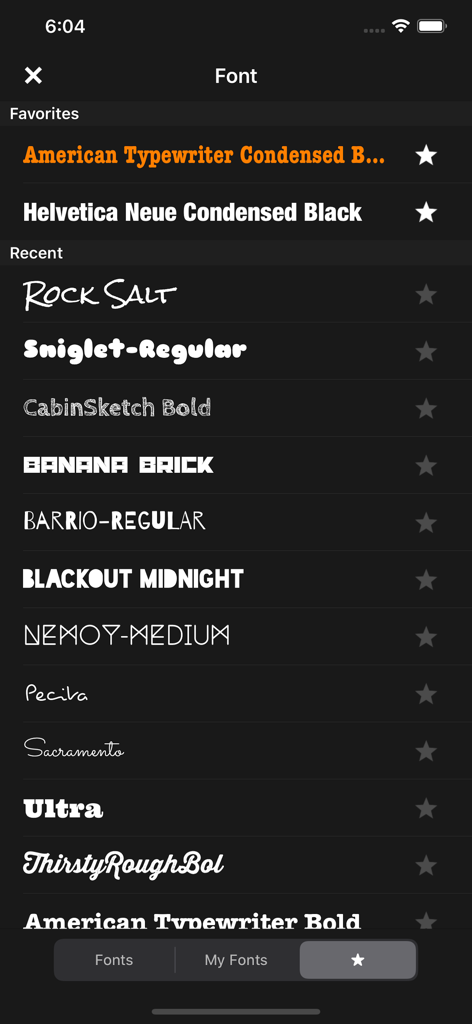
Font selection screen in Phonto app showing a list of favorite and recent typography styles

Font selection screen in Phonto app showing a list of favorite and recent typography styles

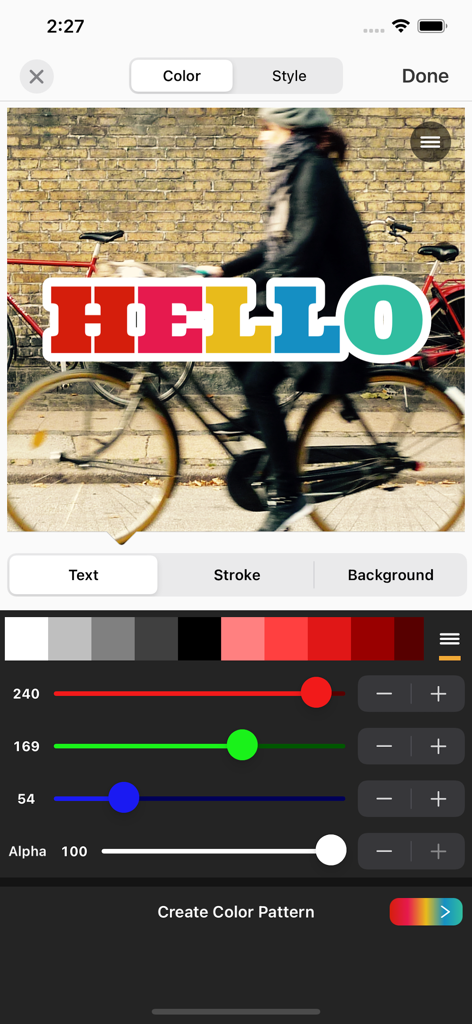
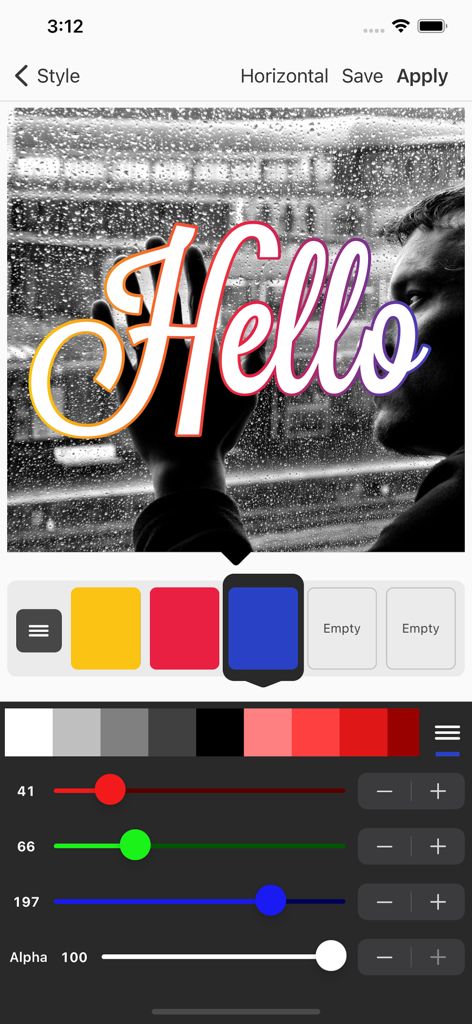
Phonto app interface showing text color and stroke customization sliders for a colorful text overlay

Phonto app interface showing text color and stroke customization sliders for a colorful text overlay

Interface of Phonto app showing color and gradient sliders to style text on a photo

Interface of Phonto app showing color and gradient sliders to style text on a photo

Unleash Your Creative Signature

The tools that make this app stand out, trusted by 31M+ users.

🖋️

Unlimited Font Freedom

Choose from over 400 built-in styles or import your own custom font files to maintain your unique brand identity.

📐

Precision Typography Tools

Master your layout with pro-level controls for kerning, line spacing, curved text, and perspective for a desktop-quality finish.

Designed for Social Creators

Perfect for Instagram Stories, TikTok covers, and YouTube thumbnails—create professional overlays in seconds without the learning curve.

Loved by users worldwide

Trusted by 31M+ people who love this app.

"

"I’ve tried so many apps, but Phonto is the only one that gives me total creative freedom. Being able to install my own custom font files means my Instagram Stories always match my personal brand perfectly. It’s simple, fast, and the curved text tool is a total lifesaver for my aesthetic!"

Chloe Vance
"

"Phonto is a must-have for my Etsy shop marketing. I can add high-quality text, play with color gradients, and adjust the stroke to make my product photos pop. It is like having a desktop typography suite right on my iPhone without any of the monthly subscription costs."

Jordan Miller

About the app

Everything you need to know about Phonto - Text on Photos.

Description

Phonto is a simple app that allows you to add text to pictures. ・ More than 400 fonts are available. ・ You can install other fonts. ・ Text size is changeable. ・ Text color is changeable. ・ Text gradient is changeable. ・ Text's stroke color is changeable. ・ Text's shadow color is changeable. ・ Text's background color is changeable. ・ Text is rotatable. ・ Text kerning is changeable. ・ Line spacing is changeable. ・ Curved text. ・ Perspective text. ・ Parts of text are erasable. ・ Image theme is changeable. ・ Items (Balloon, Rectangle, Star, Heart) are available. ・ Background image is changeable. ・ You can use not only pictures, but also plain images to write text. ・ You can share photos on Facebook, Twitter, and Instagram. ・ URL scheme: phonto:// Try Vont app, if you want to add text to videos. Vont is a free app that is available on the App Store. -------------------------------- LANGUAGE -------------------------------- Phonto supports only English (US), Chinese and Japanese, so when the priority of Chinese (or Japanese) in your setting was higher than English, Phonto would be launched as Chinese (or Japanese) mode. To solve this problem… 1. Open the Settings app. 2. Choose 'English' in 'General' > 'Language & Region' > 'iPhone Language'. 3. Turn back your 'iPhone Language' to your favorite language. -------------------------------- HOW TO INSTALL FONTS -------------------------------- Using iTunes, you can copy font files between your computer and Phonto on your iOS device. 1. Select your iOS device from the Devices section of iTunes. 2. Click the Apps tab and scroll down to the bottom of the page. 3. Select "Phonto" in the "File Sharing" section. 4. Drag and drop .ttf or .otf font files into "Documents". 5. Restart Phonto. More detail about how to install fonts. https://phon.to/install_fonts Twitter: @phontograph Tumblr: http://phontogra.ph https://phon.to We obtained new URL which links to Phonto on the App Store. We appreciate if you introduce Phonto to your friends.

Latest Version

4.9.49

Size

65.8 MB

First Released

May 24, 2011

Ready to Claim Your Aesthetic?

Join over 31 million creators using Phonto to transform their photos with unlimited fonts and professional typography tools.

Download on App Store
FAQ

Frequently Asked Questions

Everything you need to know about Phonto - Text on Photos

What is Phonto - Text on Photos?

Phonto is a simple application designed to add custom text to pictures. It offers over 400 fonts, comprehensive text styling, and features like curved or perspective text, allowing creative photo enhancements.

How do I install custom fonts in Phonto?

Yes, you can install custom fonts in Phonto. Copy .ttf or .otf font files into the app's "File Sharing" section via iTunes. After transferring, restart Phonto to access the new fonts under "My Fonts."

How many built-in fonts does Phonto offer?

Phonto offers more than 400 built-in fonts for users to choose from. Additionally, the app provides the capability to install and use external custom fonts for broader design options.

Can Phonto change text color and apply gradients?

Yes, Phonto allows comprehensive text color customization. Users can change text color, apply gradients, modify stroke color, and adjust the text's background color for diverse visual effects.

Does Phonto support curved text effects?

Yes, Phonto supports creating curved text. It also includes features for perspective text, rotation, kerning adjustments, and line spacing to fully customize text appearance on images.

What user interface languages does Phonto support?

Phonto supports English (US), Chinese, and Japanese. The application's display language automatically adjusts based on the device's regional language settings, with priority given to certain languages.

Can I share Phonto creations directly to social media?

Yes, Phonto allows direct sharing of your edited photos. You can easily share your text-enhanced pictures to popular social media platforms like Facebook, Twitter, and Instagram.

Can Phonto add text to blank images?

Yes, Phonto can add text to both pictures and plain, blank images. This flexibility enables users to create text-based graphics without requiring an existing photograph as a background.