Playlisty for Apple Music

Playlisty for Apple Music

Download on App Store
Spark by MWM logo
Logo of Playlisty for Apple Music
Playlisty for Apple Music: The Pro Tool for Perfect Playlist Transfers

Switch from Spotify or YouTube with pinpoint accuracy and zero monthly fees. Join 290,000+ users who demand total control over their music library and high-quality metadata.

Publisher

Obdura Ltd

Category

Music

Downloads

290K+

User Rating

4.8/5

Total Ratings

1K+

Locales

1

See the Precision

Discover the interface used by 290K+ users.
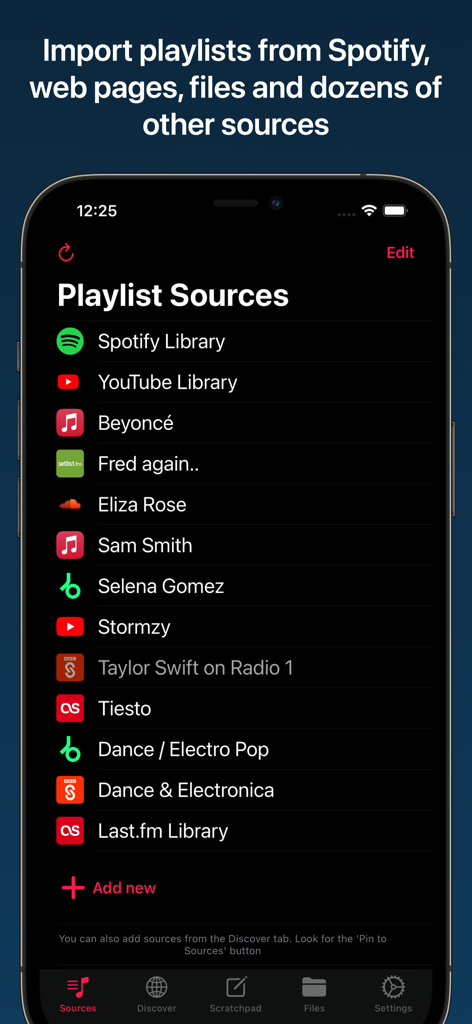
Interface of the Playlisty app showing a list of playlist sources including Spotify and YouTube for importing to Apple Music.

Interface of the Playlisty app showing a list of playlist sources including Spotify and YouTube for importing to Apple Music.

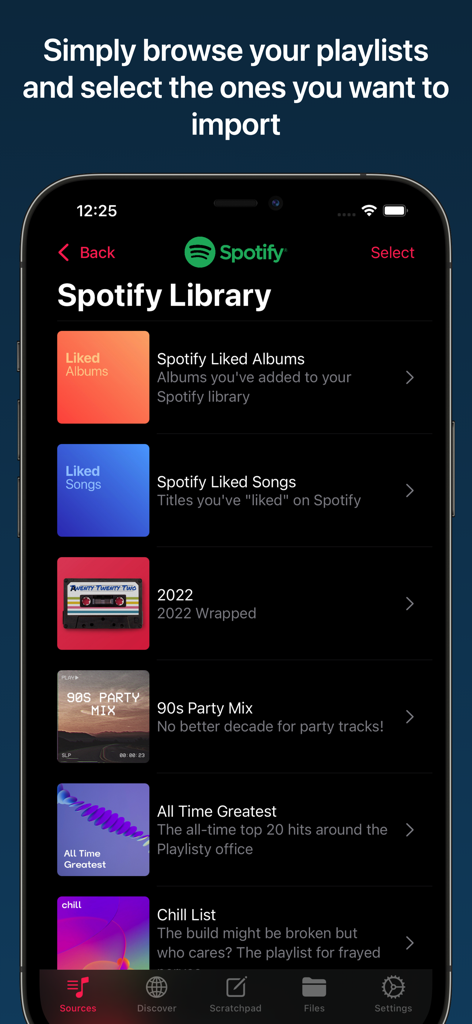
A mobile interface showing a list of Spotify playlists ready to be imported into Apple Music.

A mobile interface showing a list of Spotify playlists ready to be imported into Apple Music.

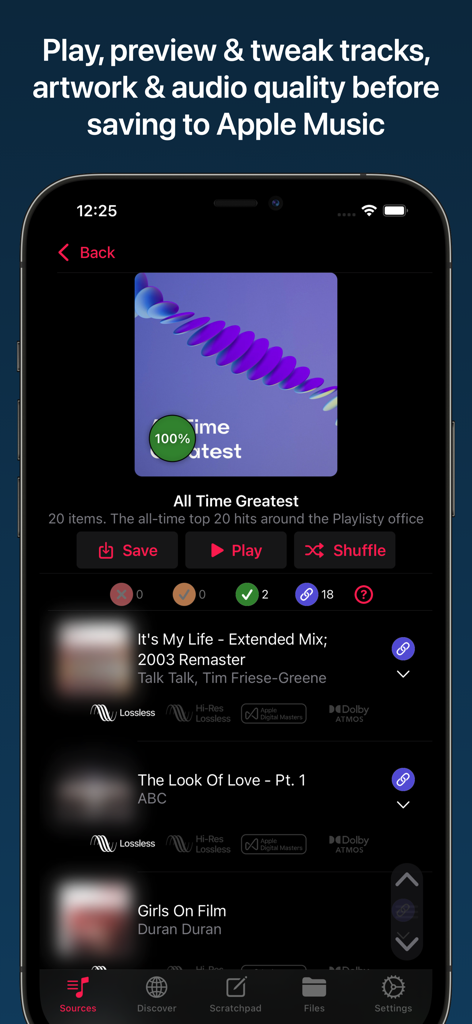
Previewing tracks and audio quality in Playlisty for Apple Music.

Previewing tracks and audio quality in Playlisty for Apple Music.

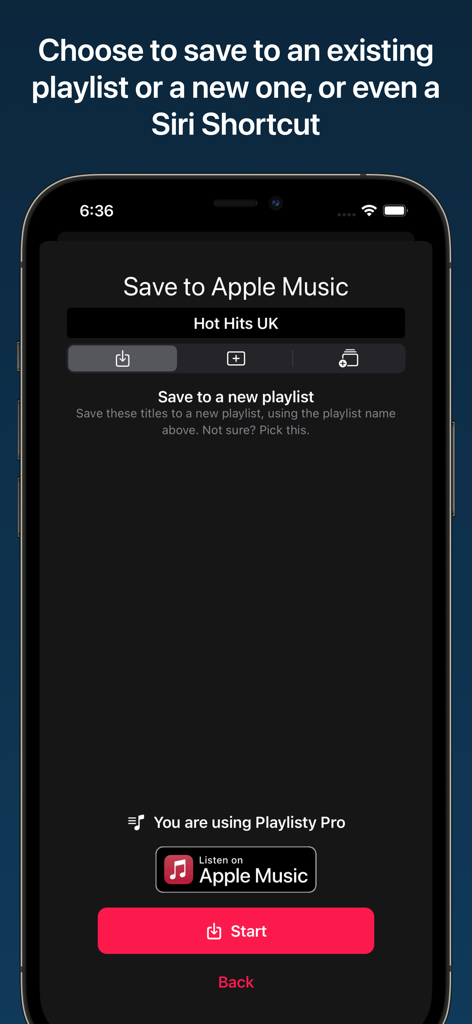
Screenshot showing the Playlisty app interface for saving a playlist to Apple Music or a Siri Shortcut.

Screenshot showing the Playlisty app interface for saving a playlist to Apple Music or a Siri Shortcut.

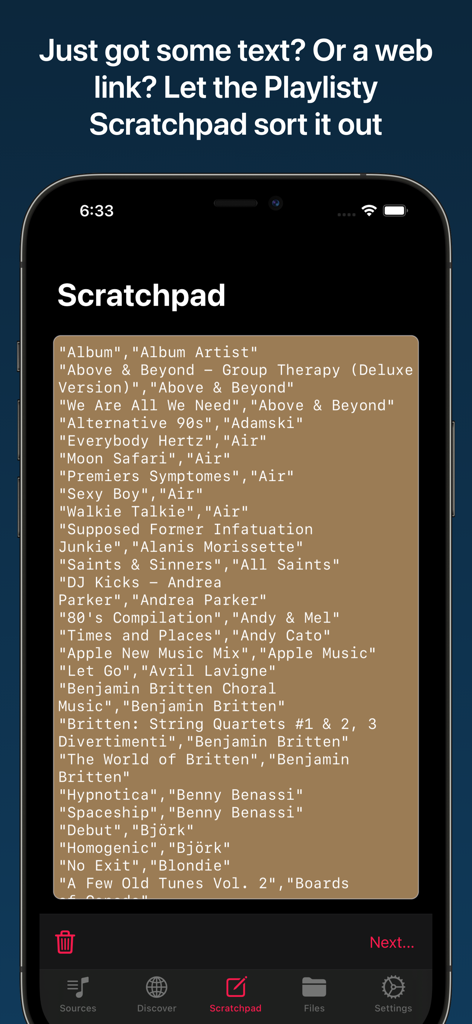
A smartphone screen showing the Playlisty Scratchpad feature used to import text or web links into Apple Music playlists.

A smartphone screen showing the Playlisty Scratchpad feature used to import text or web links into Apple Music playlists.

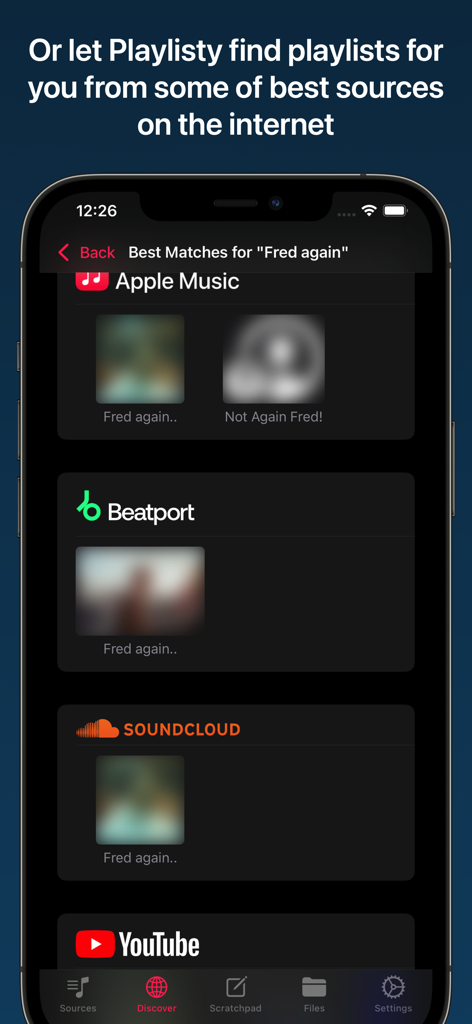
Playlisty app showing playlist search results from multiple sources like SoundCloud, YouTube, and Beatport for artist Fred again.

Playlisty app showing playlist search results from multiple sources like SoundCloud, YouTube, and Beatport for artist Fred again.

Master Your Music Migration

The tools that make this app stand out, trusted by 290K+ users.

šŸŽÆ

Unmatched Matching Precision

Review and amend matches before saving. Ensure every track in your library has the highest audio quality and correct metadata every time.

šŸ’Ž

No Monthly Subscriptions

Experience professional-grade tools with a simple one-off fee. Unlock unlimited transfers and Pro features without adding another recurring cost to your bill.

⚔

Smart Workflow Automation

Sync playlists in the background with Siri Shortcuts and instantly convert Spotify links from your clipboard using our unique Scratchpad tool.

Loved by users worldwide

Trusted by 290K+ people who love this app.

"

"I finally made the switch from Spotify to Apple Music for the Lossless audio, but I was terrified of losing a decade of curated playlists. Playlisty moved over 5,000 songs with incredible accuracy and even let me fix a few matches before saving. The best part? No monthly subscription—just a simple one-time fee to unlock everything. It is easily the most reliable utility on my iPhone."

Mark Thompson, Creative Director
"

"As someone who spends hours on music blogs and Reddit, the scratchpad feature is a total game-changer. I just copy a Spotify link from a friend, and Playlisty instantly finds the high-quality version in my library. I have even set up Siri Shortcuts to sync my favorite YouTube curators in the background automatically. It is the perfect tool for power users who want total control over their music."

Sarah Jenkins, Freelance Designer

About the app

Everything you need to know about Playlisty for Apple Music.

Description

Don't put up with bad matches and missing tracks - use the tool that gives you control over your playlist transfers. Important: You'll need a current Apple Music subscription to use "Playlisty for Apple Music". • Copy all of your Spotify playlists, liked songs, albums and artists to Apple Music in just a few taps • Fast & accurate, finds the Apple Music tracks with the best audio quality & artwork • NO SUBSCRIPTION – just a small one-off fee to unlock ā€œProā€ features¹ • Lets you preview & amend matched playlists before saving results to Apple Music • Unique "direct play" feature - browse and play playlists without having to save them • Been sent a link to a Spotify playlist, track or album? Playlisty's unique "scratchpad" will convert it to Apple Music • Back-up your Apple Music playlists & songs to a file to keep them safe • Copy your library playlists, including your liked songs, from multiple other services such as YouTube • Use Siri Shortcuts to automatically sync playlists in the background • Discover new curators, artists & genres on some of the world's best music sites • Import or copy/paste playlists from hundreds of different file formats & web-pages Please note that Playlisty for Apple Music transfers playlists *into* Apple Music, not out. If you are looking to transfer playlists from Apple Music to Spotify please look at our other app: Playlisty for Spotify (https://apps.apple.com/us/app/playlisty-for-spotify/id6478105775) which goes the other way. ¹ The free version of Playlisty allows you to import an unlimited number of playlists, but playlists from certain sources (e.g. Spotify & YouTube) are capped at 20 tracks. Our low-cost "Pro" upgrade unlocks a number of additional features including playlists of unlimited length regardless of source.

Latest Version

3.35

Size

26.8 MB

First Released

Nov 28, 2019

Ready to Perfect Your Apple Music Library?

Join 290,000+ power users who refuse to settle for bad matches. Move your playlists with total precision and enjoy a lifetime Pro upgrade—no monthly subscriptions required.

Download on App Store