Pocket Casts: Podcast Player

Pocket Casts: Podcast Player

Download on App StoreDownload on Google Play
Spark by MWM logo
Logo of Pocket Casts: Podcast Player

Pocket Casts: The World's Most Powerful Podcast Player

Built for the power listener. Take total control of your audio experience with smart organization, time-saving playback tools, and seamless sync across every device.

Publisher

Automattic, Inc.

Category

News

Downloads

1M+

User Rating

4.4/5

Total Ratings

31K+

Locales

13

Precision in Every Pixel

Discover the interface used by 1M+ users.

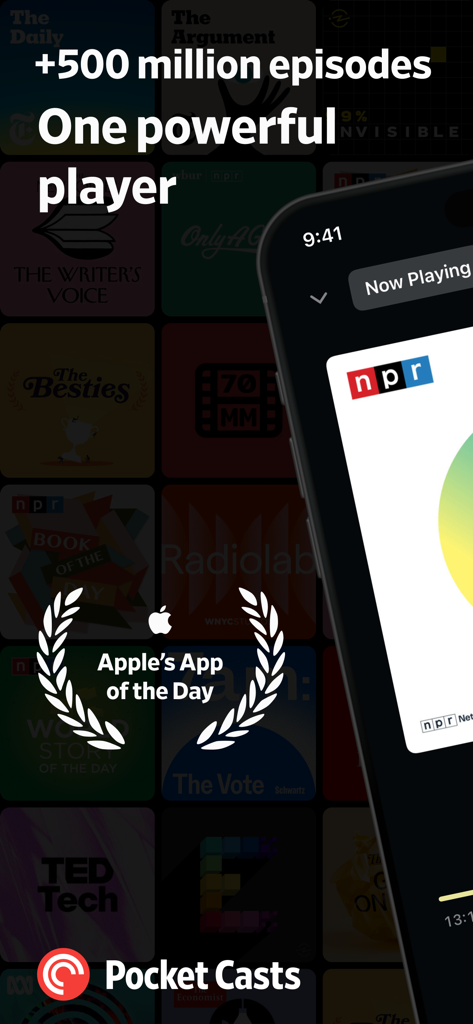
Pocket Casts podcast player app screen showing a library of podcasts and an Apple App of the Day award badge

Pocket Casts podcast player app screen showing a library of podcasts and an Apple App of the Day award badge

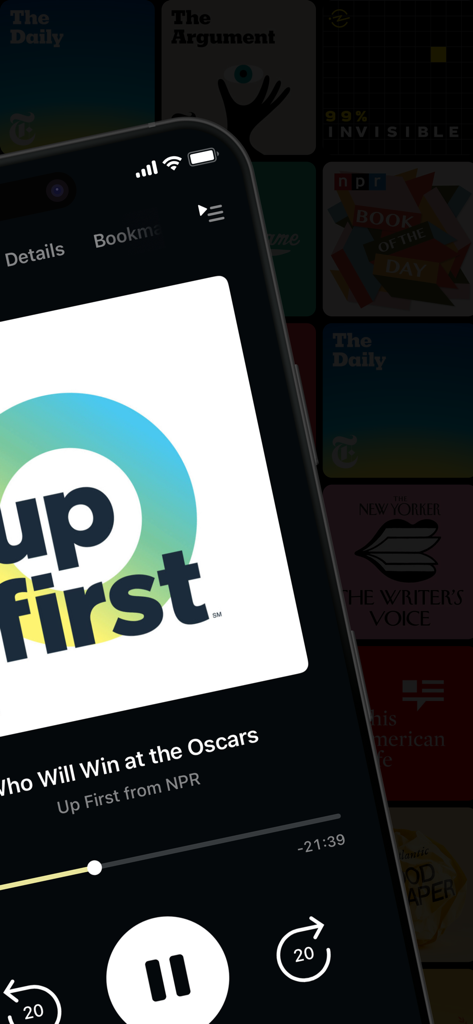
Pocket Casts app showing the now playing screen for NPR Up First podcast in dark mode

Pocket Casts app showing the now playing screen for NPR Up First podcast in dark mode

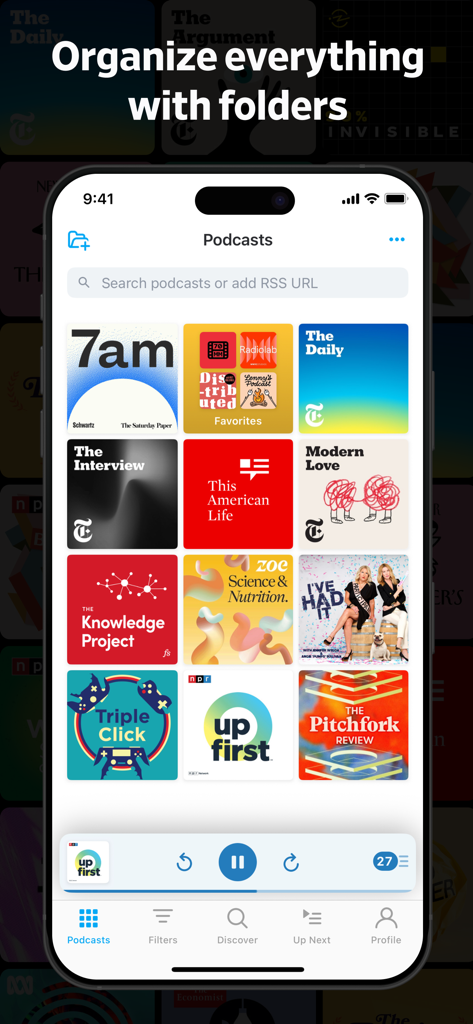
Pocket Casts app interface showing a grid of podcasts with a specific folder for organization

Pocket Casts app interface showing a grid of podcasts with a specific folder for organization

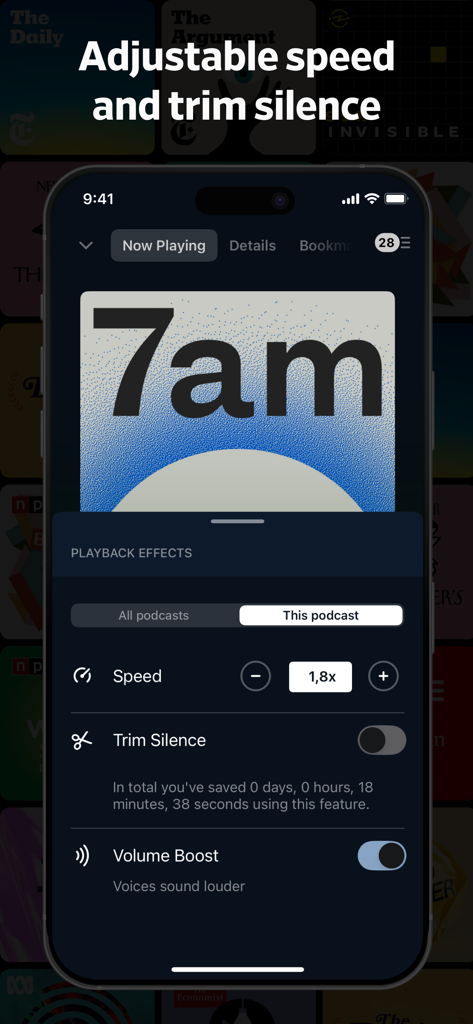
Pocket Casts app playback effects screen showing adjustable 1.8x speed and trim silence settings.

Pocket Casts app playback effects screen showing adjustable 1.8x speed and trim silence settings.

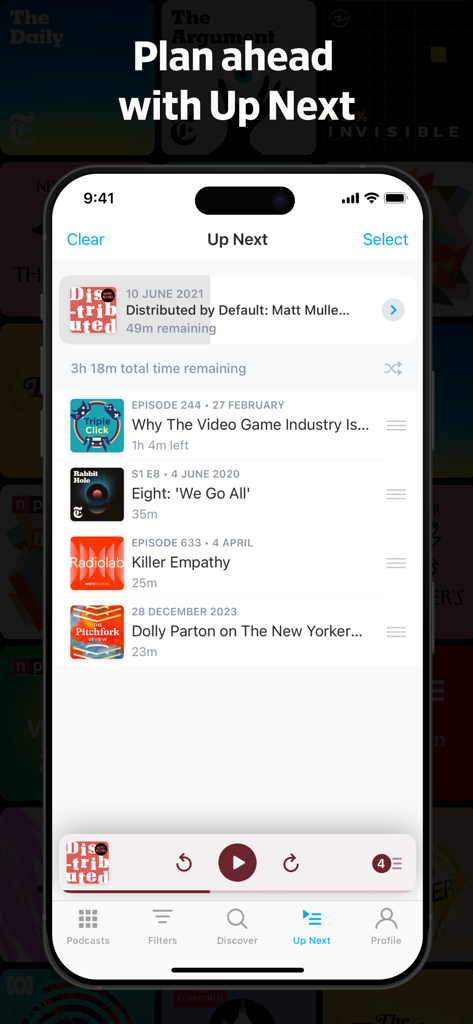
Pocket Casts Up Next podcast queue showing multiple episodes and total time remaining

Pocket Casts Up Next podcast queue showing multiple episodes and total time remaining

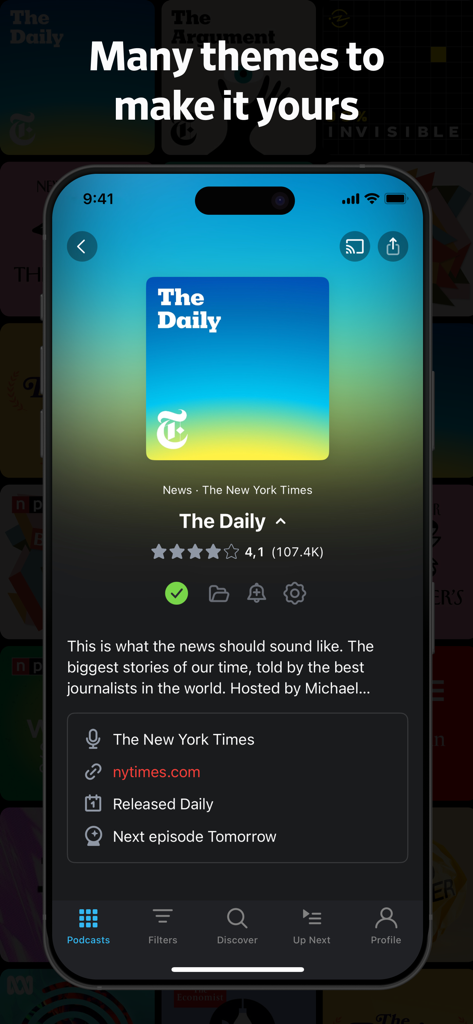
Pocket Casts app interface displaying The Daily podcast with a colorful theme

Pocket Casts app interface displaying The Daily podcast with a colorful theme

Logos of major media outlets like Wired and The Verge that have featured Pocket Casts

Logos of major media outlets like Wired and The Verge that have featured Pocket Casts

The Ultimate Toolkit for the Power Listener

The tools that make this app stand out, trusted by 1M+ users.

Reclaim Your Time

Eliminate dead air with Trim Silence and use variable playback speeds to consume your favorite shows up to 3x faster.

🤖

Automated Curation

Build Smart Playlists that automatically organize episodes based on your custom rules, keeping your morning news and tech deep-dives perfectly separated.

🔄

Limitless Syncing

Pick up exactly where you left off. Your queue, filters, and listening history sync instantly across your iPhone, Apple Watch, and CarPlay.

Loved by users worldwide

Trusted by 1M+ people who love this app.

"

"As a busy consultant, time is everything. Pocket Casts' Trim Silence feature has literally saved me hours every week, and the seamless CarPlay integration makes my commute the most productive part of my day."

Sarah J., Senior Project Manager
"

"The organization in this app is unmatched. I manage over 100 subscriptions using Smart Playlists, and the sync across my iPhone, Web, and Sonos is flawless. It's the ultimate tool for power listeners."

Marcus T., Software Developer

About the app

Everything you need to know about Pocket Casts: Podcast Player.

Description

Pocket Casts is the world's most powerful podcast platform, an app by listeners, for listeners. Our podcast player provides next-level listening, search and discovery tools. Find your next obsession with our hand-curated podcast recommendations for easy discovery, and seamlessly enjoy your favorite shows without the hassle of subscribing. Here's what the press has to say: • Wired: "Pocket Casts Is the Podcast App Every iPhone User Needs" • iMore: "Pocket Casts is the best podcast app for iPhone" NEW: PLAYLISTS Your listening, your way. Organize your episodes with our powerful new Playlists feature: - Playlists: Curate your perfect mix. Combine episodes from different podcasts, build collections around specific themes or guests, and even add episodes from podcasts you don't follow. - Smart Playlists: We’ve upgraded our famous Filters. Build lists that automatically update based on rules you set, like release date, duration, or download status. With a unique set of simple yet powerful features and a limitless podcast database, you're sure to find something you love. WE SWEAT THE DETAILS • Design: Easily listen to, manage and find new podcasts. • Themes: Whether you're a dark or light theme person we've got you covered. We even have you OLED lovers covered with our Extra Dark theme. • Universal: Custom but familiar iPad interface, supporting Slide Over, Split View and Picture in Picture. • Everywhere: CarPlay, AirPlay, Chromecast and Sonos. Listen to your podcasts in more places than ever before. POWERFUL PLAYBACK • Up next: Automatically build a playback queue from your favorite shows. Sign in and have that Up Next queue sync to all your devices. • Trim silence: Cut silences from episodes so you finish them faster, saving hours. • Variable speed: Change the play speed from anywhere between 0.5 to 3x. • Volume boost: Increase the volume of voices, while decreasing background noise. • Stream: Play episodes on the fly. • Chapters: Jump between chapters easily, and enjoy embedded artwork that the author has added (we support MP3 and M4A chapter formats). • Audio & video: Play all of your favorite episodes, toggle video to audio. • Skip playback: Skip episode intros, jump through episodes with custom skip intervals. • Apple Watch: Control playback from our Apple Watch app, adjust the volume or change playback effects, all without ever touching your phone. • Sleep timer: We'll pause your episode so you can rest your weary head. • Airplay & Chromecast: Send episodes straight to your TV or speakers with a single tap. • Sonos: Browse and play your podcast collection directly from the Sonos app. • CarPlay: When you're in the car, so are we. SMART TOOLS • Sync: Subscriptions, Up Next, listening history, playback and filters are all securely stored in the cloud. You can pick up where you left off on another device and even the web. • Refresh: Let our servers check for new episodes, so you can get on with your day. • Notifications: We'll let you know when new episodes arrive, if you like. • Auto download: Automatically download episodes for offline playback. • Smart Playlists: Organize your episodes using custom rules. • Storage: All the tools you need to keep your podcasts tamed. • Audible audiobooks podcasts. ALL YOUR FAVORITES • Discover: Subscribe to any podcast in iTunes and more. Browse by charts, networks and categories. • Share: Spread the word with podcast and episode sharing. • OPML: Jump on board without any hassle with OPML import. Export your collection at any time. There are many more powerful, straight-forward features that make Pocket Casts the perfect podcasting app for you. So what are you waiting for? Visit pocketcasts.com for more info about the web and other platforms supported by Pocket Casts.

Latest Version

8.2.1

Size

146.5 MB

First Released

Jan 26, 2011

Ready to Master Your Podcast Feed?

Join the power listeners who reclaim their time with Trim Silence and Smart Playlists. Download the world's most powerful podcast player and sync your library across all your devices today.

Download on App StoreDownload on Google Play
FAQ

Frequently Asked Questions

Everything you need to know about Pocket Casts: Podcast Player

What is Pocket Casts?

Pocket Casts is a powerful podcast platform designed by listeners, offering advanced listening, search, and discovery tools. It provides hand-curated recommendations and seamless playback for your favorite shows.

Does Pocket Casts support customized listening queues?

Yes, Pocket Casts offers an "Up Next" feature that automatically builds a playback queue from your favorite shows. This queue syncs across all your devices when signed in.

Can I adjust playback speed in the Pocket Casts app?

Yes, Pocket Casts allows users to change playback speed from 0.5x up to 3x. This feature is available in the 'Playback Effects' menu within the app.

Does Pocket Casts offer a silence trimming feature?

Yes, Pocket Casts includes a "Trim silence" feature that automatically cuts silent sections from episodes. This helps users finish episodes faster and save listening time.

Can I use Pocket Casts on multiple devices?

Yes, Pocket Casts offers cloud sync for subscriptions, 'Up Next' queues, listening history, playback progress, and filters. This allows users to pick up listening exactly where they left off on any device.

Does Pocket Casts have dark mode or other themes?

Yes, Pocket Casts offers multiple themes including dark, light, and an "Extra Dark" theme specifically designed for OLED screens, allowing users to personalize their interface.

How does Pocket Casts help with podcast organization?

Pocket Casts provides a powerful new Playlists feature to curate episodes, combine them from different podcasts, and build collections. It also offers Smart Playlists that automatically update based on user-defined rules.

Is Pocket Casts compatible with Apple Watch?

Yes, Pocket Casts features an Apple Watch app. Users can control playback, adjust volume, and change playback effects directly from their Apple Watch without needing their phone.

Can I play podcasts offline with Pocket Casts?

Yes, Pocket Casts supports automatic episode downloads for offline playback. This feature ensures users can listen to their podcasts without an internet connection.

Does Pocket Casts integrate with car systems?

Yes, Pocket Casts supports CarPlay, allowing users to listen to their podcasts directly through their car's infotainment system while driving.

Can Pocket Casts boost volume for voices?

Yes, Pocket Casts includes a "Volume boost" feature. It increases the volume of voices while simultaneously decreasing background noise for clearer listening.

Has Pocket Casts been recognized by Apple?

Yes, Pocket Casts was honored as "Apple's App of the Day." This recognition highlights its quality and user experience.

How many episodes are available on Pocket Casts?

Pocket Casts provides access to over 500 million podcast episodes. This vast library ensures users can discover and enjoy a wide range of content.

Can I transfer my existing podcast subscriptions to Pocket Casts?

Yes, Pocket Casts supports OPML import, allowing users to easily transfer their existing podcast subscriptions without hassle. You can also export your collection at any time.

Does Pocket Casts support video podcasts?

Yes, Pocket Casts allows users to play both audio and video episodes. The app also provides the option to toggle video playback to audio.

Can I skip intros in Pocket Casts?

Yes, Pocket Casts offers a "Skip playback" feature. This allows users to skip episode intros and jump through episodes using custom skip intervals.

Does Pocket Casts allow me to build themed podcast collections?

Yes, Pocket Casts' Playlists feature enables users to combine episodes from different podcasts and build collections around specific themes or guests, even for podcasts they don't follow.