Post-it®

Post-it®

Download on App StoreDownload on Google Play
Spark by MWM logo
Logo of Post-it®

Post-it®: Bridge the Gap Between Analog Inspiration and Digital Execution

Capture physical notes instantly, transcribe handwriting with AI, and seamlessly export your brainstorms to Trello, Miro, and the tools your team uses every day.

Publisher

3M Company

Category

Productivity

Downloads

3M+

User Rating

4.7/5

Total Ratings

16K+

Locales

4

Your Vision in Action

Discover the interface used by 3M+ users.
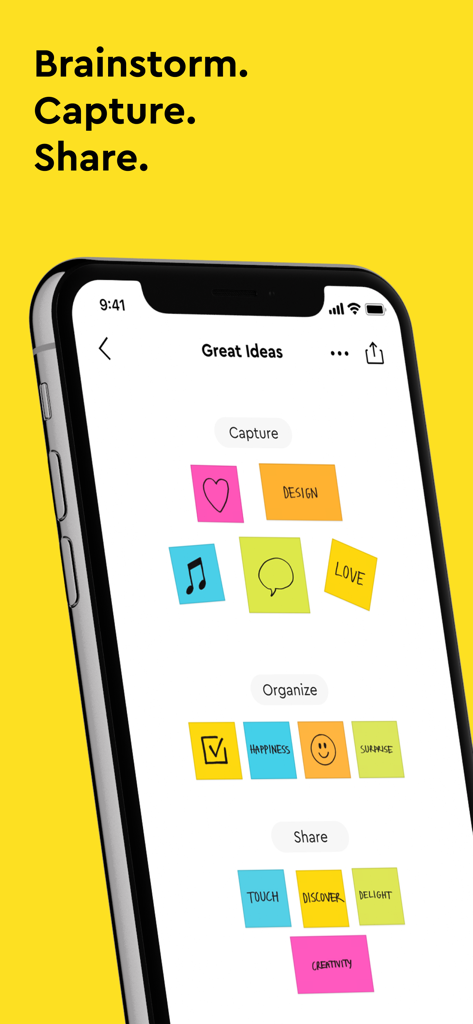
Post-it app on an iPhone displaying digital sticky notes for brainstorming and organization

Post-it app on an iPhone displaying digital sticky notes for brainstorming and organization

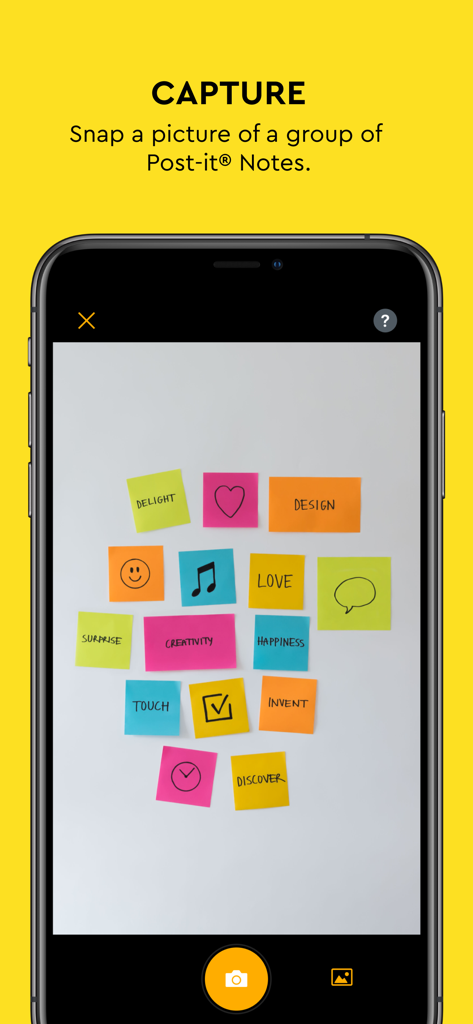
Smartphone screen showing the capture feature of the Post-it app to digitize multiple sticky notes at once

Smartphone screen showing the capture feature of the Post-it app to digitize multiple sticky notes at once

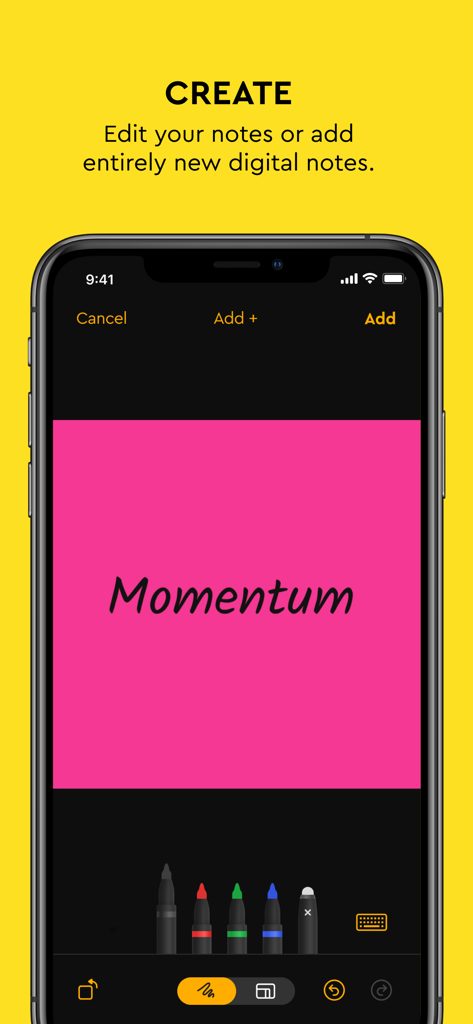
Post-it app interface for creating a digital note with handwriting and color selection tools

Post-it app interface for creating a digital note with handwriting and color selection tools

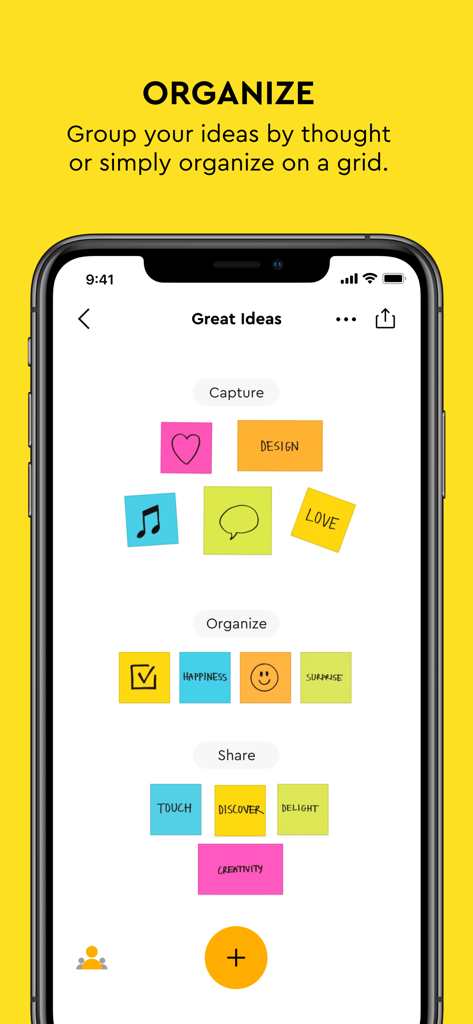
A smartphone screen displaying the Post-it app with colorful digital notes organized into groups.

A smartphone screen displaying the Post-it app with colorful digital notes organized into groups.

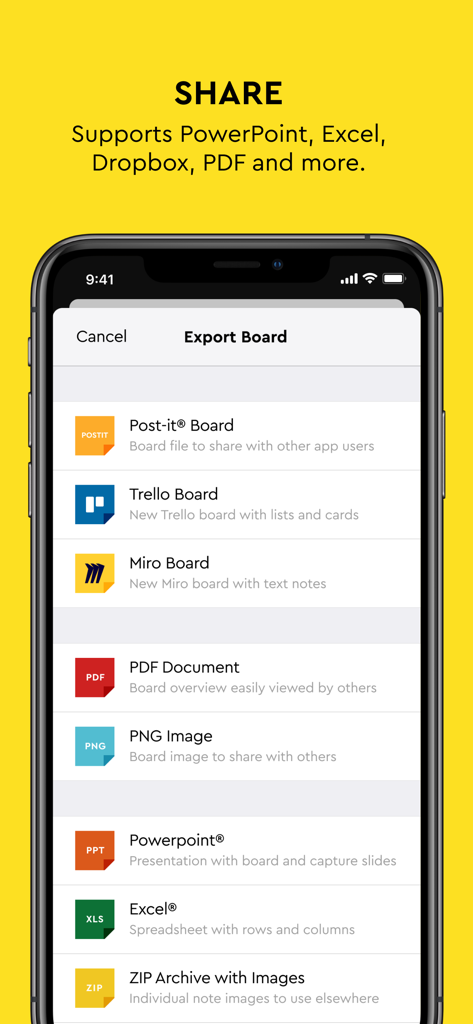
Screenshot of the Post-it app Export Board screen showing sharing options for Trello, Miro, PDF, PowerPoint, and Excel.

Screenshot of the Post-it app Export Board screen showing sharing options for Trello, Miro, PDF, PowerPoint, and Excel.

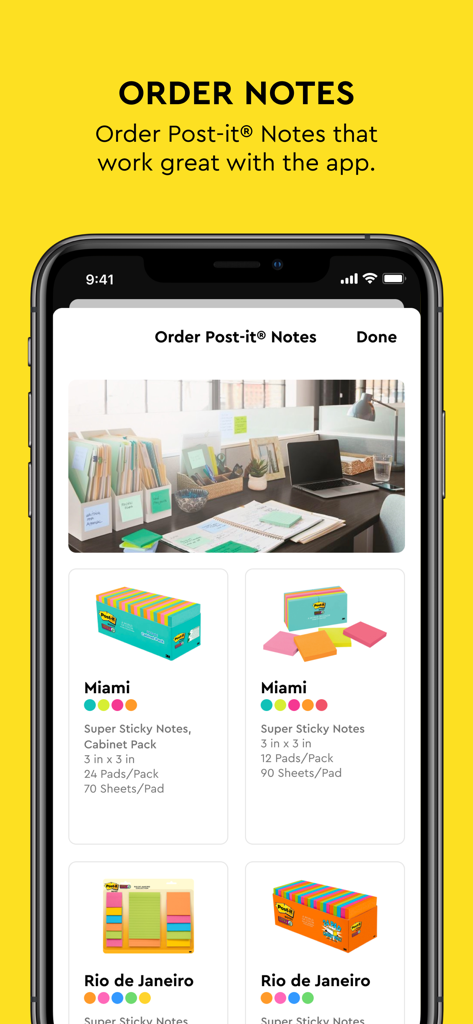
Screenshot of the Post-it App showing the in-app store to order physical sticky notes like the Miami and Rio de Janeiro collections

Screenshot of the Post-it App showing the in-app store to order physical sticky notes like the Miami and Rio de Janeiro collections

Maximize Your Brainstorming Potential

The tools that make this app stand out, trusted by 3M+ users.

Lightning-Fast Bulk Capture

Digitize up to 200 notes instantly with your camera. Our advanced handwriting recognition turns your scribbles into searchable, editable digital text.

🔄

Seamless Tool Integration

Eliminate manual transcription. Export your boards directly to Miro, Trello, Excel, or PowerPoint to keep your team moving forward.

☁️

Sync Across Your Ecosystem

Access your ideas on iPhone, iPad, and Mac via iCloud. Use home screen widgets to keep your most vital tasks visible at a single glance.

Loved by users worldwide

Trusted by 3M+ people who love this app.

"

"The Post-it® app has completely transformed my workflow. I can brainstorm on my physical wall and then instantly digitize over 100 notes at once to share with my design team on Miro. It is the perfect bridge between my tactile creativity and our digital project management tools."

Marcus J., Creative Director
"

"I use this app for all my college assignments and study groups. Being able to transcribe my handwritten notes automatically and search through them on my Mac is a lifesaver. The home screen widget also keeps my most important reminders right in front of me all day."

Elena R., University Student

About the app

Everything you need to know about Post-it®.

Description

Use Post-it® Notes anywhere and anytime. Post-it® App brings the simplicity of Post-it® Notes to your iPhone, iPad and Mac. Whether you use Post-it® Notes for teamwork and collaboration, or for reminders and personal note taking, Post-it® App helps you keep the momentum going. If you work from home or as a student in remote learning, use the Post-it® App to share your ideas with co-workers, structure your assignments and share them with your teacher, or create colorful calendars and share them with your friends. Simply capture analog notes with your camera or create digital notes right on your device. Arrange, refine and organize ideas anyway you see fit. Collaborate and share notes with co-workers, teachers and friends, or export to your favorite apps and cloud services—including Miro, Trello, Dropbox, iCloud, PowerPoint, Excel, PDF, and more. Post-it® App features: • Connect and share ideas from anywhere with co-workers and friends, whether it be a workshop, a brainstorm or you simply want to share notes with each other. • Capture more than 200 Post-it® Notes at a time with your camera. All our popular note sizes are supported. • Transcribe your notes automatically using Handwriting Recognition. Great for search and exports. • Draw, erase, type and change the color of your notes using powerful editing tools. • Organize your way—group your ideas by thought or simply organize on a grid. • Share to your favorite formats and cloud services to continue working on your ideas digitally—supports Miro, Trello, Dropbox, PowerPoint, Excel, PDF, and more. • Use our widget to put your most important notes directly on your home screen. • Keep your notes and boards in sync across all your Apple devices with iCloud. You can capture Post-it® Notes with your iPhone and edit the board on your Mac before you share with your team. Learn more about Post-it® App at post-it.com/app

Latest Version

5.3.7

Size

49.8 MB

First Released

Sep 25, 2014

Take Your Ideas from the Wall to the Cloud

Join millions of visual thinkers using the Post-it® App to capture, transcribe, and sync brainstorms instantly. Start turning your physical notes into digital action today.

Download on App StoreDownload on Google Play
FAQ

Frequently Asked Questions

Everything you need to know about Post-it®

What is the Post-it® App?

The Post-it® App brings the simplicity of Post-it® Notes to iPhone, iPad, and Mac. It supports teamwork, collaboration, reminders, and personal note-taking, helping users to keep momentum going.

How does the Post-it® App help with remote work or learning?

The Post-it® App assists remote workers and students by enabling them to share ideas with co-workers, structure assignments for teachers, or create colorful calendars for friends.

Can I capture analog Post-it® Notes with the Post-it® App?

Yes, the Post-it® App allows users to capture analog notes using their device's camera. It supports capturing more than 200 Post-it® Notes at one time, including all popular note sizes.

Does the Post-it® App support handwriting recognition?

Yes, the Post-it® App includes Handwriting Recognition, which automatically transcribes notes. This feature enhances search capabilities and simplifies exports of your digital notes.

What editing tools are available in the Post-it® App?

The Post-it® App provides powerful editing tools. Users can draw, erase, type text, and change the color of their digital notes to refine and customize their content.

Can I share notes from the Post-it® App with other applications?

Yes, the Post-it® App allows users to share ideas to various apps and cloud services. Supported platforms include Miro, Trello, Dropbox, PowerPoint, Excel, and PDF.

Is there a Post-it® App widget for the home screen?

Yes, the Post-it® App offers a widget. Users can place their most important Post-it® Notes directly onto their home screen for quick and convenient access.

Does the Post-it® App sync across Apple devices?

Yes, the Post-it® App keeps notes and boards in sync across all your Apple devices using iCloud. This allows seamless transitions, like capturing on an iPhone and editing on a Mac.

Can I create new digital notes directly in the Post-it® App?

Yes, users can create new digital notes directly on their device within the Post-it® App. They can also arrange, refine, and organize these ideas as needed.

Can I order physical Post-it® Notes through the Post-it® App?

Yes, the Post-it® App features an option to order physical Post-it® Notes. These notes are designed to work seamlessly with the app for enhanced productivity.