Project Aqua: Adobe for Kids

Project Aqua: Adobe for Kids

Download on App Store
Spark by MWM logo
Logo of Project Aqua: Adobe for Kids
Project Aqua: Adobe for Kids — Where Young Imaginations Become 3D Reality

Empower your child with the world's most trusted creative tools. A safe, ad-free space for ages 5–12 to master drawing, 3D design, and art fundamentals through AI-powered play.

Publisher

Adobe Labs, Inc.

Category

Education

Downloads

36K+

User Rating

4.8/5

Total Ratings

600

Locales

3

Where Art Comes Alive

Discover the interface used by 36K+ users.
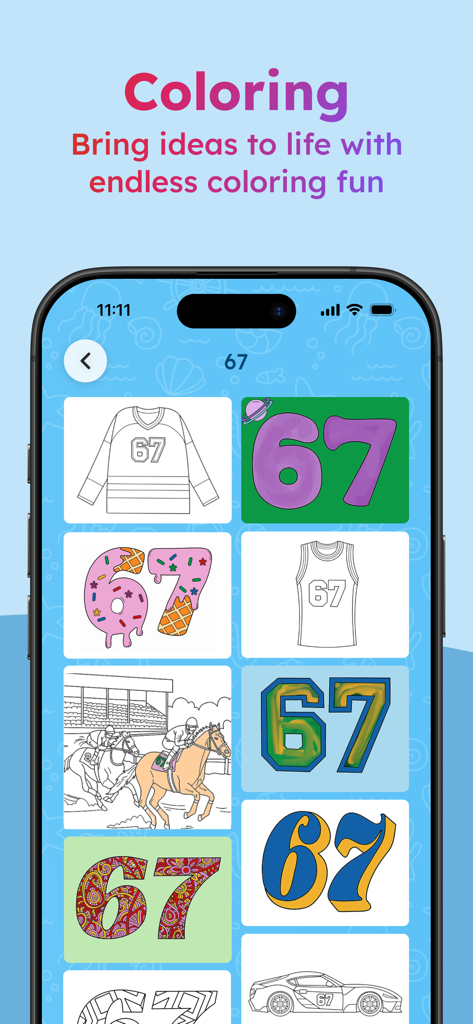
Coloring page selection screen showing various templates and designs in the Project Aqua app

Coloring page selection screen showing various templates and designs in the Project Aqua app

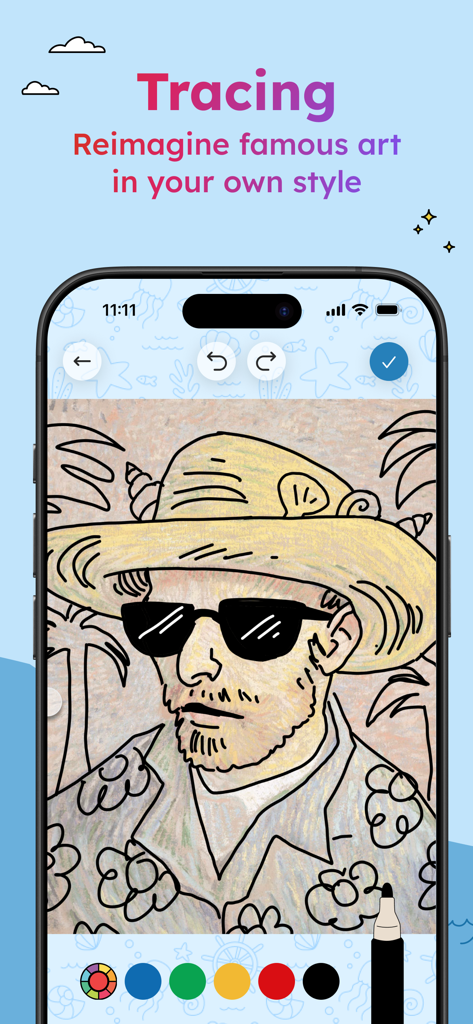
A digital drawing of a man with a hat and sunglasses in the tracing feature of the Project Aqua Adobe for Kids app.

A digital drawing of a man with a hat and sunglasses in the tracing feature of the Project Aqua Adobe for Kids app.

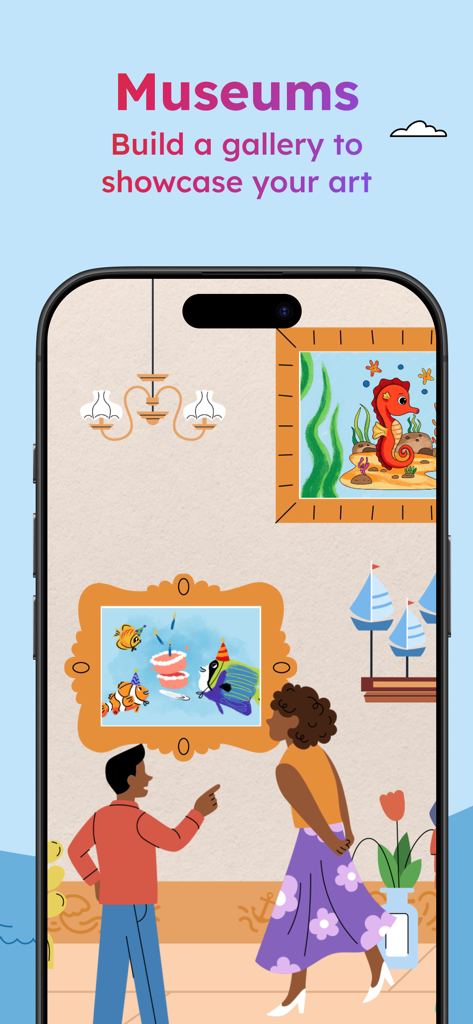
Digital art gallery showing kids drawings in the Adobe for Kids app

Digital art gallery showing kids drawings in the Adobe for Kids app

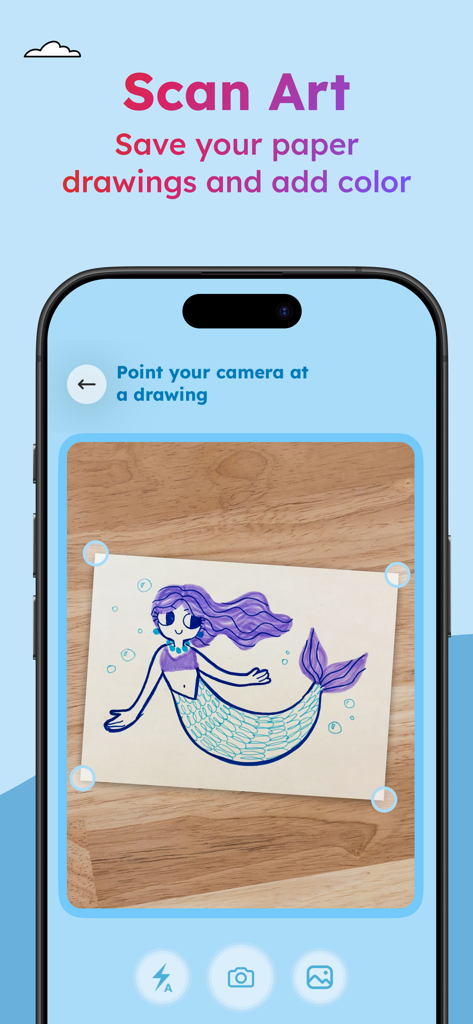
A childs mermaid drawing being scanned by a smartphone camera in the Project Aqua app

A childs mermaid drawing being scanned by a smartphone camera in the Project Aqua app

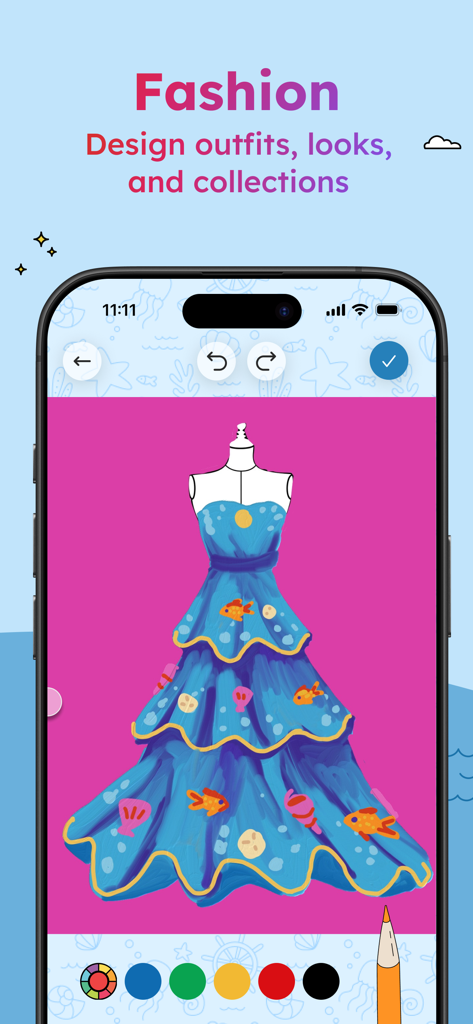
A digital fashion design of a blue tiered dress with fish and seashell patterns on a pink background within the Project Aqua app

A digital fashion design of a blue tiered dress with fish and seashell patterns on a pink background within the Project Aqua app

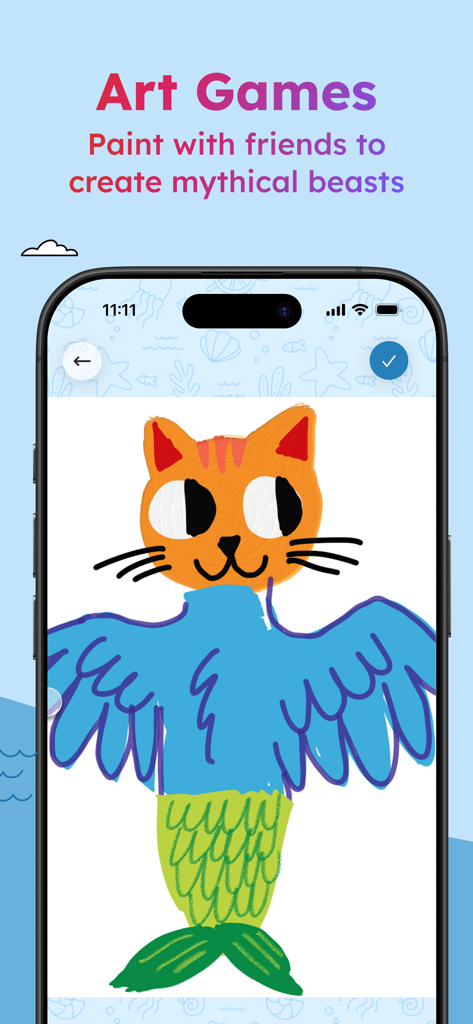
A colorful cat mermaid drawing in the Project Aqua Art Games app interface

A colorful cat mermaid drawing in the Project Aqua Art Games app interface

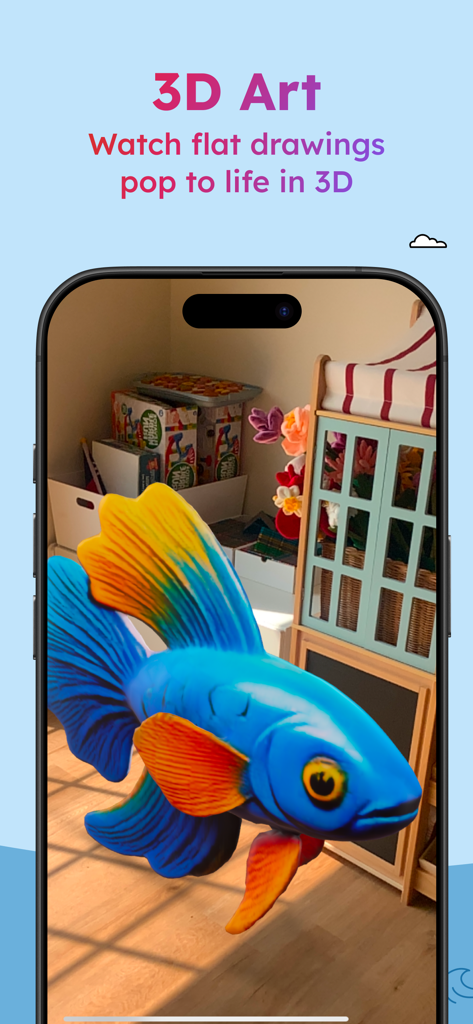
A blue and orange fish brought to life in 3D using augmented reality in the Project Aqua app.

A blue and orange fish brought to life in 3D using augmented reality in the Project Aqua app.

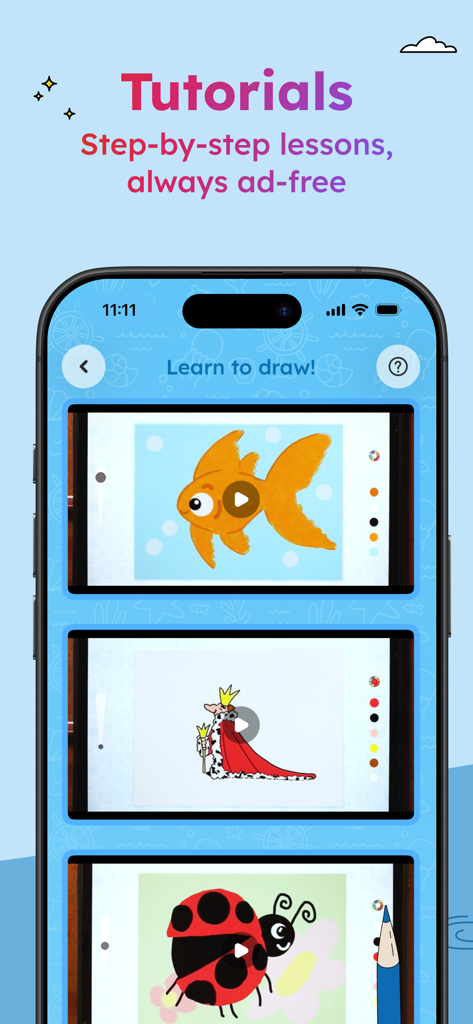
A mobile screen displaying ad-free step-by-step drawing lessons for children in the Project Aqua app.

A mobile screen displaying ad-free step-by-step drawing lessons for children in the Project Aqua app.

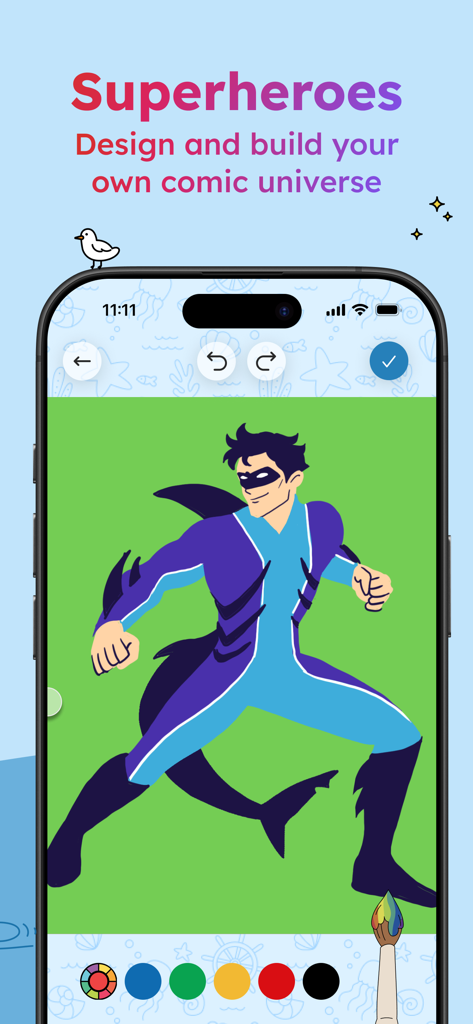
A child designing a shark themed superhero character in the Project Aqua Adobe for Kids app comic creator

A child designing a shark themed superhero character in the Project Aqua Adobe for Kids app comic creator

Empower Their Creative Journey

The tools that make this app stand out, trusted by 36K+ users.

🪄

Magic 3D & AR Creations

Watch drawings jump off the page! Transform 2D sketches into interactive 3D models and explore them in your living room using Adobe Firefly AI.

🎨

Master Professional Skills

Guided lessons from real illustrators teach design thinking, color theory, and composition through hands-on projects that grow with your child.

🛡️

Privacy-First Playground

Enjoy peace of mind with a completely ad-free, COPPA-compliant experience that works offline—keeping your child's data and focus secure.

Loved by users worldwide

Trusted by 36K+ people who love this app.

"

"As a creative professional who lives in Photoshop, I've been looking for a way to share my passion with my 8-year-old daughter. Project Aqua is exactly what we needed. It is a 'safe haven' for creativity without the annoying ads or predatory in-app purchases found in other kids' apps. Watching her turn a flat sketch into a 3D model using the AR feature was a magic moment for both of us. It's not just a game; it's a foundation for her future design skills."

Elena Rodriguez, Graphic Designer and Mother
"

"This app has completely transformed how my son uses his iPad. Instead of passively watching videos, he is now actively creating comic books and following drawing lessons from real illustrators. The 'Art Museum' feature is a genius way to save his work without cluttering our house with paper. It's rare to find an app that is this sophisticated yet perfectly intuitive for a 7-year-old. It's the highest quality screen time we've ever found."

Marcus Thompson, Tech-Forward Parent

About the app

Everything you need to know about Project Aqua: Adobe for Kids.

Description

Imagination starts here! Made with love by parents at Adobe for our kids and yours. Project Aqua is a creative app for kids 5–12 (and their parents) that turns drawing, painting, and designing into hands-on learning. Bring your ideas to life, design in 3D, and celebrate every creation in your own digital museum. BUILD CREATIVE SKILLS THROUGH PLAY - Coloring: Explore thousands of kid-friendly coloring pages - Art Games: Pass drawings back and forth to co-create with friends and family - Tracing: Take a photo or choose from classic artworks to trace and make your own - Fashion and Design: Sketch outfits, mix patterns, see your collection come to life - Drawing Lessons: Follow step-by-step tutorials from real children’s book illustrators - 3D and AR: Transform flat sketches into 3D creations and see them in your room - Comics: Create characters, build comic scenes, design graphic novels - Art Museum: Save paper and digital art in a gallery that can be shared with loved ones EDUCATIONAL BENEFITS - Teaches artistic fundamentals: color theory, composition, art history, design thinking - Encourages focus, persistence, and problem-solving - Grows with your child: younger kids start with coloring, older kids unlock advanced tools WHY FAMILIES CHOOSE AQUA - Made by Adobe parents with safety and responsibility in mind - No distracting in-app ads or upsells - Magic effects and 3D powered by Adobe’s Firefly AI - Inclusive by design: accessibility features support kids with diverse needs - Works offline: perfect for road trips, cafés, and classrooms - From Adobe — creators of Photoshop and Illustrator Terms & Conditions Your use of this application is governed by the Adobe General Terms of Use https://www.adobe.com/go/terms_linkfree_en and the Adobe Privacy Policy https://www.adobe.com/go/privacy_policy_linkfree_en. For information about how Adobe collects, uses, and protects children’s personal information, please see the Project Aqua Children’s Privacy Notice at https://www.adobe.com/go/project-aqua-notice-linkfree. Do Not Sell or Share My Personal Information: https://www.adobe.com/go/ca-rights-linkfree

Latest Version

26.202.1254

Size

217.2 MB

First Released

Nov 10, 2025

Ready to Spark Their Creative Genius?

Join thousands of families turning screen time into hands-on learning. Give your child the gift of ad-free, safe, and professional-grade creativity today.

Download on App Store
FAQ

Frequently Asked Questions

Everything you need to know about Project Aqua: Adobe for Kids

What is Project Aqua?

Project Aqua is a creative app by Adobe for kids aged 5-12. It transforms drawing, painting, and designing into hands-on learning, allowing children to create 3D art and curate their digital museum.

What age group is Project Aqua designed for?

Project Aqua is specifically designed for children aged 5 to 12 years old. The app's creative activities and learning tools are tailored to support development within this age range.

Does Project Aqua contain ads or in-app purchases?

No, Project Aqua does not contain any distracting in-app ads or upsells. Adobe designed the app with a focus on safety and responsibility for families, ensuring an uninterrupted creative experience.

Can Project Aqua be used offline?

Yes, Project Aqua functions offline. This capability makes the app ideal for various situations like road trips, cafés, and classrooms where an internet connection may not be consistently available.

What creative activities can children do in Project Aqua?

Project Aqua offers diverse creative activities, including coloring, art games, tracing, fashion design, drawing lessons, 3D and AR creation, comic building, and creating a digital art museum.

How does Project Aqua support learning?

Project Aqua supports learning by teaching artistic fundamentals such as color theory, composition, and design thinking. It also encourages focus, persistence, problem-solving, and adapts to a child's evolving skills.

Can users create 3D art with Project Aqua?

Yes, Project Aqua enables users to create 3D art. Children can transform their flat drawings into three-dimensional creations and view them in their environment using the app's augmented reality features.

What privacy measures does Adobe implement for Project Aqua?

Adobe provides a specific Project Aqua Children’s Privacy Notice. This document details Adobe's practices for collecting, using, and protecting children’s personal information within the app, prioritizing safety and privacy.

Does Project Aqua offer drawing tutorials?

Yes, Project Aqua features step-by-step drawing lessons. These educational tutorials are developed by professional children's book illustrators and are always provided without any advertisements.

Can I scan physical drawings into Project Aqua?

Yes, Project Aqua features a "Scan Art" function. Users can capture their physical drawings with the device's camera to digitize them, then add color and further enhance them within the app.