
Provision Cam 2


Seamlessly monitor your property with remote live-view, playback, and expert configuration. The ultimate professional client designed specifically for your Provision-ISR hardware and Ossia OS.
Publisher
Category
BusinessDownloads
610K+User Rating
Total Ratings
200Locales
33Discover the interface used by 610K+ users.
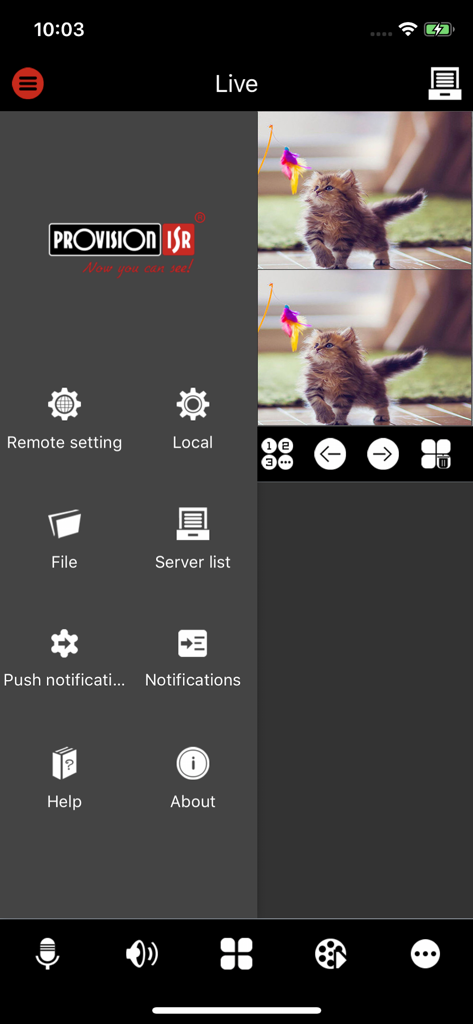

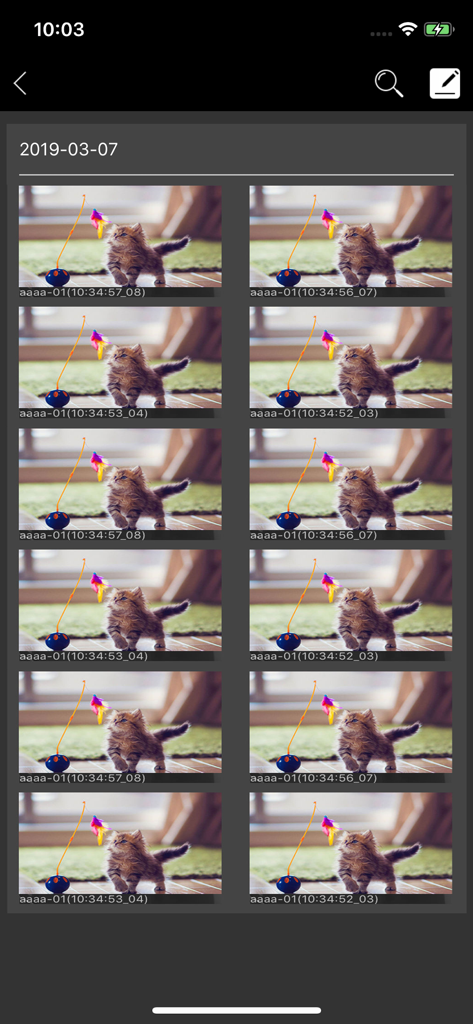
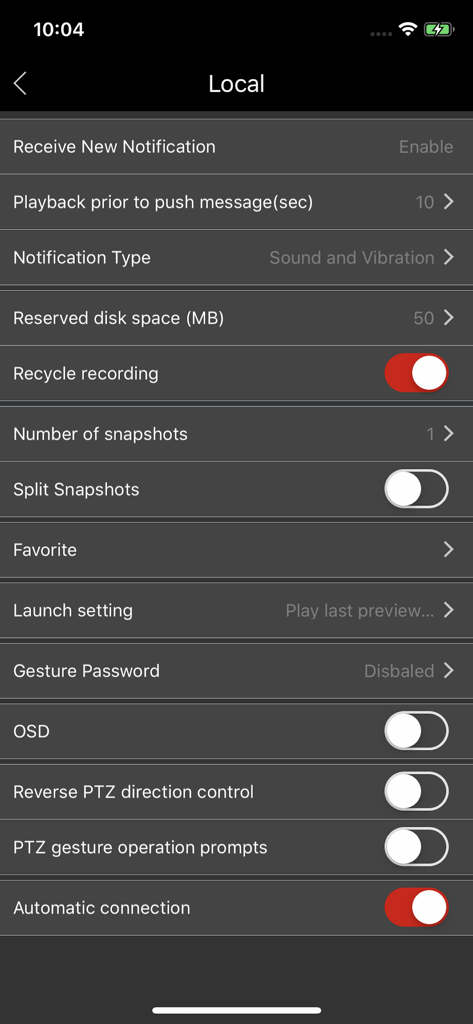
The tools that make this app stand out, trusted by 610K+ users.
Keep a vigilant eye on your property with low-latency HD streaming, allowing you to monitor your business or home from anywhere in the world.
Quickly locate and review recorded footage to verify incidents, monitor staff, or check deliveries without the need to be physically at your NVR.
Save time by managing camera settings and Ossia OS configurations directly from your device, perfect for multi-site business operations.
Trusted by 610K+ people who love this app.
"As a small business owner managing three different retail locations, Provision Cam 2 is indispensable. The ability to switch between live feeds and access remote playback on my iPhone gives me incredible peace of mind. It is robust, professional, and the configuration options are much more advanced than consumer-grade apps I have used in the past."
"I use this app on my iPad to monitor my home security while I am traveling for work. The integration with the Ossia OS is flawless, and the connection is stable even on mobile data. It is the perfect tool for any homeowner who wants a professional-grade surveillance interface without the complexity of traditional software."
Insights from user reviews.
Sentiment Score
Summary
This mobile app receives overwhelmingly negative feedback, largely due to a multitude of issues introduced by recent updates, including version 1.14.3 and compatibility problems with iOS 16.5/17. Users frequently report cameras going offline, failing to load, and suffering from poor video quality, buffering, and broken playback features. Core functionalities like two-way talk and disk management are reported as non-operational or removed post-update, further compounded by app reliability issues, login difficulties, and unresponsive customer support. While a few users praise its compatibility with Safire Smart equipment, the overall sentiment points to a significantly degraded user experience.
Common Themes
Everything you need to know about Provision Cam 2.
Description
Latest Version
1.16.4.10947
Size
116.8 MB
First Released
Jul 25, 2016
Join over 600,000 users and take command of your surveillance. Download the official Provision Cam 2 app for professional-grade monitoring and remote configuration of your Ossia OS devices.
Everything you need to know about Provision Cam 2
Provision Cam2 is a professional mobile client for remote live-view, playback, and configuration. It is designed to work seamlessly with the new Ossia OS by Provision-ISR.
Yes, Provision Cam2 supports remote live-view. The app is specifically designed for users to monitor live video feeds directly from their mobile devices.
Yes, Provision Cam2 includes remote playback functionality. Users can access and review recorded footage directly through the app, with available navigation controls.
Provision Cam2 is compatible with all devices running Ossia OS. It also supports older devices running v3.4.3 and up with limited functionality, and v3.3.0 with potential issues.
Yes, Provision Cam2 supports push notifications. Users can enable and configure notification settings, including notification type and playback prior to push messages.
Provision Cam2 allows configuration through its 'Remote setting' and 'Local' menus. These menus provide options for notifications, recording settings, snapshot management, and PTZ control.
Provision Cam2 offers features such as remote live-view, playback, and configuration. It also supports push notifications, local storage settings, snapshot management, and PTZ camera control.
Apps with similar features and user experience

TP-Link Systems Inc.

Intelbras S.A. Ind. de Telecom. Elet. Brasileira

Intelbras S.A. Ind. de Telecom. Elet. Brasileira

On Hand Apps - FZCO

明军 顾

KONSTANTA, OOO Apps

健 冯

PRAMA INDIA PRIVATE LIMITED

Shenzhen Kean Digital Co. LTD.