Raptor Alert

Raptor Alert

Download on App StoreDownload on Google Play
Spark by MWM logo
Logo of Raptor Alert

Raptor Alert: The Gold Standard in School Emergency Management

Accelerate response times, ensure drill compliance, and account for every student with the mobile app trusted by over 60,000 schools globally.

Publisher

RAPTOR TECHNOLOGIES, LLC

Category

Education

Downloads

427K+

User Rating

2.6/5

Total Ratings

200

Locales

-

Safety at Your Fingertips

Discover the interface used by 427K+ users.
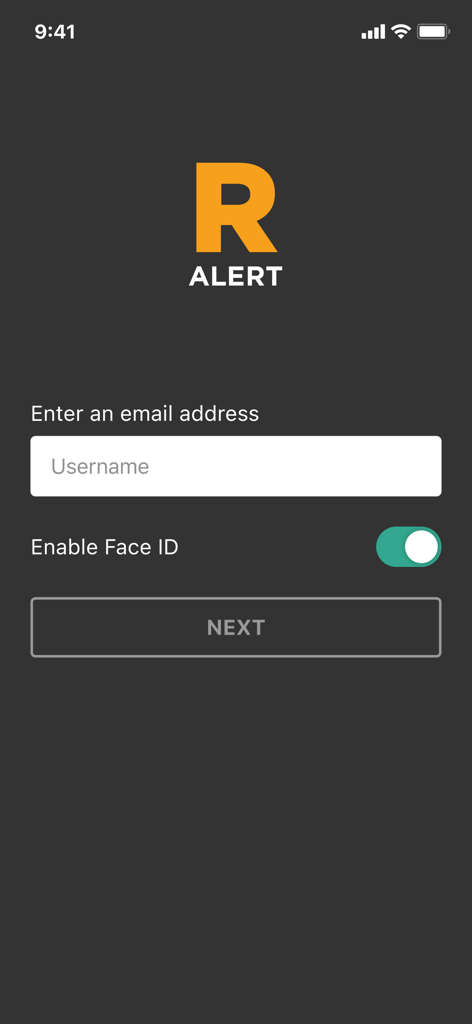
Raptor Alert app login screen with email entry and Face ID toggle

Raptor Alert app login screen with email entry and Face ID toggle

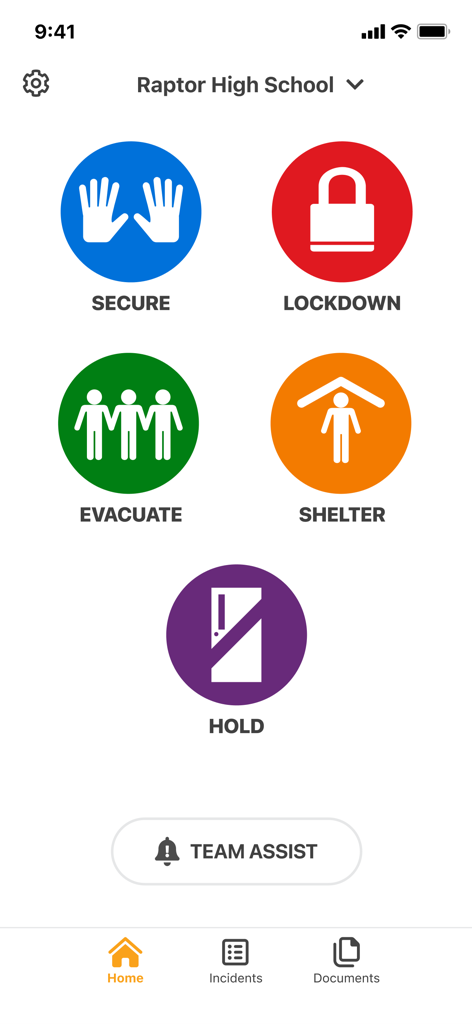
Home screen of the Raptor Alert app displaying large color-coded icons for school emergency protocols including Secure, Lockdown, Evacuate, Shelter, and Hold.

Home screen of the Raptor Alert app displaying large color-coded icons for school emergency protocols including Secure, Lockdown, Evacuate, Shelter, and Hold.

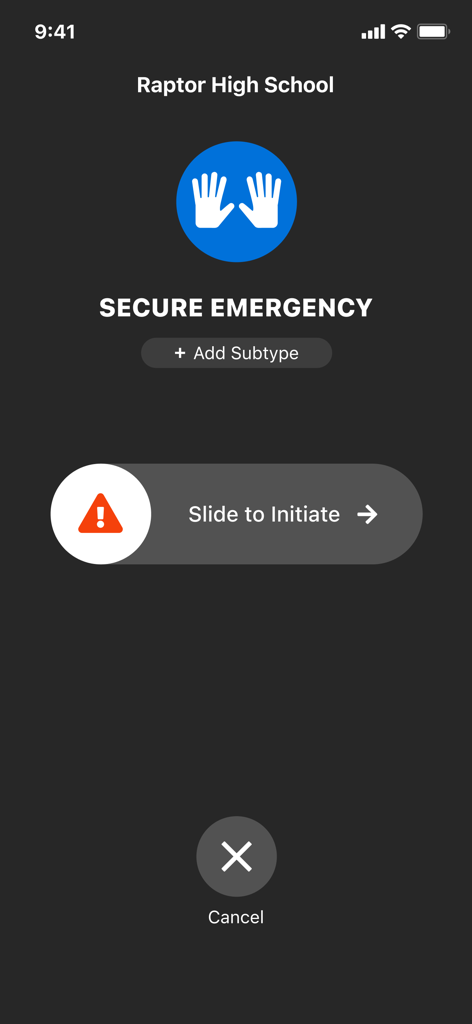
Raptor Alert mobile app screen showing a slide to initiate button for a secure emergency protocol.

Raptor Alert mobile app screen showing a slide to initiate button for a secure emergency protocol.

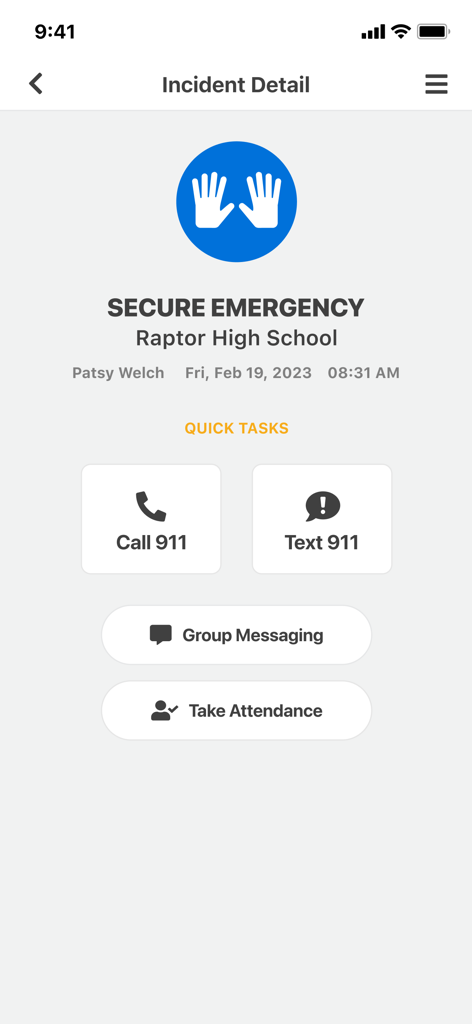
Raptor Alert mobile app interface showing incident details for a secure emergency at a high school with quick task buttons for calling or texting 911

Raptor Alert mobile app interface showing incident details for a secure emergency at a high school with quick task buttons for calling or texting 911

Comprehensive Safety Tools for Every Situation

The tools that make this app stand out, trusted by 427K+ users.

🚨

Instant Panic Alerts

Silently trigger emergency protocols and notify 911 and campus security with a single tap, ensuring help is on the way without escalating the situation.

📋

Real-Time Accountability

Replace paper rosters with a digital dashboard synced to your SIS, allowing you to account for students and staff instantly during any drill or event.

🤝

Secure Reunification

Streamline the post-crisis process using our patented workflow to ensure students are only reunited with verified, approved guardians.

Loved by users worldwide

Trusted by 427K+ people who love this app.

"

"During our last lockdown drill, Raptor Alert completely changed how I managed my classroom. Instead of fumbling with paper rosters, I accounted for all my students in seconds right from my phone. The silent panic button gives me incredible peace of mind knowing help is just a tap away without escalating a situation. It is an essential tool for my daily safety."

Sarah M., Elementary School Teacher
"

"Managing compliance across twelve schools used to be a reporting nightmare. With Raptor, I can schedule and track drills across the entire district in real-time. The integration with our Student Information System makes the reunification process seamless and keeps our protocols aligned with the 'I Love U Guys' Foundation standards. It is the gold standard for school safety."

James L., District Safety Coordinator

About the app

Everything you need to know about Raptor Alert.

Description

The Raptor® Alert mobile app is used with Raptor Technologies® newest emergency management solutions – Raptor Alert™, Raptor Reunification®, Raptor Accountability™ and Raptor Drill Manager®. Those who purchased Raptor Alert individually or with other Raptor Emergency Management solutions – should download this new Raptor Alert mobile app. Speak with your system administrator or Raptor support if you have questions. Raptor Emergency Management solutions include: RAPTOR ALERT™: Designed to work under duress, Raptor Alert is a silent panic alert system that works on the devices your schools use every day. Raptor Alert expedites and streamlines emergency response by allowing users to initiate an emergency alert directly through 911 and provide critical information to first responders, law enforcement and campus personnel. RAPTOR CONNECT™: Raptor Connect enables native, bi-directional integration with a school’s existing digital security systems and peripherals. It streamlines a school’s digital emergency response activations, speeding notifications and minimizing the impact of the situation. RAPTOR DRILL MANAGER®: Raptor Drill Manager gives you the power to prepare your schools for any situation. Simplify federal and state-mandated drill compliance and management by scheduling, initiating, logging and tracking drills from any smart device. District-level and school-level reports show drill status and crucial insights to help schools improve with each drill. RAPTOR ACCOUNTABILITY™: Connected with your student information system, Raptor enables teachers and staff to account for themselves, students and visitors directly in the mobile app while providing real-time status and location information. RAPTOR REUNIFICATION®: Recovery starts when the crisis begins. Minimizing trauma is directly correlated to safe, efficient reunification. Raptor Reunification software includes a patented reunification workflow and is aligned with and officially licensed by The “I Love U Guys” Foundation®. With Raptor, your reunification team can quickly confirm the location and status of each student and staff member in the mobile app. Connected to your student information system, Raptor helps ensure students are reunified only with approved guardians. Raptor Reunification includes Student Reunification®, Parent Reunification®, Guardian Reunification® and Family Reunification®. Transforming School Safety Through Software. Founded in 2002, Raptor Technologies has partnered with over 60,000 schools globally, including over 7,300 K-12 US school districts. Our team of safety software experts and our suite of industry-leading solutions provide schools with confidence in their safety and student wellbeing programs so they can focus on teaching. Driven by our shared mission to protect every child, every school, every day™, Raptor helps customers mitigate risks—from prevention and preparedness to reunifying families.

Latest Version

5.5.5

Size

214.4 MB

First Released

Aug 17, 2020

Protect Your Campus with Confidence

Join over 7,300 K-12 districts using Raptor Alert to empower staff, streamline emergency response, and ensure every student is accounted for.

Download on App StoreDownload on Google Play
FAQ

Frequently Asked Questions

Everything you need to know about Raptor Alert

What is the Raptor Alert mobile app?

The Raptor Alert mobile app integrates with Raptor Technologies' emergency management solutions. It is designed for users of Raptor Alert, Raptor Reunification, Raptor Accountability, and Raptor Drill Manager to manage various school safety operations.

How does Raptor Alert help in emergencies?

Raptor Alert functions as a silent panic alert system. It allows users to initiate an emergency alert directly through 911 and provides critical information to first responders, law enforcement, and campus personnel.

Can the Raptor Alert app integrate with existing security systems?

Yes, Raptor Connect enables native, bi-directional integration with a school’s existing digital security systems and peripherals. This streamlines digital emergency response activations and notifications.

How does Raptor Drill Manager assist schools?

Raptor Drill Manager helps schools prepare for situations by simplifying federal and state-mandated drill compliance. It schedules, initiates, logs, and tracks drills from any smart device, providing reports for improvement.

What is the purpose of Raptor Accountability?

Raptor Accountability connects to the student information system. It allows teachers and staff to account for themselves, students, and visitors directly within the mobile app, providing real-time status and location information.

Does Raptor Alert support student reunification after an emergency?

Yes, Raptor Reunification assists with safe and efficient reunification. It includes a patented workflow aligned with The "I Love U Guys" Foundation to confirm student and staff locations and ensure reunification with approved guardians.

How do users initiate an emergency alert in the Raptor Alert app?

Users initiate an emergency alert by selecting an incident type, such as "SECURE EMERGENCY", then sliding the "Slide to Initiate" control in the Raptor Alert app. This activates the alert.

What quick tasks are available during an incident in Raptor Alert?

During an incident, the Raptor Alert app provides quick tasks. These include options to "Call 911", "Text 911", initiate "Group Messaging", and "Take Attendance" to manage the emergency response.

Who should download the Raptor Alert mobile app?

Individuals who purchased Raptor Alert individually or with other Raptor Emergency Management solutions, such as Raptor Reunification, Raptor Accountability, or Raptor Drill Manager, should download this app.

Can users enable Face ID for login in the Raptor Alert app?

Yes, the Raptor Alert app supports enabling Face ID for login. Users can activate this option directly from the login screen to enhance security and ease of access.