RemNote - Notes & Flashcards

RemNote - Notes & Flashcards

Download on App Store
Spark by MWM logo
Logo of RemNote - Notes & Flashcards
RemNote: Master Your Learning with the Ultimate Thinking Tool

The all-in-one workspace for high-stakes learners. Effortlessly turn your notes into flashcards, annotate PDFs, and build a second brain with built-in spaced repetition to remember everything you learn.

Publisher

RemNote, LLC

Category

Education

Downloads

271K+

User Rating

4.8/5

Total Ratings

2K+

Locales

1

Your Knowledge, Visualized

Discover the interface used by 271K+ users.
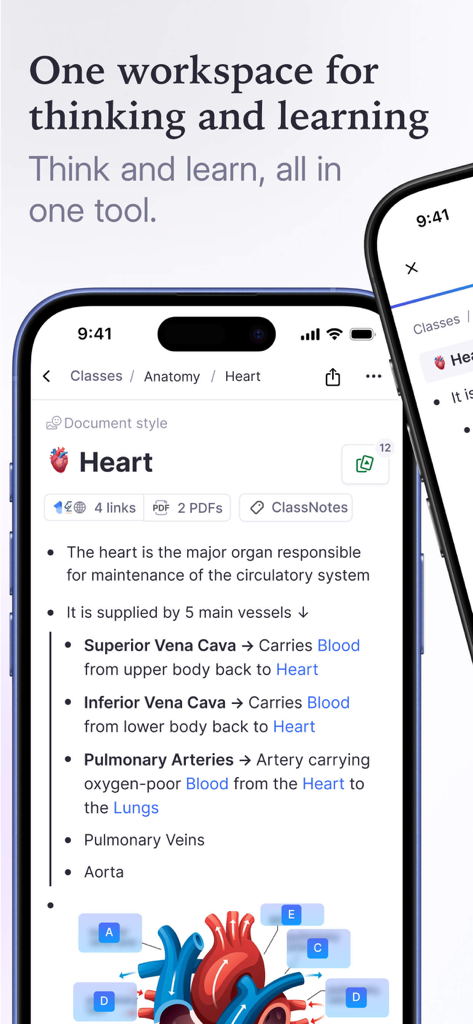
RemNote mobile app interface displaying anatomy study notes about the heart with diagrams and links

RemNote mobile app interface displaying anatomy study notes about the heart with diagrams and links

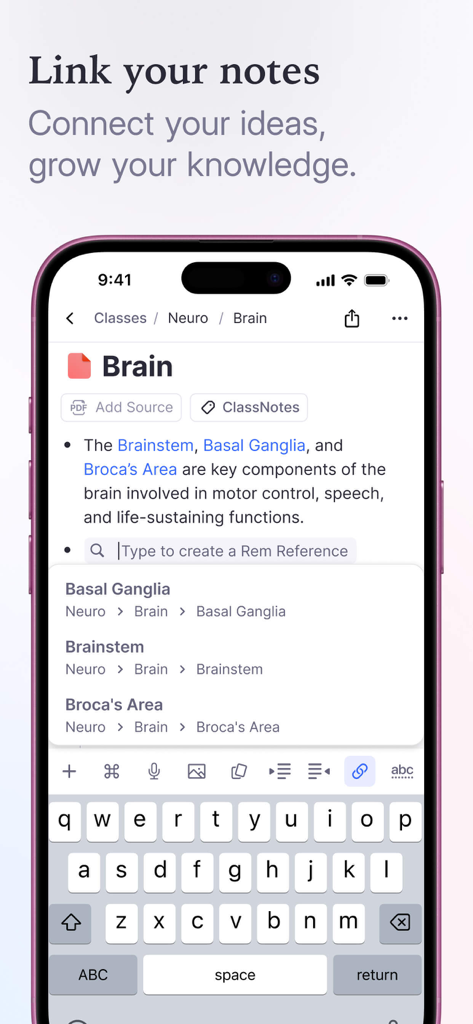
A mobile interface of the RemNote app showing how to link notes and create references between ideas.

A mobile interface of the RemNote app showing how to link notes and create references between ideas.

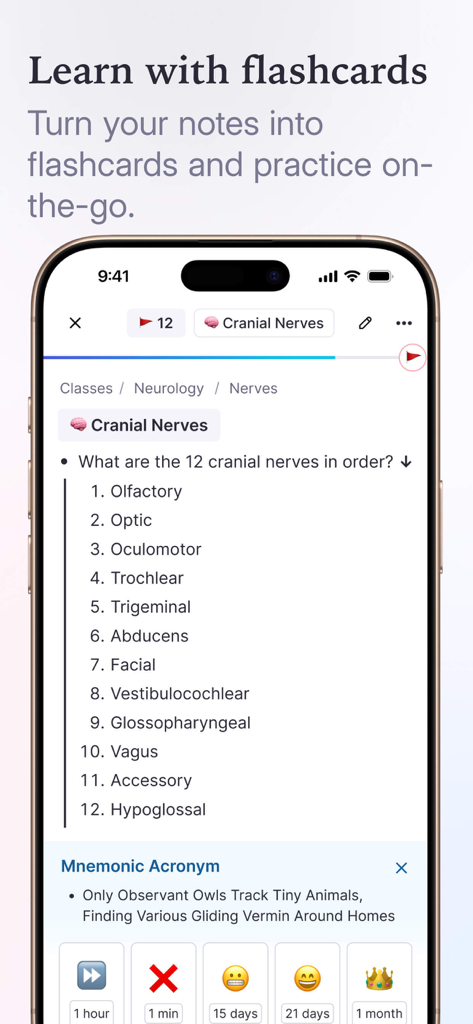
RemNote mobile app showing a flashcard for medical study with spaced repetition buttons

RemNote mobile app showing a flashcard for medical study with spaced repetition buttons

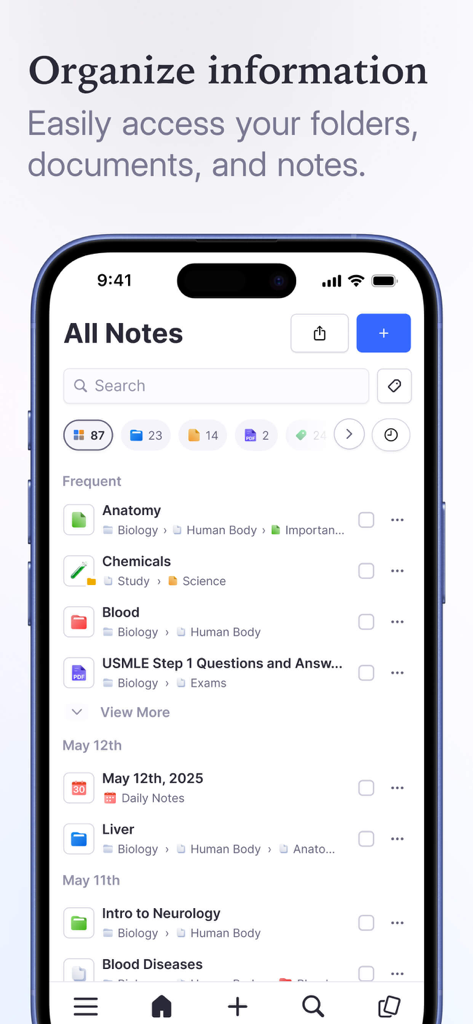
RemNote app interface showing organized study notes and folders on a smartphone

RemNote app interface showing organized study notes and folders on a smartphone

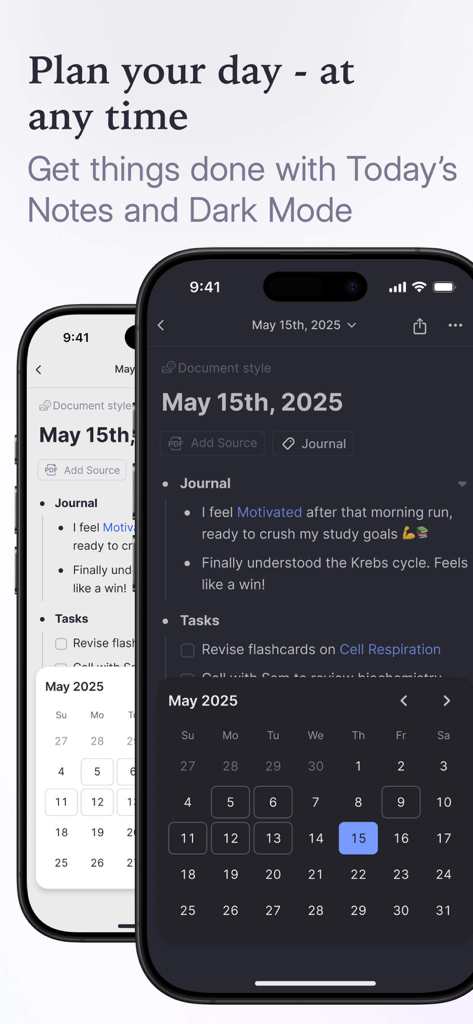
RemNote daily notes and task planner interface in dark mode and light mode

RemNote daily notes and task planner interface in dark mode and light mode

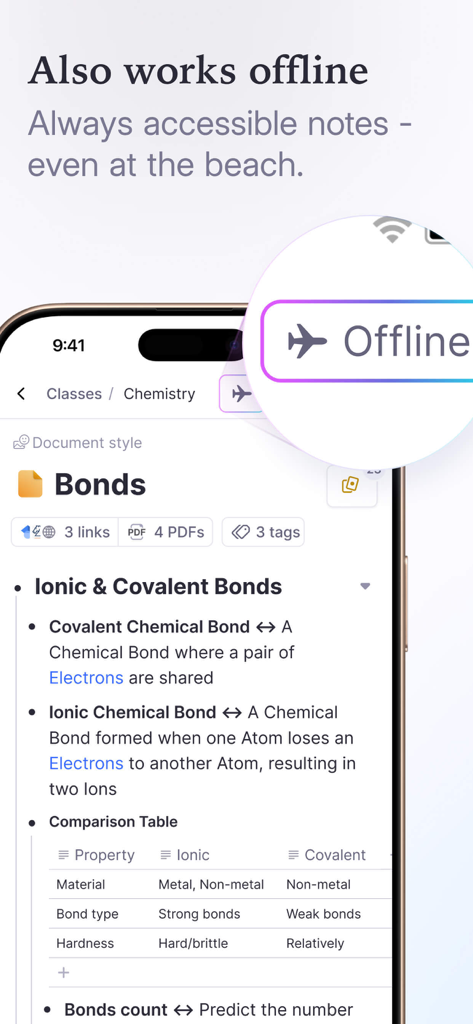
RemNote app chemistry notes shown with offline mode indicator on a smartphone

RemNote app chemistry notes shown with offline mode indicator on a smartphone

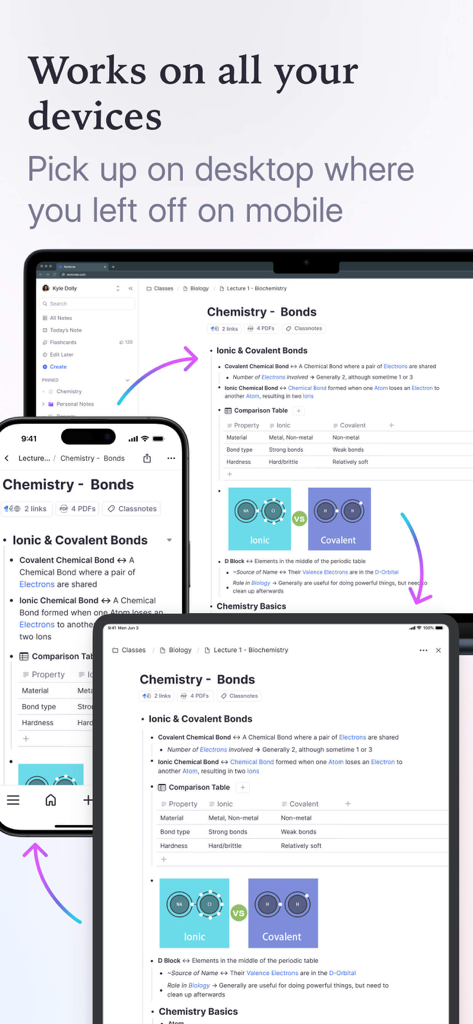
RemNote app syncing chemistry study notes across a laptop tablet and smartphone

RemNote app syncing chemistry study notes across a laptop tablet and smartphone

Learn Faster, Remember Forever

The tools that make this app stand out, trusted by 271K+ users.

🧠

Instant Active Recall

Turn any note into a flashcard automatically. Use built-in spaced repetition to lock information into your long-term memory with zero extra effort.

📄

Integrated PDF Research

Annotate documents directly in your workspace. Link highlights and margin notes to your digital library so you never lose track of your sources.

🕸️

Networked Knowledge

Break free from rigid folders. Use smart backlinks to connect ideas across different subjects and see your knowledge grow into a powerful web of thought.

Loved by users worldwide

Trusted by 271K+ people who love this app.

"

"RemNote is the secret weapon I needed for my medical degree. I used to spend hours manually making flashcards, but now it happens automatically as I take notes. The spaced repetition system is incredibly effective—I've seen a massive improvement in my retention and exam scores!"

Sarah L., Medical Student
"

"As a PhD researcher, managing hundreds of sources was a nightmare until I found RemNote. The PDF annotation and backlinking features allow me to see connections between papers that I would have otherwise missed. It is truly the best tool for building a long-term knowledge base."

Dr. Marcus Chen, Research Scientist

About the app

Everything you need to know about RemNote - Notes & Flashcards.

Description

RemNote is an all-in-one learning tool that combines note-taking, knowledge management, flashcards, and spaced repetition to enable effective and efficient learning. Sure, it’s a note-taking tool. But there’s also flashcards, PDFs, backlinks, and more - to help you study, stay organized, and think. WHY CHOOSE REMNOTE? Learn more in less time: RemNote makes learning easy. Get higher grades or reach your learning goals in less time. Grow your knowledge: Using RemNote you’ll can connect the concept you learn about and generate more ideas. Organize your thoughts, plans, and tasks: We’re built to help you plan all of your life in one place. WHAT DOES REMNOTE HAVE TO OFFER? Notes, Docs & Outlines: Capture and link your ideas. RemNote is built for thinking and long-term knowledge management. Smart Flashcards: Create flashcards directly from your notes. Spaced Repetition: Remember more with less studying. Build your long-term memory with the spaced repetition plan built into your flashcards. Linked Reference: Reference and review all notes connected to a specific topic with contextual links and create flashcard sets on-the-fly as you take notes. PDF Annotation: Work with external documents directly in the app, make your notes and create flashcards using the source materials. Highlight, create margin notes, and link sections of your document to the rest of your digital library. Multimedia Embedding: Incorporate documents, videos, and anything else embeddable into your notes as you make them. Tags: Tag your notes, to-do items, and even multimedia source materials like images and video. And get your life sorted. To-dos: Take in new information and generate to-do lists and action items with reminders on the fly, without juggling windows or switching apps. WANT MORE? Easy Formula Handling: The Latex feature allows you to create inline formulas with a simple annotation editor. Easily create and edit formulas on the fly as you take notes, and enjoy a clear and attractive display of these formulas as you review your notes and flashcards. Templates: Create templates to make repetitive tasks a thing of the past. Whether you’re preparing briefs or structured lecture notes, a predefined template can help you create better materials, save time, and pay more attention to the subject matter. Build knowledge that lasts forever: Import from every note-taking app. Bring your data, and enjoy! Code Block Notes: Take notes with a tool designed to accommodate programming, keeping your notes and annotations visually and semantically separate from your code. Works offline: Access and make changes with or without internet access. Unlimited Free Plan: We’re committed to a powerful free plan for every inspired learner. ---- We are committed to protecting your personal information and your right to privacy. If you have any questions or concerns about our practices with regard to your personal information, please contact us at support@remnote.com. ---- Make your life a little easier using RemNote’s structured note-taking, knowledge management, and intuitive memorization tools. ---- TERMS: https://www.apple.com/legal/internet-services/itunes/dev/stdeula/

Latest Version

1.22.58

Size

193.9 MB

First Released

Jan 22, 2023

Ready to Build Your Second Brain?

Join over 271,000 high-achievers using scientific spaced repetition to turn notes into lifelong knowledge. Start mastering your subjects today.

Download on App Store
FAQ

Frequently Asked Questions

Everything you need to know about RemNote - Notes & Flashcards

What is RemNote?

RemNote is an all-in-one learning tool combining note-taking, knowledge management, flashcards, and spaced repetition. It helps users study, stay organized, and think efficiently.

Does RemNote include flashcards and spaced repetition?

Yes, RemNote includes smart flashcards that can be created directly from notes. It integrates spaced repetition to help users build long-term memory efficiently.

Can RemNote be used offline?

Yes, RemNote works offline. Users can access and make changes to their notes and documents even without an internet connection.

Is there a free plan available for RemNote?

Yes, RemNote offers an Unlimited Free Plan. This powerful free plan is available for every inspired learner.

Does RemNote support PDF annotation?

Yes, RemNote allows PDF annotation. Users can work with external documents, highlight, create margin notes, and link sections within the app.

Does RemNote sync across multiple devices?

Yes, RemNote works on all your devices. Users can pick up on desktop where they left off on mobile, ensuring seamless continuity.

Can I import notes into RemNote from other applications?

Yes, RemNote allows users to import notes from every other note-taking app. This feature enables users to consolidate their existing data into RemNote.

How does RemNote protect user privacy?

RemNote is committed to protecting user personal information and privacy. Users can contact support@remnote.com for any questions or concerns regarding privacy practices.

Does RemNote support mathematical formulas?

Yes, RemNote supports mathematical formulas through its LaTeX feature. Users can create and edit inline formulas with a simple annotation editor.

How does RemNote help organize thoughts and tasks?

RemNote helps organize thoughts, plans, and tasks with features like notes, docs, outlines, and to-do items. It provides reminders and enables planning in one place.