Roland Piano App

Roland Piano App

Download on App StoreDownload on Google Play
Spark by MWM logo
Logo of Roland Piano App

Roland Piano App: The Smarter Way to Play, Learn, and Perform

Unlock the full potential of your instrument with seamless wireless control, interactive learning tools, and instant access to a world of digital sheet music.

Publisher

Roland Corporation

Category

Music

Downloads

255K+

User Rating

2.4/5

Total Ratings

200

Locales

3

A Masterpiece in Every Tap

Discover the interface used by 255K+ users.
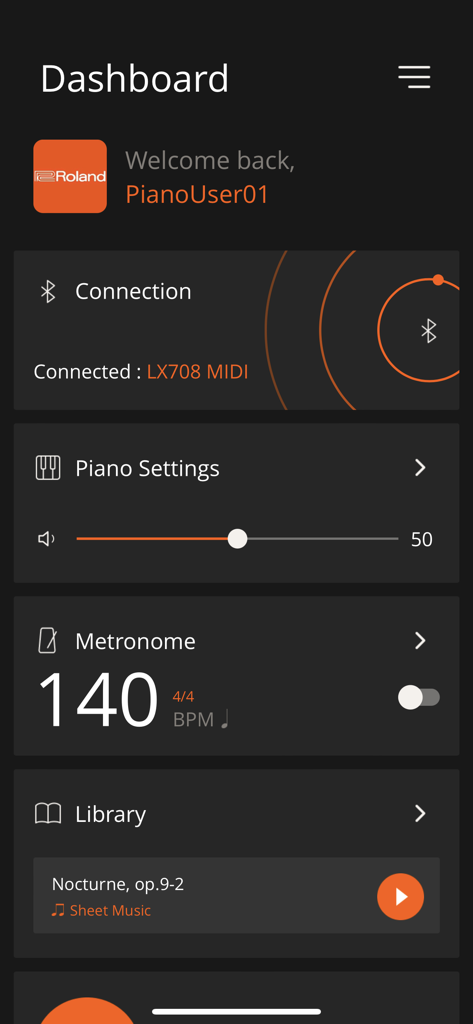
Dashboard of the Roland Piano App showing Bluetooth connection status and metronome settings

Dashboard of the Roland Piano App showing Bluetooth connection status and metronome settings

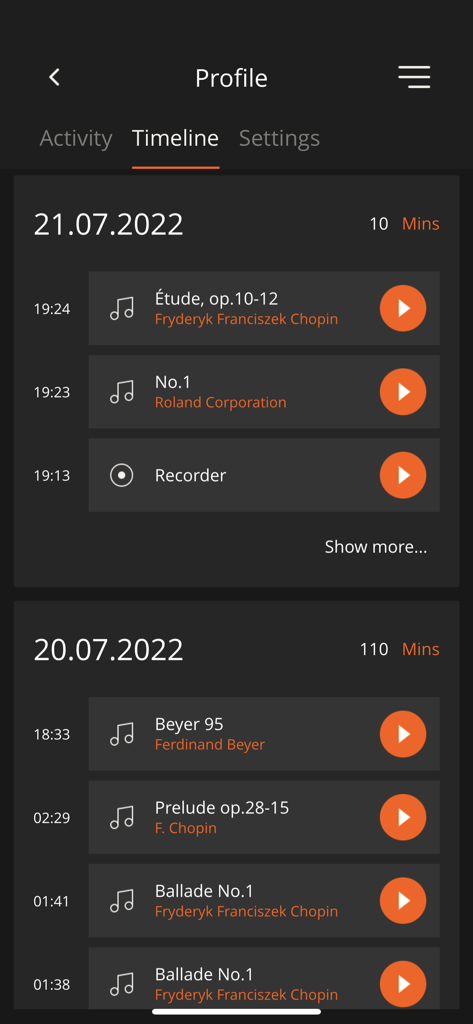
Timeline view of the Roland Piano App displaying practice history and recorded musical sessions.

Timeline view of the Roland Piano App displaying practice history and recorded musical sessions.

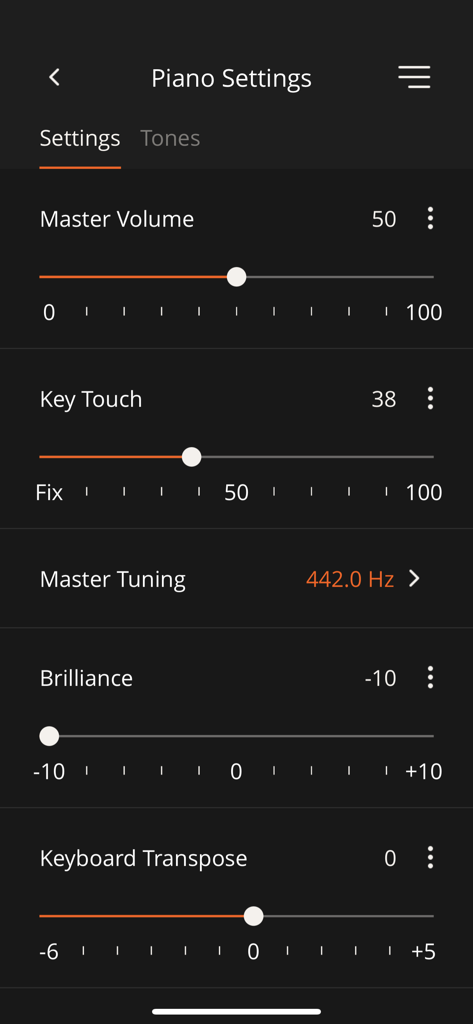
Interface of the Roland Piano App showing adjustable settings for master volume key touch brilliance and keyboard transpose

Interface of the Roland Piano App showing adjustable settings for master volume key touch brilliance and keyboard transpose

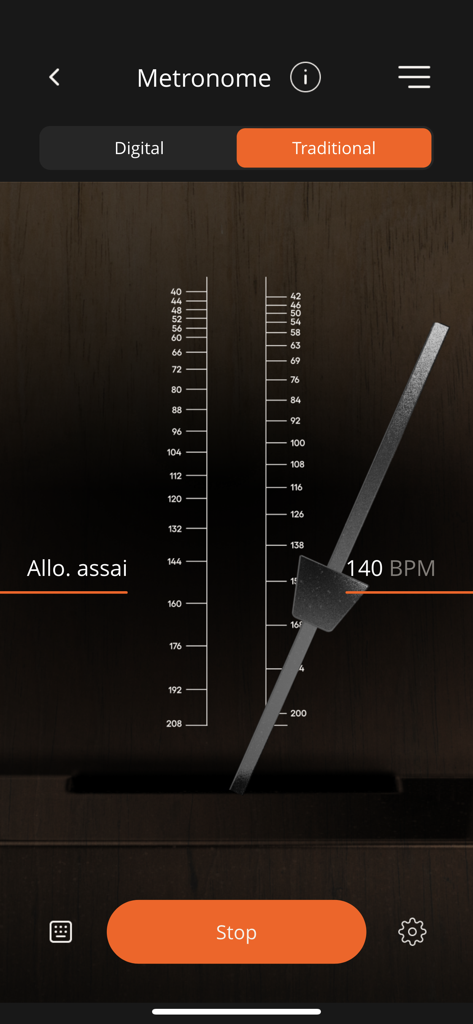
Traditional mechanical metronome interface in the Roland Piano App set to 140 BPM

Traditional mechanical metronome interface in the Roland Piano App set to 140 BPM

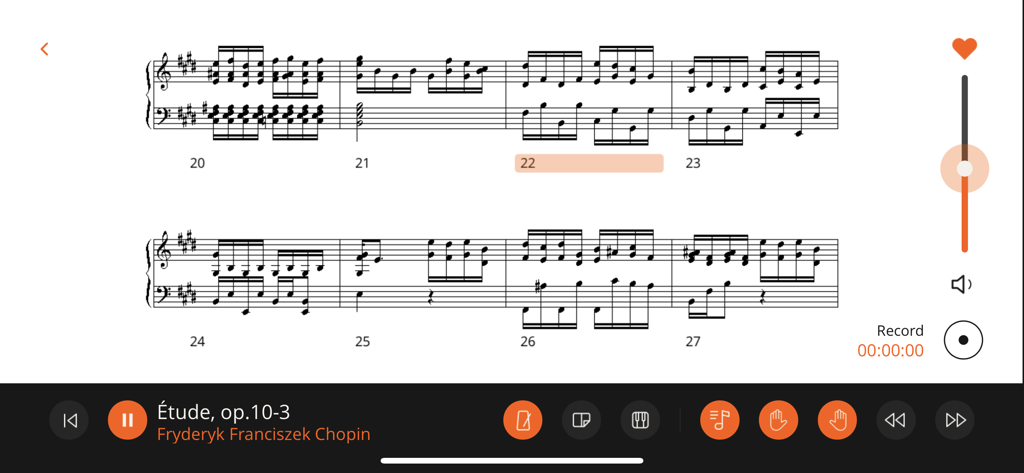
Digital musical score of Chopin Etude on the Roland Piano App interface with playback and recording controls

Digital musical score of Chopin Etude on the Roland Piano App interface with playback and recording controls

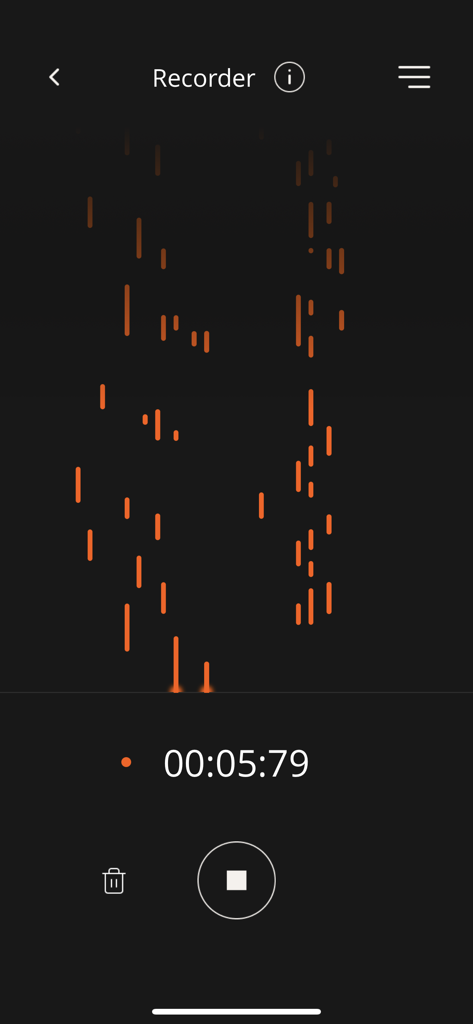
The recorder interface of the Roland Piano App showing a visual piano roll and active recording timer

The recorder interface of the Roland Piano App showing a visual piano roll and active recording timer

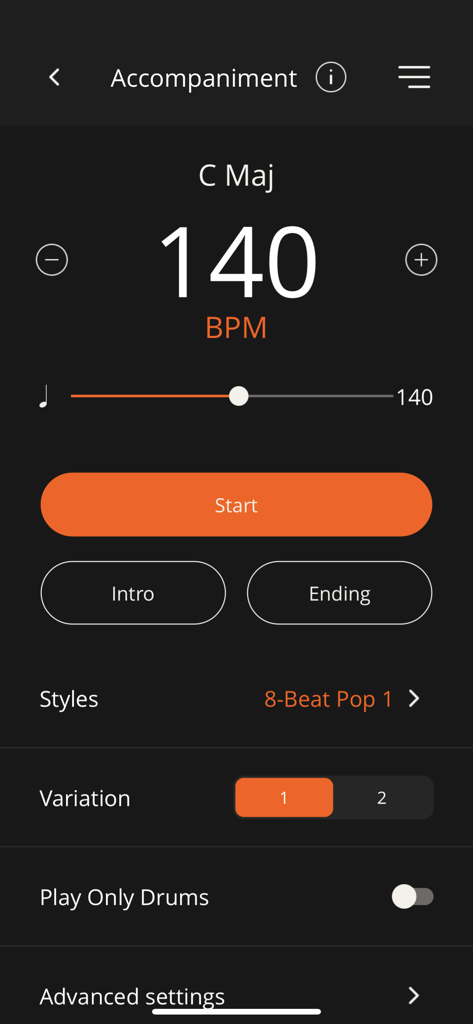
The accompaniment screen of the Roland Piano App displaying tempo controls at 140 BPM style selection and drum variations.

The accompaniment screen of the Roland Piano App displaying tempo controls at 140 BPM style selection and drum variations.

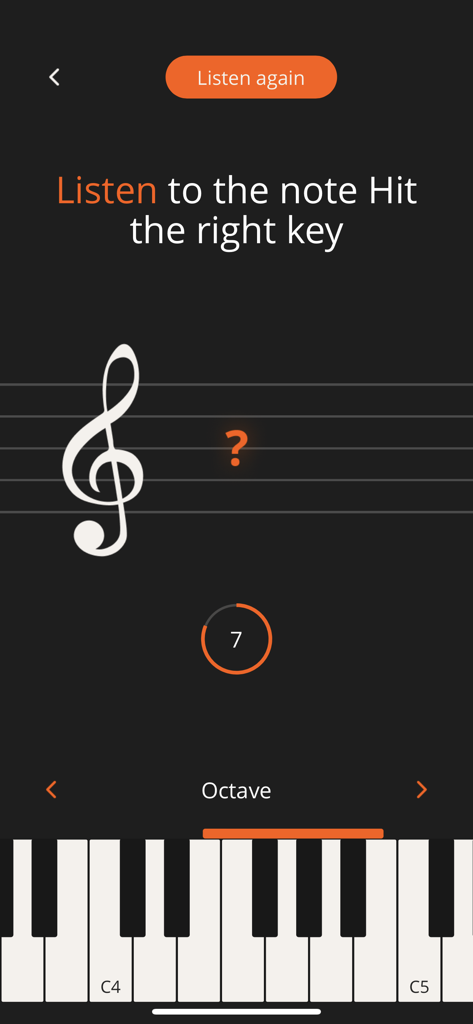
Roland Piano App screen showing a musical note ear training exercise with a virtual piano keyboard

Roland Piano App screen showing a musical note ear training exercise with a virtual piano keyboard

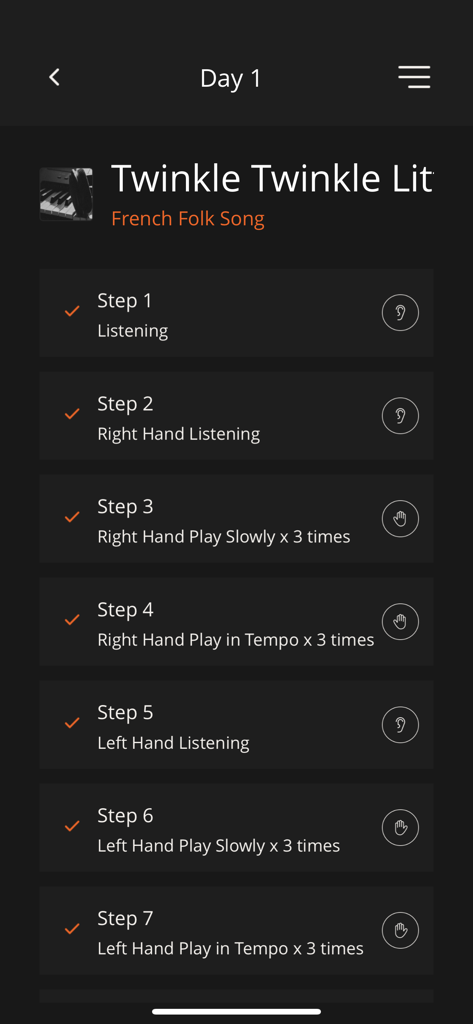
Roland Piano App interface showing a seven step practice plan for Day 1 of the One Week Master feature

Roland Piano App interface showing a seven step practice plan for Day 1 of the One Week Master feature

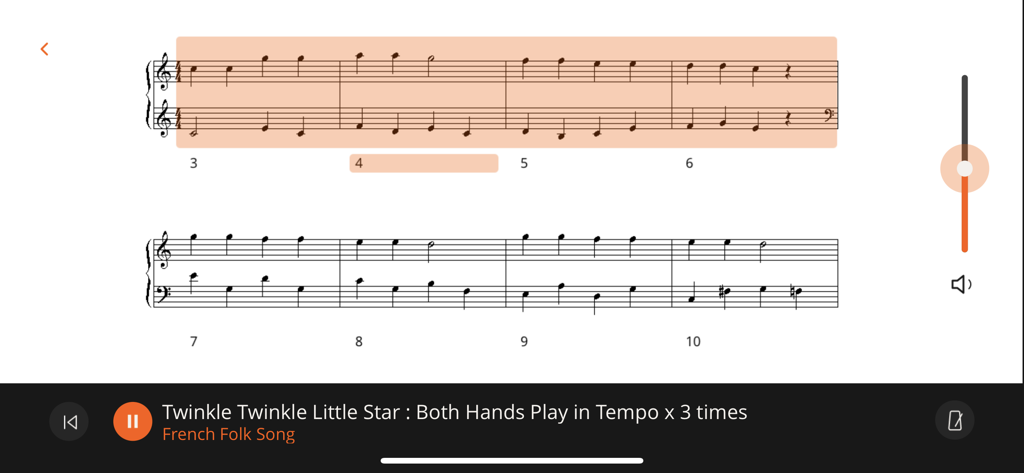
Digital sheet music for Twinkle Twinkle Little Star with practice controls in the Roland Piano App.

Digital sheet music for Twinkle Twinkle Little Star with practice controls in the Roland Piano App.

Elevate Your Playing Experience

The tools that make this app stand out, trusted by 255K+ users.

📱

Seamless Wireless Control

Ditch the complex buttons. Adjust touch, ambiance, and instrument sounds instantly through an intuitive interface on your tablet or smartphone.

🎹

Master New Pieces in 7 Days

Progress faster with the One Week Master feature. Structured daily goals make learning new songs achievable for even the busiest professionals.

🎼

A Digital Library of Scores

Access hundreds of pieces of sheet music and interactive exercises. From fun flashcards for kids to classic masterpieces, your next lesson is always ready.

Loved by users worldwide

Trusted by 255K+ people who love this app.

"

"The 'One Week Master' feature is a total game-changer for my busy schedule, allowing me to learn new pieces in manageable daily steps. I also love how easy it is to customize the piano settings and explore new sounds directly from my iPad without having to touch a single hardware button."

David Chen
"

"This app has transformed my daughter's practice sessions from a chore into a game. She is obsessed with the ear training exercises and the flashcards, while I appreciate how simple it is to access and display sheet music from the Roland Cloud library right on our tablet."

Sarah Jenkins

About the app

Everything you need to know about Roland Piano App.

Description

COMPATIBLE ROLAND PIANOS CG-1,* CPF-107,* CPF-140,* DP603, F-140R, F107, F701, FP-10, FP-30, FP-30X, FP-60, FP-60X, FP-90, FP-90X, FRP-1,* FRP-2-ACR(FP-10-ACR),* FRP-NUVOLA,* FRP-NUVOLA EX,* FP-E50, GO:PIANO(GO-61P), GO:PIANO with Alexa Built-in(GO-61P-A), GO:PIANO88(GO-88P), GO:PIANO88 (GO-88PX), GP-3, GP-6, GP-9, GP-9M, GP607, GP609, HP601, HP603, HP603A, HP605, HP702, HP704, KIYOLA(KF-10), LX-5, LX-6, LX-7, LX-17, LX705, LX706, LX708, LX-9, MP-200,* RCP-800,* RP102, RP107, RP-500,* RP501R, RP701, *Available in certain regions only. Additional Roland piano models will support the Roland Piano App in the future. Please check back for the latest compatibility information. Note: Make sure that your Roland digital piano is updated with the current system program. The latest system program and setup instructions for your model can be found on the Support pages at https://www.roland.com/. NOTICE FOR USERS OF THE ROLAND PIANO EVERY DAY APP If you’ve purchased sheet music through the Piano Every Day app, you can continue using it within the Roland Piano App. From the Roland Piano App, create a Roland Account with the same email address that you used to register Piano Every Day, then log into the app using that account. When logged in, your purchases will be available in the app’s Library section. APP INTRODUCTION The Roland Piano App elevates the Roland piano experience, allowing you to take your musical education and enjoyment even further with a smartphone or tablet. This next-generation app is our best ever, combining wireless remote control with enhanced learning features and an updated interface that’s simple, streamlined, and intuitive for everyone in the family to use. • Powerful companion app for select Roland home pianos with Bluetooth® connectivity • Control piano functions such as transpose, split, key touch, ambience, and more • Select and explore different sounds, including many non-piano sounds that may not be available from the instrument’s panel • Visual metronome for timing practice • Recorder function for self-evaluation • Fun flash card and ear training exercises to build skills • Select songs and view musical scores for your piano’s onboard song library • Use the One Week Master feature to gradually learn a new piece in seven days • Play along with a full-band sound using automatic accompaniment that’s controlled with left-hand fingering • Unlock over hundreds of pieces of sheet music with a paid Roland Cloud membership NOTES • To use all functions in this app, a connection with a compatible piano model is required. • Communication between a compatible piano model and an iPad/iPhone requires a Bluetooth connection. • An internet connection is required to use the features of Roland Piano App, including recording, Library access, and addition preset functionality. Any communication expenses (packet communication fees, etc.) incurred while using this application will be charged to customers. • We cannot guarantee full compatibility with all devices that meet the specification requirements.

Latest Version

1.5.9

Size

94.9 MB

First Released

Aug 4, 2022

Unlock Your Roland’s Full Potential

Download the Roland Piano App to access interactive lessons, digital scores, and seamless wireless control—perfectly designed for your modern musical lifestyle.

Download on App StoreDownload on Google Play
FAQ

Frequently Asked Questions

Everything you need to know about Roland Piano App

What is the Roland Piano App?

The Roland Piano App elevates the Roland piano experience, providing wireless remote control, enhanced learning features, and an intuitive interface on smartphones or tablets.

Which Roland piano models are compatible with the Roland Piano App?

The Roland Piano App is compatible with many models including the DP603, F-140R, FP-30X, HP704, and LX706. The app description provides a full list of supported Roland digital pianos.

Is Bluetooth required to connect a piano to the Roland Piano App?

Yes, the Roland Piano App requires a Bluetooth connection for communication between a compatible piano model and an iPad/iPhone. An internet connection is also necessary for full app features.

Can the Roland Piano App control piano settings remotely?

Yes, the Roland Piano App controls piano functions such as transpose, split, key touch, ambience, master volume, master tuning, brilliance, and keyboard transpose.

Does the Roland Piano App include a metronome?

Yes, the Roland Piano App includes a visual metronome for timing practice. Users can adjust the BPM and select between digital and traditional metronome styles.

Can users record their piano playing in the Roland Piano App?

Yes, the Roland Piano App provides a recorder function for self-evaluation. This feature allows users to capture and review their piano performances.

How can I transfer sheet music purchases from Piano Every Day to the Roland Piano App?

Create a Roland Account in the Roland Piano App using the same email from Piano Every Day. Your previous sheet music purchases then become available in the app’s Library section.

Are ear training exercises available in the Roland Piano App?

Yes, the Roland Piano App offers flash card and ear training exercises to build musical skills. An example exercise involves listening to a note and identifying the correct key.

What is the "One Week Master" feature of the Roland Piano App?

The "One Week Master" feature in the Roland Piano App enables users to learn a new musical piece gradually over seven days through guided, step-by-step instructions.

Does the Roland Piano App offer automatic accompaniment?

Yes, the Roland Piano App provides automatic accompaniment for playing along with a full-band sound. Users control this feature using their left-hand fingering.

Can I view musical scores in the Roland Piano App?

Yes, the Roland Piano App allows users to select and view musical scores from the piano’s onboard song library. It also displays sheet music for various learning features.