RYOBI

RYOBI

Download on App Store
Spark by MWM logo
Logo of RYOBI

RYOBI: The All-In-One App to Master Your Tools and Projects

From the garage to the garden, streamline your DIY experience. Register gear in seconds, monitor connected tools in real-time, and access everything you need to maximize your productivity.

Publisher

One World Technologies, Inc

Category

Utilities

Downloads

331K+

User Rating

4.7/5

Total Ratings

11K+

Locales

16

Master Your Ecosystem

Discover the interface used by 331K+ users.
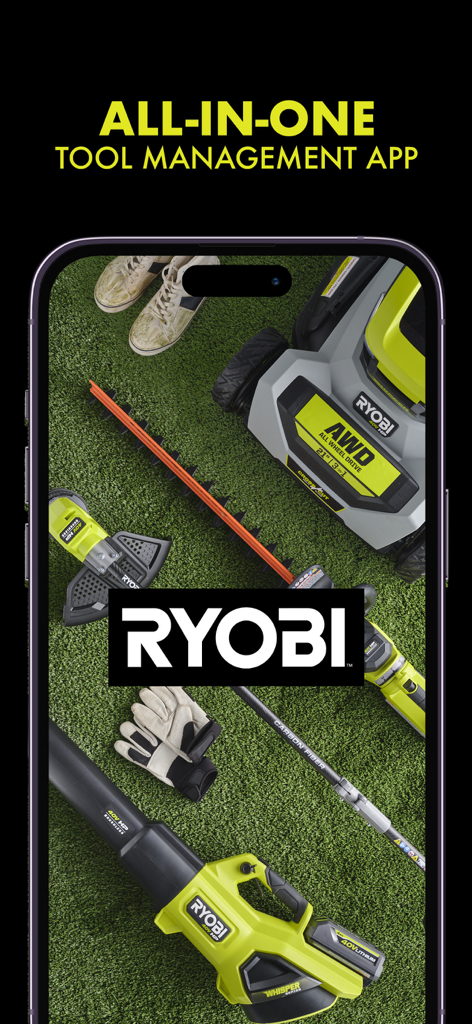
RYOBI all in one tool management app featuring various outdoor power tools on grass

RYOBI all in one tool management app featuring various outdoor power tools on grass

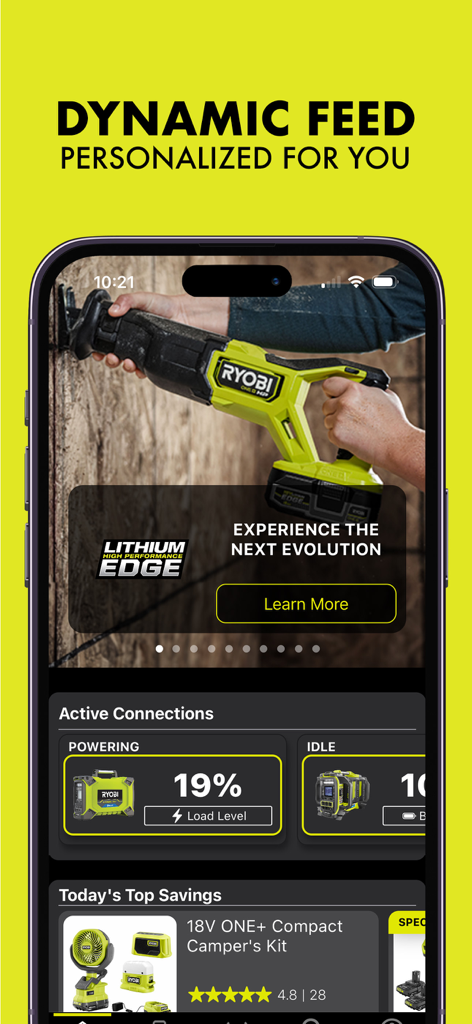
RYOBI app dashboard showing personalized tool feed and active device connections

RYOBI app dashboard showing personalized tool feed and active device connections

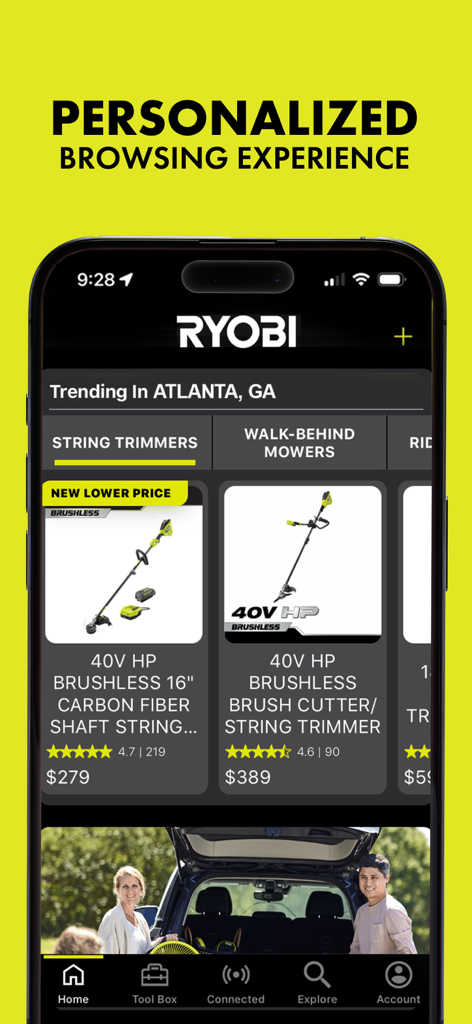
RYOBI mobile app home screen showing personalized tool recommendations and localized trending products

RYOBI mobile app home screen showing personalized tool recommendations and localized trending products

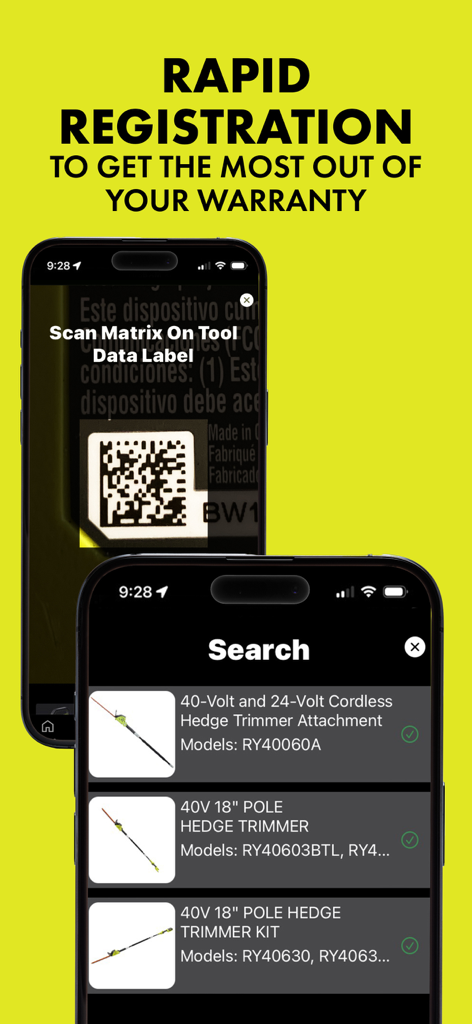
Ryobi app interface showing barcode scanning for tool registration and a list of 40V cordless hedge trimmers

Ryobi app interface showing barcode scanning for tool registration and a list of 40V cordless hedge trimmers

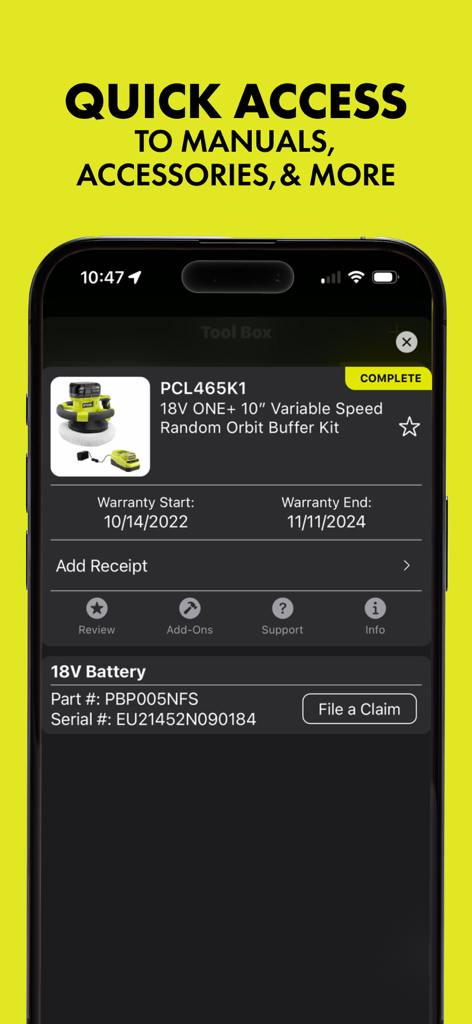
RYOBI app interface showing tool warranty information and maintenance options for a power buffer kit.

RYOBI app interface showing tool warranty information and maintenance options for a power buffer kit.

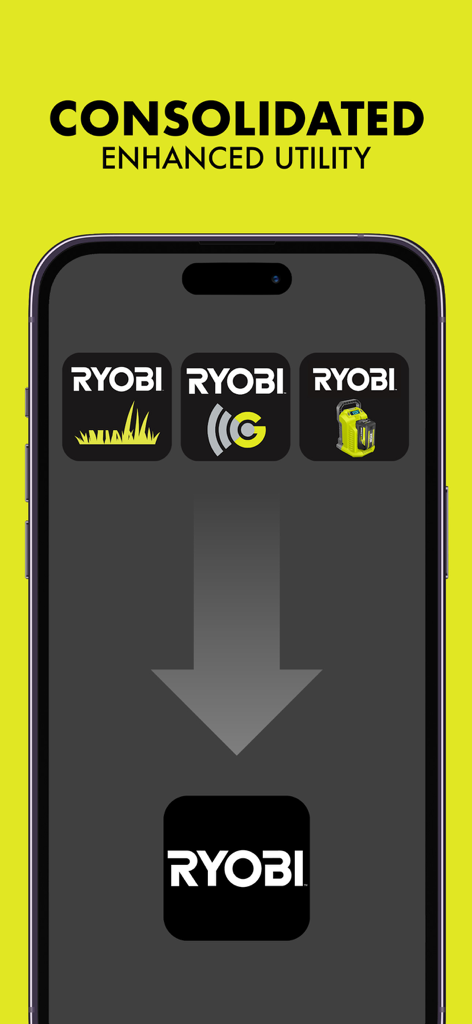
An illustration showing three separate RYOBI specialized apps merging into one unified tool management app

An illustration showing three separate RYOBI specialized apps merging into one unified tool management app

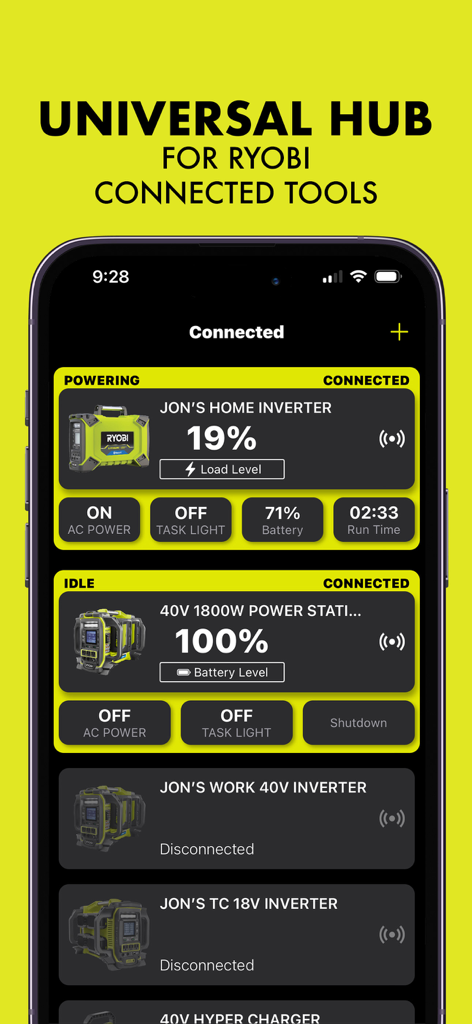
Ryobi app universal hub showing the status and battery levels of connected power tools

Ryobi app universal hub showing the status and battery levels of connected power tools

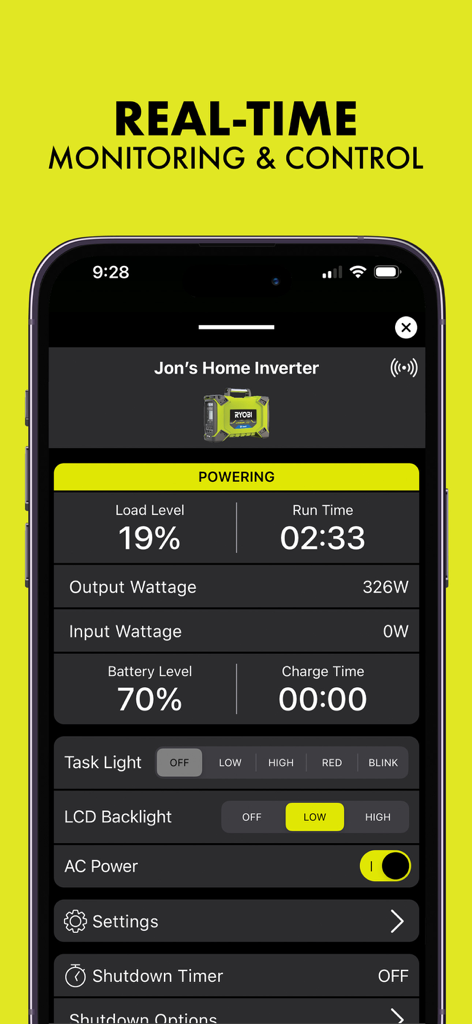
Ryobi app dashboard showing real-time monitoring and control for a connected home inverter.

Ryobi app dashboard showing real-time monitoring and control for a connected home inverter.

Take Full Command of Your RYOBI™ Ecosystem

The tools that make this app stand out, trusted by 331K+ users.

📦

Instant Digital Tool Box

Eliminate the paper trail. Use OCR technology to scan barcodes, register warranties in seconds, and access manuals or assembly guides instantly.

Smart Performance Tracking

Monitor battery levels, runtime, and tool health in real-time. Manage your connected mowers and chargers from a single, unified dashboard.

🔍

Pro-Level Shopping Guide

Scan price labels at The Home Depot to access deep specs and reviews. Get personalized accessory recommendations tailored to the tools you already own.

Loved by users worldwide

Trusted by 331K+ people who love this app.

"

"As a first-time homeowner, keeping track of warranties and manuals was a nightmare until I started using the RYOBI app. The OCR scanning for tool registration is incredible—I registered my entire 18V ONE+ starter kit in under five minutes! Having assembly instructions and parts lists right on my phone while I'm in the middle of a project is a total game-changer for my productivity."

Marcus T.
"

"Managing my 40V lawn equipment and Hyper Charger is so much easier now that everything is consolidated into one dashboard. I love being able to check the real-time charge levels and runtime for my riding mower from the kitchen before I even head outside. If you are deep in the RYOBI ecosystem like I am, this app is the ultimate command center for your garage."

Sarah L.

About the app

Everything you need to know about RYOBI.

Description

YOUR ALL-IN-ONE TOOL MANAGEMENT APP Effortlessly manage, monitor, and maximize your tools with our app, designed to streamline your experience from registration to connected control. Whether you're registering your latest purchase, keeping tabs on your connected tools, or exploring our extensive product catalog, this app simplifies it all. KEY FEATURES: 1. HOME DASHBOARD - Stay updated with the latest product releases, seasonal promotions, and personalized recommendations based on your tools and usage. - Quickly view the status and key metrics of active tools at a glance. - Discover accessories, tips, and promotions that help you get the most out of your tools. 2. TOOL BOX - Simplified product registration with OCR technology and barcode scanning to save time and improve accuracy. - Access warranty claims and repair programs with ease to protect your investments. - Quickly find post-purchase resources, such as product manuals, assembly instructions, and relevant accessories. 3. CONNECTED TOOLS - Monitor and manage all your RYOBI™ connected tools from one convenient hub. - View real-time updates tailored to each tool’s current state, such as charge levels, runtime, or error notifications. - Rename tools, share access, update firmware, and track last-known locations directly from the app. - Consolidated functionality from the RYOBI™ Riding Mower, Ryobi™ GenControl™, and RYOBI™ Hyper Charger apps into one platform, supporting all future connected tools. 4. EXPLORE PRODUCTS - Quickly scan barcodes or price labels to instantly access product details while shopping. - Browse the full RYOBI™ product catalog with detailed specifications and features. 5. ACCOUNT & SETTINGS - Manage your profile, update personal details, and access app preferences such as dark mode or offline mode. - Quickly locate the nearest retailer with the store locator. With the power to register products in seconds, control your connected tools with ease, and access exclusive recommendations and deals, this app is your ultimate companion for all things RYOBI™. Download now to streamline your tool management and maximize your productivity!

Latest Version

1.1.0

Size

71.3 MB

First Released

Dec 3, 2024

Take Command of Your RYOBI Ecosystem

Download the ultimate companion for the modern homeowner. Register tools in seconds, monitor battery life, and maximize your productivity on every project from the palm of your hand.

Download on App Store
FAQ

Frequently Asked Questions

Everything you need to know about RYOBI

What is the RYOBI app?

The RYOBI app is an all-in-one tool management application. It allows users to manage, monitor, and maximize their RYOBI tools from registration to connected control, streamlining the user experience.

How do I register RYOBI products using the RYOBI app?

Yes, the RYOBI app offers simplified product registration. It uses OCR technology and barcode scanning to save time and improve accuracy for registering your RYOBI tools.

Can I monitor and manage my connected RYOBI tools with the RYOBI app?

Yes, the RYOBI app allows monitoring and management of all your connected RYOBI tools. It provides real-time updates on charge levels, runtime, error notifications, and allows control actions.

Does the RYOBI app provide access to product manuals and accessories?

Yes, the RYOBI app offers quick access to post-purchase resources. Users can find product manuals, assembly instructions, and relevant accessories through the 'Tool Box' feature.

Does the RYOBI app replace other RYOBI tool-specific apps?

Yes, the RYOBI app consolidates functionality from several previous apps, including the RYOBI™ Riding Mower, Ryobi™ GenControl™, and RYOBI™ Hyper Charger apps, into one unified platform.

Can I explore the RYOBI product catalog within the app?

Yes, the RYOBI app allows users to browse the full RYOBI™ product catalog. It also enables scanning barcodes or price labels to instantly access product details while shopping.

Does the RYOBI app offer personalized product recommendations?

Yes, the RYOBI app provides personalized recommendations. These are based on your tools and usage, appearing alongside the latest product releases and seasonal promotions on the Home Dashboard.

Can I customize app preferences like dark mode in the RYOBI app?

Yes, the RYOBI app allows users to manage their profile and update personal details. It also offers access to app preferences, including dark mode or offline mode settings.