
SaveTik : TikTok Videos Saver



Download videos instantly, add trending captions, and find the best hashtags to boost your reach and go viral across every social platform.
Publisher
Category
Social NetworkingDownloads
240K+User Rating
Total Ratings
2K+Locales
1Discover the interface used by 240K+ users.
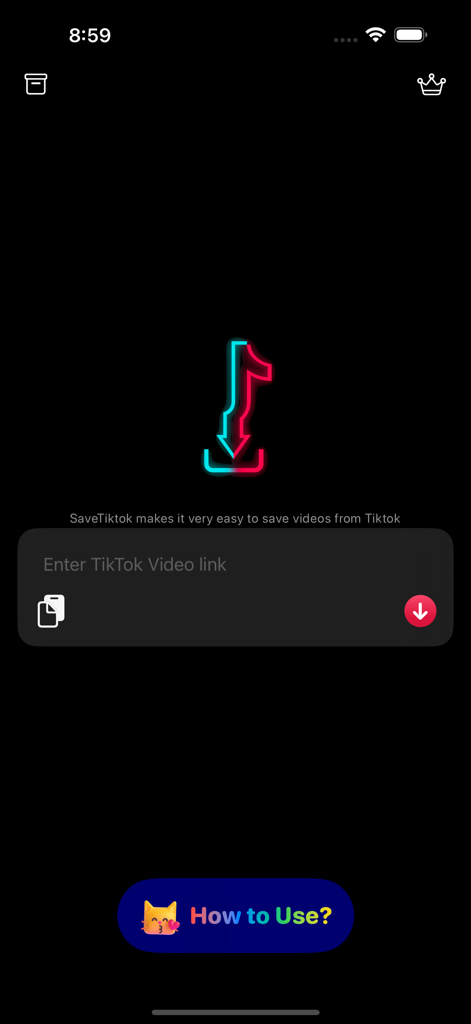

The tools that make this app stand out, trusted by 240K+ users.
No more jumping through hoops. Simply copy a TikTok link and SaveTik automatically fetches your video in seconds, keeping your workflow fast and frictionless.
Transform raw videos into high-engagement posts. Add custom captions and edit clips directly in-app to ensure your content looks perfect for Reels, Shorts, and beyond.
Stay ahead of the algorithm. Discover trending videos, copy high-performing hashtags, and schedule your reposts for peak hours to maximize your social reach.
Trusted by 240K+ people who love this app.
"SaveTik is a game-changer for my social media strategy. I can easily save videos to repost on other platforms without watermarks, and the caption tool helps me reach a much wider audience. The scheduling feature is the icing on the cake!"
"I love how fast and intuitive this app is. The automatic link detection makes saving videos seamless, and being able to bookmark my favorite profiles means I never miss a trending video. It is the perfect tool for content curation."
Everything you need to know about SaveTik : TikTok Videos Saver.
Description
Latest Version
4.5
Size
140.2 MB
First Released
May 14, 2022
Join 240,000+ creators using SaveTik to download, edit, and repost the best of TikTok without watermarks. Your next viral hit starts here.
Everything you need to know about SaveTik : TikTok Videos Saver
Yes, SaveTik simplifies saving TikTok videos. Copy the video link from TikTok, open SaveTik, and the app automatically processes the video for saving or reposting.
Yes, SaveTik provides features allowing users to edit their favorite TikTok videos directly within the application.
Yes, SaveTik enables users to add captions to their videos. This functionality helps to increase reach to more viewers.
Yes, SaveTik includes a feature to schedule the optimal time for reposting videos to maximize viewership.
To save a TikTok video using SaveTik, copy the video's link from TikTok. Open SaveTik, and the app automatically detects and prepares the video for saving.
Yes, SaveTik allows users to repost 3 videos for free. Additional video reposts require an in-app purchase.
No, SaveTik is not affiliated with or endorsed by TikTok. The app operates independently.
Yes, SaveTik allows users to find trending videos directly through the application.
Yes, SaveTik provides a feature for users to copy hashtags directly from within the app.
The privacy policy for SaveTik is accessible via the URL: https://www.app-privacy-policy.com/live.php?token=W9K8zrGNTvdGYbeHScncdrZ2YZshm7ud.
Apps with similar features and user experience

Alina Pustovit

sagar vaddoriya

Thembi Mothalo

Yousef Atieh

Narendra Sorathiya

SPEKTRUM EPPS, TOV

FATMA MELIS CAN

Md Amdadul Hoque

Sarah Rotherforth