Sched

Sched

Download on App Store
Spark by MWM logo
Logo of Sched

Sched: Master Every Moment of Your Event Experience

The #1 platform for seamless session registration and personalized attendance management. Navigate complex multitrack events with ease, connect with speakers, and access your schedule—anytime, anywhere, even offline.

Publisher

Sched

Category

Business

Downloads

753K+

User Rating

4.8/5

Total Ratings

3K+

Locales

1

Your Event, Visualized

Discover the interface used by 753K+ users.
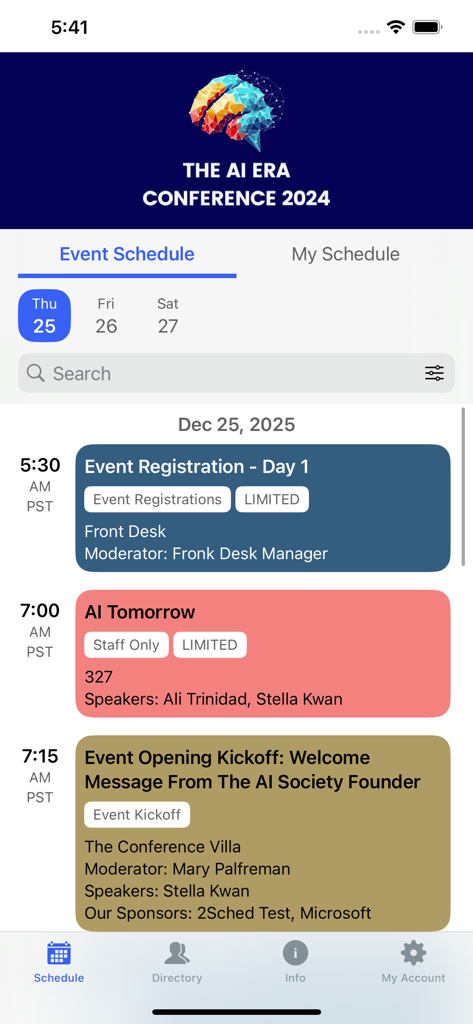
Sched mobile app interface displaying a conference schedule with session times and details.

Sched mobile app interface displaying a conference schedule with session times and details.

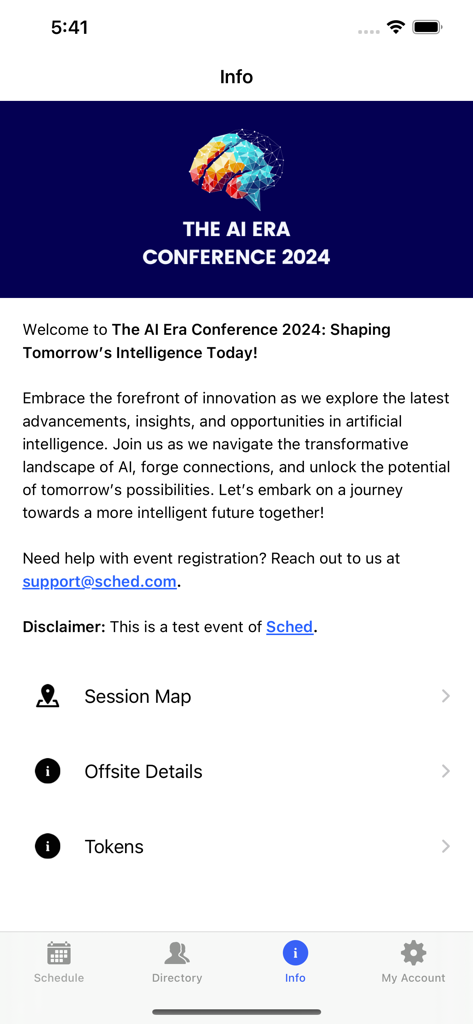
Sched mobile app info screen for a 2024 AI conference showing event details and session map links

Sched mobile app info screen for a 2024 AI conference showing event details and session map links

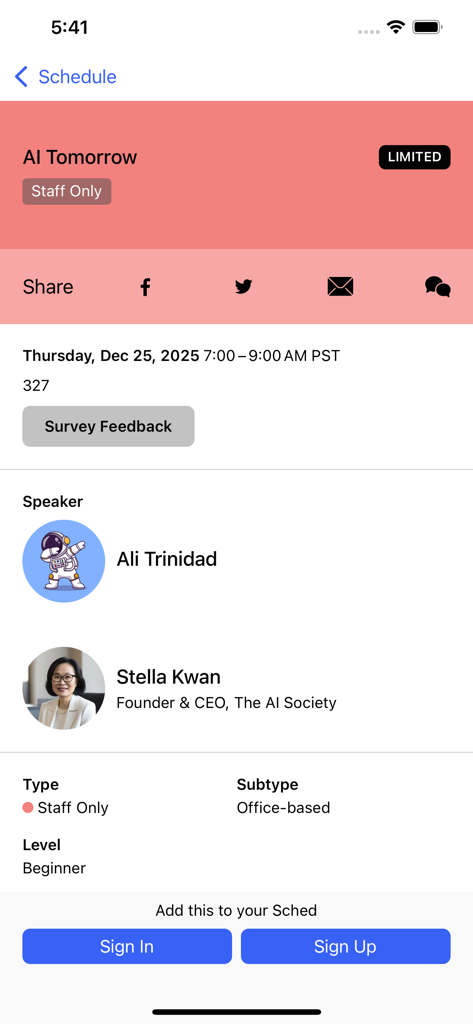
Screenshot of the Sched app displaying details for an event session titled AI Tomorrow

Screenshot of the Sched app displaying details for an event session titled AI Tomorrow

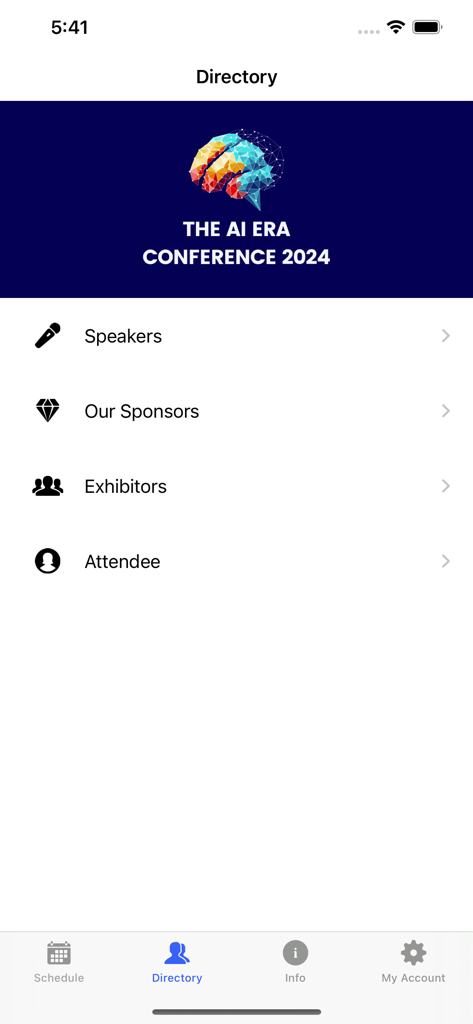
Sched app directory screen showing speakers sponsors and exhibitors for an AI conference

Sched app directory screen showing speakers sponsors and exhibitors for an AI conference

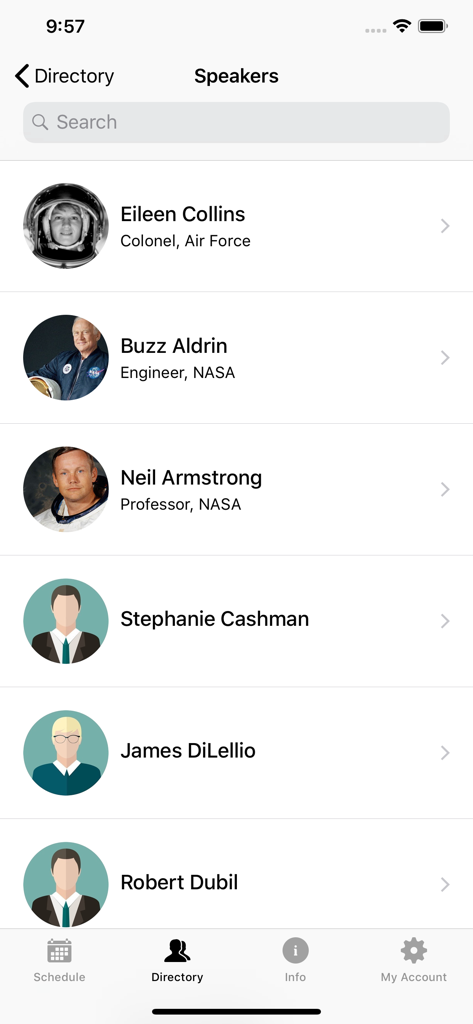
Sched mobile app screen showing a directory list of event speakers with profile photos and job titles

Sched mobile app screen showing a directory list of event speakers with profile photos and job titles

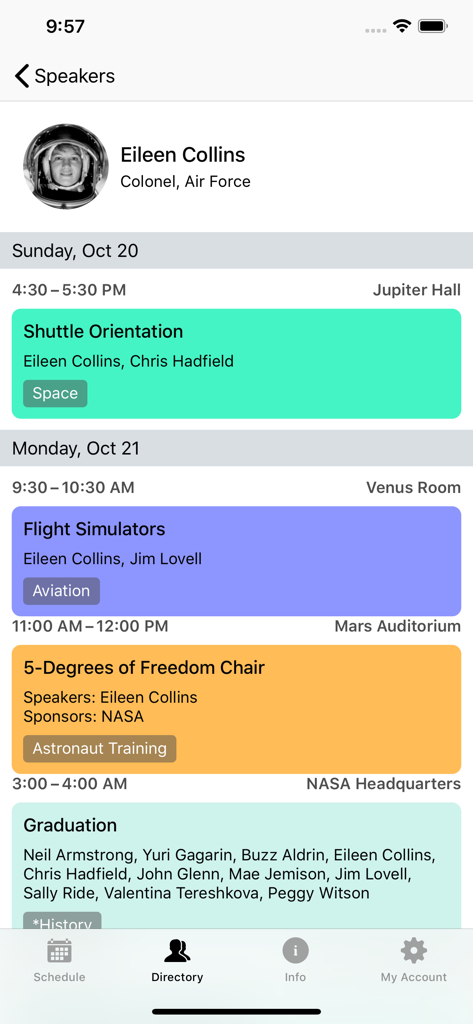
Speaker profile page in the Sched app featuring Eileen Collins and her scheduled event sessions.

Speaker profile page in the Sched app featuring Eileen Collins and her scheduled event sessions.

Maximize Your Event Potential

The tools that make this app stand out, trusted by 753K+ users.

📅

Personalized Itineraries

Build your custom schedule online or on-the-go. Sync instantly across all your devices so you are always exactly where you need to be.

📡

Reliable Offline Access

Large convention centers have dead zones, but Sched does not. Access your full schedule and event details even without a data connection.

🔍

Deep Speaker Insights

Vette speakers and exhibitors with comprehensive professional profiles. Know exactly who you are learning from before the session starts.

Loved by users worldwide

Trusted by 753K+ people who love this app.

"

"Sched completely transformed my experience at the annual Tech Summit. Managing a four-track schedule used to be a nightmare, but I could easily favorite my must-see sessions and sync everything to my phone. The offline access was a lifesaver in the convention center basement where Wi-Fi was non-existent!"

Marcus Chen, Senior Software Architect
"

"As an educator attending a massive state conference, I loved how intuitive Sched was. I could look up speaker profiles instantly to decide which workshop to attend next. It felt like having a personal assistant in my pocket, keeping me organized and on track without any of the usual event-day stress."

Sarah Jenkins, District Curriculum Director

About the app

Everything you need to know about Sched.

Description

Sched is the number one platform for session registration and attendance management. Manage all the details for your complex multitrack event in one place. We have a vision of a world where events are experienced not endured. Get more out of your event: - Full Schedule Conveniently browse the entire schedule for events on Sched. Get the key information of your event without ever having to crack open an event guide. - Personalize your experience If you've already created a schedule online, you can log in to view it on your phone and make on-the-go changes. If you need to sign up for a public event, create an attendee account to instantly save your favorite sessions to your personal schedule. - Directory View comprehensive professional profiles of speakers and exhibitors for the event. - Offline Caching Fully equipped with offline storage to make sure you always have your schedule, even if your connection drops. Testimonials - "Communication is the main problem that Sched solves. It's an at-a-glance snapshot of an entire evening that easily drills down into specifics. It invites interaction, so that's another communication problem solved/helped. I couldn't be more thrilled to have Sched working on my event's behalf. Thank you!" - "Sched is our 'go-to' conference schedule for our annual conference. As the one who built out and managed the conference agenda, I found Sched very easy to use, update and edit as needed. Our conference attendees also appreciated the layout of the app and features it comes with." - "Sched is really simple to use. They have fantastic customer service. The price was very affordable for our budget. They are constantly developing their software to provide more services. " Enjoy the app and have a great event! To have your conference, convention, or festival powered by Sched or simply get up-to-date info, please follow us online: https://sched.com/ https://twitter.com/sched https://www.facebook.com/schedsched

Latest Version

2.12.0

Size

23.7 MB

First Released

May 3, 2018

Ready to Experience Your Next Event, Not Just Endure It?

Join over 750,000 professionals who use Sched to curate their personal itineraries, navigate complex tracks, and maximize every networking opportunity—even when the Wi-Fi fails.

Download on App Store
FAQ

Frequently Asked Questions

Everything you need to know about Sched

What is Sched?

Sched is the leading platform for session registration and attendance management. It centrally organizes all details for complex multitrack events.

Can users view the full event schedule on Sched?

Yes, the Sched app allows convenient browsing of the entire event schedule. It provides essential event information without requiring a physical guide.

Does the Sched app offer schedule personalization?

Yes, Sched allows personalization. Users can log in to view and modify their online schedule or create an account to save favorite sessions to a personal schedule.

How can Sched users find speaker profiles?

Sched includes a Directory feature where users can find speakers. This directory provides comprehensive professional profiles for all event speakers and exhibitors.

Does Sched support offline access to event information?

Yes, Sched features offline caching. This ensures users always have access to their event schedule and other information, even if their internet connection is unavailable.

How do I contact support for a Sched event?

For support with event registration or other inquiries, users can contact the Sched support team directly. The designated email address is support@sched.com.

What information does Sched display for individual sessions?

Sched displays comprehensive session details including time, title, status (e.g., LIMITED, Staff Only), location, speakers/moderators, and options for sharing or providing feedback.

Can event organizers use Sched for their conferences?

Yes, event organizers can power their conferences, conventions, or festivals with Sched. They can find more information and connect with Sched online at sched.com.

Are there search functions available in the Sched app?

Yes, the Sched app includes search capabilities. A search bar is present on the main schedule screen, allowing users to find specific events or sessions.

Does Sched show event sponsors within the app?

Yes, Sched clearly displays event sponsors. The "Directory" section of the app lists "Our Sponsors", providing visibility for contributing organizations.