Sensi

Sensi

Download on App StoreDownload on Google Play
Spark by MWM logo
Logo of Sensi

Sensi: Total Home Comfort Control at Your Fingertips

Experience the ultimate balance of convenience and efficiency with easy DIY installation, smart scheduling, and remote access designed to lower your energy bills.

Publisher

Copeland LP

Category

Lifestyle

Downloads

1M+

User Rating

4.7/5

Total Ratings

245K+

Locales

1

Comfort at a Glance

Discover the interface used by 1M+ users.
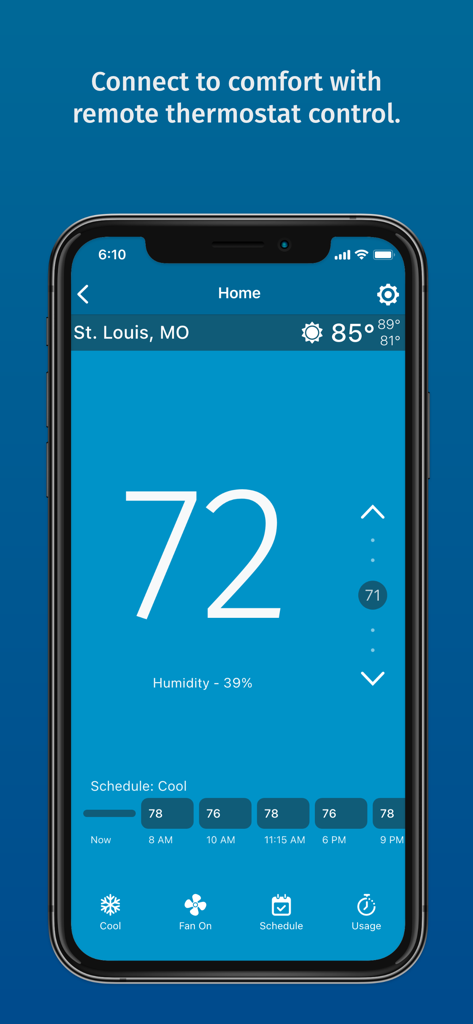
Sensi mobile app interface showing current indoor temperature humidity levels and cooling schedule

Sensi mobile app interface showing current indoor temperature humidity levels and cooling schedule

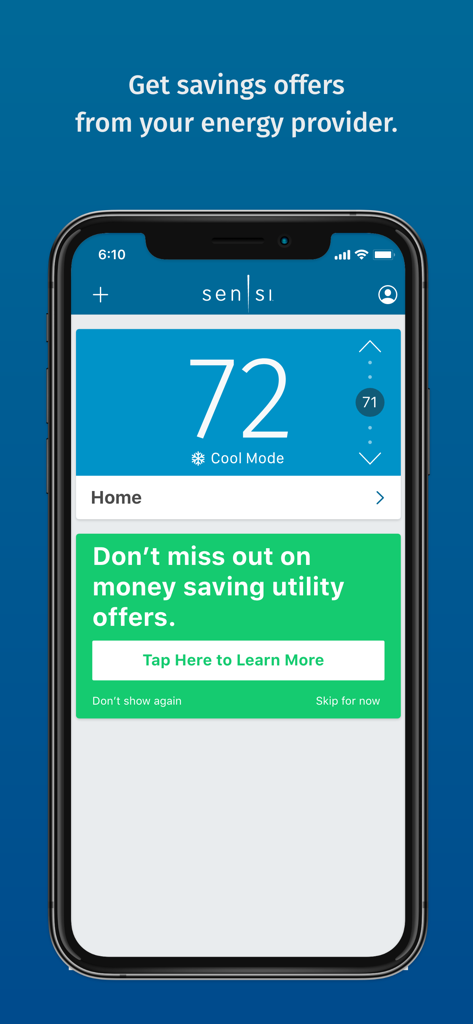
Sensi smart thermostat app display showing temperature control and utility energy saving offers

Sensi smart thermostat app display showing temperature control and utility energy saving offers

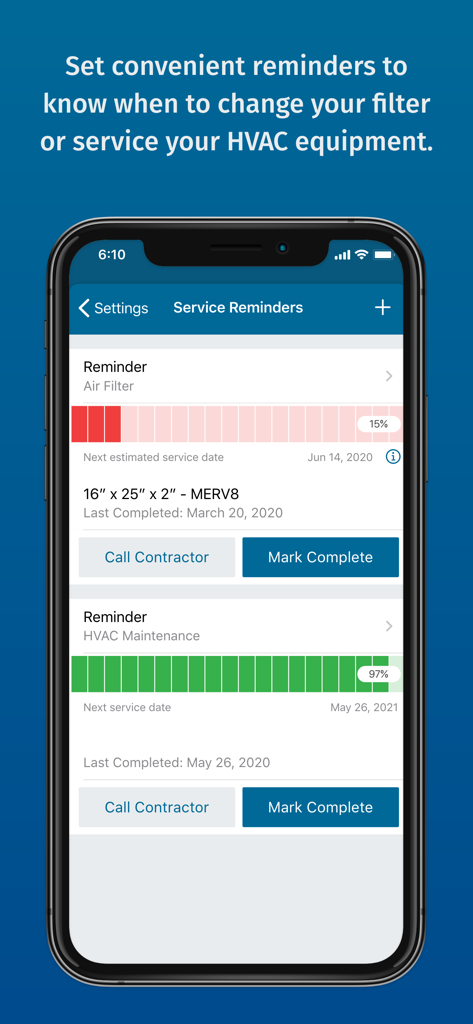
Sensi app screen showing HVAC maintenance and air filter replacement reminders

Sensi app screen showing HVAC maintenance and air filter replacement reminders

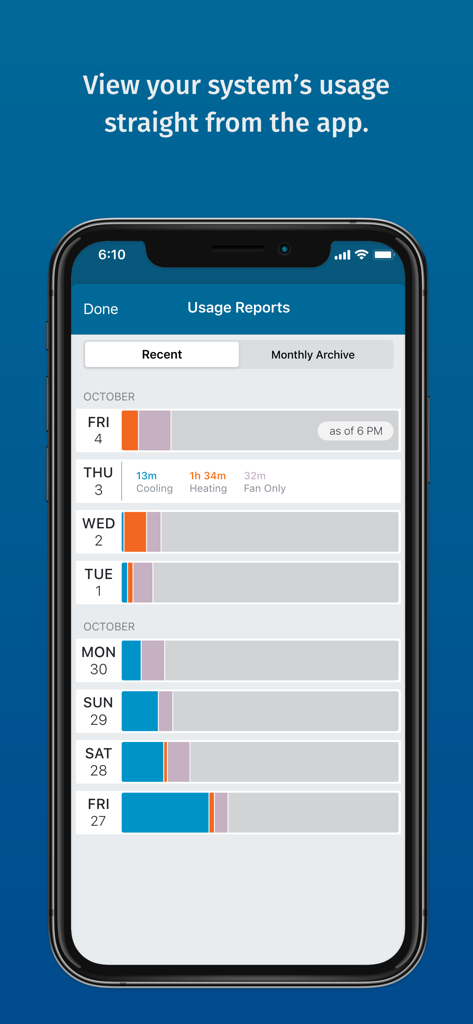
Sensi app usage reports screen showing daily HVAC system activity for heating and cooling

Sensi app usage reports screen showing daily HVAC system activity for heating and cooling

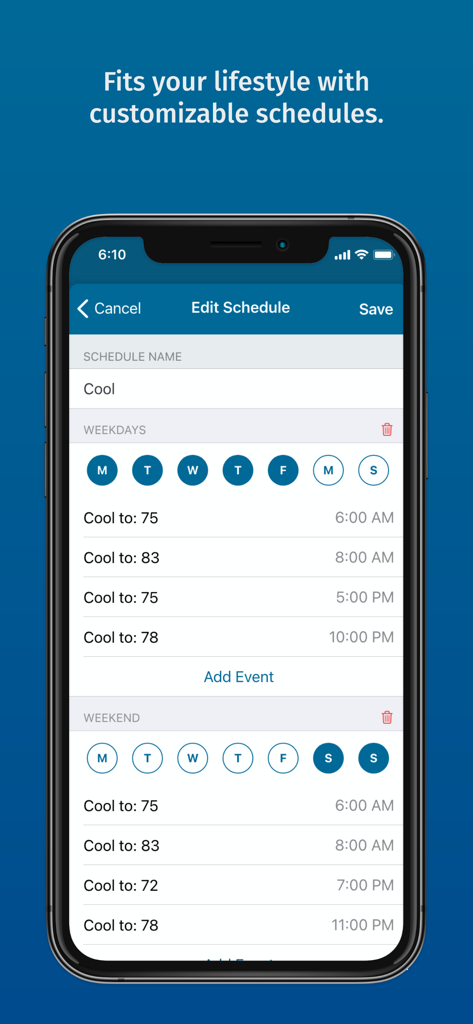
Sensi app screen showing customizable weekly and weekend thermostat cooling schedules.

Sensi app screen showing customizable weekly and weekend thermostat cooling schedules.

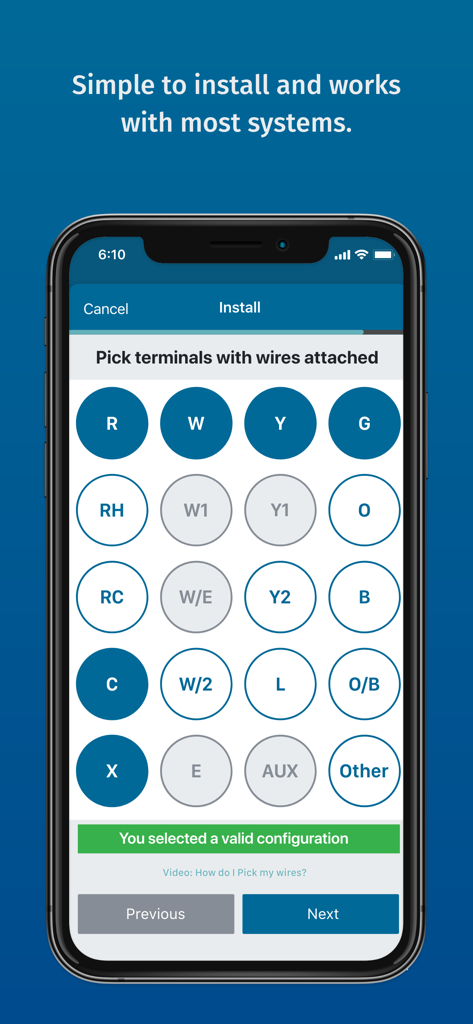
A mobile screen from the Sensi app guiding users through HVAC wiring terminal selection during installation.

A mobile screen from the Sensi app guiding users through HVAC wiring terminal selection during installation.

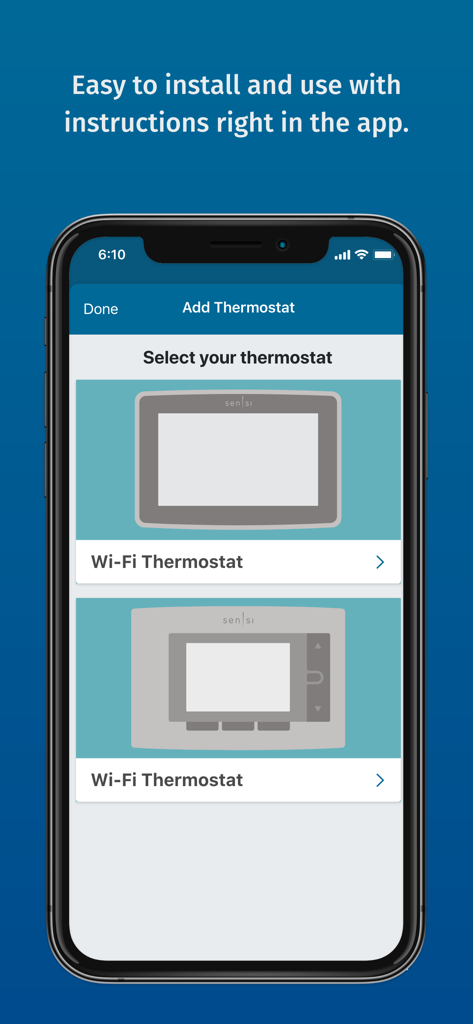
Sensi app screen showing the selection process for adding a new Wi-Fi thermostat

Sensi app screen showing the selection process for adding a new Wi-Fi thermostat

Designed for Your Comfort and Savings

The tools that make this app stand out, trusted by 1M+ users.

📱

Seamless Remote Access

Manage your home temperature from anywhere with an intuitive app designed for your busy lifestyle.

📈

Significant Energy Savings

Reduce utility costs using flexible 7-day scheduling, geofencing, and detailed energy usage reports.

🔔

Proactive Home Care

Protect your HVAC system with smart alerts for extreme conditions and timely maintenance reminders.

Loved by users worldwide

Trusted by 1M+ people who love this app.

"

"I was nervous about installing a smart thermostat myself, but the Sensi app’s step-by-step instructions made it incredibly easy. I had it up and running in less than 20 minutes! The usage reports are a fantastic tool that have already helped me lower my monthly energy bills. It is the most practical home upgrade I have ever made."

Michael R., Suburban Homeowner
"

"The geofencing feature is a total game-changer for my busy lifestyle. I love that the house is always at the perfect temperature the moment I walk through the door without having to think about it. It integrates perfectly with my Apple HomeKit setup and the remote control functionality is seamless when I am traveling for work."

Sarah L., Marketing Executive

About the app

Everything you need to know about Sensi.

Description

With the Sensi Smart Thermostat, you can enjoy complete control of your home comfort – Anytime. Anywhere. Extensive Compatibility Sensi Smart Thermostats work with HVAC equipment found in most homes*. Check compatibility at sensi.copeland.com/en-us/support/compatibility. Easy to install. Easier to use. Even if you’ve never installed a thermostat, we’ve got you covered. Clearly illustrated, in-app instructions will walk you through each step from start to finish. As soon as you’ve installed and connected your thermostat, the Sensi app serves as an intuitive remote control that lets you set, change and program your home comfort from anywhere. In-App Features: Remote temperature control Flexible 7-day scheduling Usage reports Service reminders Geofencing Auto changeover Circulating fan Humidity control** Temperature limits Smart alerts Local weather Early start A/C protection Keypad lockout Smart home meets smart comfort. Simply pair to the smart home platform of your choice to seamlessly control all of your connected devices. Smart Home Compatible • Amazon Alexa • Google Assistant • Apple HomeKit • SmartThings *Common wire (c-wire) not required for most applications. Does not work with baseboard heat and some other systems. Common wire (c-wire) is required for Apple HomeKit, heat only systems, cool only systems and heat pump systems. **Humidification requires additional equipment and a professional installation is recommended. Dehumidification supported with AC and heat pump systems.

Latest Version

9.5.1

Size

60.0 MB

First Released

Jan 21, 2014

Take Command of Your Home’s Comfort and Savings

Join over 1 million homeowners who trust Sensi for easy installation, lower energy bills, and seamless smart home control from anywhere.

Download on App StoreDownload on Google Play
FAQ

Frequently Asked Questions

Everything you need to know about Sensi

What is the Sensi app used for?

The Sensi app allows users to control their Sensi Smart Thermostat remotely. It provides complete management of home comfort settings from any location, anytime.

Is the Sensi Smart Thermostat compatible with smart home systems?

Yes, the Sensi Smart Thermostat is compatible with major smart home platforms. It integrates with Amazon Alexa, Google Assistant, Apple HomeKit, and SmartThings for connected device control.

Does the Sensi app require a c-wire for thermostat installation?

A c-wire is not typically required for most Sensi thermostat installations. However, it is mandatory for Apple HomeKit, heat-only, cool-only, and heat pump systems.

Can I set a custom schedule with the Sensi app?

Yes, the Sensi app supports flexible 7-day scheduling. Users can create customizable temperature schedules for both weekdays and weekends to optimize home comfort.

Does the Sensi app provide maintenance reminders?

Yes, the Sensi app offers service reminders. Users receive notifications to change air filters and perform HVAC maintenance, ensuring system longevity and efficiency.

What features are available in the Sensi app for home comfort control?

The Sensi app features remote temperature control, 7-day scheduling, usage reports, service reminders, geofencing, smart alerts, and humidity control. It provides comprehensive home comfort management.

How does the Sensi app assist with thermostat installation?

The Sensi app simplifies installation with clearly illustrated, in-app instructions. It guides users step-by-step through the process, making it accessible even for first-time installers.