
Shift Work Calendar Planner



Built for healthcare, retail, and frontline professionals. Effortlessly track rotations, sync with your iOS calendar, and stay on top of your busy life with custom widgets and wallpapers.
Publisher
Category
ProductivityDownloads
1M+User Rating
Total Ratings
98K+Locales
12Discover the interface used by 1M+ users.
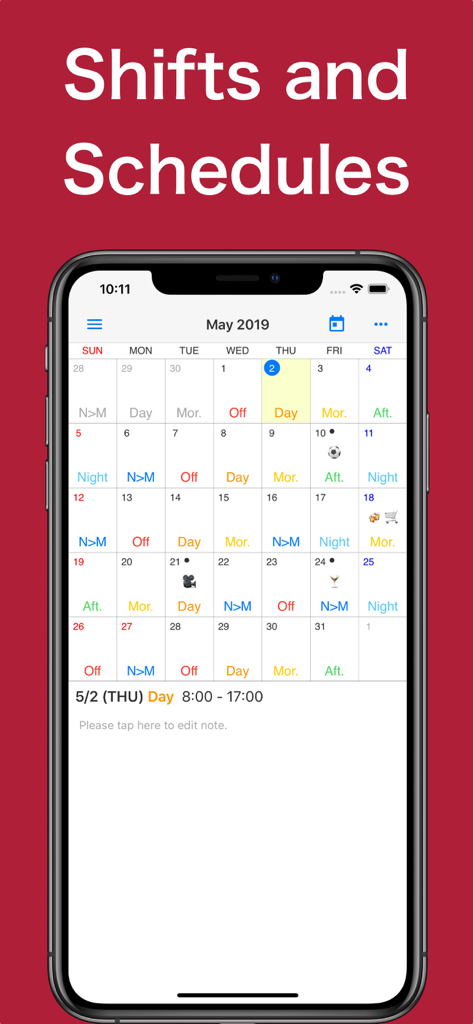
The tools that make this app stand out, trusted by 1M+ users.
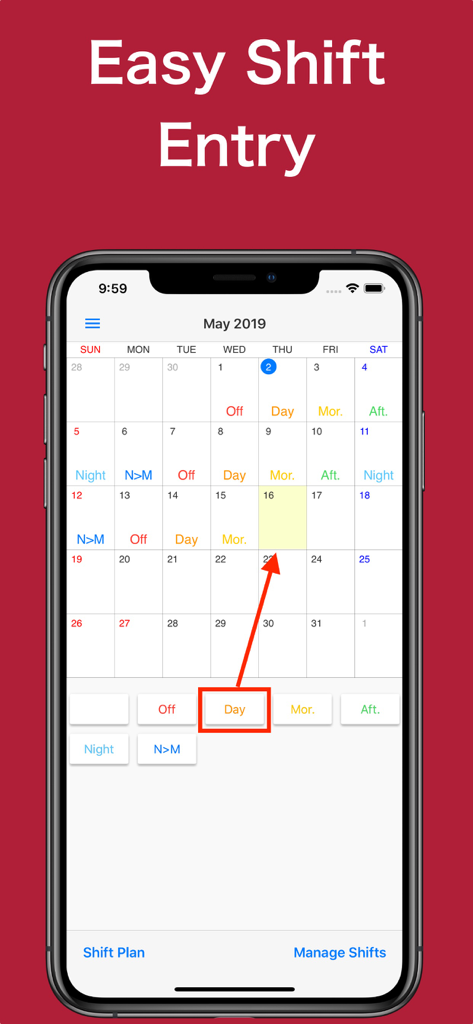
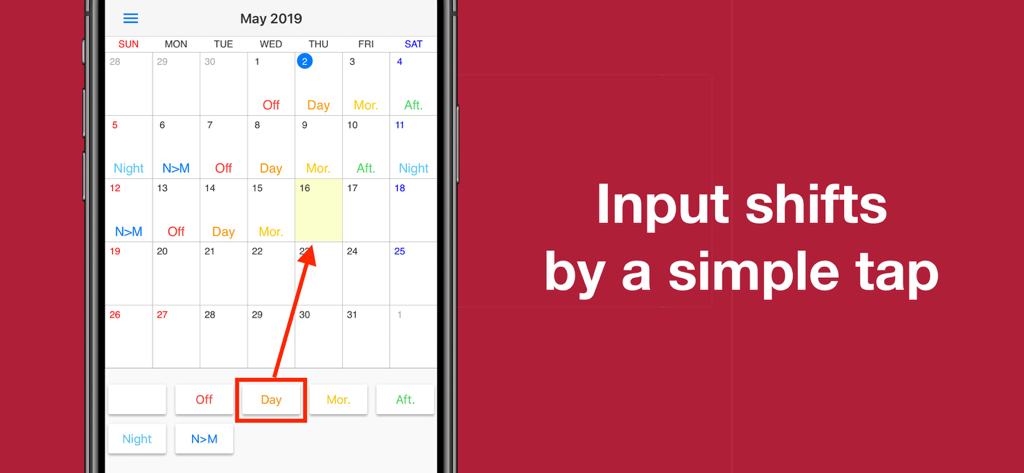
Stop manual typing. Create custom shift templates and paint your whole month's schedule with just a few taps.
View your next shift without even unlocking your phone. Set your calendar as your wallpaper or use our high-visibility widgets.
Keep family in the loop. Sync your shifts directly to your iOS calendar and easily share schedules with loved ones.
Trusted by 1M+ people who love this app.
"As a nurse working rotating 12-hour shifts, this app is a total lifesaver. Being able to set my schedule as my lock screen wallpaper means I can check my hours in a second without even unlocking my phone. The iOS sync is perfect for keeping my family updated on when I am actually free!"
"I manage a busy retail store and my schedule changes every single week. This is the only app that makes entering different shift types fast and easy. The premium shift table feature is a game-changer for coordinating with my assistant managers and seeing when we overlap."
Everything you need to know about Shift Work Calendar Planner.
Description
Latest Version
2025.3.0
Size
49.2 MB
First Released
Jul 26, 2010
Join over 1 million healthcare and retail professionals who never miss a beat. Download now to sync your shifts, set your schedule as your wallpaper, and finally get your time back.
Everything you need to know about Shift Work Calendar Planner
Shift Work Calendar Planner is a useful calendar application designed for individuals who work shifts, allowing them to easily confirm and register their work schedules on an iPhone.
Yes, Shift Work Calendar Planner allows users to input shifts easily by tapping on a date and selecting the shift type from available options. This feature simplifies schedule management.
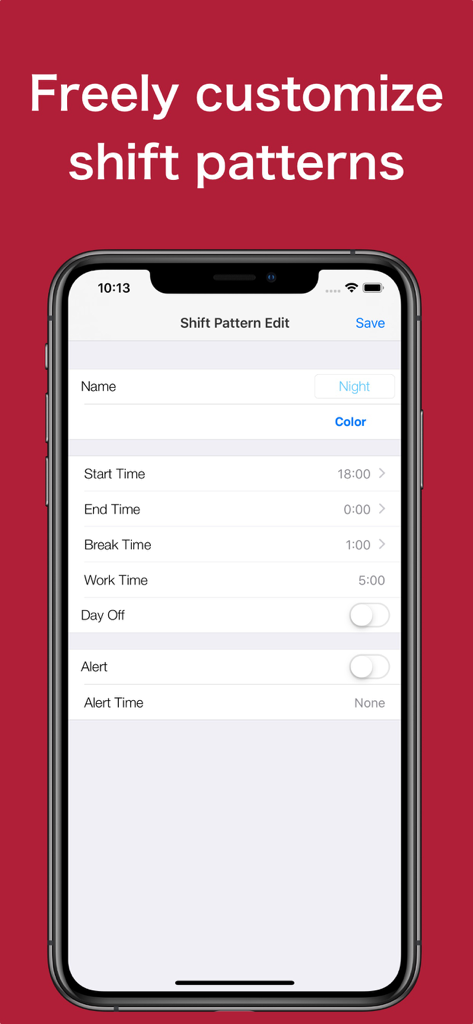
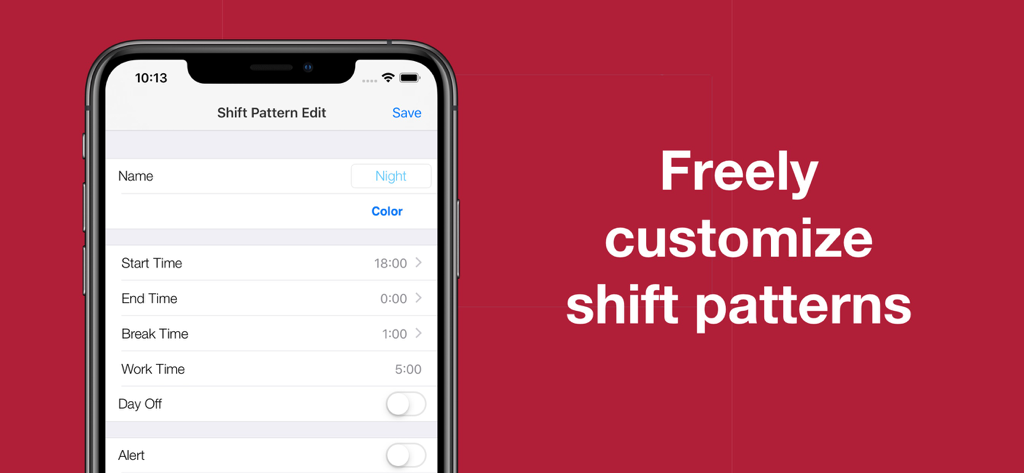
Yes, Shift Work Calendar Planner allows users to freely customize shift patterns. Users can define shift names, colors, start/end times, break times, work times, and set day off statuses.
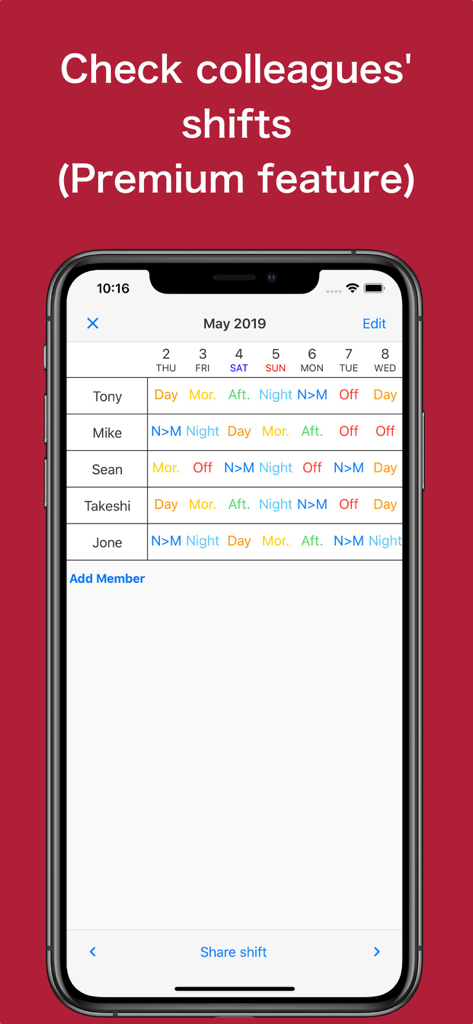
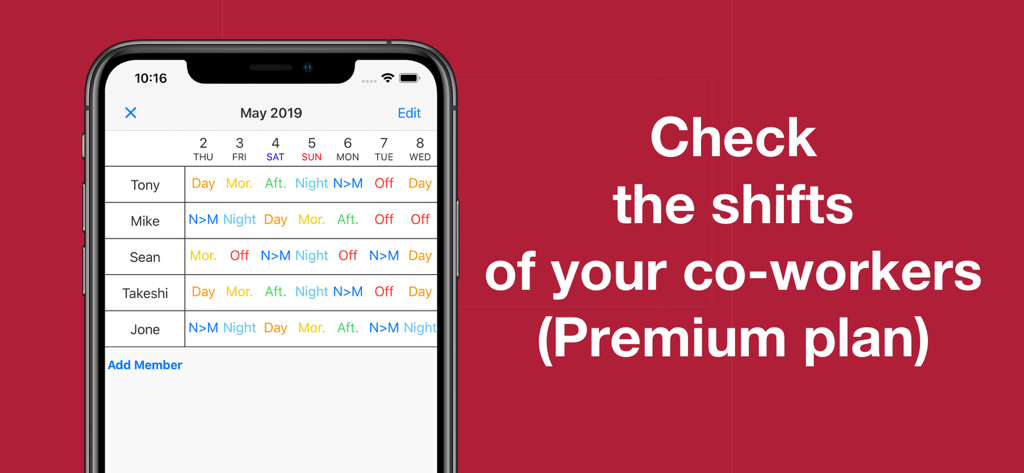
Yes, Shift Work Calendar Planner offers a Premium Plan feature called 'Shift Table' that allows users to input and view other people's shifts, which is useful for checking colleagues' schedules.
Shift Work Calendar Planner offers premium features including no ads, iOS Calendar Sync for importing shifts, and a 'Shift Table' to input and view other people's shifts.
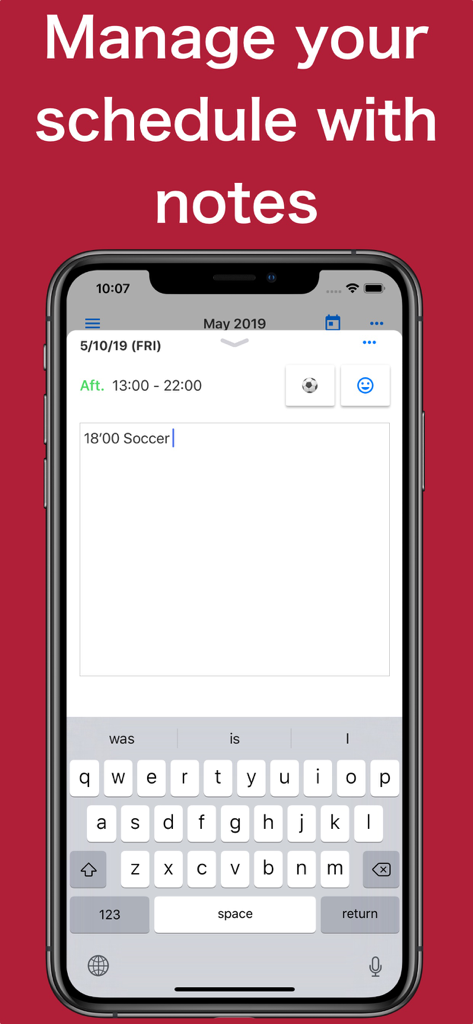
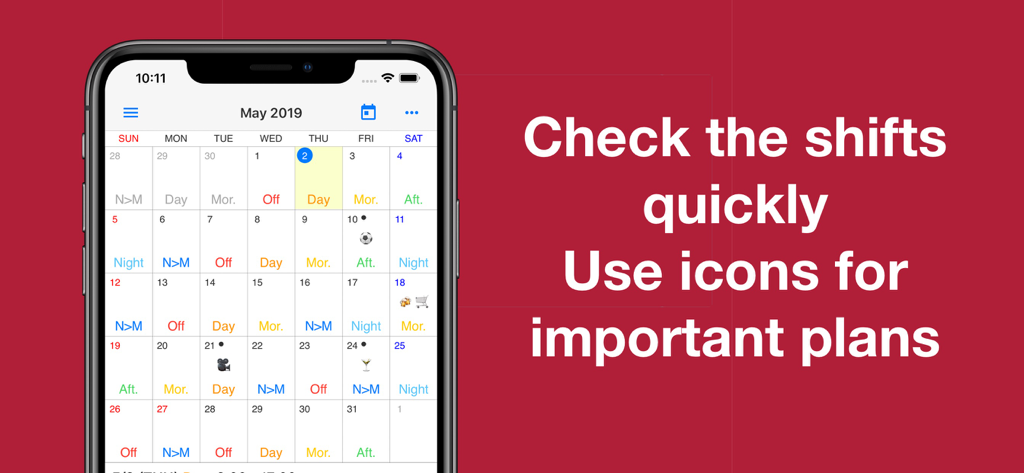
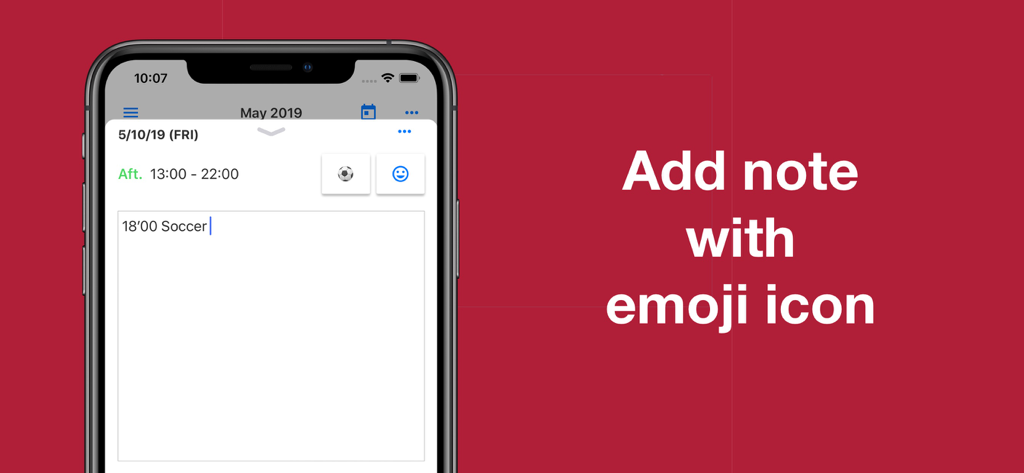
Yes, users can add notes for any date on the calendar in Shift Work Calendar Planner, and these notes can also include emoji icons for better organization and visual cues.
Yes, Shift Work Calendar Planner allows users to save their calendar as an image, set it as an iPhone wallpaper, and send their shifts to others via email.
Shift Work Calendar Planner uses auto-renewable subscriptions with options for 1 month, 6 months, or 1 year. Subscriptions automatically continue but users can manage and turn off auto-renewal in their Account Settings.
Yes, Shift Work Calendar Planner includes a widget. This widget provides a quick way to check your schedule and shifts directly from your device's home screen or Today View.
Apps with similar features and user experience

Shanghai Anjiaxin Network Technology Co., Ltd

HCT2 CO
Нико Беллик
NR Mobile App Solutions

Mikhail Eremkin

Bartlomiej Semanczyk
4TH FLOOR APPS SIA

Fourwheels Inc.
Hodosoft Co.,Ltd.