Singpass

Singpass

Download on App StoreDownload on Google Play
Spark by MWM logo
Logo of Singpass

Singpass: Your Secure Digital Bridge to Singapore from Anywhere in the World

Manage your personal information, sign documents remotely, and access government services with biometric security. Designed for the global professional who needs a seamless, password-free connection to Singapore from the USA.

Publisher

Government Technology Agency

Category

Productivity

Downloads

3M+

User Rating

4.8/5

Total Ratings

289K+

Locales

4

Your Digital Life at a Glance

Discover the interface used by 3M+ users.
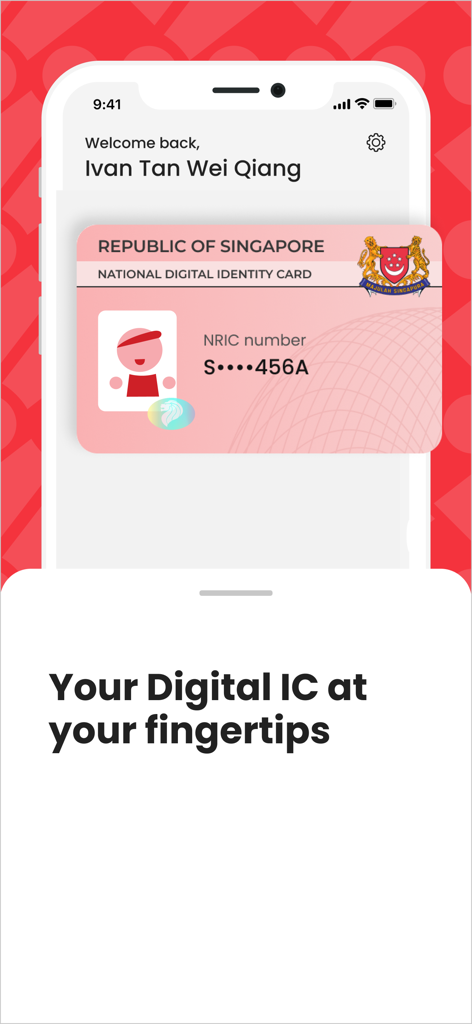
The Singpass app interface showing a Singapore national digital identity card on a smartphone.

The Singpass app interface showing a Singapore national digital identity card on a smartphone.

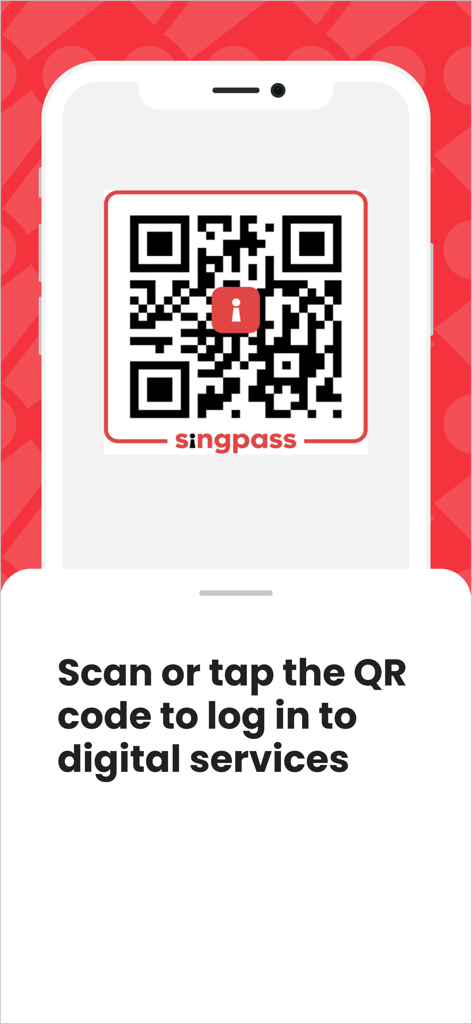
A smartphone screen displaying a Singpass QR code for logging into digital services

A smartphone screen displaying a Singpass QR code for logging into digital services

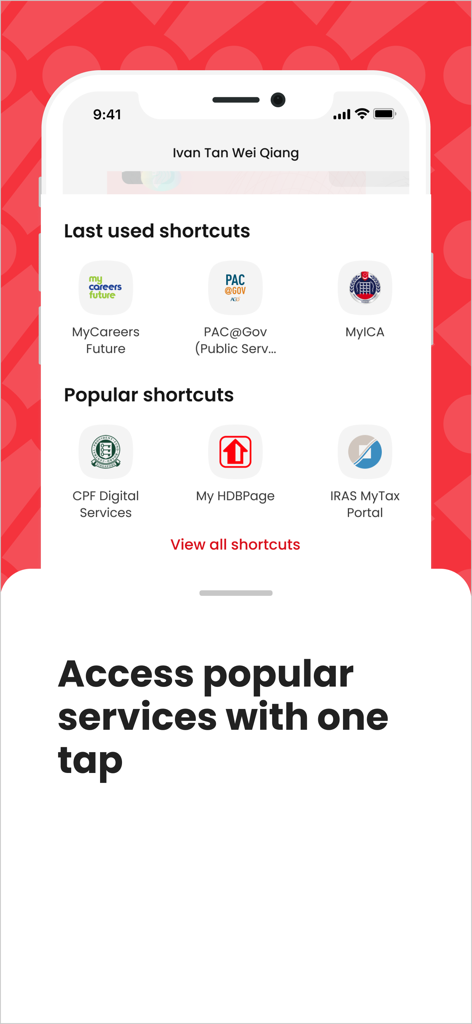
Singpass app screen showing quick access shortcuts to Singapore government services like CPF, HDB, and IRAS

Singpass app screen showing quick access shortcuts to Singapore government services like CPF, HDB, and IRAS

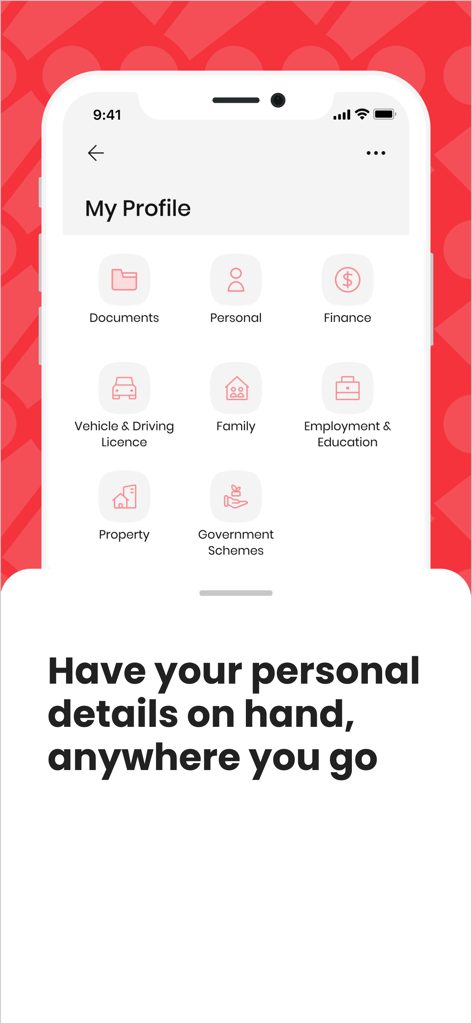
A screenshot of the Singpass app showing the My Profile section with icons for documents, personal info, finance, and property.

A screenshot of the Singpass app showing the My Profile section with icons for documents, personal info, finance, and property.

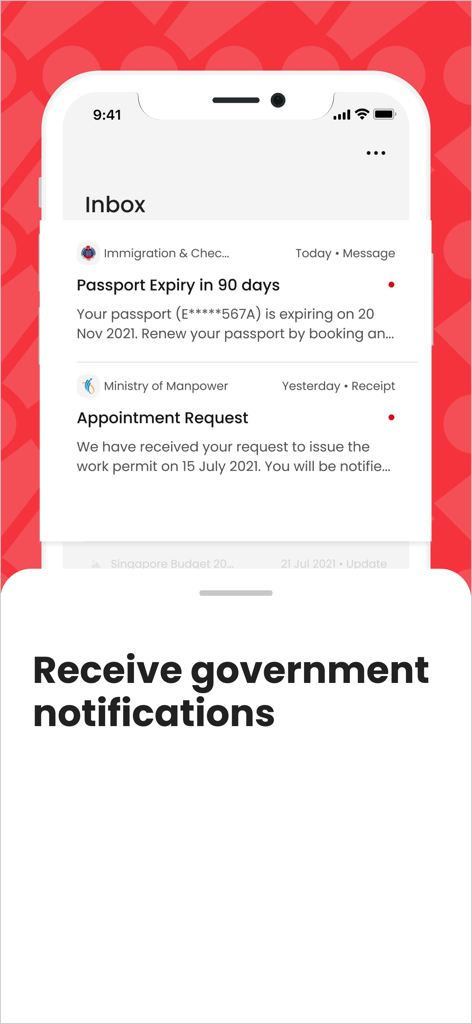
Singpass app inbox screen displaying official government notifications such as passport expiry alerts and appointment requests.

Singpass app inbox screen displaying official government notifications such as passport expiry alerts and appointment requests.

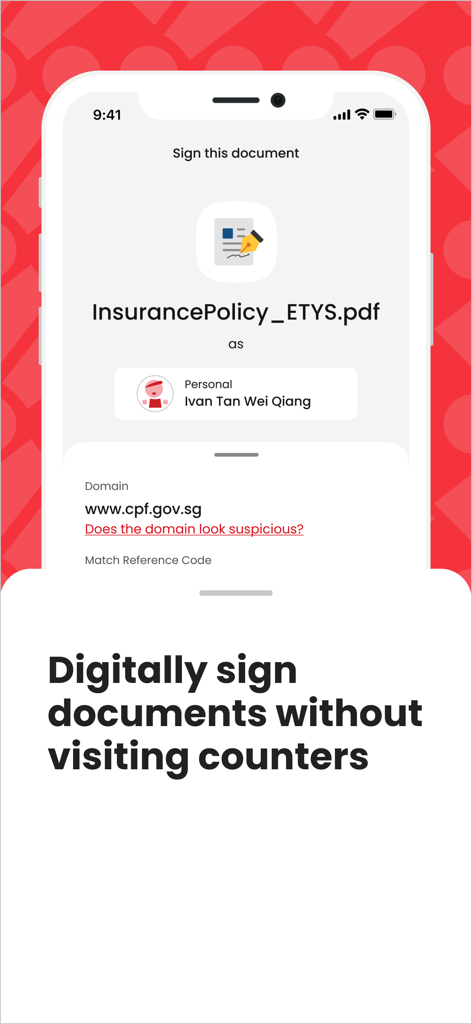
Singpass app screen showing digital signing feature for a document with the caption Digitally sign documents without visiting counters

Singpass app screen showing digital signing feature for a document with the caption Digitally sign documents without visiting counters

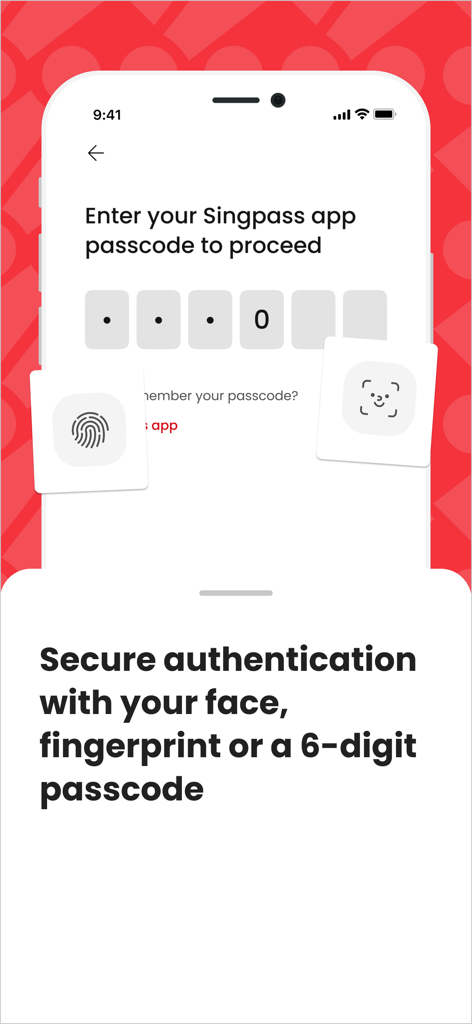
Secure login screen in the Singpass app with options for face recognition fingerprint and 6-digit passcode

Secure login screen in the Singpass app with options for face recognition fingerprint and 6-digit passcode

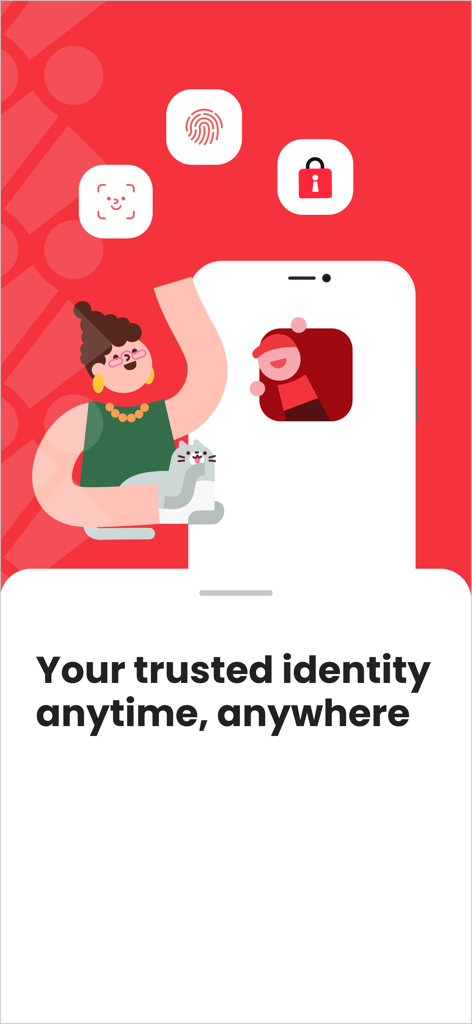
Singpass app promotional screen featuring biometric security icons and the slogan Your trusted identity anytime anywhere

Singpass app promotional screen featuring biometric security icons and the slogan Your trusted identity anytime anywhere

Your Digital Bridge to Singapore

The tools that make this app stand out, trusted by 3M+ users.

🤳

Password-less Login

Access digital services instantly with biometrics or QR codes—no SMS OTPs or international roaming required.

📊

Real-time Profile Insights

Track your CPF, HDB, and passport details from a single dashboard, keeping your Singapore affairs organized remotely.

✍️

Remote Digital Signing

Securely sign legal documents and contracts from the US, eliminating the need for physical presence or paper mail.

Loved by users worldwide

Trusted by 3M+ people who love this app.

"

"Living in San Francisco, I used to dread tax season because of delayed SMS OTPs on my US roaming line. The Singpass app's biometric login and QR scan have been a total lifesaver. It is incredibly fast, secure, and makes managing my affairs back home completely frictionless."

Adrian Tan
"

"The Digital Signing feature is a game-changer for expatriates. I was able to execute a legal contract from New York without the need for physical paperwork or expensive international couriers. Having my entire Myinfo profile at my fingertips while abroad provides such peace of mind."

Sarah Lim

About the app

Everything you need to know about Singpass.

Description

Log in within seconds using your fingerprint, face or 6-digit passcode! *** TRANSFORM THE WAY YOU TRANSACT • View your information from government sources in one place With the improved Singpass Myinfo Profile, you can customise the information you want to view on the app. Choose from your CPF account information, HDB property details, passport expiry date, and more. • Say goodbye to long passwords With QR login, you can skip entering your Singpass ID and password. Just scan or tap the QR code to launch the app, verify your identity, and you’re in! You can also visit popular digital services directly from the app through the Login Shortcuts. • Transact securely on the go Working or staying overseas? Enjoy greater mobility when you use the Singpass app. You no longer need to wait for an SMS OTP to access digital services. *** KEY APP FEATURES DIGITAL SIGNING: Sign documents and contracts easily and securely with your Singpass app, removing the need for physical presence and paper-based signing. INBOX: Receive government notifications through the Singpass app inbox. VERIFY: Verify your identity in-person securely, with QR scanning. *** SET UP IN 3 EASY STEPS All you need is a smartphone, internet connection, and a registered Singpass account. • Step 1: Install the Singpass app. • Step 2: Complete a one-time set up. • Step 3: Your trusted digital identity is now ready for use! You can access digital services via the Singpass app using your fingerprint, face or 6-digit passcode – it’s that simple! *** FEEDBACK We want to hear from you! For feedback or questions, please email us at go.gov.sg/singpass-faq. Note: The Singpass app can only be installed on one device at a time. This application is brought to you by the Government Technology Agency. *** RECOMMENDED REQUIREMENTS For an optimised user experience, do keep your device updated minimally with iOS version 15.0 and above. *** COMMON ISSUES Directed to app.singpass.gov.sg when tapping on the QR code during login? This is due to a delay by iOS at times in retrieving the required configuration file (Apple-App-Site-Association, or AASA in short), which is necessary for QR code tapping (Universal Links) to work. Here are some workarounds that worked well with other users experiencing the same issue: • Try again later. Most users reported that iOS managed to retrieve the necessary configuration after some time. • Restart the phone once (or twice), and wait for a couple minutes for iOS to initialise the Universal Links for the Singpass app (as well as all your other affected apps). • Uninstall the Singpass app from your device, then download the app again from the official App Store.

Latest Version

25.4.1

Size

300.5 MB

First Released

Oct 20, 2018

Your Trusted Digital Identity, Anywhere in the World

Join over 3 million users managing their Singapore government affairs from the US with ease. Download Singpass today for secure, biometric-powered access to your digital life without the need for SMS OTPs.

Download on App StoreDownload on Google Play
FAQ

Frequently Asked Questions

Everything you need to know about Singpass

What is the Singpass app?

The Singpass app functions as your trusted digital identity. It allows secure access to digital services, viewing government information, and digitally signing documents, transforming how you transact.

How do I log in to the Singpass app?

You can log in to the Singpass app using your fingerprint, face, or a 6-digit passcode. Alternatively, scan or tap a QR code to verify your identity for digital services without entering credentials.

Can I use the Singpass app when I am overseas?

Yes, you can use the Singpass app when you are overseas. It provides greater mobility by eliminating the need for an SMS OTP to access digital services securely from abroad.

What government information is available through the Singpass app?

The Singpass app allows users to view and customize information including CPF account details, HDB property details, and passport expiry dates from various government sources in one place.

Does the Singpass app support digital signing of documents?

Yes, the Singpass app supports digital signing. Users can securely sign documents and contracts digitally, removing the need for physical presence and paper-based signing methods.

How do I set up the Singpass app on my device?

To set up the Singpass app, simply install it on your smartphone. Follow the steps to complete a one-time setup. Your trusted digital identity is then ready for immediate use.

What are the minimum iOS requirements for the Singpass app?

For an optimized user experience, the Singpass app requires your device to be updated minimally with iOS version 15.0 and above.

Can the Singpass app be installed on multiple devices simultaneously?

No, the Singpass app can only be installed on one device at a time. This policy ensures the security and integrity of your digital identity and transactions.

What troubleshooting steps can resolve Singpass QR code login issues on iOS?

If Singpass QR code login redirects to the website on iOS, try again later, restart your phone, or uninstall and reinstall the app. These steps address configuration delays.

How does the Singpass app facilitate in-person identity verification?

The Singpass app facilitates secure in-person identity verification using QR scanning. This feature allows individuals to confirm their identity without needing physical documents.