
Smarters Player Lite



Join over 16 million users who have upgraded their streaming experience. A professional, high-performance player for your M3U and JSON playlists, optimized for a seamless viewing experience on your iPhone, iPad, and Apple TV.
Publisher
Category
EntertainmentDownloads
16M+User Rating
Total Ratings
1M+Locales
1Discover the interface used by 16M+ users.
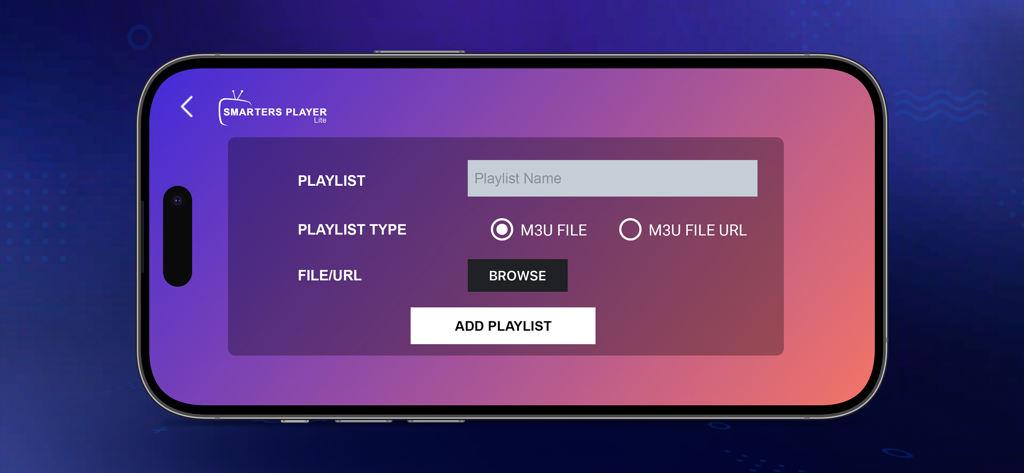
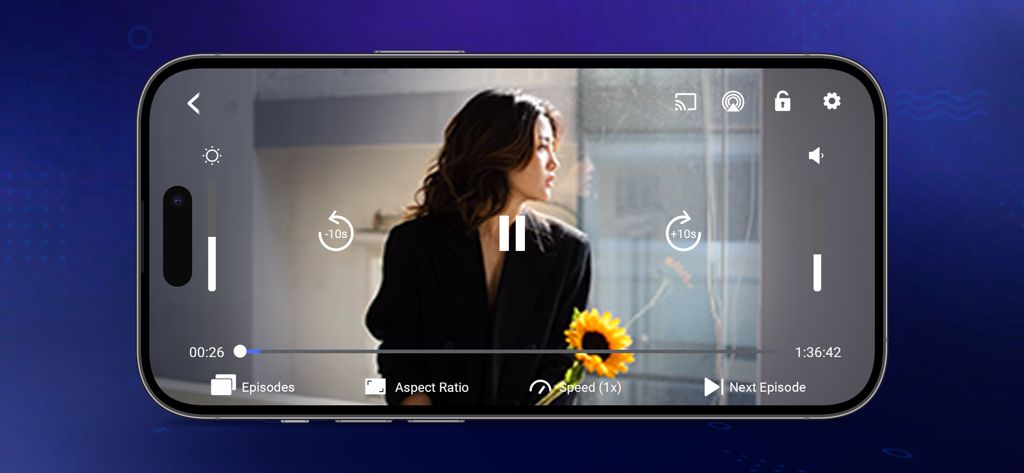
The tools that make this app stand out, trusted by 16M+ users.
Enjoy a consistent, high-end experience across your living room and mobile devices with full native support for the Apple ecosystem.
Experience instant channel switching and stutter-free 4K playback thanks to our performance-optimized playback engine.
Easily manage M3U and JSON formats with an intuitive interface that makes your custom media setup look and feel professional.
Trusted by 16M+ people who love this app.
"Finally, a media player that actually feels premium on my Apple TV. I have tried several other apps to manage my playlists, but Smarters Player Lite is the only one that provides a completely lag-free experience with a UI that looks as good as the big streaming platforms. It is the perfect tool for anyone looking to organize their own media library and enjoy high-quality playback without the clutter."
"As someone who is constantly switching between my iPhone and iPad, the versatility of this app is a lifesaver. It handles every video format I throw at it with ease, and the setup was incredibly straightforward. It is easily the most reliable and user-friendly media player I have used for my personal content. I highly recommend it to any cord-cutter looking for a high-performance viewing experience."
Everything you need to know about Smarters Player Lite.
Description
Latest Version
1.3.2
Size
75.1 MB
First Released
Jun 16, 2022
Join over 16 million users and transform your personal playlists into a professional home theater experience. Download Smarters Player Lite now for iPhone, iPad, and Apple TV.
Everything you need to know about Smarters Player Lite
Smarters Player Lite is a powerful and versatile media player. It delivers a smooth, high-quality viewing experience across multiple platforms for personal media.
Smarters Player Lite supports M3U, JSON, and other standard playlist formats. Users can play personally owned media from both local storage and remote sources.
No, Smarters Player Lite is strictly a standalone media player. It does not provide, host, sell, or promote any media content, TV channels, or streaming services.
Users must add and manage their own legally acquired media. The app allows adding playlists via M3U files or M3U file URLs directly within the interface.
Yes, Smarters Player Lite complies with the Indian Copyright Act 1957. It does not endorse or facilitate unauthorized streaming or distribution of copyrighted material.
Yes, Smarters Player Lite offers personalized experience features. Users can customize settings for an optimized viewing experience and utilize in-playback controls.
Smarters Player Lite includes various playback controls: play/pause, 10-second skip buttons, aspect ratio adjustment, playback speed control, and volume/brightness options.
Apps with similar features and user experience

Byte9 Inc

IRBOETECH CO., LIMITED

MUKING OU

belal samir

IRBOETECH CO., LIMITED

Dmitri Iasibis

Oskarina Ramos

Nguyen Van Sy

SmartersPlayer LLC