Speech Assistant AAC

Speech Assistant AAC

Download on App Store
Spark by MWM logo
Logo of Speech Assistant AAC
Speech Assistant AAC: Restore Your Voice and Independence

The most intuitive, customizable, and affordable communication tool for Aphasia, ALS, and Autism. Empower yourself with ultra-realistic AI voices and a simple one-time payment.

Publisher

Ton Schalke

Category

Medical

Downloads

166K+

User Rating

4.6/5

Total Ratings

200

Locales

7

Your Voice, Visualized

Discover the interface used by 166K+ users.
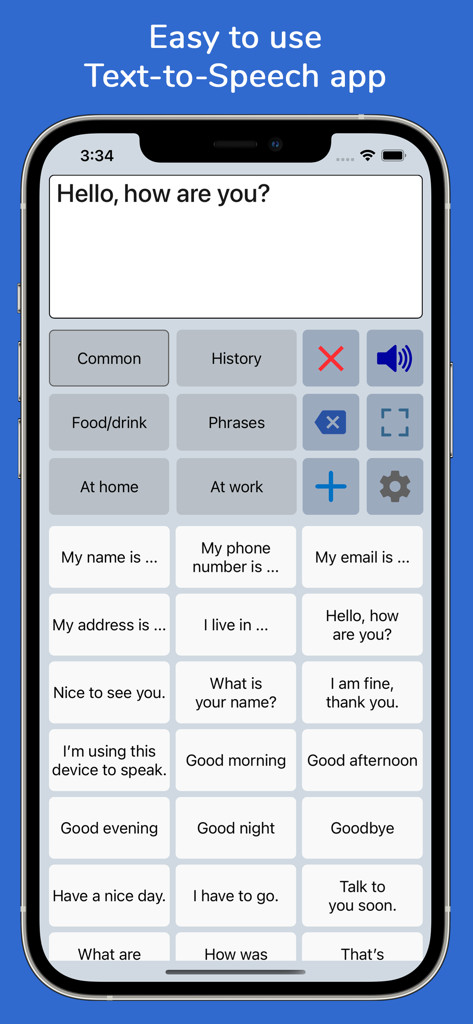
Interface of the Speech Assistant AAC app showing categorized communication buttons on an iPhone

Interface of the Speech Assistant AAC app showing categorized communication buttons on an iPhone

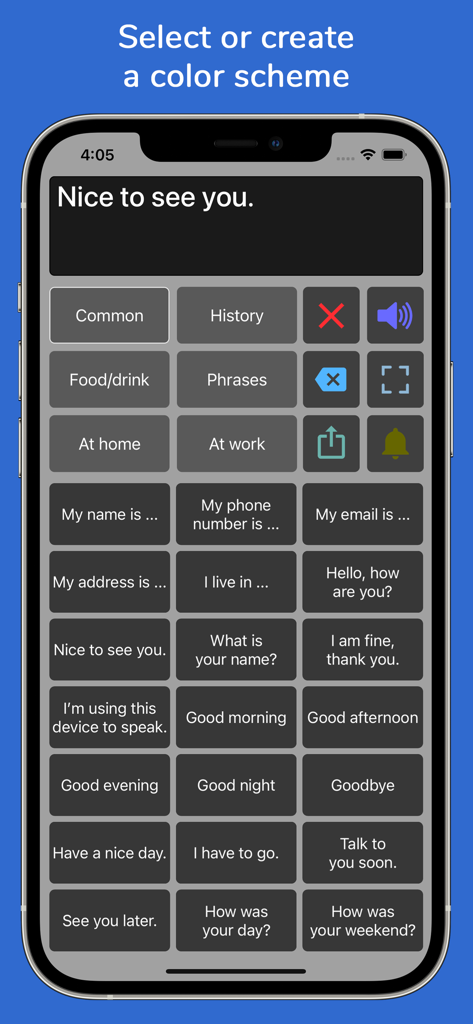
Speech Assistant AAC app interface featuring a dark grey color scheme with categorized phrase buttons for speech assistance.

Speech Assistant AAC app interface featuring a dark grey color scheme with categorized phrase buttons for speech assistance.

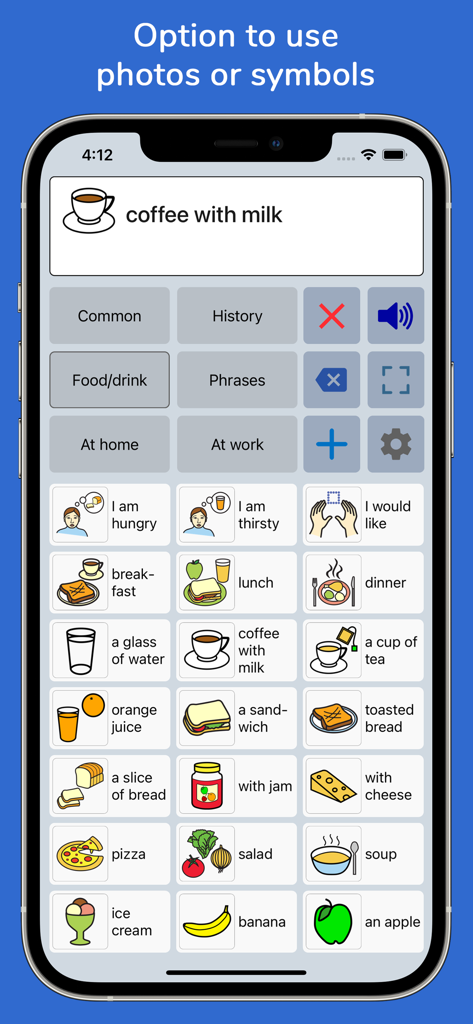
Speech Assistant AAC interface showing a grid of communication symbols for various food and drink items on an iPhone

Speech Assistant AAC interface showing a grid of communication symbols for various food and drink items on an iPhone

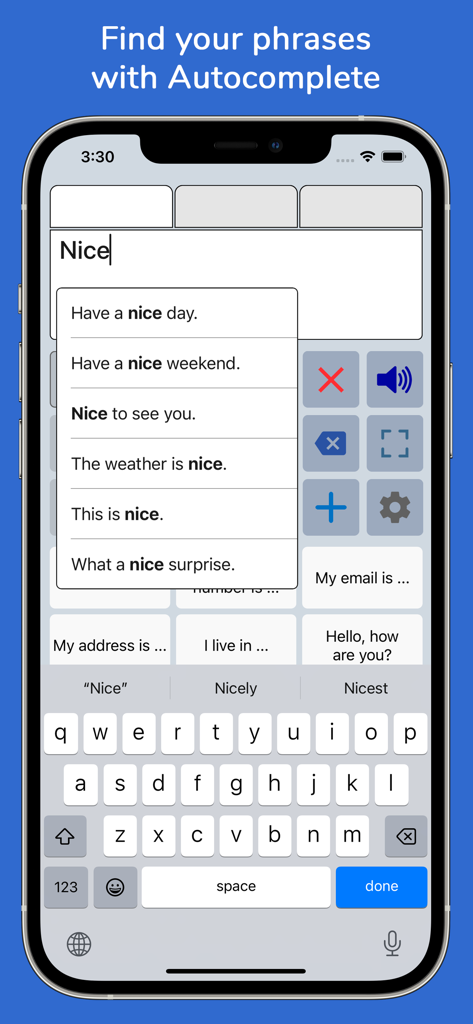
Smartphone screen of Speech Assistant AAC showing the autocomplete phrase suggestion feature

Smartphone screen of Speech Assistant AAC showing the autocomplete phrase suggestion feature

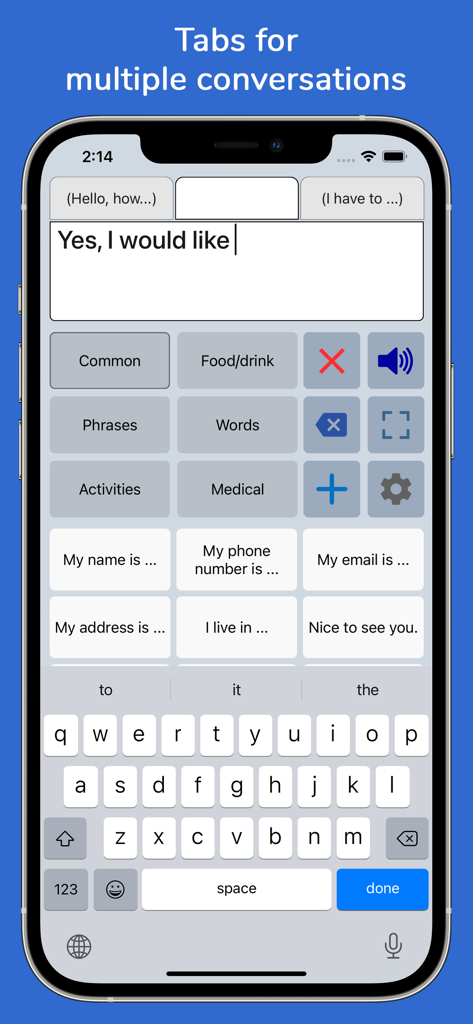
Speech Assistant AAC app interface on iPhone showing multiple conversation tabs and phrase buttons

Speech Assistant AAC app interface on iPhone showing multiple conversation tabs and phrase buttons

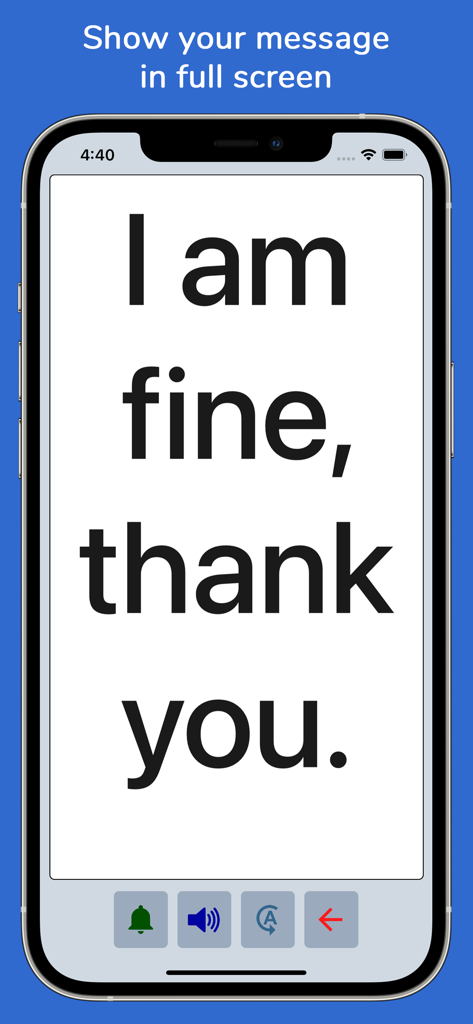
Speech Assistant AAC app displaying a message in large font on an iPhone screen for clear communication.

Speech Assistant AAC app displaying a message in large font on an iPhone screen for clear communication.

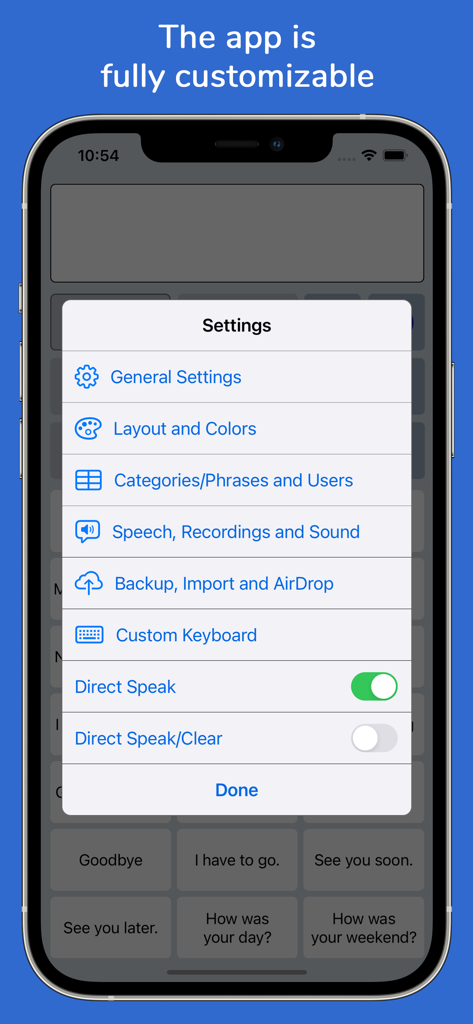
Settings menu of Speech Assistant AAC app on iPhone showing various customization options.

Settings menu of Speech Assistant AAC app on iPhone showing various customization options.

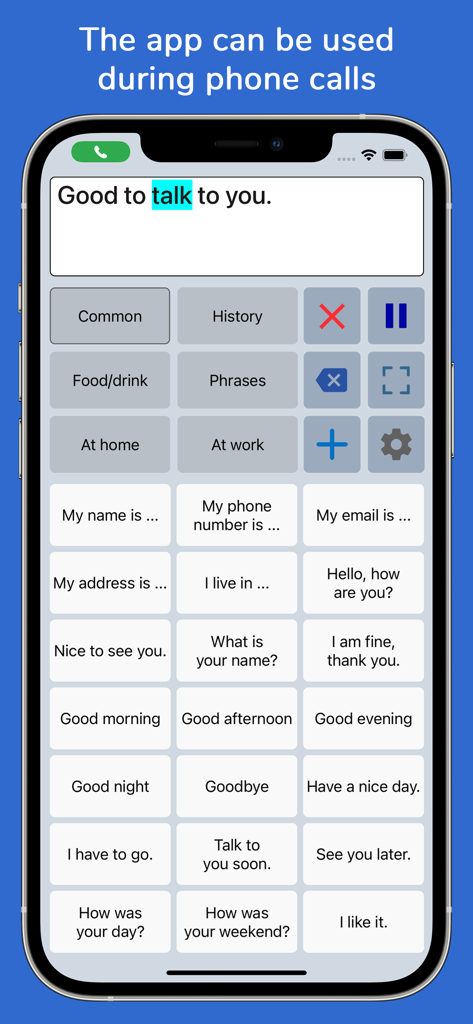
Speech Assistant AAC app interface showing phrase buttons and a text box used during a phone call.

Speech Assistant AAC app interface showing phrase buttons and a text box used during a phone call.

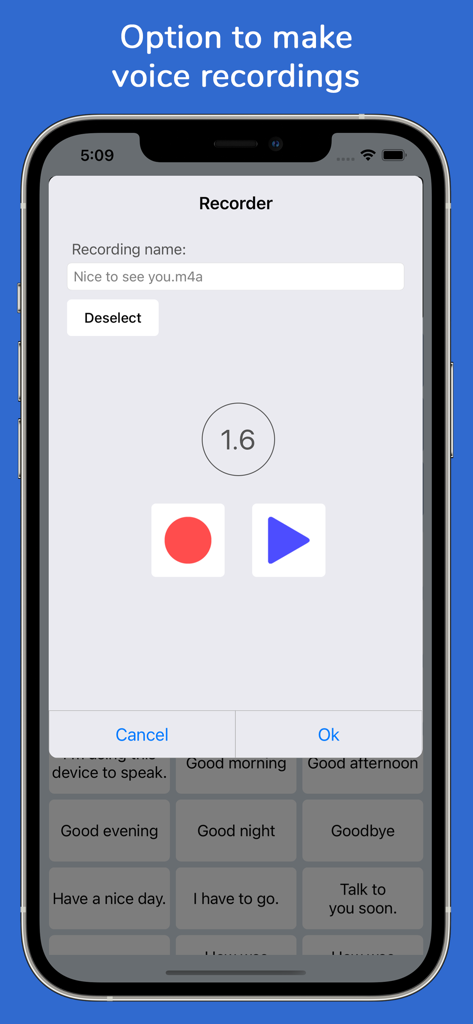
iPhone interface of the Speech Assistant AAC app showing the voice recording tool for custom phrases.

iPhone interface of the Speech Assistant AAC app showing the voice recording tool for custom phrases.

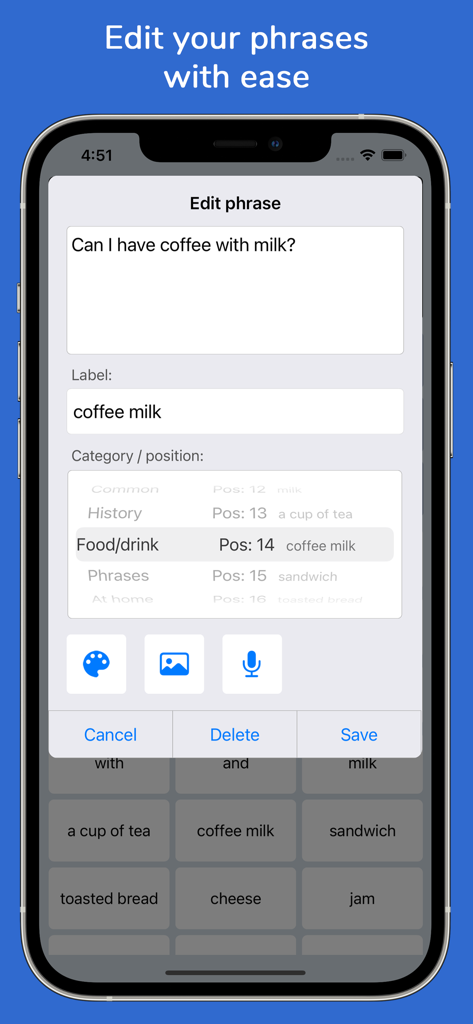
Interface showing the edit phrase screen in the Speech Assistant AAC app

Interface showing the edit phrase screen in the Speech Assistant AAC app

Reclaim Your Voice with Confidence

The tools that make this app stand out, trusted by 166K+ users.

🗣️

Natural, Life-Like AI Voices

Communicate using high-quality AI voices from ElevenLabs or Apple’s Personal Voice, ensuring you sound like yourself rather than a computer.

🗂️

One-Tap Effortless Conversation

Organize your phrases into custom categories with photos and symbols for instant access during medical visits, social events, or phone calls.

🛡️

Private, Offline & Permanent

A one-time payment with no subscriptions. Your data remains 100% private, and the app works anywhere without needing an internet connection.

Loved by users worldwide

Trusted by 166K+ people who love this app.

"

"Speech Assistant AAC has been a total game-changer for my son. Being able to customize buttons with his own photos and use symbols helped him start communicating his needs almost instantly. As a parent, I truly appreciate the one-time payment model—it is rare to find such a high-quality, professional tool without a predatory subscription fee."

Sarah Miller, Parent & Caregiver
"

"After my father's stroke, communication was our biggest hurdle. This app changed everything. The ElevenLabs integration sounds so natural, and the full-screen mode is a lifesaver in noisy restaurants. The fact that it works during FaceTime calls allows him to stay connected with his grandkids across the country and maintain his independence."

James Larson, Family Caregiver

About the app

Everything you need to know about Speech Assistant AAC.

Description

Speech Assistant AAC is a text-to-speech app designed for people who are speech impaired, for example due to Aphasia, MND/ALS, Autism, Stroke, Cerebral Palsy or other speech problems. With the app you can create categories and save phrases on buttons for quick access and easy communication. You can also type messages using the iOS keyboard. The app is affordable with a one-time payment and no subscription. Key features • Easy to use and fully customizable to your needs and preferences. • Categories and subcategories to organize your phrases. • History feature to quickly access previously entered phrases. • Option to add symbols, emoji or photos to the buttons. • Full screen mode to display your messages in large font. • Autocomplete feature to display phrase suggestions in a drop-down list. • Tabs for multiple conversations. • Designed for iPhone and iPad, supports both portrait and landscape orientation. • Supports Apple Watch. • Backup to iCloud, Mail or AirDrop. Voices • You can choose a voice from any of the iOS system voices. • Supports ElevenLabs voices, giving you the option to use highly realistic AI professional voice clones. • Supports Apple's Personal Voice. • Option to create voice recordings for the buttons and to import voice recordings. Phone calls • The app can also be used while making Phone and FaceTime calls. • This works with iOS system voices and with iOS 18 also with ElevenLabs voices and regular recordings (app setting). Categories and phrases • Add, change or delete your own (sub)categories and phrases. • You can create an unlimited number of categories to organize your phrases for quick access. • Create user profiles with their own categories, phrases and settings for multi-language support or different individuals. • Easily edit category and phrase buttons with a long press. • With Backup to iCloud or AirDrop you can transfer your categories and phrases to another iPhone/iPad. Fully Customizable • The size of the buttons, the textbox and the text can be adjusted. • The app has various color schemes and you can also create a personal color scheme. • You can change the order of the buttons with drag and drop. Full screen • Show your message full screen with a very large font. • Useful for communicating in a noisy environment. • You can rotate the text to show your message to the person opposite of you. Speech • The rate and pitch of the speech can be adjusted. • Option to speak each Word or Character directly while typing. • Optional highlighting of the spoken words. • Pause and resume speaking by tapping the speak button (optional setting). Apple Watch • The Watch app can especially be useful for communicating short messages. • On the go, you don't have to pick up your phone and can quicky communicate with the app on your wrist. Other features • Button to share your message to mail, text and social media. • Connect a bluetooth keyboard and create shortcuts for actions. • A custom keyboard can be enabled in the settings with customizable size, color and layout. • Abbreviations expansion to reduce keystrokes. • Attention sound button on Main and Full screen. • Option to select symbols from the set of 3400 Mulberry Symbols (mulberrysymbols.org). About the app • This app is developed by ASoft. • The app does not collect any data, so all your conversations stay private. • One-time payment, there is no subscription fee. • The app has won an innovation award: The Vodafone Mobiles For Good Challenge. • The app does not require an internet connection. • For feedback or questions, please contact: speechassistant@asoft.nl. • On www.asoft.nl you can find more information such as a user manual.

Latest Version

5.8.4

Size

139.5 MB

First Released

Sep 3, 2016

Regain Independence with a Voice of Your Own

Experience the professional-grade AAC app with a simple one-time payment. No subscriptions, no data tracking—just the freedom to be heard.

Download on App Store