SQL Server Mobile Client

SQL Server Mobile Client

Download on App Store
Spark by MWM logo
Logo of SQL Server Mobile Client

SQL Server Mobile Client: Desktop-Class Database Power for iPad and iPhone

The ultimate pro utility for DBAs and developers to securely manage, query, and visualize MS SQL and Azure databases with AI-assisted composition and enterprise-grade security.

Publisher

Filippo Maguolo

Category

Developer Tools

Downloads

56K+

User Rating

4.4/5

Total Ratings

100

Locales

1

Desktop Power, Handheld Precision

Discover the interface used by 56K+ users.
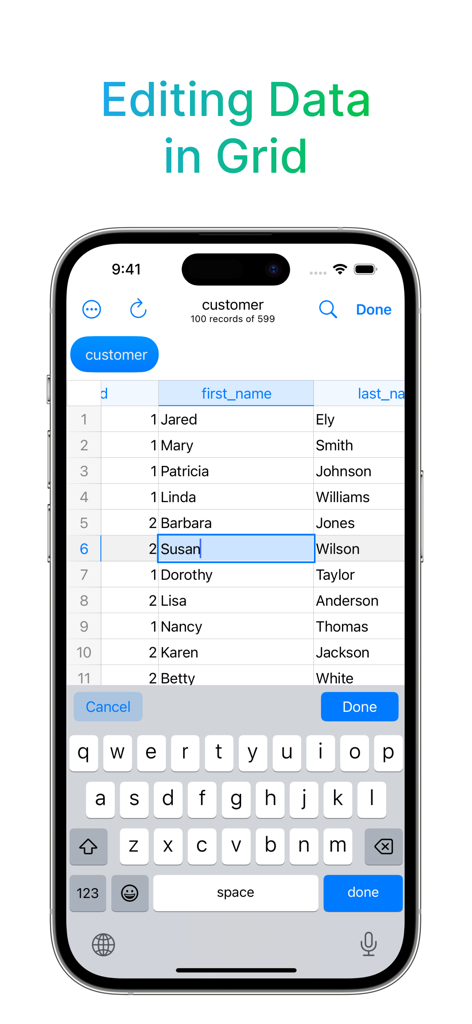
A smartphone screen showing the SQL Server Mobile Client app editing a customer table in a data grid view with an on-screen keyboard.

A smartphone screen showing the SQL Server Mobile Client app editing a customer table in a data grid view with an on-screen keyboard.

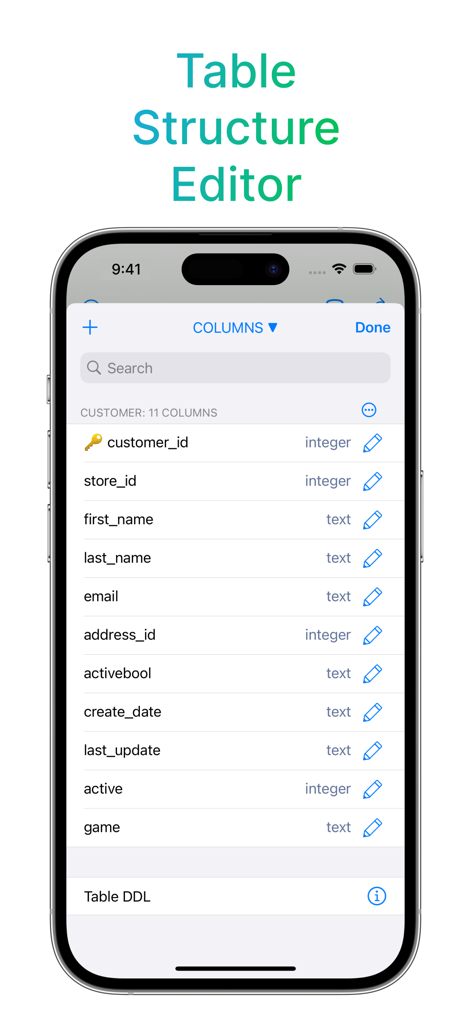
Table structure editor in the SQL Server Mobile Client app showing database columns like customer id and email

Table structure editor in the SQL Server Mobile Client app showing database columns like customer id and email

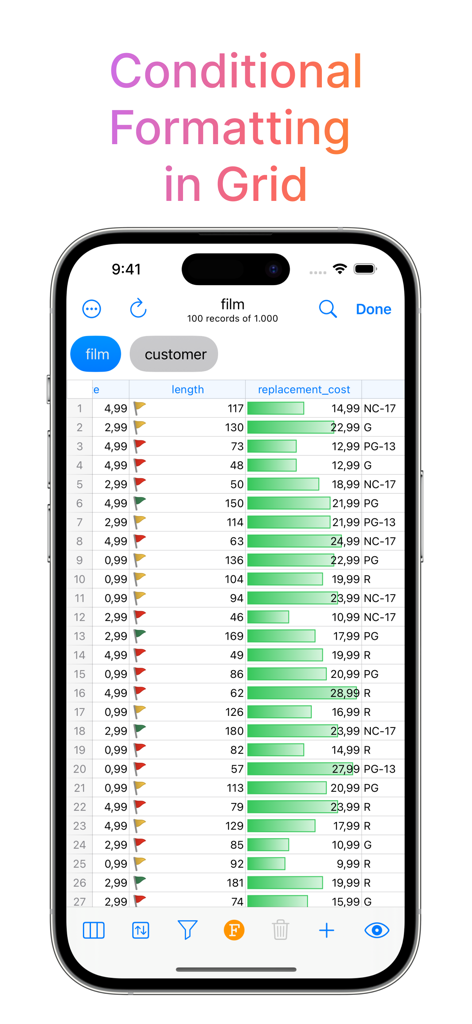
SQL Server Mobile Client data grid showing conditional formatting with status flags and progress bars

SQL Server Mobile Client data grid showing conditional formatting with status flags and progress bars

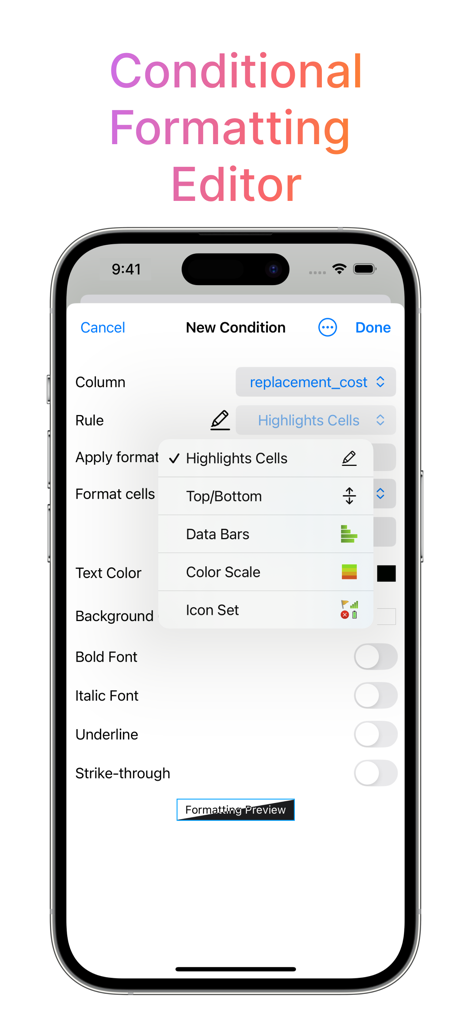
Interface for the conditional formatting editor in the SQL Server Mobile Client app

Interface for the conditional formatting editor in the SQL Server Mobile Client app

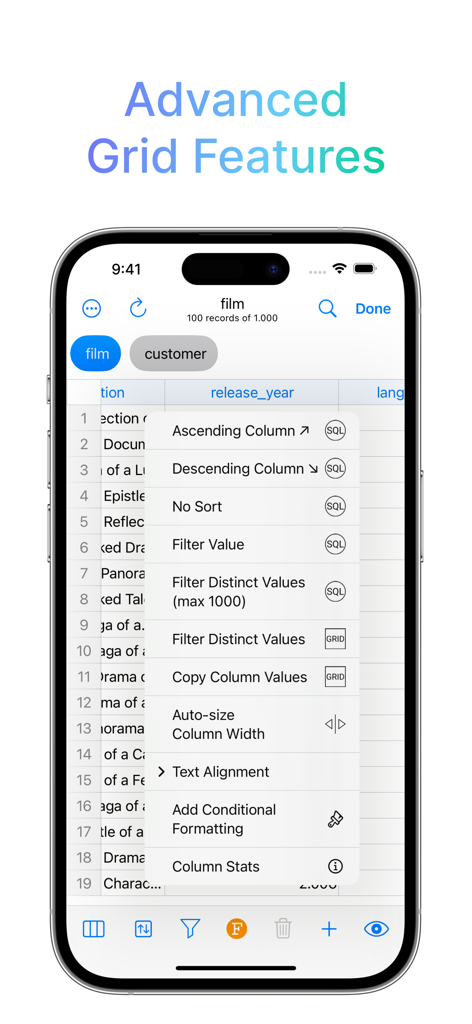
SQL Server Mobile Client interface showing advanced data grid options like column sorting and filtering

SQL Server Mobile Client interface showing advanced data grid options like column sorting and filtering

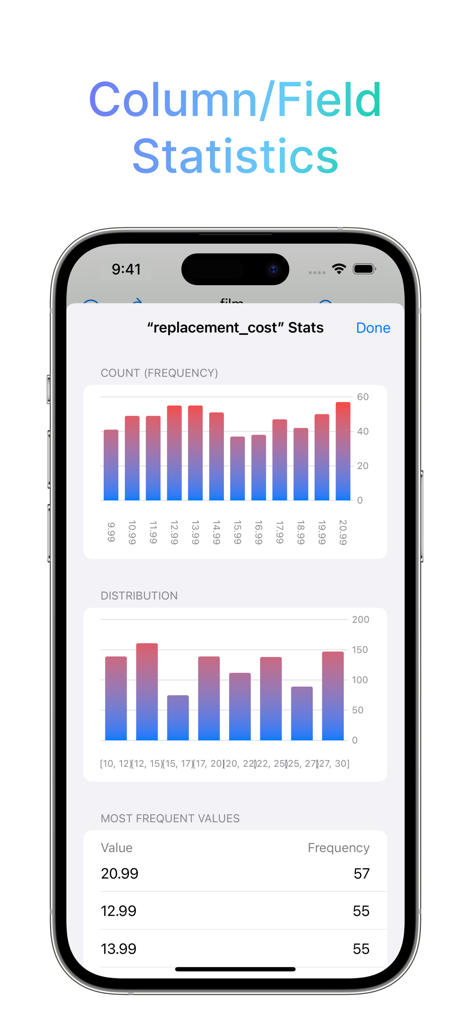
Mobile screen showing SQL Server column and field statistics with frequency and distribution bar charts.

Mobile screen showing SQL Server column and field statistics with frequency and distribution bar charts.

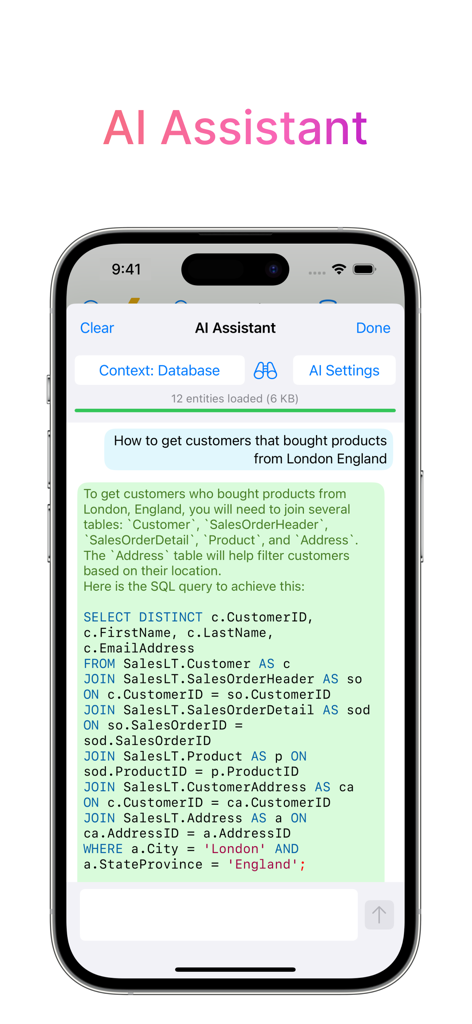
AI Assistant interface in the SQL Server Mobile Client app showing a generated SQL query with multiple joins on an iPhone screen

AI Assistant interface in the SQL Server Mobile Client app showing a generated SQL query with multiple joins on an iPhone screen

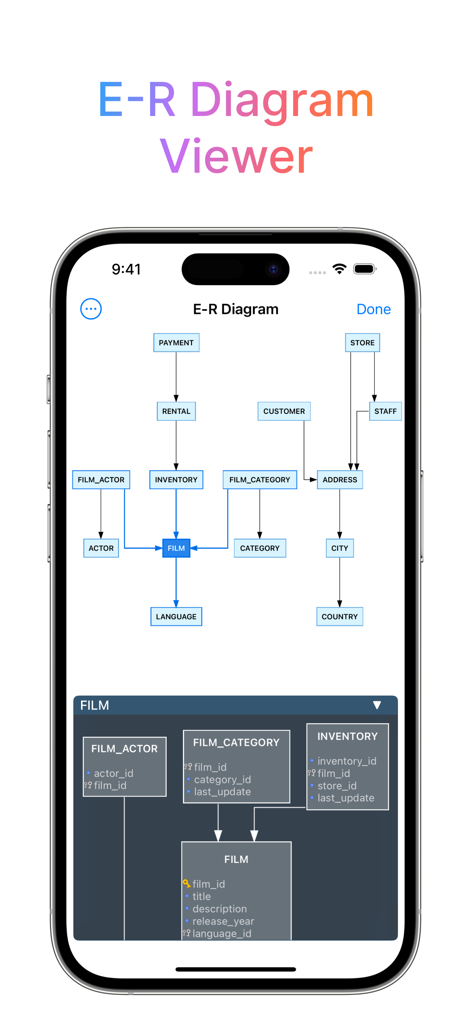
SQL Server Mobile Client E-R Diagram Viewer displaying database table relationships on an iPhone

SQL Server Mobile Client E-R Diagram Viewer displaying database table relationships on an iPhone

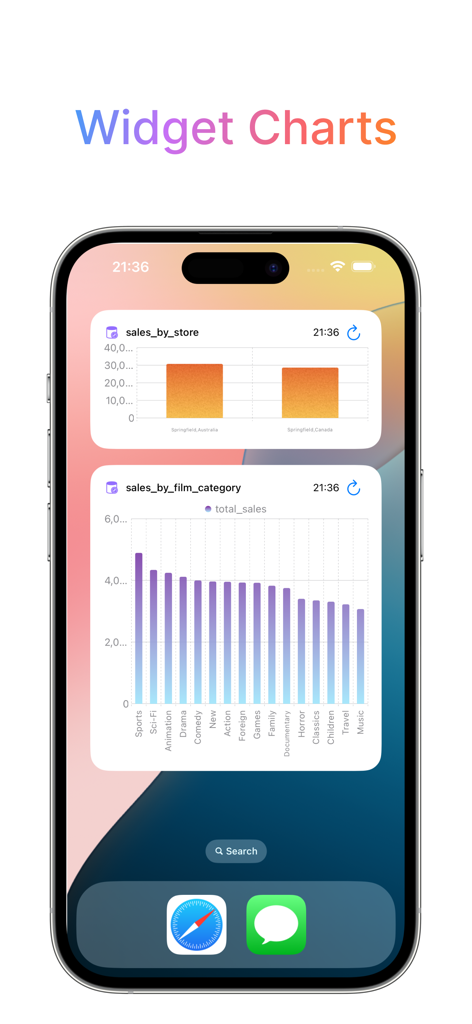
iPhone home screen showing database monitoring widgets with bar charts for sales data

iPhone home screen showing database monitoring widgets with bar charts for sales data

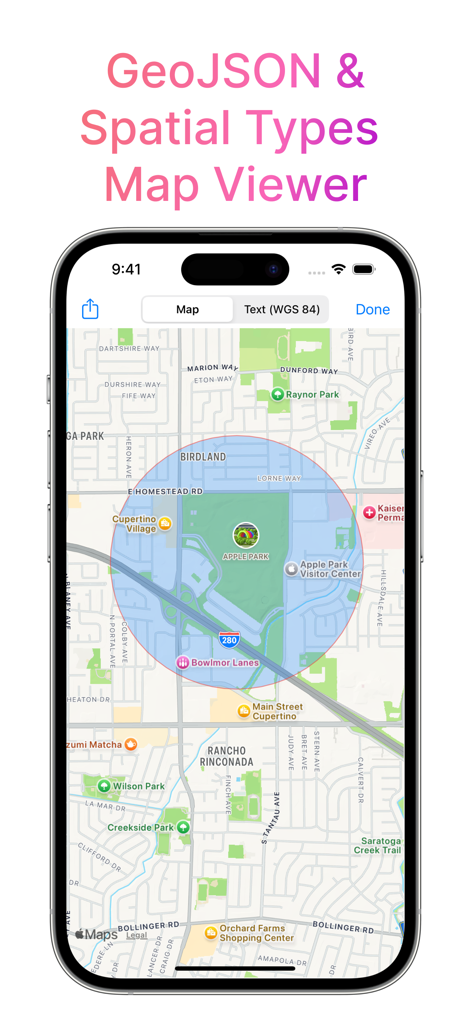
GeoJSON and Spatial Types Map Viewer in SQL Server Mobile Client app showing a map on an iPhone.

GeoJSON and Spatial Types Map Viewer in SQL Server Mobile Client app showing a map on an iPhone.

Master Your SQL Databases Anywhere

The tools that make this app stand out, trusted by 56K+ users.

🛡️

Enterprise-Grade Security

Connect directly via TLS and SSH tunnels with support for Secure Enclave and U2F/FIDO hardware keys, ensuring your enterprise data remains private and secure.

✨

AI-Powered Querying

Overcome the limits of mobile typing with AI-assisted SQL composition and plan analysis, helping you write and optimize complex queries in seconds.

📊

Desktop-Class Productivity

Access advanced tools like ER diagrams, Job Activity Monitors, and interactive charts, designed specifically to leverage the power and screen of your iPad Pro.

Loved by users worldwide

Trusted by 56K+ people who love this app.

"

"As a Senior DBA, I used to dread being away from my desk when a production alert hit. DB Compass changed everything. The SSH tunnel support and U2F key integration provide the security my company requires, while the AI-assisted queries make fixing issues from my phone incredibly fast. It is a professional-grade tool that has saved my weekend more than once."

Marcus Chen
"

"I have transitioned my entire workflow to the iPad Pro, and DB Compass is the missing piece for my SQL Server management. The ER Diagram viewer and advanced data grids feel like desktop software. Having my SQL scripts synced across iCloud and being able to run quick checks via iOS Shortcuts makes my freelance consulting work so much more efficient."

Sarah Jenkins

About the app

Everything you need to know about SQL Server Mobile Client.

Description

DB Compass for SQL Server allows you to access your MS SQL Server database directly and without any server setup. You can manage your data with a very clean and simple iOS user interface. FEATURES: • Connection over TLS encryption and/or SSH tunnel • SSH authentication support Secure Enclave Key and U2F/FIDO NFC Key • Assisted table creation and alter structure • Explore, filter, sort, and quick search table data • Query script with A.I. assisted composition and plan analysis • Database objects (tables, views, procedures, etc.) • Database statistics, sessions manager, server status graphs • ER Diagram Viewer • Advanced data grid for browse, edit, conditional formatting • Blob field preview, import and export • Job Activity Monitor • User list and Privileges • Import and Export in multiple formats • iCloud Sync for SQL and JS scripts • SQL plan analysis • Execute queries with Shortcuts App • Charts & Widgets OpenAI integration requires api key and is only available in allowed regions. Ollama integration requires your server to connect to. Tested on SQL Server 2012, 2017 and Azure SQL Database. Does not support dynamic TCP port in conjunction with SSH tunnel. -- This is a Premium app that requires subscription or lifetime unlock -- Terms of Use: https://dbcompass.net/terms-and-conditions For feedback or suggestions contact info@dbcompass.net

Latest Version

40.0

Size

99.6 MB

First Released

Aug 6, 2018

Take Control of Your Databases on the Go

Join over 56,000 DBAs and developers who trust DB Compass for secure, high-performance MS SQL Server management directly from their iPhone and iPad.

Download on App Store