
StarPlayer+



Accelerate your productivity with 2.0x speed control, A-B repeat, and smart bookmark memos. The ultimate local MP4 player for students and professionals on the move.
Publisher
Category
EntertainmentDownloads
1M+User Rating
Total Ratings
10K+Locales
4Discover the interface used by 1M+ users.
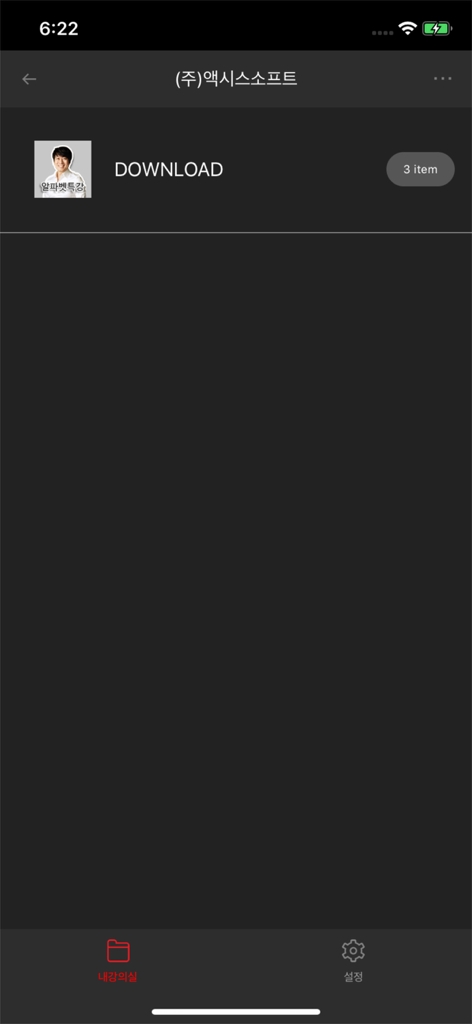
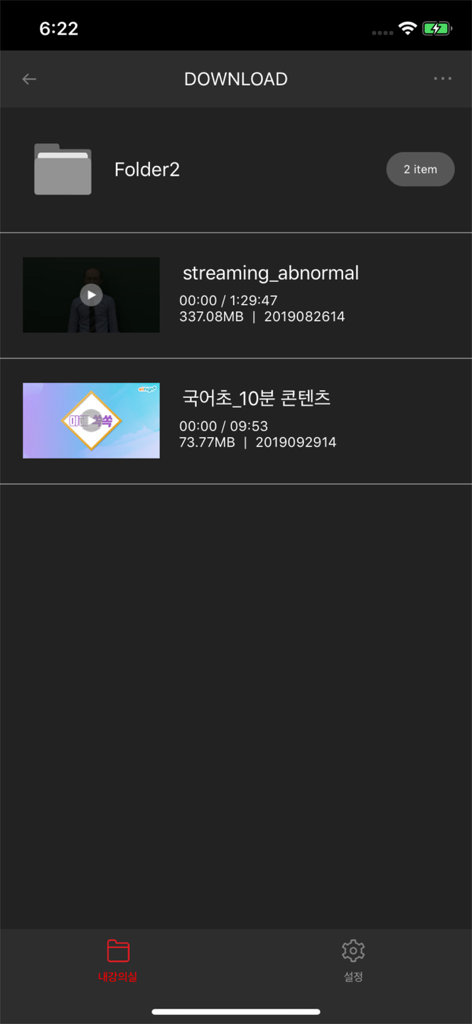
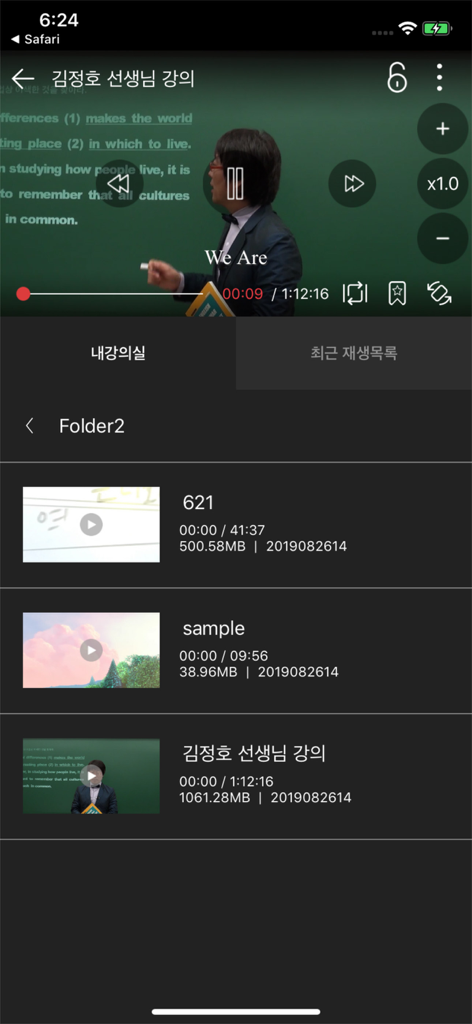

The tools that make this app stand out, trusted by 1M+ users.
Optimize your study time by scaling playback from 0.5x up to 2.0x. Breeze through dense lectures or slow down complex tutorials without losing clarity.
Go beyond passive watching. Create visual bookmarks with custom thumbnail memos to instantly jump back to key insights and reference notes.
Use A-B repeat to loop challenging segments until you have mastered them—the ultimate tool for language learners, musicians, and technical training.
Trusted by 1M+ people who love this app.
"As a medical student, every minute of my commute counts. StarPlayer+ is a game-changer for my study routine; I can fly through long lectures at 2.0x speed and use the bookmark memo feature to tag specific exam topics. It transforms my iPhone into a powerful study tool that works perfectly even deep in the subway."
"I've tried dozens of players for my guitar practice videos, but nothing beats this app's A-B repeat and gesture controls. Being able to loop a specific riff while my hands are on the instrument is exactly what I needed. The folder management keeps my tutorials organized and easy to find without cluttering my photo library."
Everything you need to know about StarPlayer+.
Description
Latest Version
1.10.5
Size
70.3 MB
First Released
Sep 2, 2019
Join over 1 million users and transform your video library into a high-performance learning tool. Download StarPlayer+ today and start watching smarter.
Everything you need to know about StarPlayer+
StarPlayer+ is a mobile video player designed for MP4 content playback. It enables users to play MP4 video content on their mobile devices anytime, anywhere.
StarPlayer+ specifically supports the MP4 video format for playback on mobile devices. It is optimized for MP4 content.
Yes, StarPlayer+ supports gesture controls. Users can adjust screen brightness and perform rewind or fast forward operations using gestures during playback.
Yes, StarPlayer+ offers playback speed control. Users can adjust the video speed from 0.5x up to 2.0x to suit their viewing preferences.
StarPlayer+ allows users to manage content easily through a content manager. It supports organizing and viewing video files by folders, enhancing content accessibility.
Yes, StarPlayer+ includes a comprehensive bookmark feature. Users can create, delete, and play bookmarks, and also add thumbnail memos to their bookmarks.
Yes, StarPlayer+ supports downloading multiple content files. Users can download several videos concurrently, streamlining their content acquisition.
Yes, StarPlayer+ supports MP4 background downloads. This feature is available for devices running iOS 9.3 or later, allowing downloads to continue while using other apps.
StarPlayer+ provides multiple display aspect ratio options. Users can choose between 4:3, 16:9, or fullscreen modes for their video playback.
Yes, StarPlayer+ includes an A-B repeat feature. This allows users to repeatedly play a specific segment of a video, which is useful for study or analysis.
Apps with similar features and user experience

EXTRA MART LLC

Yuichi Matsuoka

KHANG THINH SMART EDUCATION EQUIPMENT COMPANY LIMITED

YETERLIFT ASANSOR SANAYI VE TICARET LIMITED SIRKETI

KRM SERAMIK SANAYI VE TICARET LIMITED SIRKETI

DOGANER MAKINE IMALAT SANAYI VE TICARET LIMITED SIRKETI

Iskandar Zia

Anishkumar Subhashbhai