
Steam Chat




Stay connected to your Steam friends, manage group chats, and coordinate game nights on the fly. Never miss a match invite or a trending conversation with the mobile companion built for PC gamers.
Publisher
Category
Social NetworkingDownloads
7M+User Rating
Total Ratings
5K+Locales
1Discover the interface used by 7M+ users.
The tools that make this app stand out, trusted by 7M+ users.
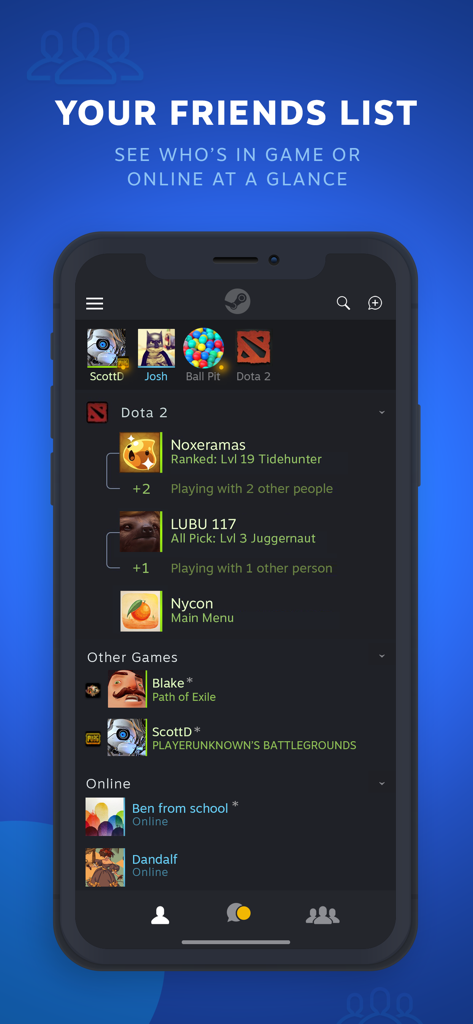
View your friends list and custom categories at a glance. Know exactly when your squad is ready for a match before you even reach your desk.
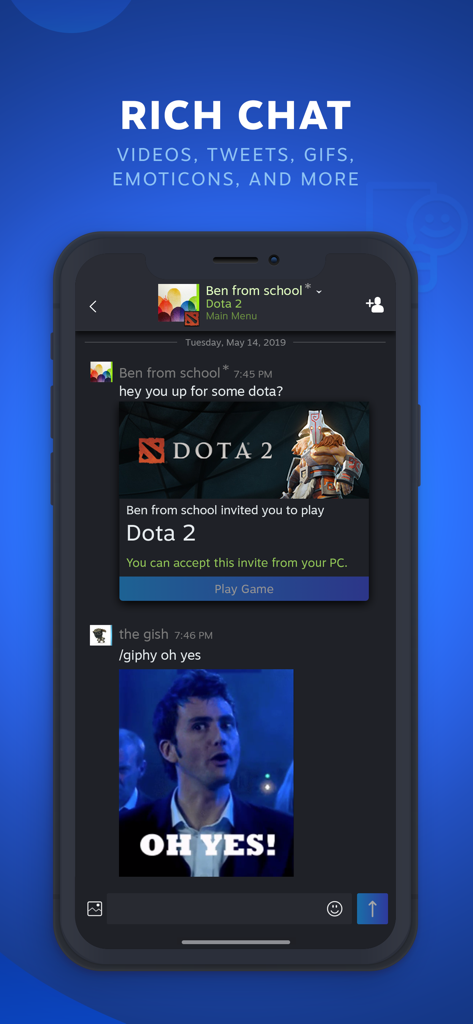
Express yourself with Steam emoticons, GIFs, and high-fidelity links. Keep the banter going with full media support that speaks your language.
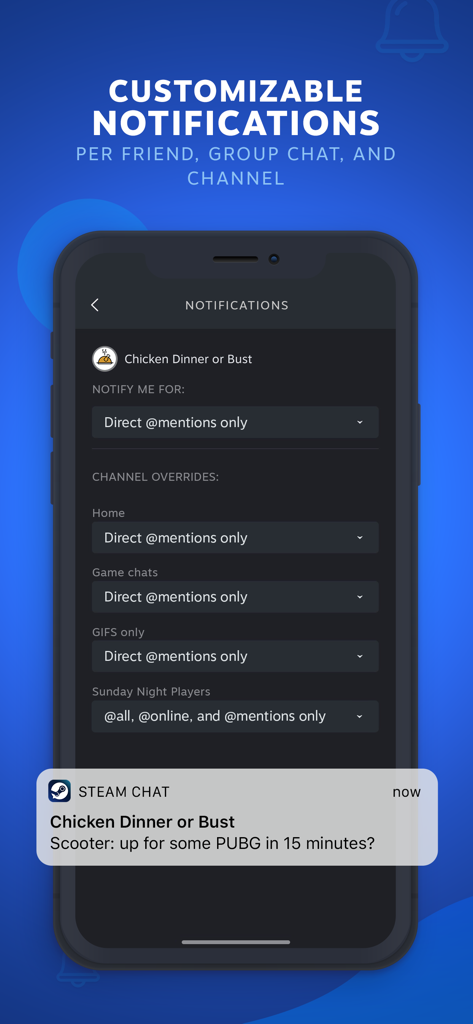
Never miss a match again. Customize notifications for your favorite friends and groups so you only get the pings that matter most.
Trusted by 7M+ people who love this app.
"Steam Chat is a total game changer for my group. I can see exactly who is in-game while I am heading home from class, so we have the lobby ready to go the second I boot up my PC. The rich media support makes sharing clips and memes just as easy as it is on desktop."
"I love how I can customize notifications for my favorite friends. I never miss an invite to a match, but I don't get overwhelmed with pings all day. It is the perfect way to stay connected to my gaming community without being glued to my desk."
Insights from user reviews.
Sentiment Score
Summary
Users overwhelmingly express dissatisfaction with the Steam Chat mobile app, primarily due to persistent connection and login issues that frequently render it unusable, especially on recent iOS versions. A major point of frustration is the app's separation from the main Steam application, with many users requesting its re-integration. The app is widely criticized for its lack of updates, outdated interface, and a significant absence of core messaging features such as voice chat, video uploads, and reliable notifications, including critical iOS-specific notification problems. Additionally, users report numerous bugs, poor performance, and general instability across various functions.
Common Themes
Everything you need to know about Steam Chat.
Description
Latest Version
1.0.15
Size
36.4 MB
First Released
May 23, 2019
Keep your squad and your Steam community within reach. Download the app today to coordinate matches and stay connected, even when you're away from your PC.
Everything you need to know about Steam Chat
The Steam Chat app extends the Steam desktop client chat to mobile, allowing users to communicate with friends, manage friends lists, and participate in group chats.
Yes, the Steam Chat app includes a Friends List where users see who is in-game or online. It displays custom categories and favorites bar, mirroring the PC experience.
Yes, Steam Chat supports rich media. The Rich Chat feature enables higher fidelity links, videos, tweets, GIFs, Giphy, and Steam emoticons within conversations.
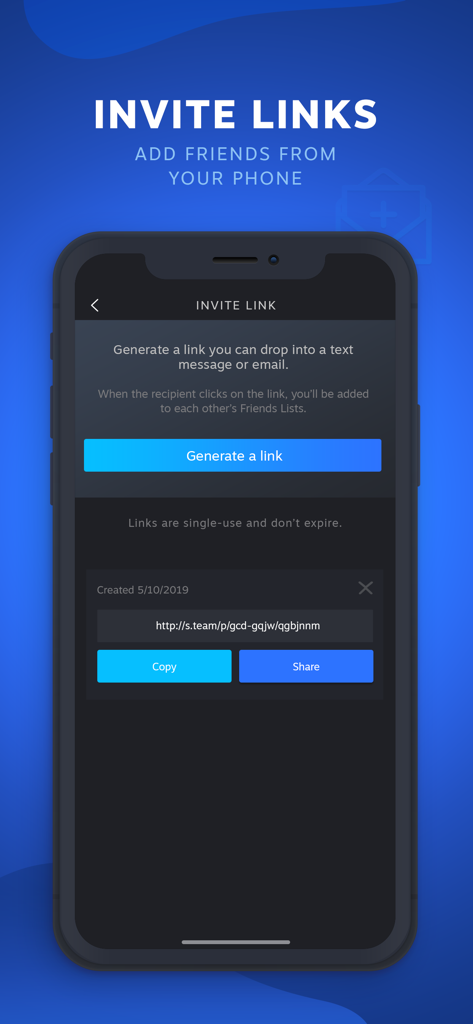
Users add new friends on Steam Chat by generating invite links. These links can be shared via text or email, allowing recipients to join your Friends List.
Yes, invite links generated by Steam Chat are single-use and do not expire. They facilitate adding new friends to your Steam Friends List.
Yes, the Steam Chat app offers customizable notifications. Users personalize alerts for messages or game invites per friend, group chat, and individual chat channel.
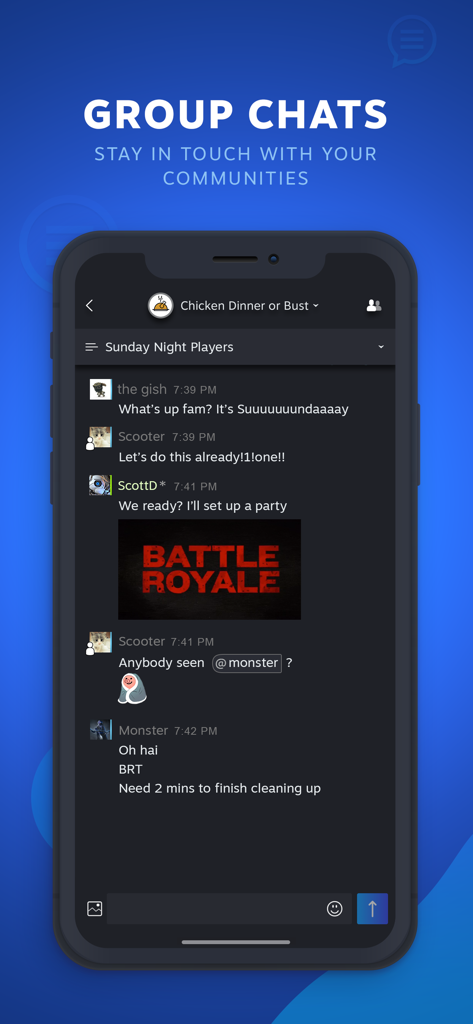
Yes, the Steam Chat app supports group chats. This feature helps users stay connected with communities and organize activities like game nights with friends.
Apps with similar features and user experience

Lung Kin Cheng

JUI-LIN YU

GameWith, Inc.

Riot Games

Kamran Kumar

Interwebmedia GmbH

COGNOSPHERE PTE. LTD.

EA Swiss Sarl

Shanghai Hero Entertainment Network Technology Co., Ltd.
