
Swish payments




Experience the ease of sending money to friends, companies, and charities directly from your bank account. Whether you're splitting a check or scanning to pay in-store, everything you need is just a Swish away.
Publisher
Category
FinanceDownloads
4M+User Rating
Total Ratings
26K+Locales
2Discover the interface used by 4M+ users.
The tools that make this app stand out, trusted by 4M+ users.
Move money directly between bank accounts in seconds, eliminating the friction of international banking delays for your Swedish accounts.
From splitting dinner checks with friends to scanning QR codes at boutique shops, manage all your Swedish social and retail transactions with ease.
Built on the robust infrastructure of Sweden’s leading financial institutions, ensuring every transaction is encrypted and secured by BankID.
Trusted by 4M+ people who love this app.
"As a Swedish expat in New York, Swish is absolutely essential for keeping up with friends and family back home. Whether I am splitting a dinner bill during a visit to Stockholm or sending a last-minute birthday gift, the instant bank-to-bank transfer is unmatched. It is the one app I can't live without when I cross the Atlantic."
"I frequently travel between San Francisco and Sweden for business, and Swish makes every transaction effortless. From scanning QR codes at local coffee shops to paying for unique finds at flea markets, the convenience is incredible. It is fast, secure, and far more efficient than any other payment method I have used in the US."
Everything you need to know about Swish payments.
Description
Latest Version
7.4
Size
50.4 MB
First Released
Oct 23, 2013
Join 8 million users and keep the convenience of instant Swedish payments in your pocket. Connect your BankID and start sending, receiving, or paying from your Swedish account in seconds, no matter where your travels take you.
Everything you need to know about Swish payments
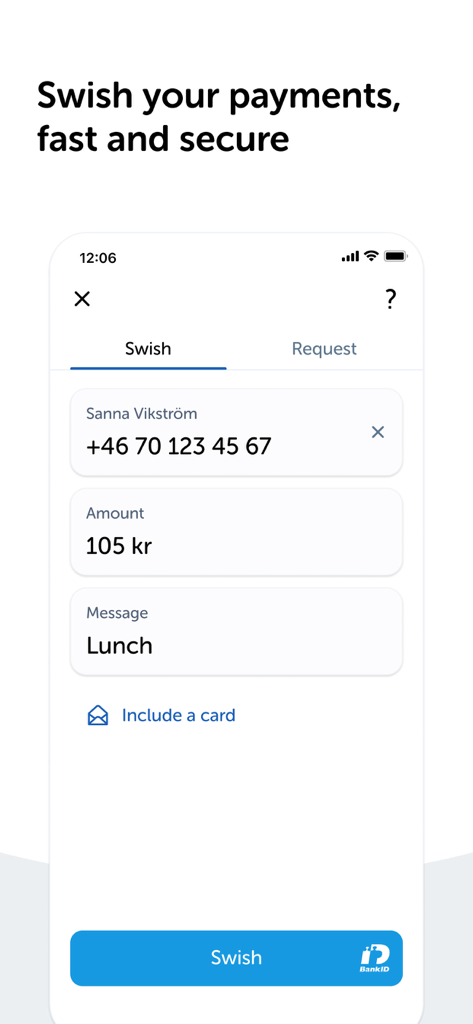
Swish payments enables sending money to friends, companies, and organizations directly into their bank accounts. Users input recipient details, amount, and a message, then confirm the payment, often using BankID.
Yes, users can pay with Swish payments when shopping online or in mobile applications. This is available from companies that offer Swish as a designated payment option within their platforms.
To get started with Swish payments, users must contact their bank first. The bank connects their mobile phone number to Swish, after which the user activates the Swish payments application.
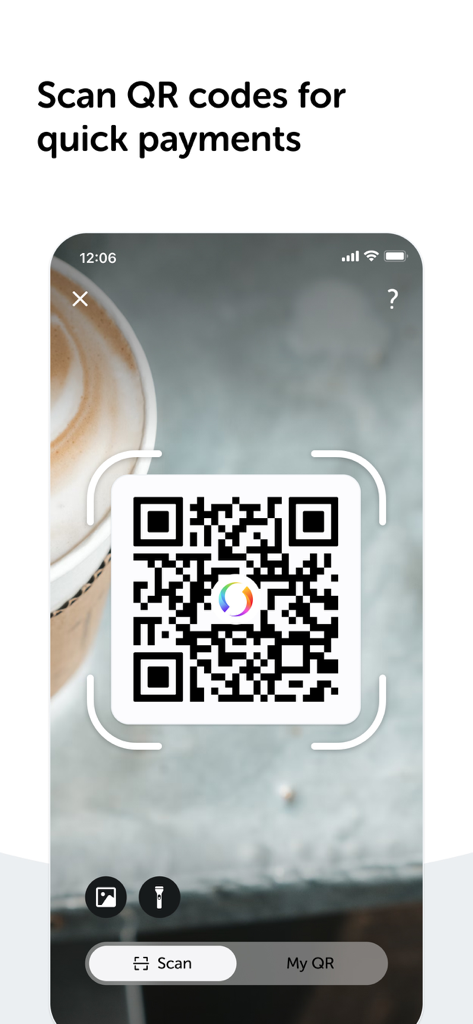
Yes, Swish payments supports QR code scanning for payments in physical stores. Users can open the app and use the integrated scanner to complete transactions quickly.
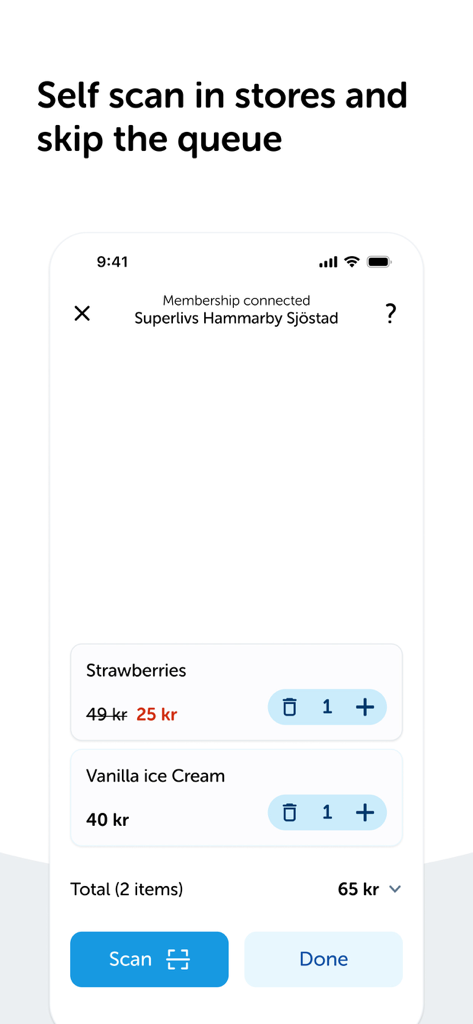
Yes, some stores offer self-scanning of products directly through the Swish payments app. This feature enables users to scan items and potentially skip traditional checkout queues.
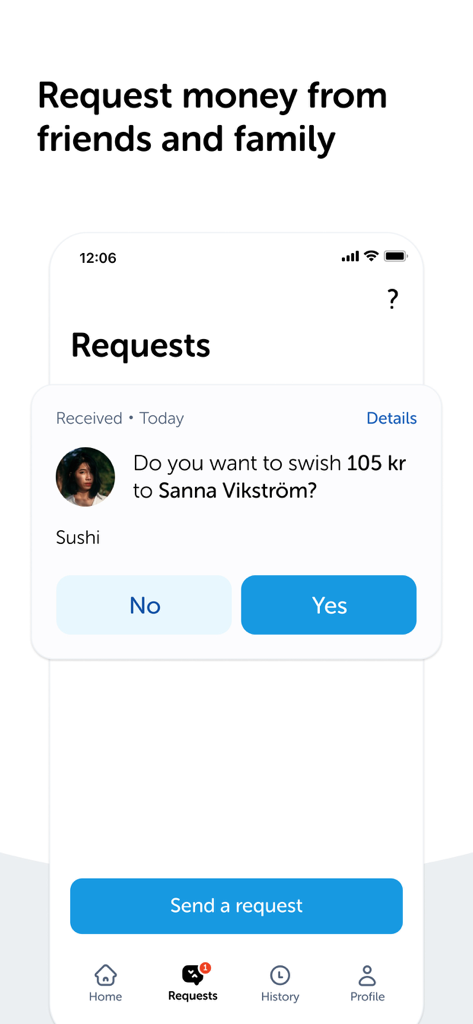
Yes, Swish payments allows users to request money from friends and family. The app displays received requests, which users can accept or decline, and provides an option to send new requests.
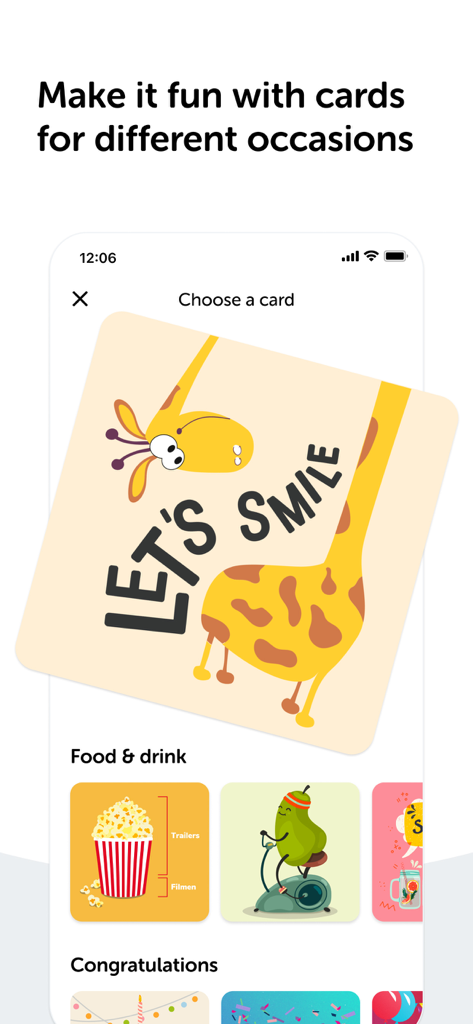
Yes, Swish payments users can include a personalized card with their payments. The app offers various card designs for different occasions, adding a personal touch to transactions.
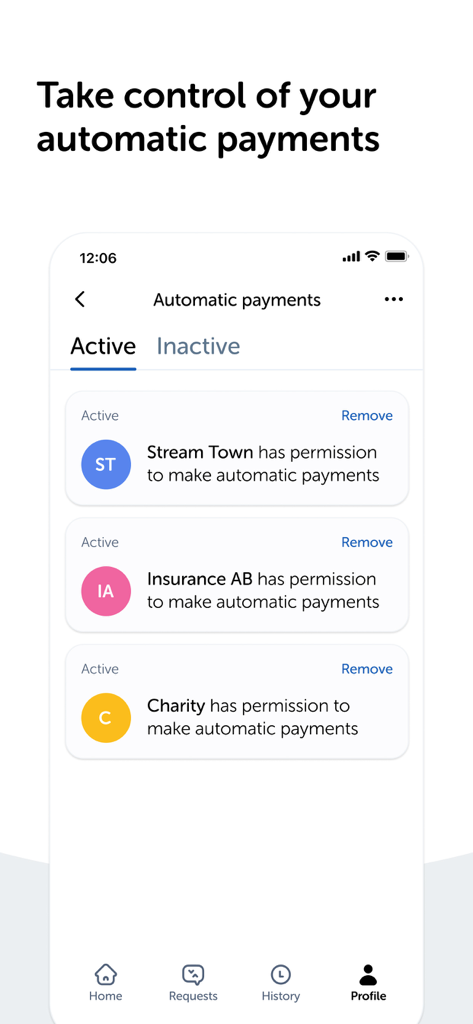
Yes, Swish payments allows users to manage and control their automatic payments. The app provides an interface to view active and inactive permissions for different companies and services.
Yes, Swish payments are secure. The app explicitly states "Swish your payments, fast and secure," and transactions often utilize BankID for authentication, ensuring protected money transfers directly to bank accounts.
Apps with similar features and user experience
Blackhawk Network

Click LLC

UBS AG

Izi Soft, TOV

UNION DIGITAL FINANCIAL COMPANY

MONICA TECHNOLOGIES LIMITED

Vipps MobilePay AS

GoldenPay OJSC

Vipps MobilePay AS
