Trace and Sketch -Easy Drawing

Trace and Sketch -Easy Drawing

Download on App Store
Spark by MWM logo
Logo of Trace and Sketch -Easy Drawing
Trace and Sketch - Easy Drawing: Your Digital Tracing Paper for Instant Art

Skip the learning curve and turn any photo into a stunning sketch. Create custom stickers and share your creative journey with viral time-lapse replays—no paper or AR required.

Publisher

Shajir Kalady

Category

Graphics & Design

Downloads

4K+

User Rating

4.3/5

Total Ratings

200

Locales

2

A Glimpse of the Magic

Discover the interface used by 4K+ users.
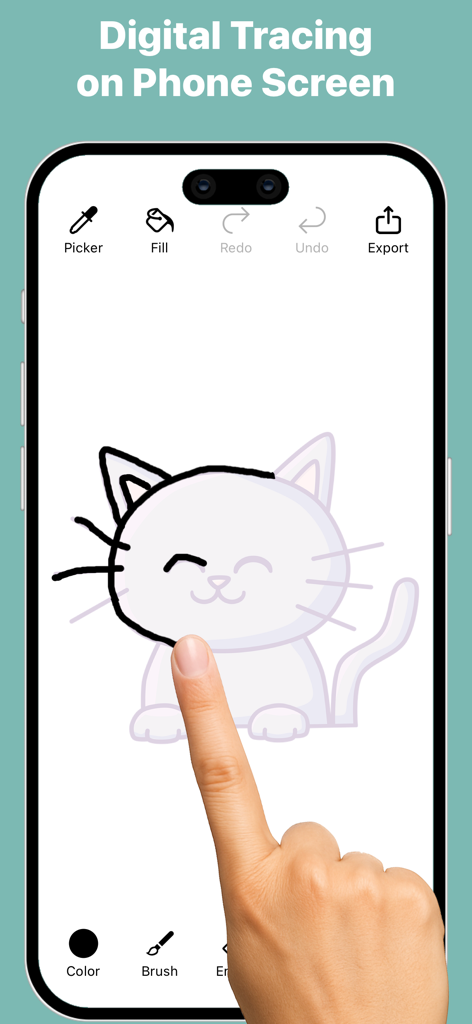
A user tracing a cat illustration on a smartphone screen using the Trace and Sketch app interface

A user tracing a cat illustration on a smartphone screen using the Trace and Sketch app interface

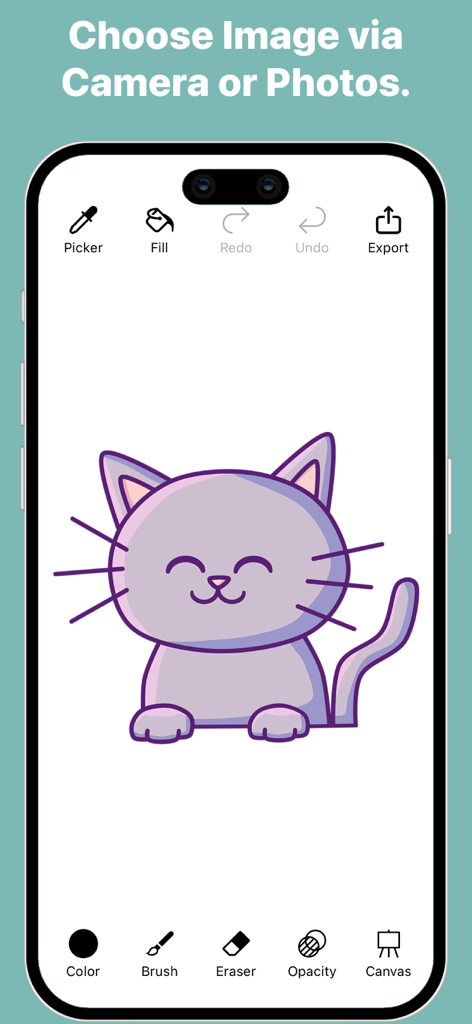
Interface of the Trace and Sketch app featuring a purple cartoon cat illustration and digital drawing tools.

Interface of the Trace and Sketch app featuring a purple cartoon cat illustration and digital drawing tools.

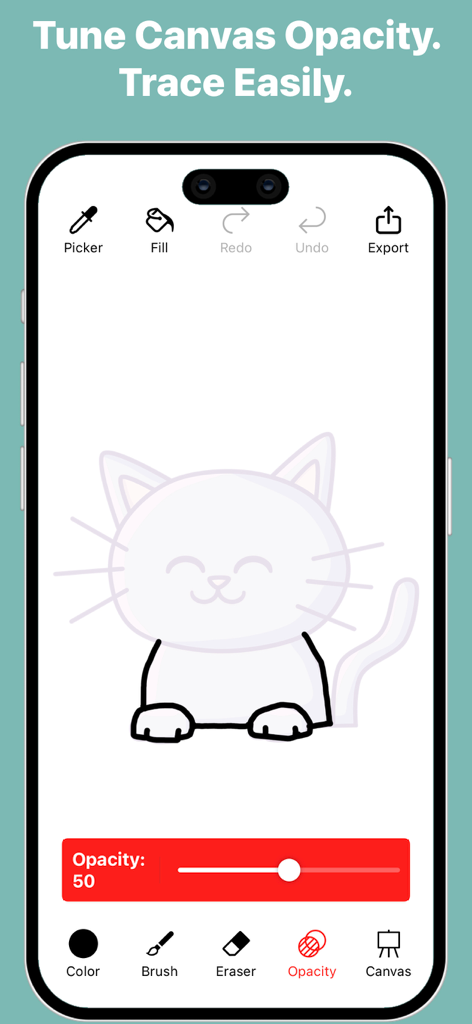
Interface of Trace and Sketch app showing a cat drawing being traced with an adjustable opacity slider

Interface of Trace and Sketch app showing a cat drawing being traced with an adjustable opacity slider

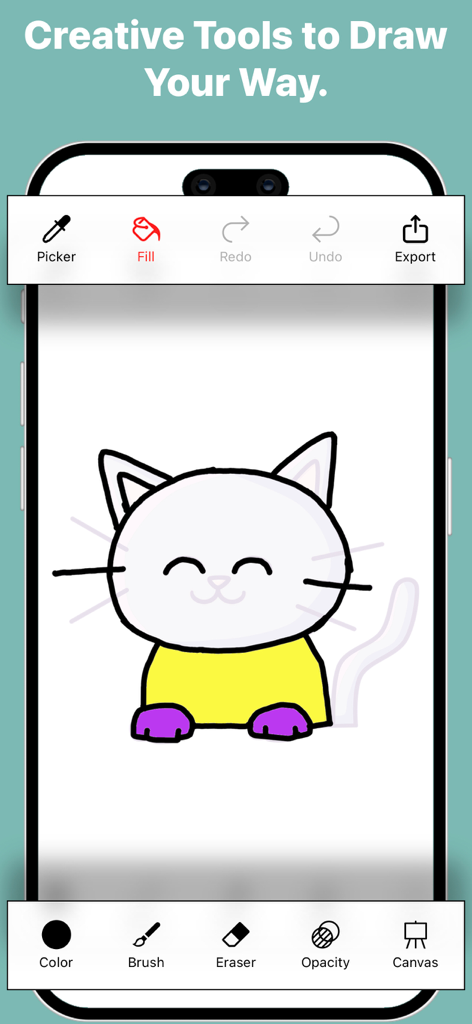
A mobile interface for Trace and Sketch showing a cat drawing and various creative tools like brush, fill, and color picker

A mobile interface for Trace and Sketch showing a cat drawing and various creative tools like brush, fill, and color picker

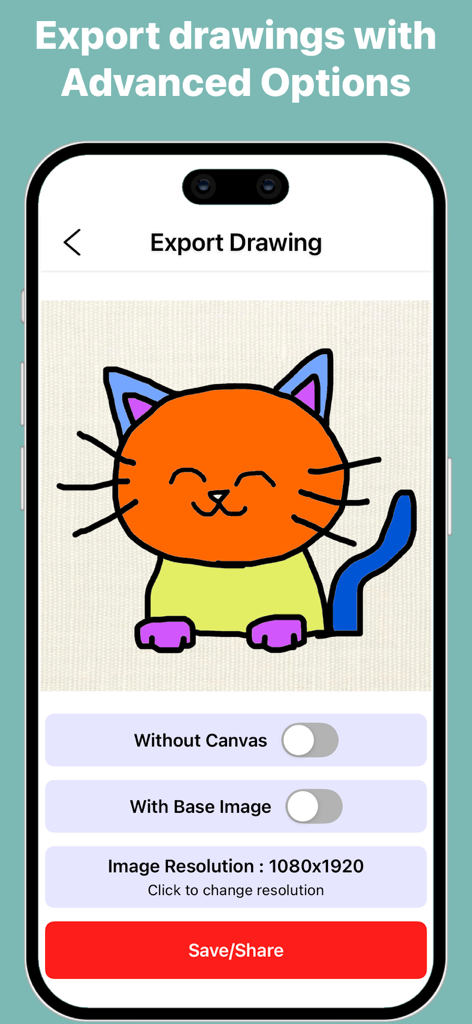
Mobile app screen showing export options for a colorful cat drawing in Trace and Sketch

Mobile app screen showing export options for a colorful cat drawing in Trace and Sketch

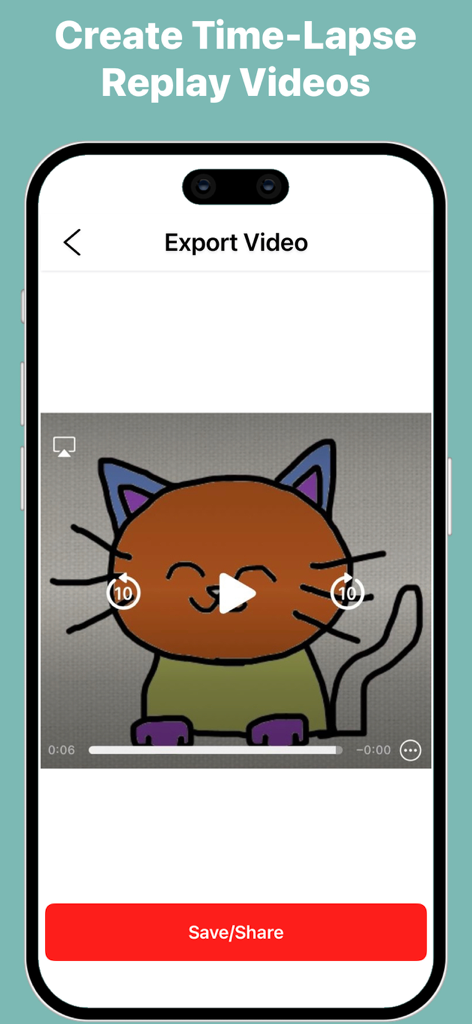
A mobile interface for exporting a time-lapse replay video of a hand-drawn cat illustration.

A mobile interface for exporting a time-lapse replay video of a hand-drawn cat illustration.

Master the Art of Drawing, Effortlessly

The tools that make this app stand out, trusted by 4K+ users.

🖼️

Seamless Digital Tracing

Transform any photo into a guide with adjustable transparency. Master proportions and outlines instantly without the frustration of a blank canvas.

✨

Pro-Level Sticker Creator

Export your drawings with transparent backgrounds. Perfect for making custom digital stickers for your iMessage, digital planners, or social media overlays.

🎞️

Viral-Ready Time-Lapses

Capture every stroke automatically. Export high-quality replay videos of your process to share your artistic journey on TikTok and Instagram.

Loved by users worldwide

Trusted by 4K+ people who love this app.

"

"I've always wanted to be an artist but felt intimidated by a blank screen. This app totally fixed that! I love tracing my favorite travel photos and sharing the time-lapse videos on my Instagram Stories. It makes drawing so relaxing and fun without any of the stress."

Chloe S.
"

"As someone who uses a digital planner, the ability to export drawings without a background is a lifesaver. I create my own custom stickers in minutes. It's incredibly intuitive, and the Apple Pencil support is butter smooth. Highly recommended for students!"

Marcus T.

About the app

Everything you need to know about Trace and Sketch -Easy Drawing.

Description

Turn any photo into a sketch with Trace and Sketch – Easy Drawing. Your screen becomes a digital tracing paper — select an image, adjust the transparency, and start drawing directly with your finger or stylus. Simple, smooth, and perfect for beginners, hobby artists, and anyone who wants to practice drawing. How it works: Pick an image from your gallery or camera. Adjust the transparency to see your image clearly under the tracing layer. Draw freely on the screen — all strokes are saved automatically. Choose a canvas or plain background to finish your artwork. Export your drawing in multiple formats, with or without background. Features: Adjustable Transparency – Control how much of the base image is visible. Natural Drawing Tools – Brush with adjustable stroke size, opacity, and pattern styles. Eraser & Undo/Redo – Erase strokes with adjustable width and fix mistakes using undo and redo. Color Picker – Choose colors easily or pick colors directly from your image or drawing. Fill Tool (Pot Fill) – Tap a closed area to fill it instantly with the selected color. Zoom, Drag, Rotate – Zoom, drag, and rotate the canvas for precise tracing. Multiple Canvases – Use built-in canvases or create a plain colored background. Automatic Save – Every stroke is saved instantly. Gallery Management – View all your sketches, open them for editing, export them, duplicate sketches, or delete sketches you no longer need. Export Drawing Options- Export Without Canvas – Save the pure drawing with no background; perfect for stickers, collages, and overlays. Export With Base Image – Save your drawing directly on the original photo for photo-based artwork. Export With Canvas – Save your artwork as a drawing on a selected canvas. Select Dimensions – Choose from multiple image resolution options before exporting. Quick Share – Use the iOS share sheet to save or send your artwork anywhere. Export Video (Time-Lapse)- Time-Lapse Replay – Export a replay video that shows the entire drawing process from start to finish. Multiple Video Resolutions – Choose the video quality before exporting. Whether you’re tracing portraits, practicing outlines, creating digital art, or simply sketching for fun, Trace and Sketch makes it easy and enjoyable — no paper, no setup, no AR required.

Latest Version

4.2

Size

16.5 MB

First Released

Oct 10, 2015

Ready to Create Art You’re Proud to Share?

Join thousands of creators skipping the blank page. Download Trace and Sketch today to turn your favorite photos into digital masterpieces, custom stickers, and viral time-lapses.

Download on App Store