TurboWords Spelling

TurboWords Spelling

Download on App Store
Spark by MWM logo
Logo of TurboWords Spelling

TurboWords Spelling: Turn Weekly School Lists into A+ Results

Transform boring spelling homework into an interactive AI-powered adventure. Boost your child's confidence and grades with personalized tests, fun mini-games, and instant feedback that makes learning addictive.

Download on App Store

Publisher

Claude Labelle

Category

Education

Downloads

245K+

User Rating

4.6/5

Total Ratings

1K+

Locales

2

See Learning in Action

Discover the interface used by 245K+ users.
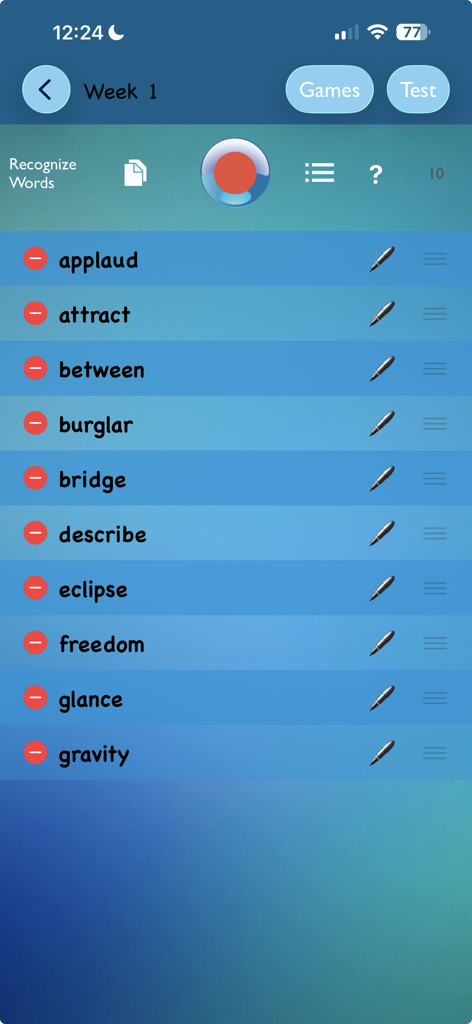
The setup screen of the TurboWords Spelling app showing a customized list of ten spelling words for a weekly test.

The setup screen of the TurboWords Spelling app showing a customized list of ten spelling words for a weekly test.

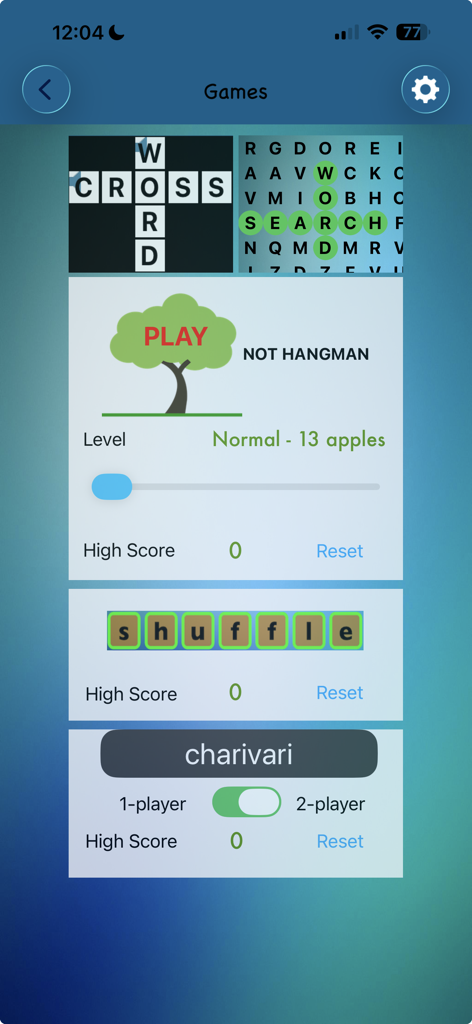
A selection of educational word games in the TurboWords Spelling app including crossword word search and hangman

A selection of educational word games in the TurboWords Spelling app including crossword word search and hangman

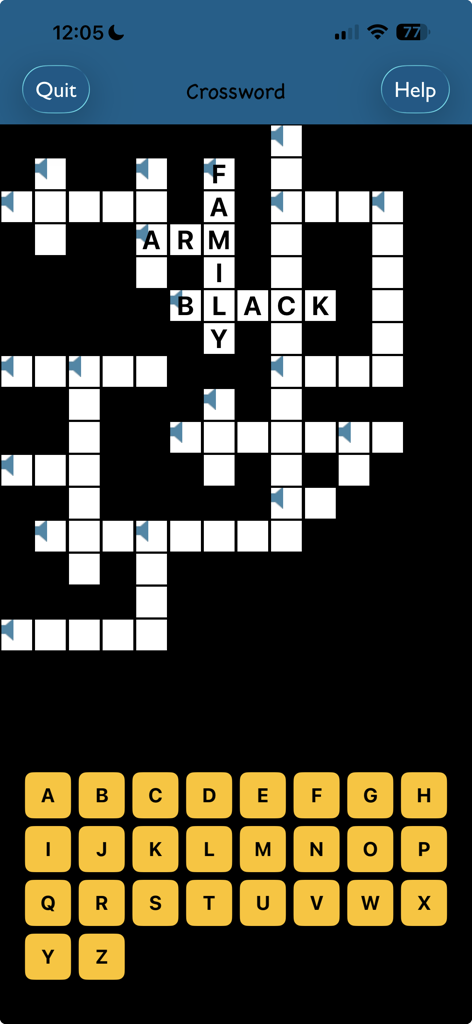
A crossword puzzle game screen in the TurboWords Spelling app with an onscreen alphabet keyboard

A crossword puzzle game screen in the TurboWords Spelling app with an onscreen alphabet keyboard

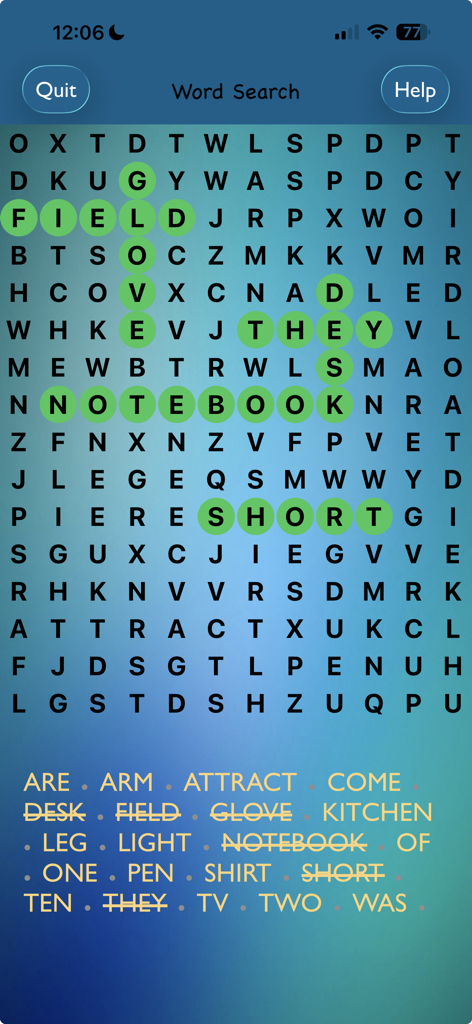
A word search puzzle in the TurboWords Spelling app with several words highlighted in green

A word search puzzle in the TurboWords Spelling app with several words highlighted in green

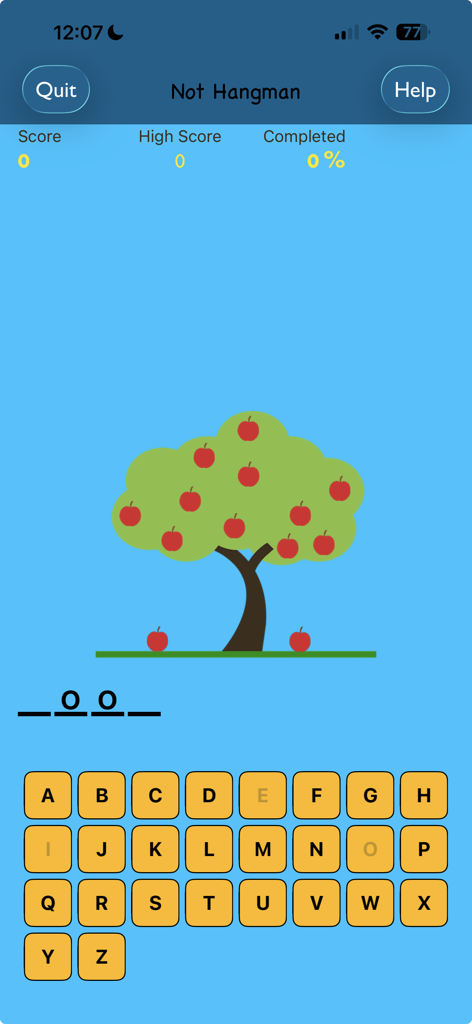
Not Hangman spelling game screen featuring an apple tree and alphabet keyboard

Not Hangman spelling game screen featuring an apple tree and alphabet keyboard

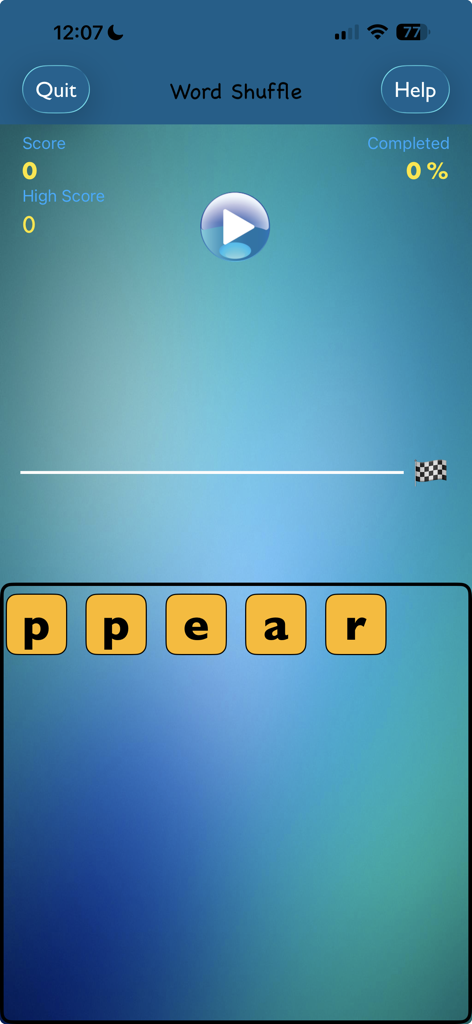
A screenshot of the Word Shuffle game in the TurboWords Spelling app showing letter tiles and game progress.

A screenshot of the Word Shuffle game in the TurboWords Spelling app showing letter tiles and game progress.

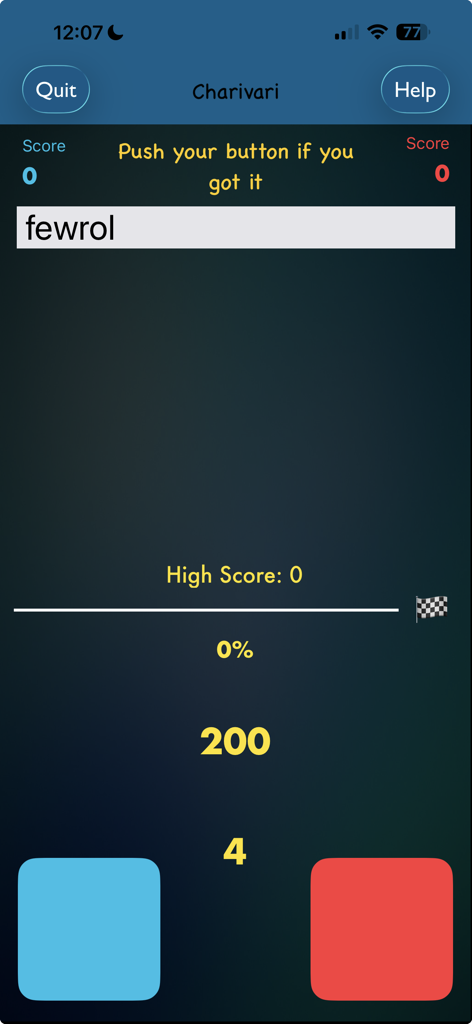
TurboWords Spelling app Charivari game screen featuring a jumbled word and two player buttons

TurboWords Spelling app Charivari game screen featuring a jumbled word and two player buttons

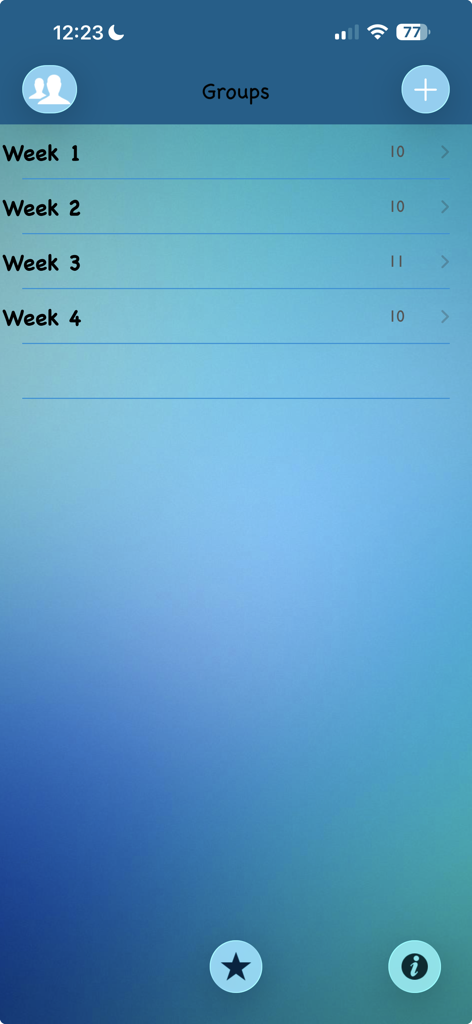
Screenshot of the TurboWords Spelling app showing word groups organized by week for student practice

Screenshot of the TurboWords Spelling app showing word groups organized by week for student practice

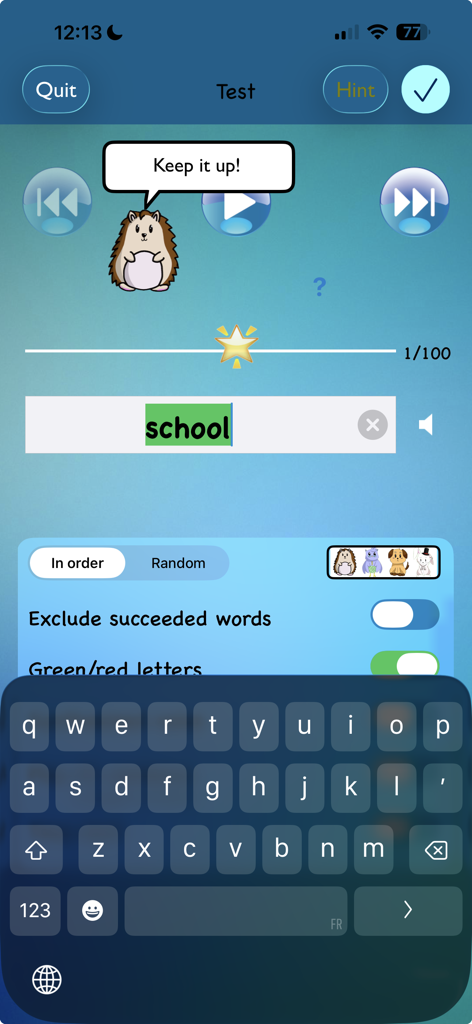
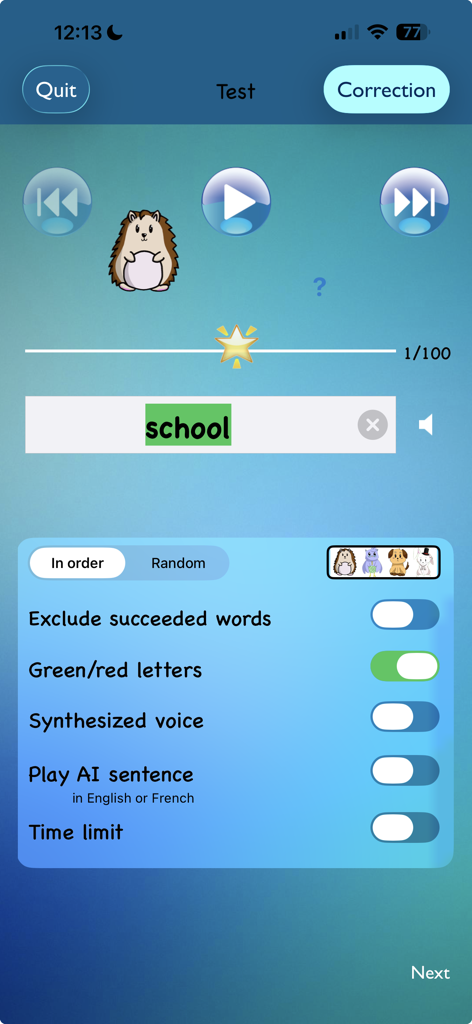
TurboWords Spelling app test screen with a hedgehog character giving encouragement and the word school highlighted in green

TurboWords Spelling app test screen with a hedgehog character giving encouragement and the word school highlighted in green

TurboWords app spelling test screen showing the word school correctly typed with feedback settings and a cartoon mascot

TurboWords app spelling test screen showing the word school correctly typed with feedback settings and a cartoon mascot

Master Every Weekly Spelling Test

The tools that make this app stand out, trusted by 245K+ users.

🎤

Instant Voice-to-List Setup

Stop typing and start teaching. Record your weekly school words in one go and watch them instantly transform into a personalized digital test.

🧠

Smart AI Context Sentences

Leverage Apple Intelligence to hear AI-generated sentences for every word, providing the context kids need to truly understand and remember.

🕹️

Transform Drills into Games

Keep students engaged with five interactive games like Hangman and Word Search that make practicing for Friday's test feel like playtime.

Loved by users worldwide

Trusted by 245K+ people who love this app.

"

"TurboWords has completely transformed our Friday test prep. I used to spend an hour every night drilling words with my 2nd grader, but now she uses the speech recognition to set up her own lists. The AI-generated sentences are a game-changer for her vocabulary, and she's finally getting those shining stars on her tests!"

Sarah Jenkins, Parent & Tech Professional
"

"Finally, an educational app that actually matches what's happening in the classroom! My son used to dread spelling, but the gamified approach with 'Not Hangman' and word searches has him excited to practice. The multi-user support is perfect for our household since both my kids can track their progress separately on the same iPad."

David Thompson, Homeschooling Parent

About the app

Everything you need to know about TurboWords Spelling.

Description

Using speech recognition, quickly build a spelling test from your own weekly school words. Record them in one stretch. Sit back and watch as they are recognized into text. It’s easy and fun! Then play the test, rich with options. Hear an AI generated sentence made with the word to spell, on devices with Apple Intelligence. Seeing, hearing and writing your words will help you succeed in school tests. An amimo character (from French "ami" [friend] and "mots" [words]) says words of encouragement. And finally, track your progress. See the results of your last three tests, individually for each word. Earn a shining star. Alternatively, play one of five games using your words: hangman-style, crossword, word search, charivari and word shuffle. Includes one sample group to get you started. TurboWords lets you: SETUP • Record as many words as you need. Alternatively, type or paste them. • Re-order, delete, edit or re-record your words. • Create up to eight groups of words (lists). An unlimited number of groups can be purchased as a one-time in-app purchase, at a minimal cost. • Receive and import groups created with TurboWords Parent/Teacher Edition. TEST • Play words sequentially or randomly, using your recorded voice or a synthesized voice. • Hear an AI generated sentence made with the word to spell, on devices with Apple Intelligence. • Type the words. Or write them on paper. • Have instant feedback at each keystroke! Letters highlight green or red. • Use a Hint button, if you’re stuck, pressing this button will reveal the next letter. • Pronounce the word as you type each keystroke, if you wish. • Go forward and backwards. • Set a time limit, so that the next word is automatically played back, after a number of seconds that you set. • Take partial tests. • Focus on the words you have difficulty with, by excluding succeeded words from a spelling test. CORRECT • See the results of your test. • Correct words. • See a positive-reinforcement star, red and green lights showing your progress as you learn. • Send test results by email. PLAY • Play Not Hangman while improving your literacy. • Solve the crossword puzzle. • Beat your high score in animated Word Shuffle game. • Solve the word search puzzle. • Experience the frantic pace of the one or two player game Charivari. Steps to use the app: 1. Add a group for your words. 2. Record your words. 3. Take the spelling test. 4. Correct the test. You will find contextual help on every screen. Portrait and landscape modes are supported. A multi-user option can be purchased. It allows multiple users on the same device. Users can be created with their name and photo (or AI generated image on devices with Apple Intelligence). Each user have their own groups of words.

Latest Version

4.0

Size

27.6 MB

First Released

Oct 17, 2015

Ready to Ace This Friday’s Spelling Test?

Join 245,000+ families who have turned a weekly chore into a fun learning game. Download TurboWords today and watch your child earn their next shining star.

Download on App Store
FAQ

Frequently Asked Questions

Everything you need to know about TurboWords Spelling

How does TurboWords Spelling help users create custom spelling tests?

TurboWords Spelling enables users to quickly build spelling tests using speech recognition to record their own words. Users can also type or paste words, then re-order, delete, or edit them to customize their learning experience.

What types of games are available in the TurboWords Spelling app?

Yes, TurboWords Spelling includes five engaging educational games: Not Hangman, Crossword, Word Search, Charivari, and Word Shuffle. These games utilize the custom word lists created by the user, enhancing the learning process.

Does TurboWords Spelling offer immediate feedback during a spelling test?

Yes, TurboWords Spelling provides instant feedback during a spelling test. As users type each letter, it highlights green for correct and red for incorrect, offering immediate guidance and helping with self-correction.

Can multiple users access TurboWords Spelling on a single device?

Yes, TurboWords Spelling offers a multi-user option, available as an in-app purchase. This feature allows multiple individuals to use the same device, each maintaining their own distinct word groups and personalized progress tracking.

How many word groups can I create in the TurboWords Spelling app?

By default, TurboWords Spelling allows users to create up to eight groups of words. Users can purchase an unlimited number of additional word groups through a one-time in-app purchase for expanded capacity.

Does TurboWords Spelling utilize AI features for spelling tests?

Yes, TurboWords Spelling incorporates AI capabilities on devices with Apple Intelligence. This allows the app to generate AI-powered sentences for the words to be spelled, providing additional context during tests.