Ubox

Ubox

Download on App StoreDownload on Google Play
Spark by MWM logo
Logo of Ubox

Ubox: Secure Your Property Anywhere with Intelligent, Solar-Powered Monitoring

Experience total peace of mind with instant AI-driven alerts, 1080P HD live views, and flexible cloud storage designed specifically for your wireless, solar, and 4G cameras.

Publisher

洪波 王

Category

Utilities

Downloads

1M+

User Rating

4.8/5

Total Ratings

39K+

Locales

14

Security at a Glance

Discover the interface used by 1M+ users.
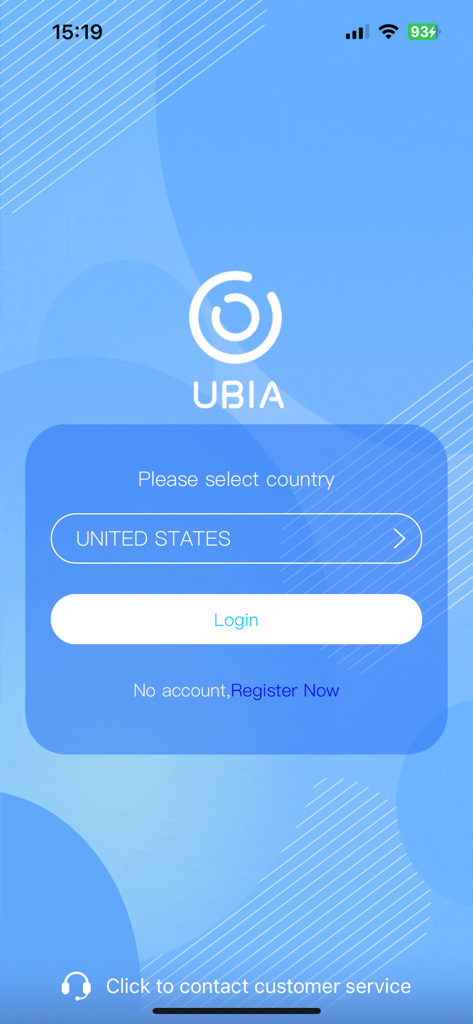
Login screen for the Ubox security app with United States selected.

Login screen for the Ubox security app with United States selected.

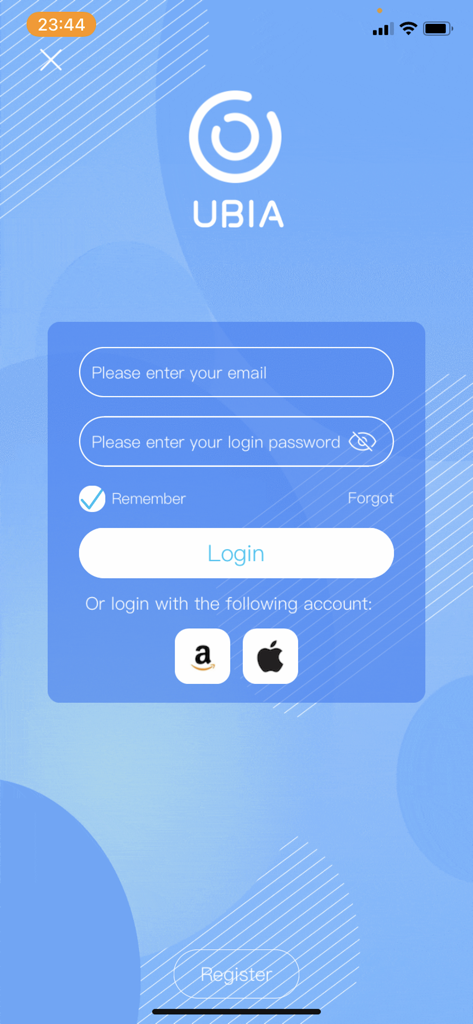
Login screen of the Ubox security app with email and password fields plus Amazon and Apple sign-in options

Login screen of the Ubox security app with email and password fields plus Amazon and Apple sign-in options

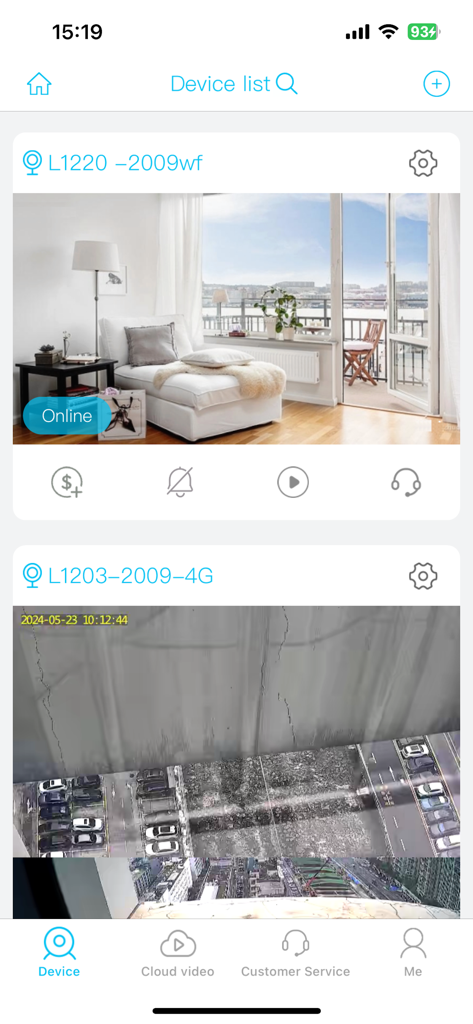
Ubox app interface showing a list of connected indoor and outdoor security cameras

Ubox app interface showing a list of connected indoor and outdoor security cameras

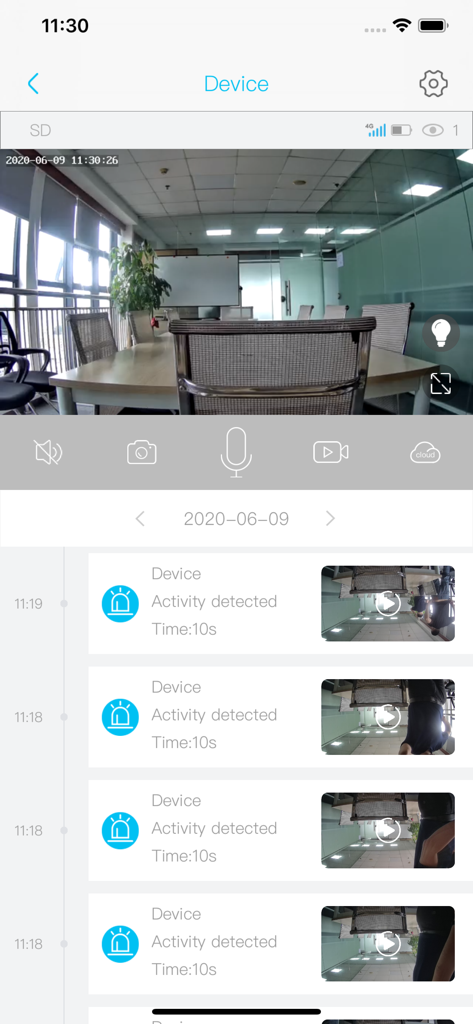
Ubox mobile app interface displaying a live security camera feed of an office and a chronological list of detected motion activities with video thumbnails

Ubox mobile app interface displaying a live security camera feed of an office and a chronological list of detected motion activities with video thumbnails

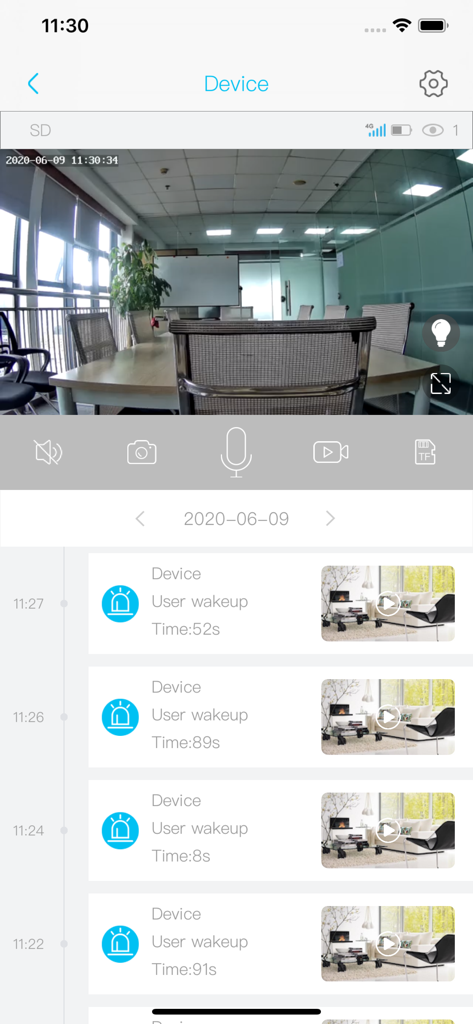
Ubox app interface showing a live video feed of a conference room and a chronological event log with security camera snapshots

Ubox app interface showing a live video feed of a conference room and a chronological event log with security camera snapshots

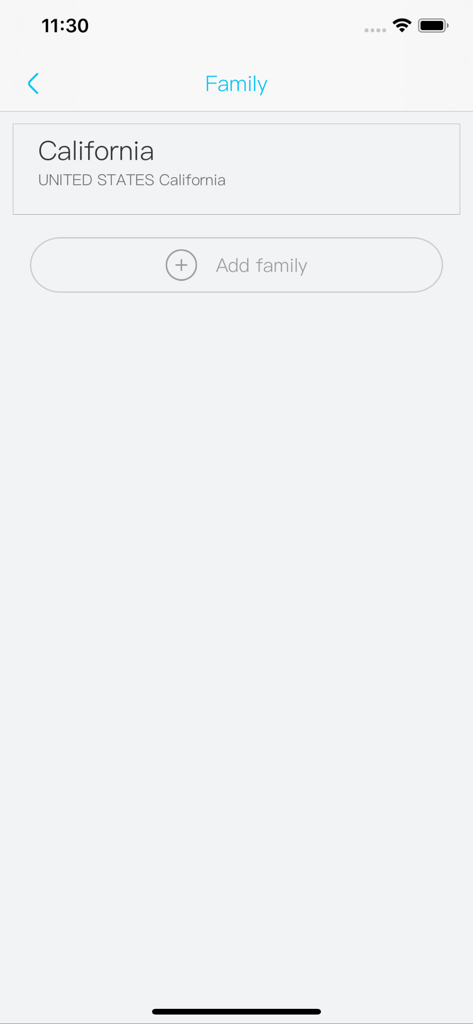
The family management screen in the Ubox app showing a list of locations and an option to add a new family group.

The family management screen in the Ubox app showing a list of locations and an option to add a new family group.

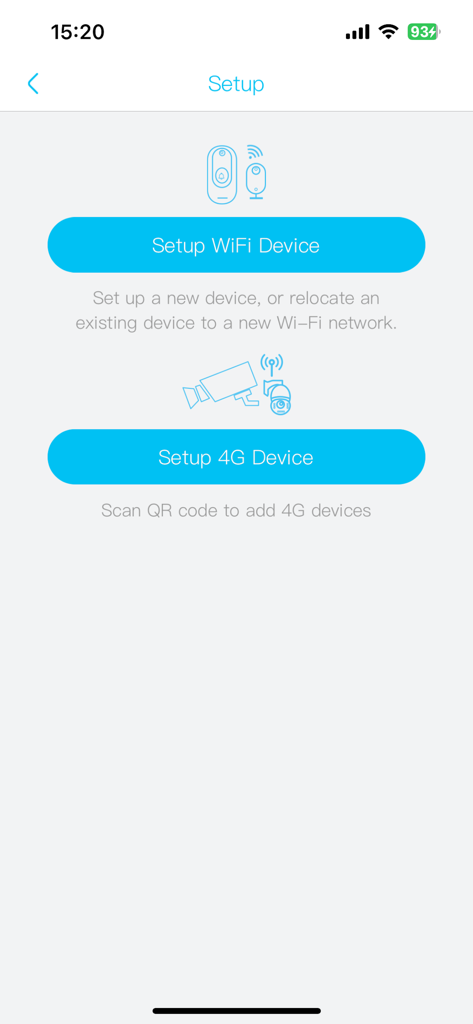
Interface of the Ubox app showing options to set up WiFi and 4G security cameras

Interface of the Ubox app showing options to set up WiFi and 4G security cameras

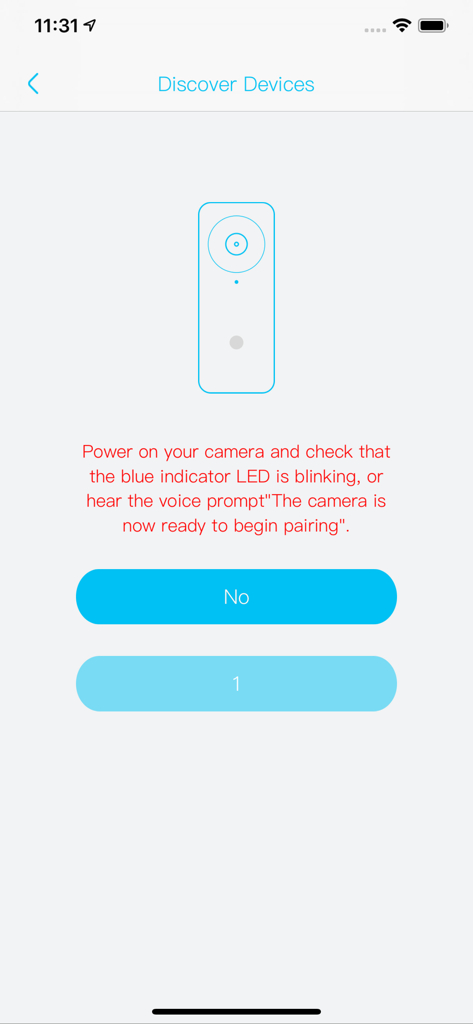
The Discover Devices setup screen in the Ubox app for pairing a new security camera.

The Discover Devices setup screen in the Ubox app for pairing a new security camera.

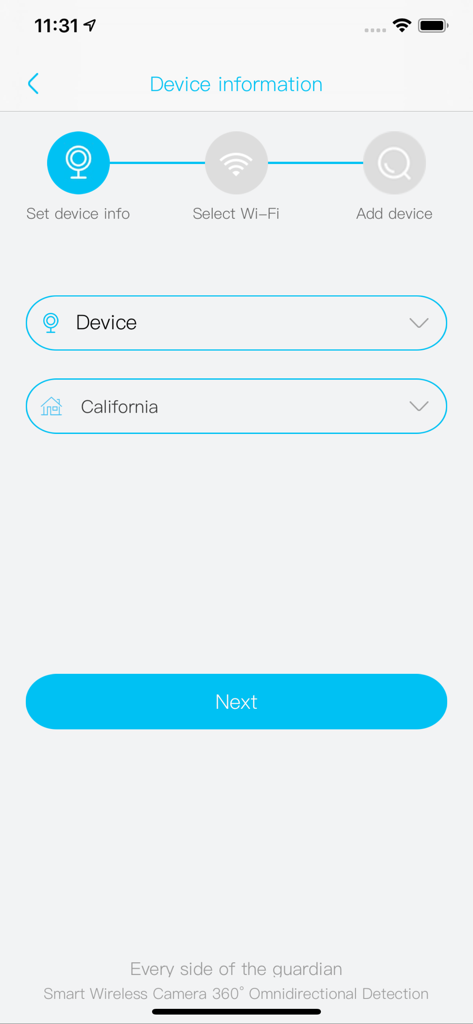
A setup screen in the Ubox app for adding a new security device showing the device information step and location selection.

A setup screen in the Ubox app for adding a new security device showing the device information step and location selection.

Smart Security for Every Corner of Your Life

The tools that make this app stand out, trusted by 1M+ users.

☀️

Off-Grid Independence

Seamlessly manage solar and 4G cameras. Monitor remote gates, barns, or large backyards without needing a power outlet or a WiFi signal.

🔔

Instant AI Awareness

Receive immediate push notifications with snapshots and AI face recognition so you know exactly who is at your door the moment they arrive.

☁️

Flexible Cloud Protection

Choose budget-friendly storage plans that fit your needs. Access 1080P live views and two-way audio without the burden of expensive contracts.

Loved by users worldwide

Trusted by 1M+ people who love this app.

"

"I've tried several security apps, but Ubox is the first that actually handles my solar-powered cameras without draining the battery. The setup was a breeze for a DIYer like me, and the instant snapshots for deliveries have finally put an end to my porch piracy worries. Great value for the cloud storage too!"

David M.
"

"Managing a large property means I can't always have WiFi everywhere. The 4G and solar support in this app is a game changer. I can check on my remote barn from anywhere in 1080P, and the two-way audio works perfectly. It is reliable, cost-effective, and gives me total peace of mind."

Sarah L.

About the app

Everything you need to know about Ubox.

Description

A new client for power saving intelligent video device Main Features: - Support user register and binding device to user account - Support power-saving mode and remote wakeup - Support TF recording and cloud recording video - Support notification with a snapshot - Support notification with AI face recogization - Live view H.264 720P/1080P up to 30FPS - Dual way audio - Remote Parameter setting - Remote query alert and playback - Support WiFi doorbell - Support WiFi battery camera - Support 4G wireless battery camera - Support Solar WiFi/4G wireless camera - Support Panoramic camera 【30-day recurring cloud storage with annual subscription】 1. Subscription cycle: one year 2. Subscription price: US$214.99 per year for 6 devices, US$179.99 per year for 5 devices, US$144.99 per year for 4 devices, US$109.99 per year for 3 devices, US$74.99 per year for 2 devices, and US$39.99 per year for 1 device 【30-day recurring cloud storage half-year subscription instructions】 1. Subscription cycle: 6 Months 2. Subscription price: US$119.99 per year for 6 devices, US$102.99 per year for 5 devices, US$82.99 per year for 4 devices, US$62.99 per year for 3 devices, US$40.99 per year for 2 devices, and US$20.99 per year for 1 device 【30-day recurring cloud storage monthly subscription instructions】 1. Subscription cycle: 1 Months 2. Subscription price: US$19.99 per year for 6 devices, US$17.99 per year for 5 devices, US$14.49 per year for 4 devices, US$10.49 per year for 3 devices, US$6.99 per year for 2 devices, and US$3.99 per year for 1 device 【7-day recurring cloud storage per year subscription instructions】 1. Subscription cycle: one year 2. Subscription price: US$119.99 per year for 6 devices, US$99.99 per year for 5 devices, US$79.99 per year for 4 devices, US$59.99 per year for 3 devices, US$39.99 per year for 2 devices, and US$20.49 per year for 1 device 【7-Day Recurring Cloud Storage Half-Year Subscription Instructions】 1. Subscription cycle: 6 Months 2. Subscription price: US$59.99 per year for 6 devices, US$49.99 per year for 5 devices, US$40.99 per year for 4 devices, US$29.99 per year for 3 devices, US$19.99 per year for 2 devices, and US$10.49 per year for 1 device 【7-Day Recurring Cloud Storage Monthly Subscription Instructions】 1. Subscription cycle: 1 Months 2. Subscription price: US$10.99 per year for 6 devices, US$8.99 per year for 5 devices, US$6.99 per year for 4 devices, US$4.99 per year for 3 devices, US$3.49 per year for 2 devices, and US$1.99 per year for 1 device 【Renew and unsubscribe】 Payment: After the user confirms the purchase and makes the payment, it will be credited to the iTunes account Unsubscribe: To unsubscribe, manually open the iPhone Settings -->enter the iTunes Store and App Store -->click Apple ID, select View Apple ID, enter the Account Settings page, click Subscribe, and select unsubscribe. Renewal: 24 hours before the expiration of Apple's subscription period, deduct the service charge for the next subscription period from your iTunes account and extend the validity of the member corresponding to the subscription period. If the deduction fails due to insufficient balance in the iTunes account, the app has the right to suspend/terminate your cloud video service. User Agreement: http://doc.ubianet.com/pages/ubox/term-of-service.html Privacy Policy: http://doc.ubianet.com/pages/ubox/privacy-policy.html Cloud Service Agreement: https://doc.ubianet.com/pages/ubox/cloudservice.html Cloud service auto-renewal agreement: https://doc.ubianet.com/pages/ubox/cloudservice-renew.html

Latest Version

1.1.131

Size

89.1 MB

First Released

May 23, 2019

Secure Your Home in Minutes, Not Hours

Experience the freedom of wire-free security with AI-driven alerts and flexible cloud storage. Join over 1 million users and start protecting what matters most today.

Download on App StoreDownload on Google Play
FAQ

Frequently Asked Questions

Everything you need to know about Ubox

What is the Ubox app?

The Ubox app is a client for power-saving intelligent video devices. It supports features like user registration, device binding, remote wakeup, and live view. It also handles TF and cloud video recording.

Does Ubox support power-saving features?

Yes, the Ubox app supports a power-saving mode and remote wakeup functionality for intelligent video devices. This helps conserve battery life of connected cameras.

What types of cameras does the Ubox app support?

The Ubox app supports various camera types, including WiFi doorbells, WiFi battery cameras, 4G wireless battery cameras, Solar WiFi/4G wireless cameras, and panoramic cameras.

How much does Ubox cloud storage cost for one device annually (30-day recurring)?

The Ubox 30-day recurring cloud storage costs US$39.99 per year for one device with an annual subscription cycle. This provides 30 days of storage.

How much is the Ubox 30-day recurring cloud storage with a monthly subscription for one device?

The Ubox 30-day recurring cloud storage with a monthly subscription cycle costs US$3.99 per year for one device. The subscription cycle is one month.

How do I unsubscribe from Ubox cloud services?

To unsubscribe from Ubox cloud services, manually open iPhone Settings, enter iTunes Store and App Store, click Apple ID, select View Apple ID, go to Account Settings, click Subscribe, and then select unsubscribe.

Does the Ubox app support AI face recognition for notifications?

Yes, the Ubox app supports notifications with AI face recognition. It also sends notifications with a snapshot.

Can users record videos with the Ubox app?

Yes, Ubox supports both TF recording and cloud recording video. This provides flexible options for storing video footage from connected devices.

What video resolution and frame rate does Ubox support for live view?

The Ubox app supports live view at H.264 720P/1080P resolutions. It offers a frame rate of up to 30 frames per second.

Does Ubox offer two-way audio communication?

Yes, the Ubox app supports dual-way audio communication. This allows users to speak and listen through their connected video devices.

Where can I find the Privacy Policy for Ubox?

The Privacy Policy for the Ubox app is available at the following URL: http://doc.ubianet.com/pages/ubox/privacy-policy.html.

Does Ubox offer half-year subscriptions for 7-day recurring cloud storage?

Yes, Ubox offers half-year subscriptions for 7-day recurring cloud storage. For one device, this subscription costs US$10.49 per year.

How can I set up a new WiFi device in Ubox?

To set up a new WiFi device in Ubox, open the app, navigate to the setup screen, and select "Setup WiFi Device". Follow the prompts to add your device to a Wi-Fi network.

Does Ubox allow remote adjustment of device parameters?

Yes, the Ubox app supports remote parameter setting for connected devices. Users can adjust device configurations remotely through the application.

What kind of alerts can Ubox provide?

The Ubox app provides notifications with snapshots and supports AI face recognition for alerts. It also allows remote query of alerts.