V Keyboard - DIY Themes, Fonts

V Keyboard - DIY Themes, Fonts

Download on App Store
Spark by MWM logo
Logo of V Keyboard - DIY Themes, Fonts
V Keyboard: Your Ultimate Aesthetic with DIY Themes & Fonts

Ditch the boring stock keyboard and express your unique style across TikTok, Instagram, and iMessage. Design custom skins, create your own handwritten fonts, and stand out in every comment section.

Publisher

DIGITALLIFE TECHNOLOGY CO., LIMITED

Category

Utilities

Downloads

2M+

User Rating

4.5/5

Total Ratings

67K+

Locales

1

Style at Your Fingertips

Discover the interface used by 2M+ users.
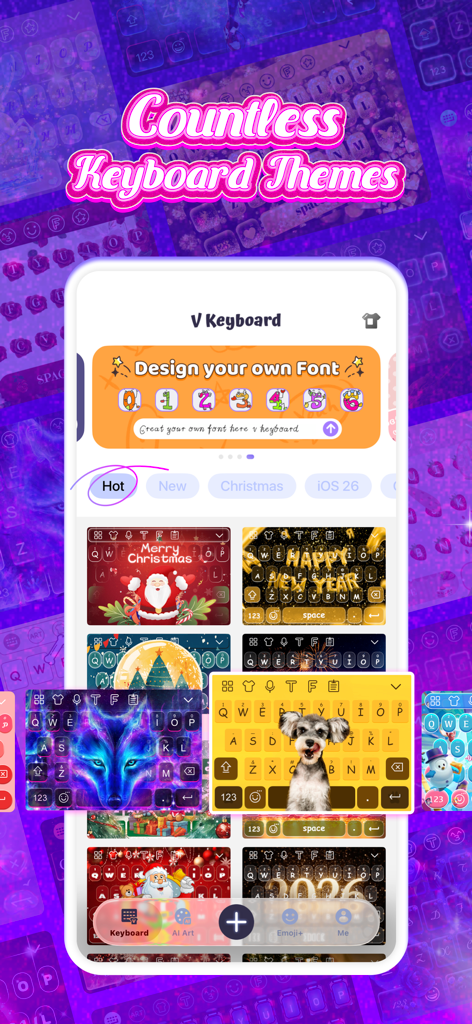
V Keyboard app interface showcasing various custom keyboard themes and font design options

V Keyboard app interface showcasing various custom keyboard themes and font design options

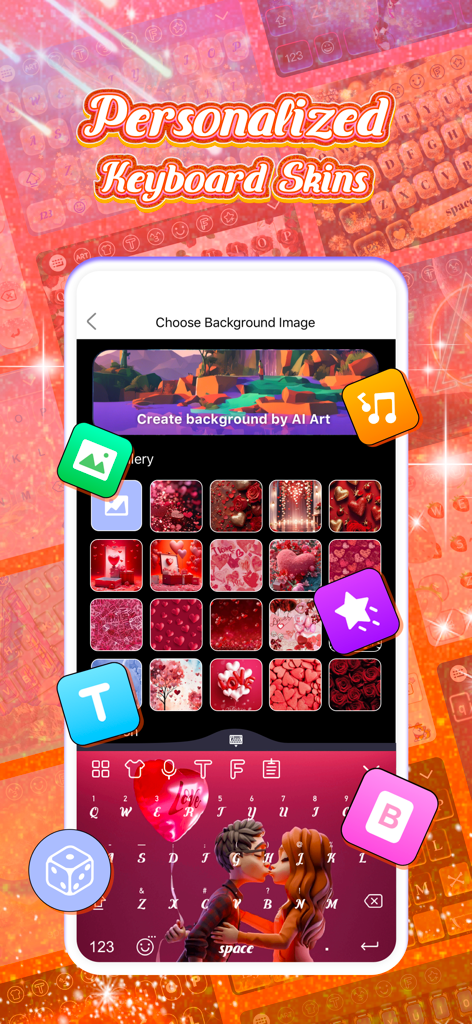
V Keyboard app interface showing personalized keyboard skins and DIY theme customization with heart themed backgrounds

V Keyboard app interface showing personalized keyboard skins and DIY theme customization with heart themed backgrounds

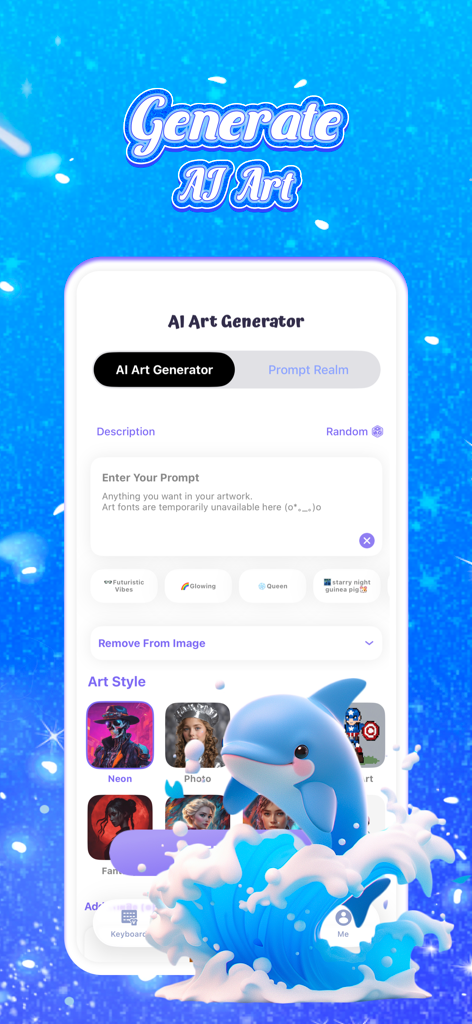
V Keyboard app interface showing the AI Art Generator feature with a blue dolphin jumping over waves and various art style options.

V Keyboard app interface showing the AI Art Generator feature with a blue dolphin jumping over waves and various art style options.

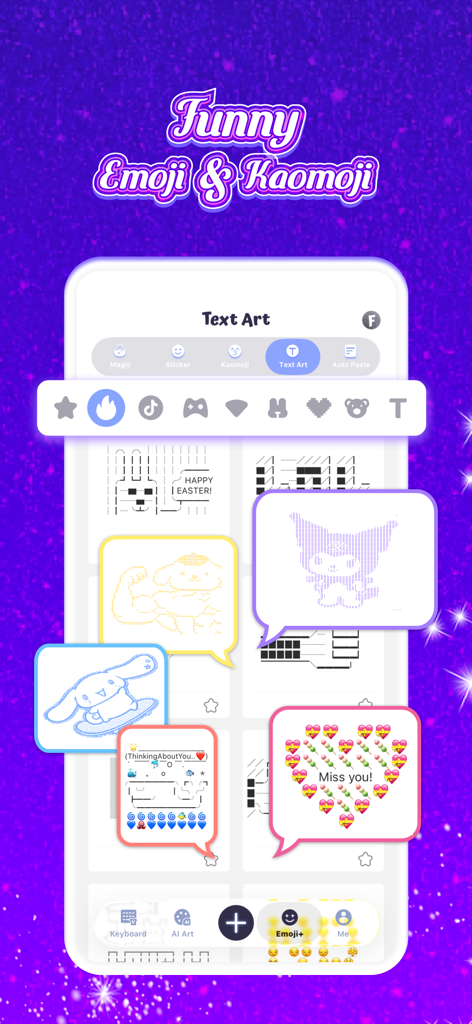
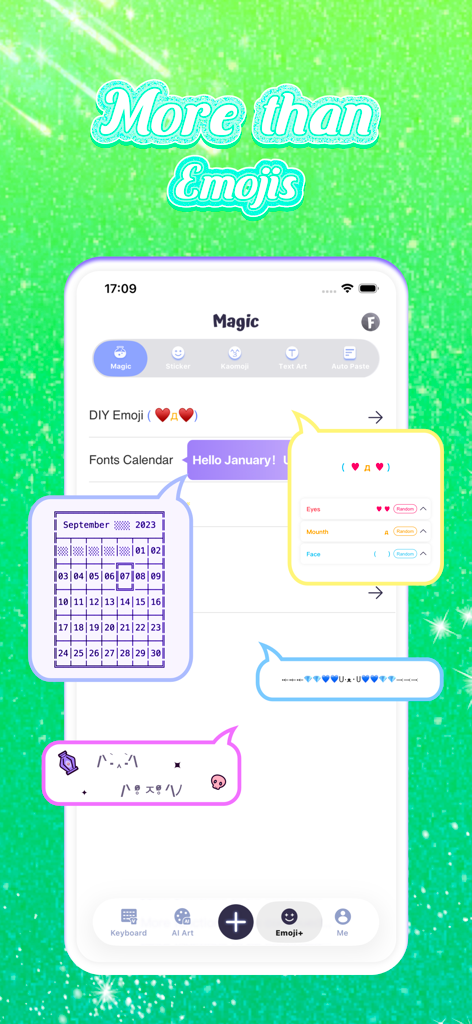
Interface of the V Keyboard app showing a variety of funny text art kaomoji and emoji characters

Interface of the V Keyboard app showing a variety of funny text art kaomoji and emoji characters

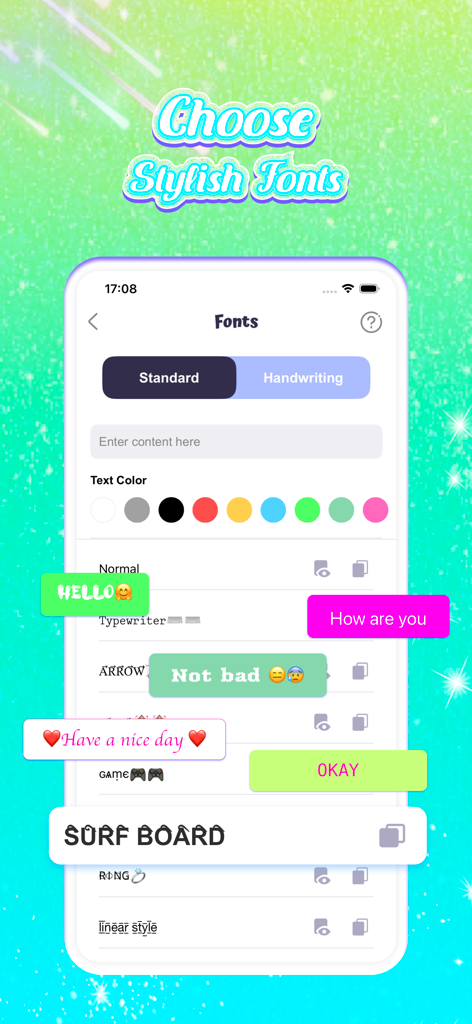
Interface of V Keyboard app showing different font styles and text color options.

Interface of V Keyboard app showing different font styles and text color options.

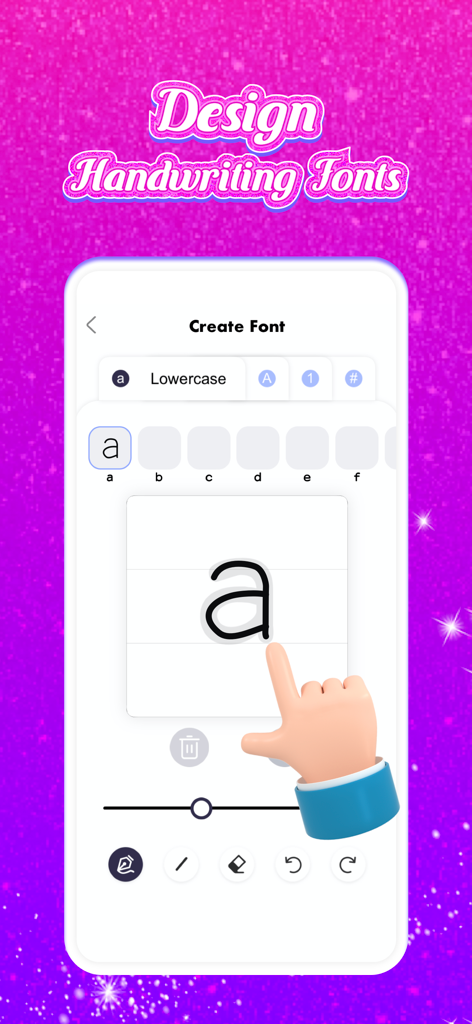
A user drawing a custom lowercase letter a to create a personalized handwriting font in the V Keyboard app

A user drawing a custom lowercase letter a to create a personalized handwriting font in the V Keyboard app

V Keyboard app interface showing DIY emoji creation and custom text art features

V Keyboard app interface showing DIY emoji creation and custom text art features

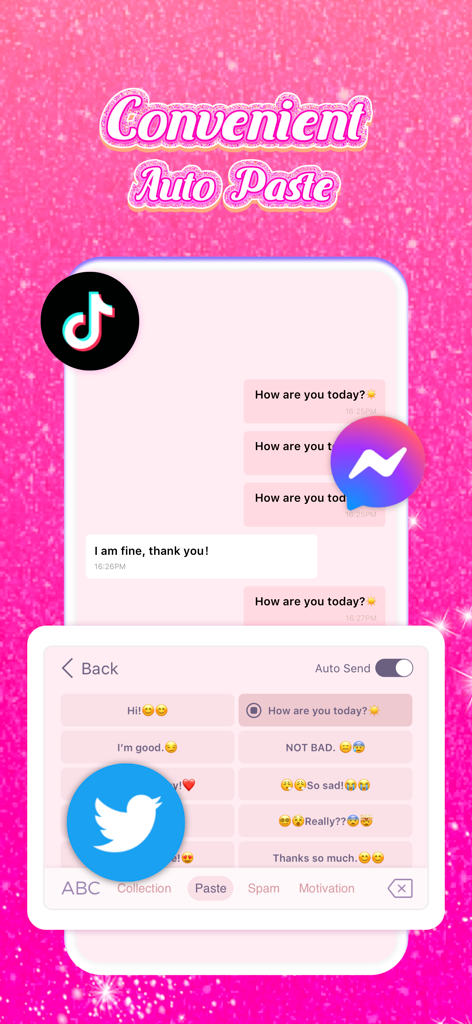
V Keyboard app screenshot showing the auto-paste feature with a pink glitter theme and social media icons

V Keyboard app screenshot showing the auto-paste feature with a pink glitter theme and social media icons

Own Your Digital Aesthetic

The tools that make this app stand out, trusted by 2M+ users.

🎨

DIY Theme Studio

Design a keyboard that matches your vibe with custom backgrounds, neon animations, and stylish sound effects that express who you really are.

1000+ Trendy Fonts

Make your bio and comments pop with exclusive fonts and text art that guarantee you stand out in every social media feed.

Instant Auto-Paste

Save your most-used hashtags, emojis, and replies to send with a single tap—the ultimate shortcut for stan culture and social giveaways.

Loved by users worldwide

Trusted by 2M+ people who love this app.

"

"I am obsessed with how my keyboard looks now! Being able to design my own fonts and match the background to my iOS widgets is a total game changer. My Instagram captions have never looked better and I get so many DMs asking how I get my text to look like this."

Chloe R.
"

"The auto-paste feature is a lifesaver for replying to my community quickly, and the neon themes are actually high quality. I love that it works perfectly on TikTok and Discord without any lag. Definitely worth the upgrade for the DIY custom fonts alone!"

Jordan M.

About the app

Everything you need to know about V Keyboard - DIY Themes, Fonts.

Description

V Keyboard is a good tool for you to change the traditional boring social ways, it helps you enrich the communication content and decorate your daily life. V keyboard has strong compatibility. You can use this app on any social media. Let's unlock the new way of using the keyboard together. What functions does V keyboard provide? 1. Kinds of keyboard themes and skins There are many different types of keyboard skins and themes for you to experience, such as games, glitter, love, neon, etc. It can make your life easier without spending much time and effort while using it. 2. Customized keyboard If you want your keyboard to be more unique and fashionable, you can create your personalized keyboard with beautiful backgrounds, stylish fonts, interesting animations, and cool sound effects. 3. Stylish fonts Different stylish and unique fonts, 1000+ emojis, and funny text art will make your text content more vivid. 4. Design handwritten fonts You can design your own fonts according to the font templates we provide you which is full of personality. 5. One-click to send auto-paste You can use the text that V keyboard has or design by yourself, copy and paste multiple texts with one click, reply to messages anytime, anywhere, and increase the fun of chatting 6. Strong compatibility Don't worry about the compatibility problem, V keyboard is suitable for all social media apps, such as Instagram, Tiktok, Twitter, Facebook, iMessage, WhatsApp, etc. If you are looking for a fun and easy-to-use keyboard, V keyboard is a good choice, it can color your life, enrich your social post content, and win good interpersonal relationships. Subscription pricing and terms: For unlocking all features and content, Premium Membership offers auto-renewable subscription options: Weekly & year payment subscription options. End of trial and subscription renewal: - Payment will be charged to iTunes Account at confirmation of purchases. - Subscription automatically renews unless auto-renew is turned off at least 24 hours before the end of the current period. - Account will be charged for renewal within 24-hours prior to the end of the current period, and identify the cost of the renewal. - Subscriptions may be managed by the user and auto-renewal may be turned off by going to the user’s Account Settings after purchase. - Any unused portion of a free trial period, if offered, will be forfeited when the user purchases a subscription to that publication, where applicable. - Privacy Policy: http://www.digitallifetech.net/privacystatement/vkeyboard/privacyPolicy.html - Terms of Use: http://www.digitallifetech.net/privacystatement/vkeyboard/termsofuse.html

Latest Version

5.4

Size

207.1 MB

First Released

Nov 13, 2022

Ready to Give Your Phone a Total Glow-Up?

Join over 2 million creators and start designing your unique aesthetic today with DIY themes, stylish fonts, and one-tap auto-paste.

Download on App Store
FAQ

Frequently Asked Questions

Everything you need to know about V Keyboard - DIY Themes, Fonts

What is V Keyboard?

V Keyboard is a compatible app that offers diverse keyboard themes, custom personalization options, stylish fonts, handwritten font design, and one-click auto-paste functionality. It enriches communication content across social media.

What features does V Keyboard offer?

V Keyboard provides numerous keyboard themes, customized keyboard options with backgrounds and sound effects, stylish fonts, handwritten font design, 1000+ emojis, funny text art, and one-click auto-paste.

Is V Keyboard compatible with social media apps?

Yes, V Keyboard has strong compatibility with various social media apps. It works with Instagram, TikTok, Twitter, Facebook, iMessage, and WhatsApp, among others, as stated in the app description.

Can users customize their keyboard themes in V Keyboard?

Yes, V Keyboard allows users to create personalized keyboards. This includes choosing beautiful backgrounds, stylish fonts, interesting animations, and cool sound effects to make their keyboard unique.

Does V Keyboard provide different font styles?

Yes, V Keyboard offers different stylish and unique fonts. It also includes 1000+ emojis and funny text art to make text content more vivid and engaging.

Can I design my own handwritten fonts with V Keyboard?

Yes, V Keyboard allows users to design their own handwritten fonts. Users create personalized fonts based on the font templates provided within the app, full of personality.

How does V Keyboard's auto-paste feature work?

V Keyboard's one-click auto-paste feature enables users to copy and paste multiple texts. Users can use pre-existing texts or design their own for quick replies and enhanced chatting experiences.

How much does V Keyboard Premium Membership cost?

V Keyboard Premium Membership offers auto-renewable subscription options. These include weekly and yearly payment plans to unlock all features and content.

How do I manage my V Keyboard subscription?

Users manage V Keyboard subscriptions through their iTunes Account settings after purchase. Auto-renewal can be turned off at least 24 hours before the current period ends.

Where can I find V Keyboard's Privacy Policy?

The Privacy Policy for V Keyboard is available at http://www.digitallifetech.net/privacystatement/vkeyboard/privacyPolicy.html. This link is provided within the app's store description.

Does V Keyboard offer a free trial?

Yes, V Keyboard may offer a free trial period. Any unused portion of a free trial is forfeited when the user purchases a subscription to the publication, if applicable.

Can V Keyboard generate AI Art for backgrounds?

Yes, V Keyboard features an AI Art Generator. Users can create custom backgrounds by AI Art, inputting prompts to design unique images for their keyboard skins.