
VideoCopy: Download manager



Download from the cloud, generate AI captions in seconds, and play media in the background. Your complete media hub for creating and consuming content on the go.
Publisher
Category
MusicDownloads
3M+User Rating
Total Ratings
23K+Locales
1Discover the interface used by 3M+ users.
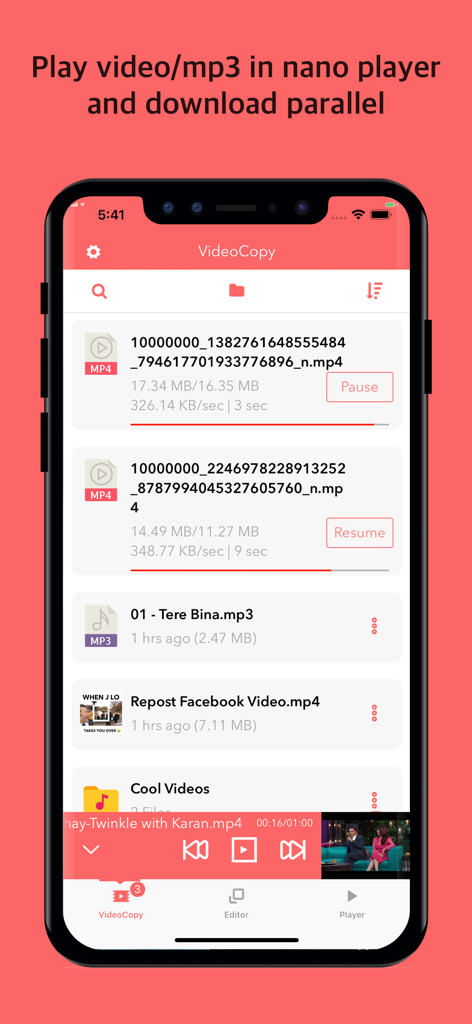
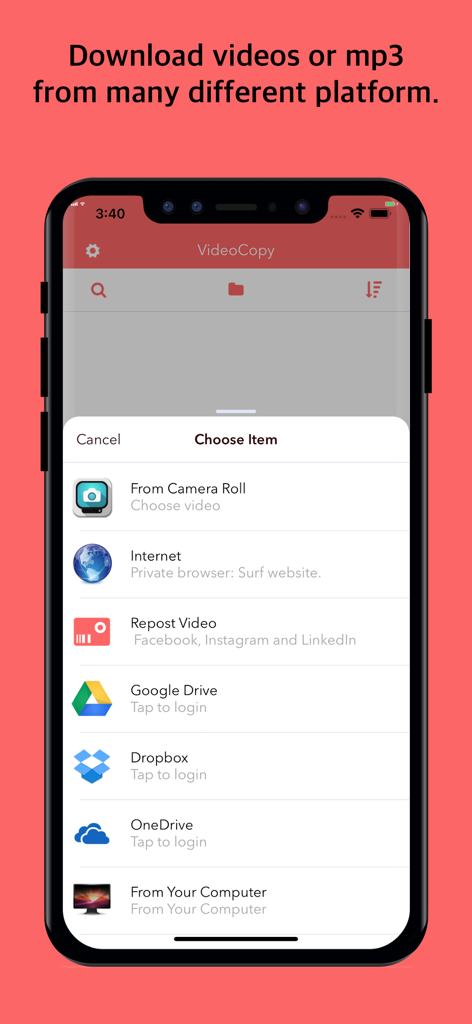
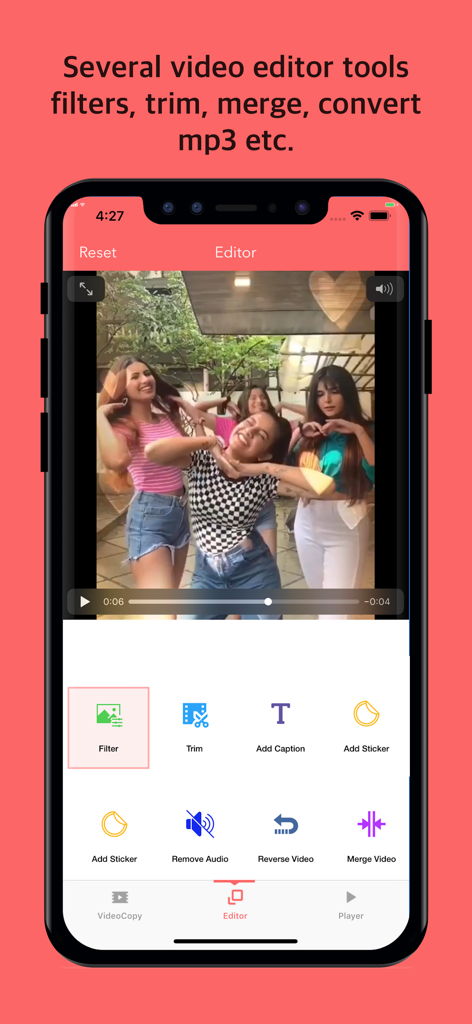
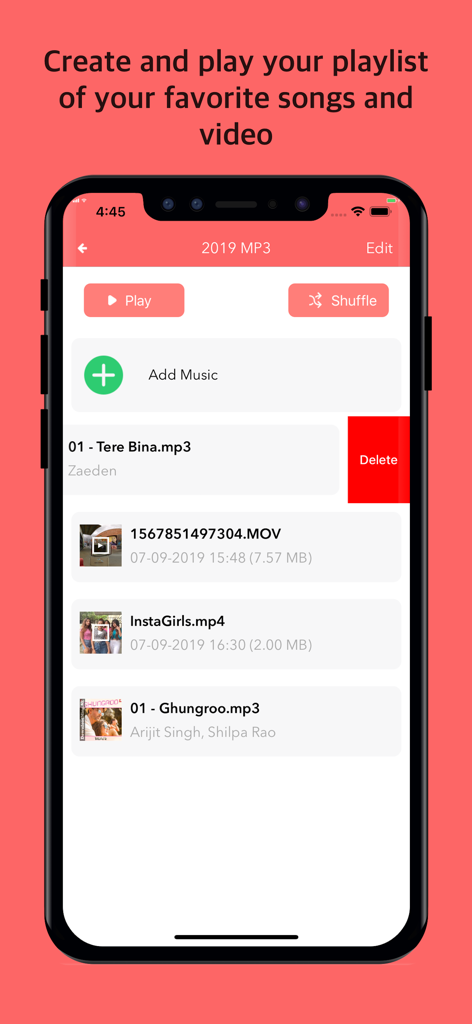
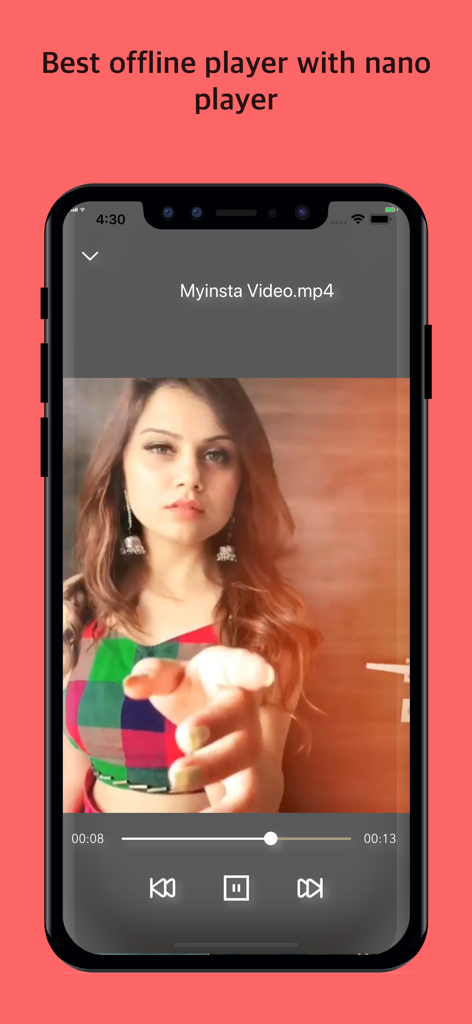
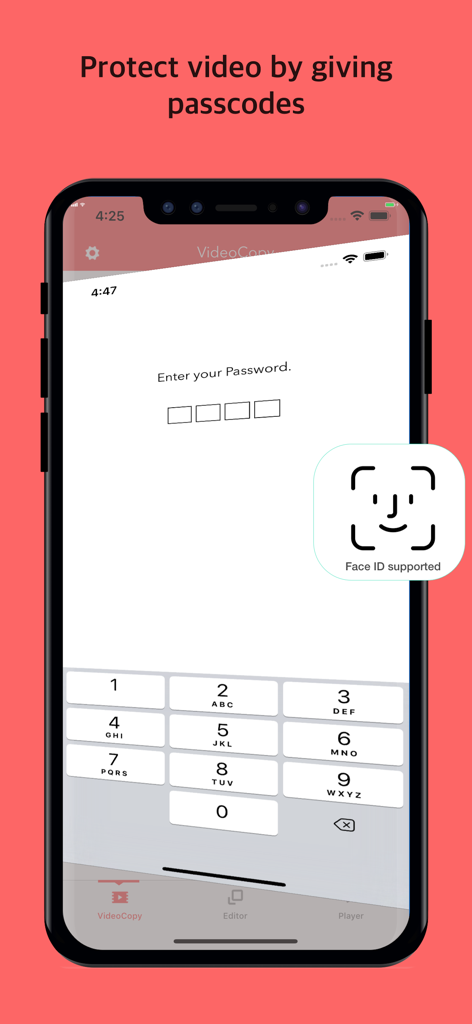
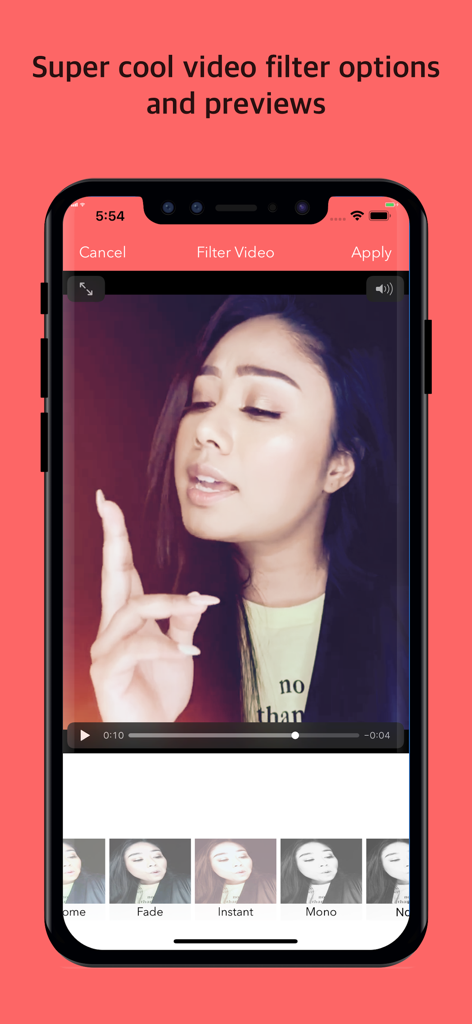
The tools that make this app stand out, trusted by 3M+ users.
Instantly pull videos and songs from Google Drive, Dropbox, or social media directly into your private local library.
Boost engagement with viral karaoke-style captions in 100+ languages, generated instantly with advanced AI.
Listen to music or videos while multitasking or with your screen locked. Premium offline playback without the price tag.
Trusted by 3M+ people who love this app.
"VideoCopy is an absolute game-changer for my social media workflow. The AI auto-captioning is incredibly accurate and the karaoke style makes my TikToks look so professional. I love how I can pull videos from Dropbox, trim them, and add stickers all in one app. It has replaced three other subscriptions for me!"
"The perfect app for anyone who travels. I download all my video lectures and music from OneDrive to watch offline during flights. The background playback feature is a must-have, allowing me to listen to my playlists while multitasking. It is the most reliable file manager I have used on iOS."
Everything you need to know about VideoCopy: Download manager.
Description
Latest Version
1.44
Size
36.6 MB
First Released
Sep 9, 2019
Download, edit, and add AI captions in seconds. Join over 3 million power users and turn your iPhone into a professional media studio.
Everything you need to know about VideoCopy: Download manager
Yes, VideoCopy allows users to download and import videos and songs from cloud services such as Google Drive, Dropbox, and OneDrive. It also supports Wi-Fi sharing from a computer to an iPhone.
Yes, VideoCopy features an AI-powered auto-caption tool. It uploads your video to a server to generate karaoke-style captioned videos, supporting over 100 major world languages.
VideoCopy offers various video editing tools including filters, trimming, adding captions, stickers, reversing video, merging videos, removing audio, and converting videos to M4A audio.
Yes, VideoCopy includes a versatile player that supports video, M4A, and MP3 files. It features a nano player, background playback mode, and lock screen controls for continuous listening.
Yes, VideoCopy allows users to create multiple playlists and add any number of items to each. Users can play selected songs, shuffle, and reorder videos or songs within the playlist.
Yes, VideoCopy includes a file manager that allows users to create subfolders, add videos from third-party applications like WhatsApp and Telegram, rename, delete, share, and save files.
Yes, VideoCopy offers security features including passcode protection for videos. It also supports Face ID for enhanced biometric security.
VideoCopy offers Premium memberships with 3-month, Yearly, and Lifetime options. Premium removes download limitations and advertisements, and unlocks all video editing tools.
Subscription payments for VideoCopy Premium are charged to your iTunes Account upon purchase. Subscriptions automatically renew unless auto-renew is turned off at least 24 hours before the current period ends.
Apps with similar features and user experience

Opusclip Inc.

Changsha Tanbei Information Technology Co., Ltd

彦超 仝

Changsha yunxiaoguo technology co., ltd

Susanne Anders

StarShine Technology Co. Ltd.

Xiamen Bita Network Technology Co., Ltd.

Derek Coutinho

Madhuri Pujara