
Voice Tune - Auto Recorder



Transform your bedroom recordings into radio-ready hits with professional effects like Reverb, EQ, and Compression. Import your favorite tracks, record like a pro, and share your polished sound on social media.
Publisher
Category
MusicDownloads
443K+User Rating
Total Ratings
1K+Locales
3Discover the interface used by 443K+ users.
The tools that make this app stand out, trusted by 443K+ users.
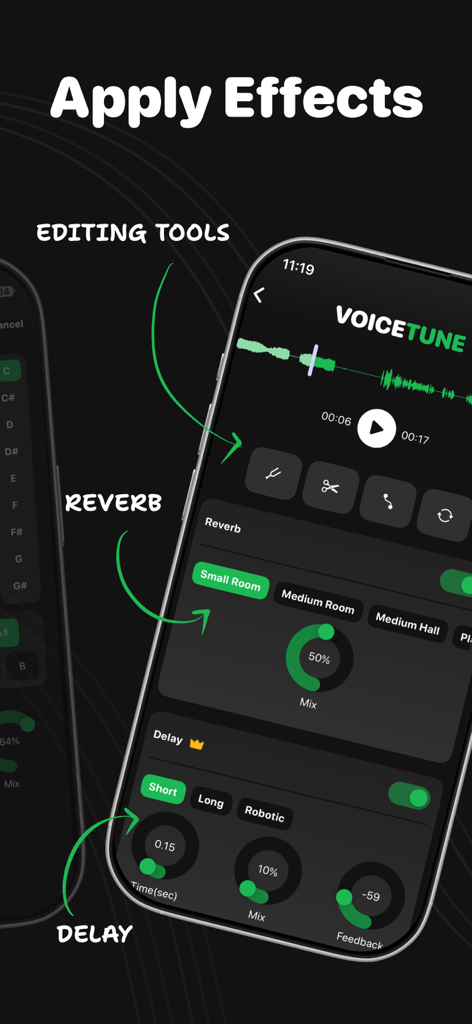
Apply high-quality Reverb, EQ, and Compression to give your voice that polished, radio-ready sound instantly.
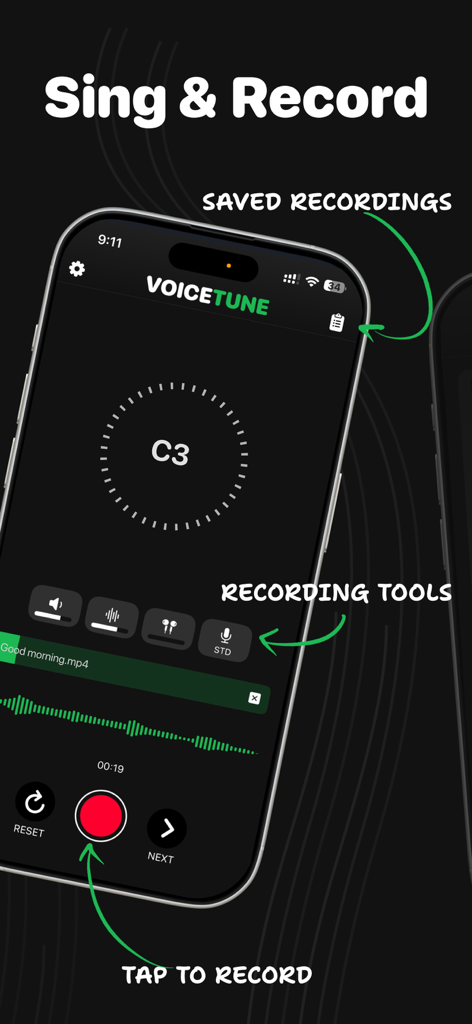
Import your favorite tracks directly from your music library and record your own unique covers without restrictive catalogs.
Export your masterpieces with one tap and share them directly to TikTok or Instagram to grow your fan base.
Trusted by 443K+ people who love this app.
"Voice Tune is a total game changer for my TikTok covers! I used to struggle with flat audio from my phone mic, but the professional compression and reverb make my vocals sound like they were recorded in a real studio. It is so easy to use and definitely helps my content stand out."
"I love that I can import my own backing tracks instead of being stuck with a limited library. The EQ and filters are surprisingly high-quality for a mobile app. It is the perfect tool for practicing and sharing polished demos with my friends and family."
Everything you need to know about Voice Tune - Auto Recorder.
Description
Latest Version
5.4
Size
45.1 MB
First Released
Sep 21, 2017
Join over 443,000 creators turning their bedrooms into professional studios. Download Voice Tune and start sounding radio-ready today.
Everything you need to know about Voice Tune - Auto Recorder
Voice Tune - Auto Recorder is a voice recorder and karaoke app. It allows users to import music, record vocals, and apply high-quality effects to create polished musical performances.
Voice Tune offers recording, song import, and powerful effects like Delay, Reverb, Filters, EQ, Compressor, Pitch Fix, Tune, Fade, Equalize, and De-Noise. It also includes features for saving and sharing recordings.
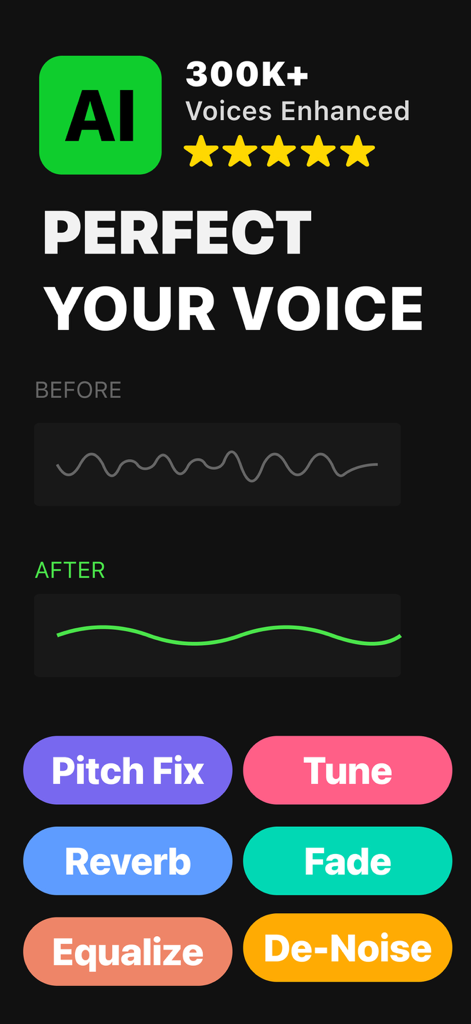
Yes, Voice Tune enhances voice recordings with AI technology and a range of effects. Users can apply Pitch Fix, Tune, Reverb, Fade, Equalize, and De-Noise to perfect their vocals.
Users import songs into Voice Tune from their Music library. This allows them to sing along with backing tracks while recording their vocals within the app.
No, Voice Tune does not support the import of DRM-protected tracks from the Music Library. Only non-DRM protected songs are available for import into the app.
Voice Tune provides effects including Delay, Reverb, Filters, EQ, and Compressor. It also offers specific tools like Pitch Fix, Tune, Fade, Equalize, and De-Noise for comprehensive vocal refinement.
Yes, Voice Tune allows users to save their completed recordings within the app. Users can also share these recordings with friends and family directly on social media platforms.
Yes, Voice Tune has a Privacy Policy. The full policy is available at the provided link: https://dhwaper.notion.site/privacypolicy, ensuring user data transparency.
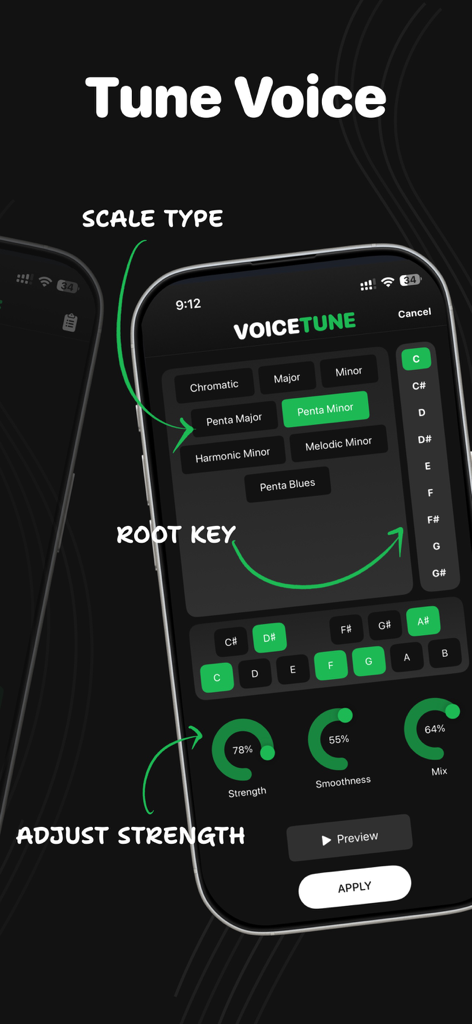
Yes, Voice Tune offers detailed voice tuning options. Users can select scale types such as Chromatic, Major, Minor, and various Pentatonic/Harmonic/Melodic scales, and choose a specific root key.
Apps with similar features and user experience

Beijing Chenzhong Technology Co., Ltd.

Beijing Youbei Online Network Technology Co., Ltd.

Mohamed yosef

Beijing Youbei Online Network Technology Co., Ltd.

SKYWORK AI PTE LTD

M&E Times Co.,Ltd.

INMOBI INTELLIGENT MOBILE COMPANY LIMITED

Phan Nguyen

MDKB Media &Technology (Beijing) Co., Ltd.